












[Free] Qwen Image 2.1 is the Open Source/Weight Nano Banana or GPT Image 2.
YouTube: https://youtu.be/cXaK5TddlA8
Hey everyone!
First and foremost, before we get into the AI conversation of the day, I wanted to take a moment to update on where I've been, and where I'm going.
For the last 8 weeks or so, I've been out and about with very little access to my computer. I've actually been in the process of moving into a new home as well as traveling to some major events (which I'll talk about at some point soon). That in mind, I know it's been a long time since we've touched on anything new, but the turbulence has finally settled down, and I'm getting back to the grind we all know and love!
I wanted to take a moment to say thank you to each of you who have supported the channel during this period. Your patience, care, and comments do not go unnoticed, and I will be getting back to everyone slowly but surely over the coming weeks. If you've reached out and have not heard an answer from me, please feel free to reach out again - there is a chance I just missed it!
Thank you again to all of you, and I'm looking forward to bigger and better things in the future.
Now, without further delay, let's get back to your regularly scheduled program ;)
For the Workflow
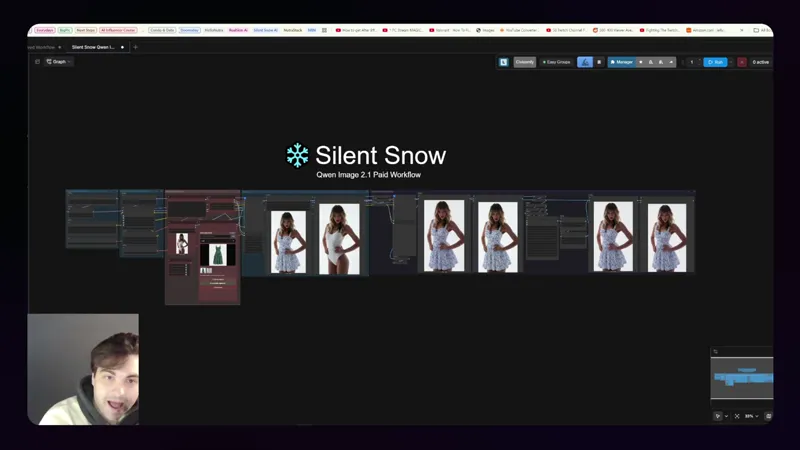
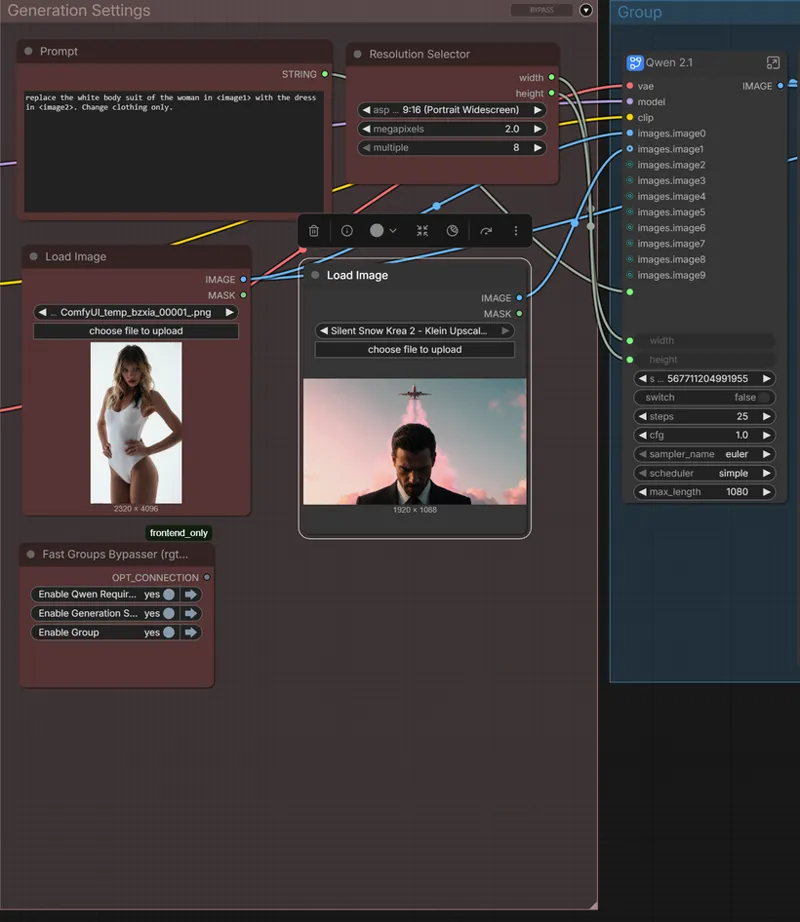
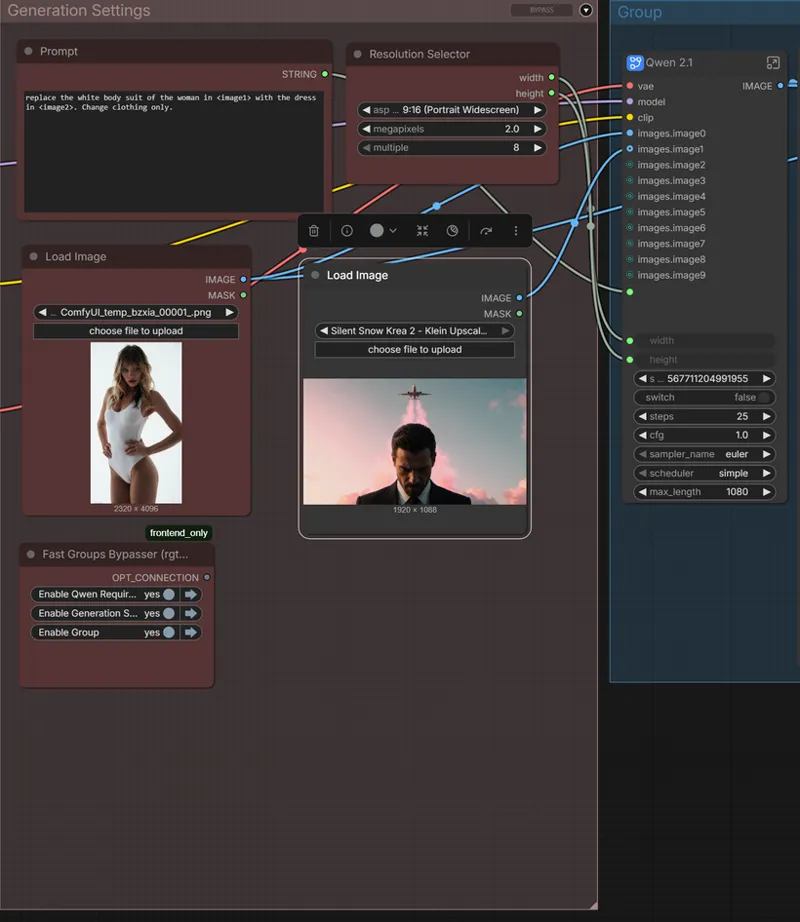
Before we get started, it's important to know that to use the full function of Qwen 2.1 at scale, I recommend using our new custom node pack linked below. If you do not want to use the custom node pack with the batch loader, you can simply remove it and add an image load node as shown below:
https://www.patreon.com/SilentSnowStudios/posts/silent-snow-171555964/edit
Qwen Image 2.1
I know that I'm over a week late to the party at this point, but I've been trying to play with Qwen 2.1 a bit in my free time, and I continue to be impressed by this models overall abilities, especially when we talk about an at scale solution.
I recently attended Amazon unBoxed, Amazon's flagship yearly event discussing all things advertising from definitively the biggest advertiser in the United States, and potentially on the planet.
One of the things I gathered from unBoxed was the concept of scale, speed, precision, and efficiency, particularly in regard to AI systems of any kind, whether that's AI creative production, or AI advertising campaign management. In both worlds, those four pillars are key to having a system that can deliver and truly speed up workflows and production processes.
In regard to creative image generation for business context and use cases, the winner is and has largely been GPT Image 2.5 and Nano Banana. Of course, these models are fantastic and should not be overlooked, but when we talk about scale, they are simply impractical.
On average, GPT Image and Nano Banana require, at an absolute minimum, 2 generations per prompt to determine if you're heading in the right direction or to get a result that works for your use case. That means, maybe you're paying $0.07 per image, but it's really more like $0.14, multiply that by thousands, especially for enterprise businesses, and the price starts to add up, especially across business units, projects, etc.
Not to mention the fact that neither company is a company I would exactly trust to have my data, image references, or context of any kind. That's where Qwen 2.1 comes in. In my experience, it is one of the most diverse, practical, fastest, and highest quality open weight image edit models to date.
Qwen 2.1 Use Case Testing
Clothing Swapping - Fashion & AI Influencers
The first use case that I wanted to try specifically targets the fashion industry. Since the SDXL days, reliable clothing swapping and garment matching has been something everyone has wanted to fix. As time went on, it got better and better, but now we have models that are capable of reliably changing garments while maintaining all other details of the original image, and the provided garment reference.
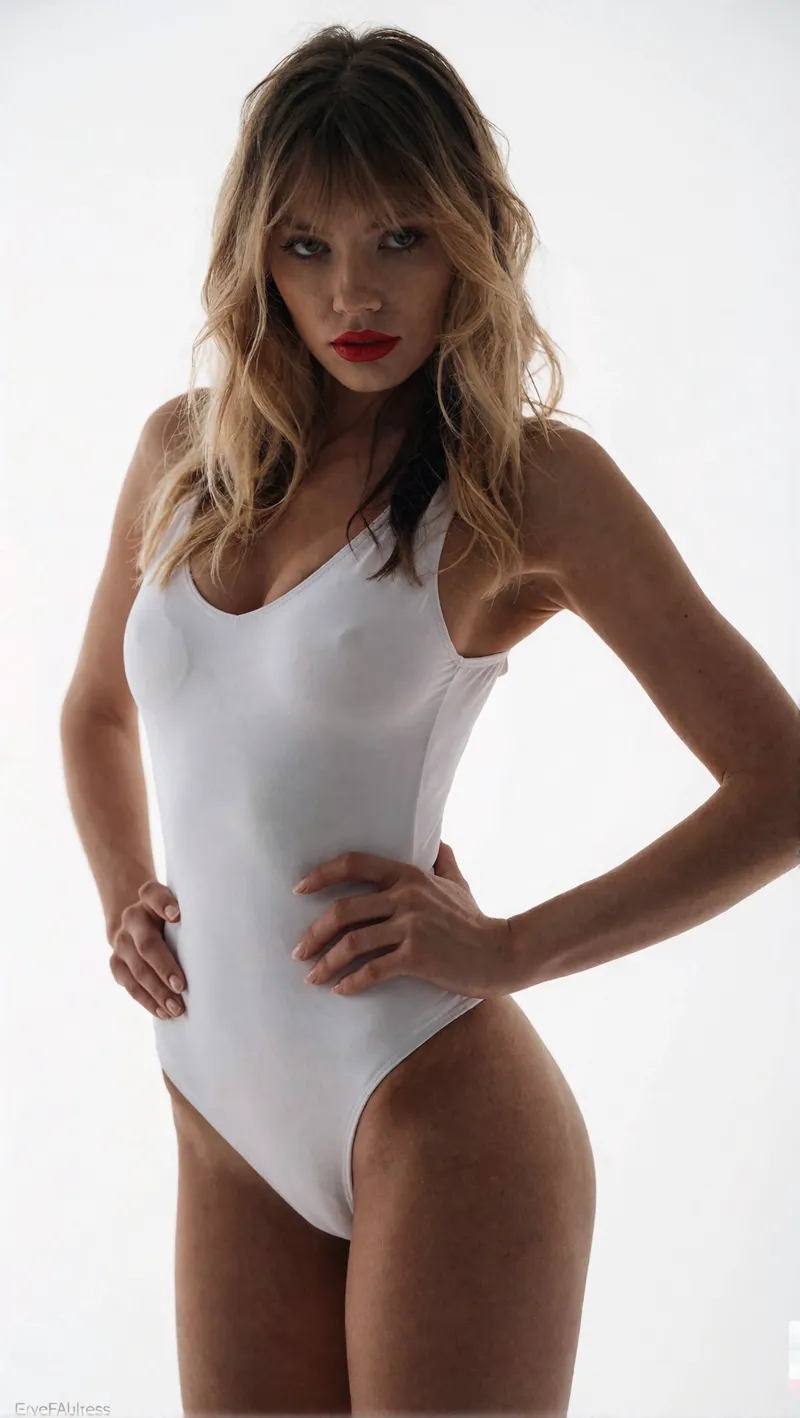
My objective was to see if we could generate at scale using Qwen 2.1 and a simple workflow set up. I generated a base "template" image of a woman posing on a white studio background wearing a white body suit. The reason for the body suit is because having simple clothes for the model to swap over as a reference seems to guide the generation best.
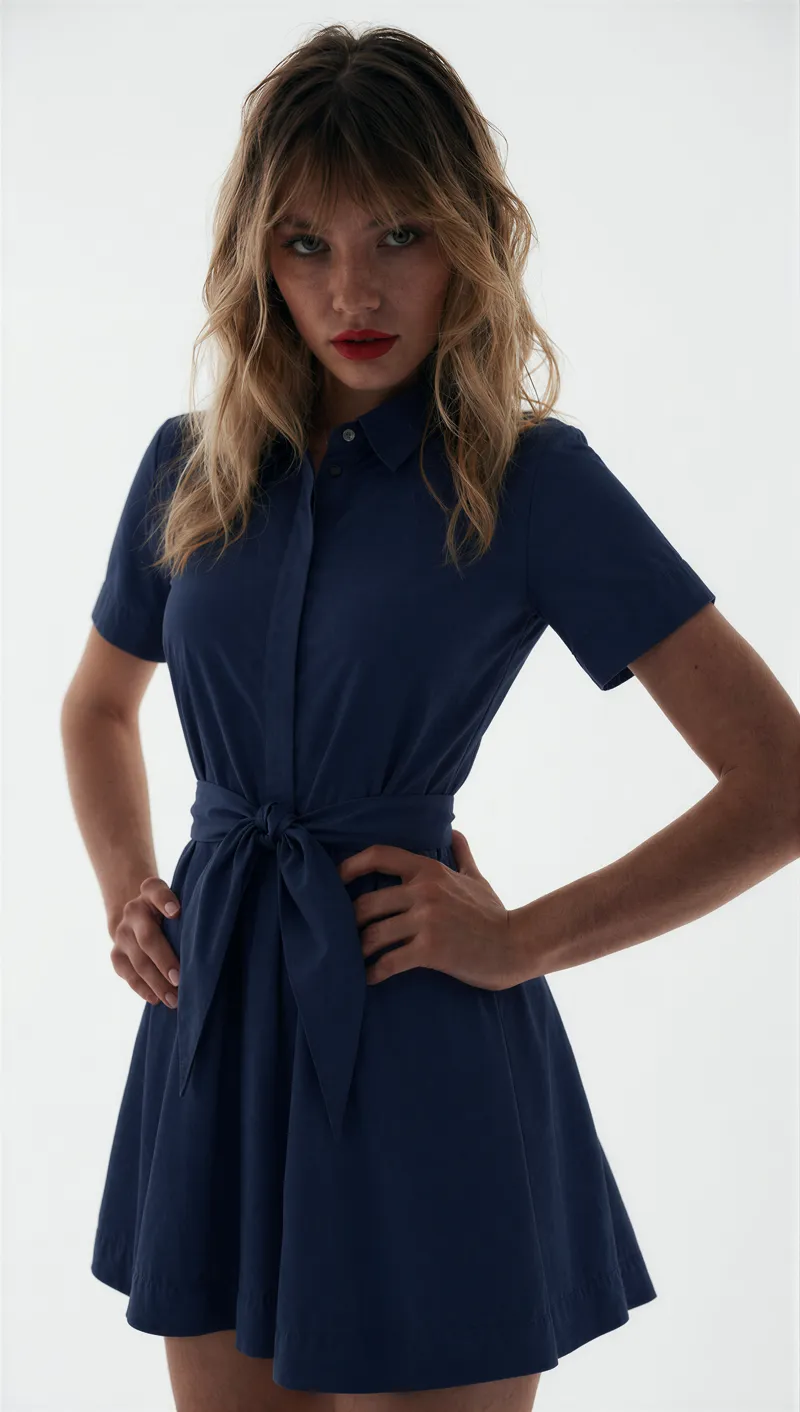
I then took that as my first reference image for Qwen 2.1, loaded a set of dress silo images I found on Google into the batch loader, and hit "Run Batch Queue All". The result was a handful of jobs queued and ready to process - I stepped away and came back to the following results:
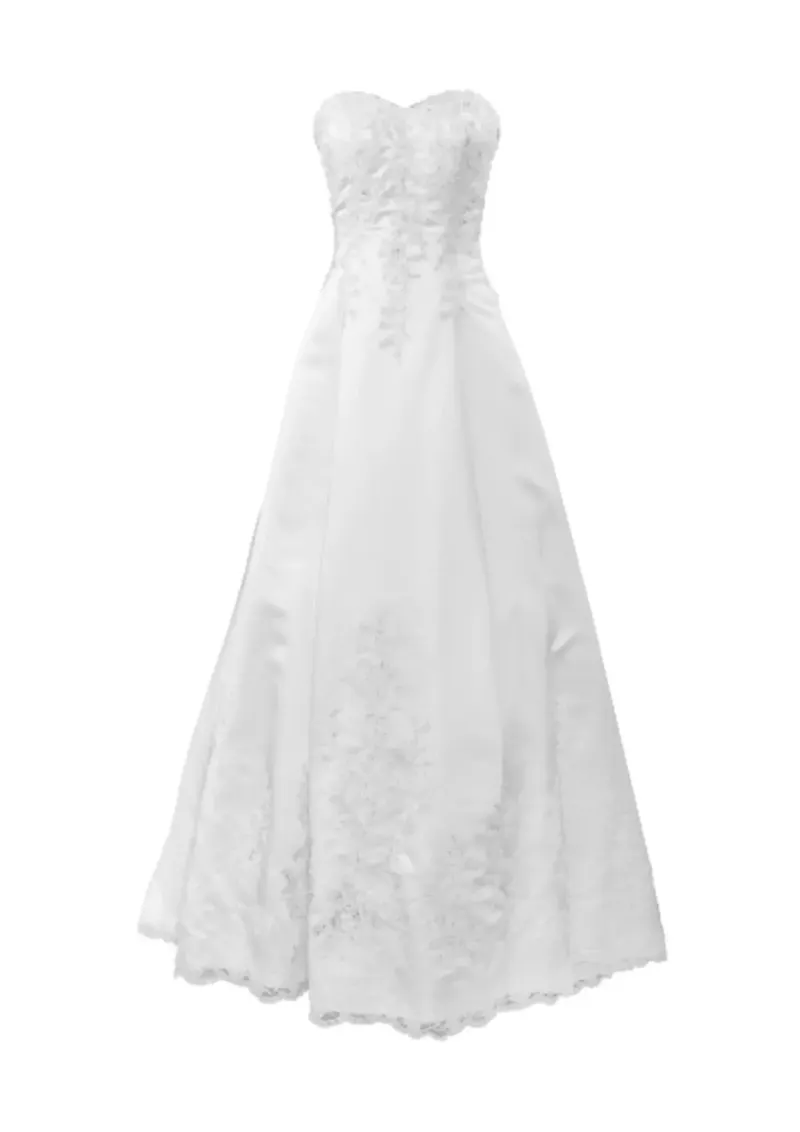
Now I know that these results are useless without the actual dress images, so here they are:
To me, this is pretty incredible. Think about the application. If you are a brand that already has a directory full to the brim with silo images of different clothing, and another directory (either with real talent or easily generated) of talent images wearing "template" simple clothing, you could literally do a full photoshoot, or at least the basics, in a couple hours, ready to pass to the post-processing team - locally on your machine. That's absolutely nuts.
Looking at AI influencers, take the reverse of this process. Let's say that for our first image reference slot, we loaded a garment, like a simple hoodie. In our batch loader, we could load a bunch of different images of our AI influencer and standardize the characters clothing and, thus, her "closet" at scale, all without manual clothing masking of any kind.
Now again, when we talk about at scale generation, you're going to have a greater margin of error, but if you can produce enough assets for cheap and quick enough, there's no reason not to generate a batch, pick from the best, and keep moving forward.
Dynamic Product Images - Product Photography and Image Editing
On the same vein, one of the other big takeaways that I had from unBoxed in regard to advertising is granularity and personalization. Ads that personalize based on the users specific profile, with visuals and text changing dynamically on a per user basis.
Now, Amazon itself is pretty behind in my humble opinion when it comes to the creative generation side of things, but in theory a system could be created that targets specific cohorts or types of people, and generate content from a base image that specifically appeals to them. While not the best example of this philosophy in practice, take a look at the example below:
We can see that the first result we got back is definitely interesting. It doesn't quitew match what we are going for, but I think it poses a really interesting use case for adapting silo images with the right prompting. With a little push, we can take it even further.
This starts to demonstrate Qwen's image generation capabilities. The products themselves look great and are spot on. The large text is also correct on all three set ups, but small granular text still suffers. As mentioned in the video, my approach would be to generate plates with clean products with no text, then photoshop any details from there.
Another example of a simpler transformation.
This can also be used earlier on in the production process. For example, let's say that I am a production/creative manager for a cosmetic company with product similar in style/shape to the ones shown in the original mockup image. What I would likely do is order samples with just the product shape itself. No text, no graphics, nothing other than the bottle.
I'd then take this product, and shoot it on white individually, and as a collection, then with some simple decoration as shown in the original image. Then, that template image can be run through a near infinite amount of scenarios, creating you a clean plate with fantastic product accuracy that can be taken the final mile with real photoshop experts.
Reason being that, despite how good Qwen 2.1 is overall, I found that, like every other image model, it still struggles with text, but for an image edit model that's open source and runs fairly quick on a 4090 GPU, I was impressed.
Fabric/Pattern Replacement - Product Photography and Image Editing
Finally, this last test for me is the true teller of whether or not we've made progress.
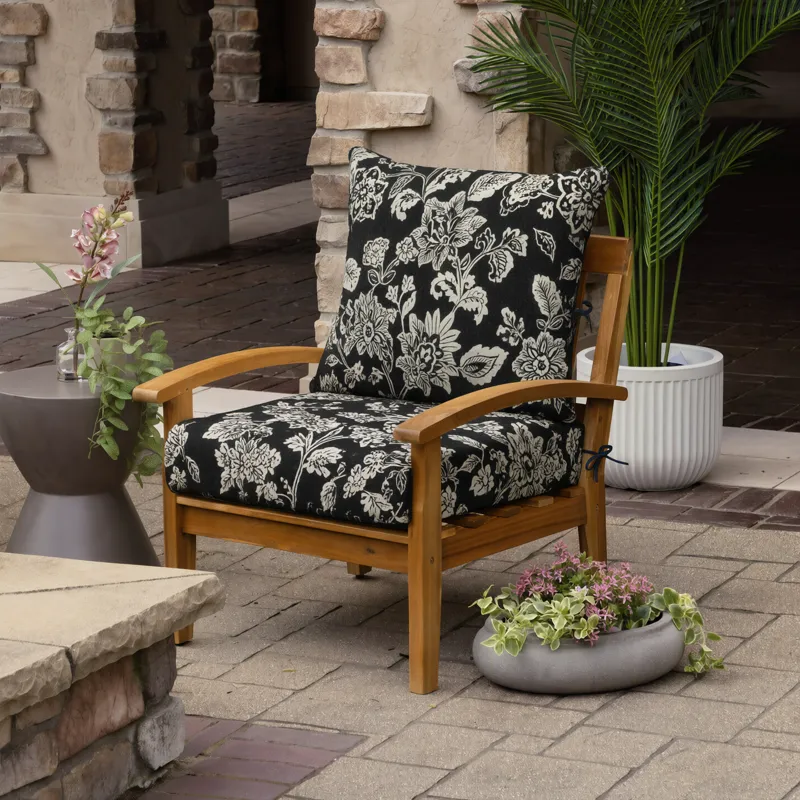
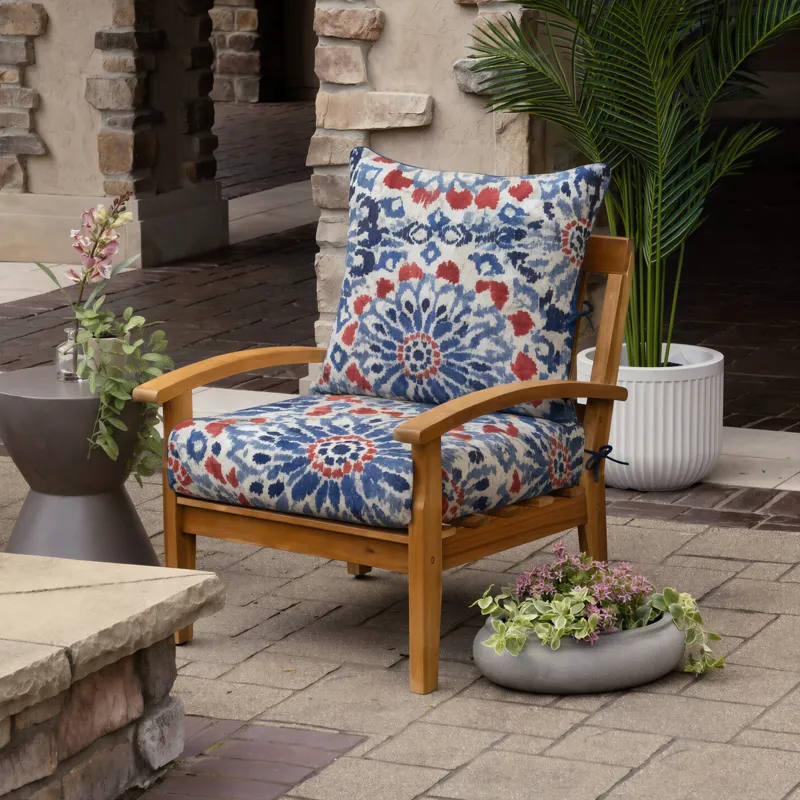
For at least two years now, I've been exploring a way to replace a process commonly referred to as "easy mapping". Easy mapping is the process of creating a "map" on a fabric surface that you want to adjust, then applying and stretching a new pattern over that existing image to change the color/pattern of a specific object. For example, patio cushions.
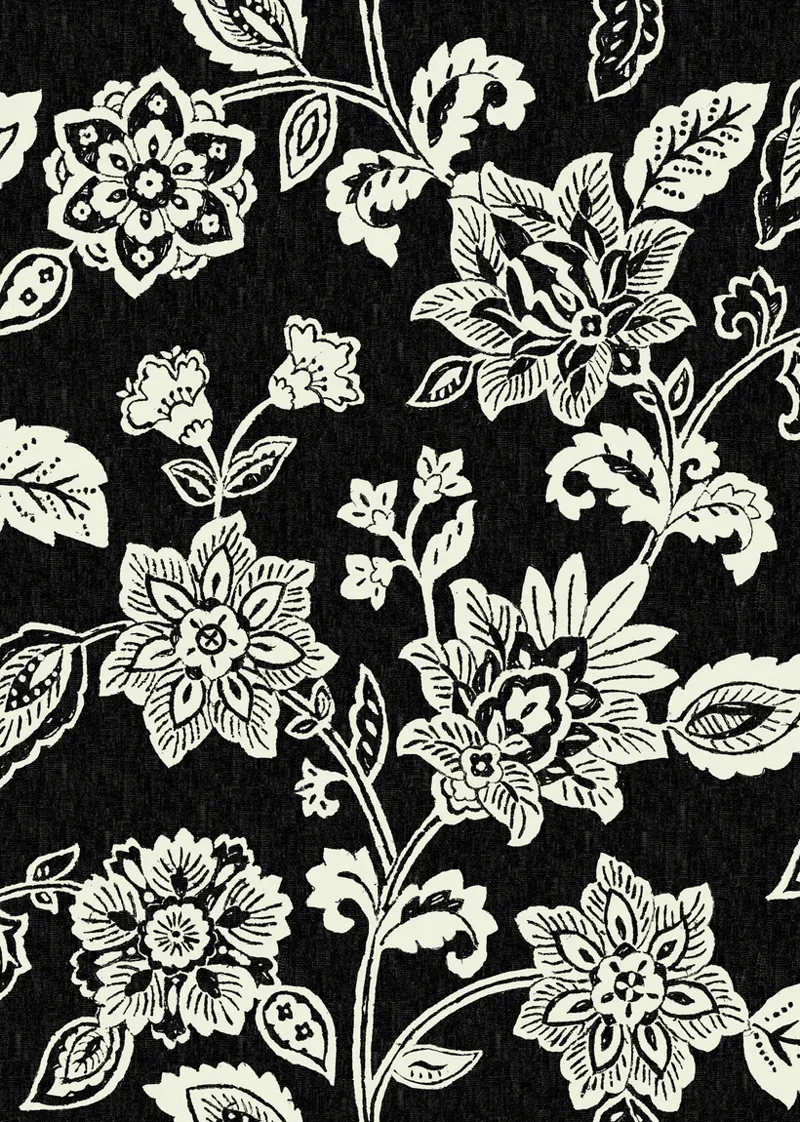
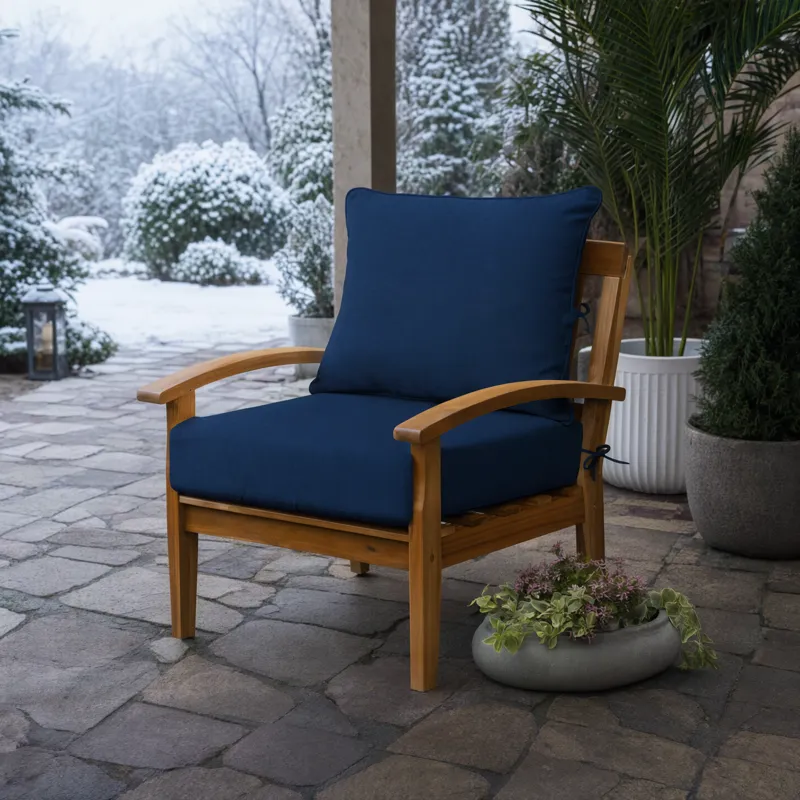
A patio cushion company can have the same product in 20+ different patterns and styles. Creating those images can sometimes be a pain, even though the easy map itself only needs to be made once (thus the name). However, if there were an AI model or system that could reliably easy map a patio cushion lifestyle image with only a single reference image of a tileable swatch/pattern, that could be game changing for a lot of brands and products in terms of production time and simplicity.
And for two years, I've struggled to find a model that can reliably do this, and Qwen 2.1 suffers the exact same fate.
The problems I typically see are:
Scale - There's no way to control the actual scale/tiling of the pattern on the cushion. The pattern could be intended to be very small, but the model may view that a different way.
Missing details - sometimes the fabric/pattern swap itself is solid, but it forgets to also adjust small details like ties on the cushion.
Pattern detail - models are generally good enough now where the fabric replacement does look really solid and match the provided pattern reference pretty closely, but it needs to be perfect for business, consumer focused use cases.
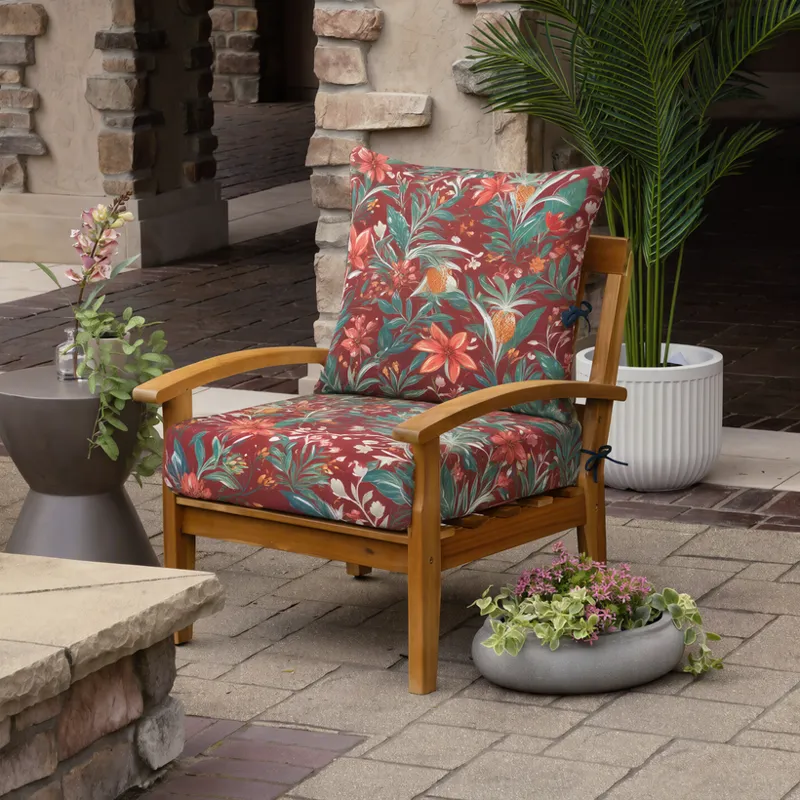
See the example below to see how Qwen 2.1 did!
However, for changing scenes while maintaining the cushion and chair, I would say the model did a pretty good job.
This use case is not perfect, but I do believe over time, with more testing and potentially the right LoRa stack and sampling set up, this model could be a game changer even more so than it seems as of today's testing, quite in the likes of Flux Klein and its evolution.
Overall Verdict
I think that this is a fantastic model and a huge win for the open source/open weight AI community. Regardless of the turmoil around the license, it's a win to see open source continuing to push back and keep up, especially when many open source manufacturers (like the Wan team) are switching to more restrictive licenses, or API based generation entirely.
I think, with time, we will come to love this model the same way that we love Flux Klein now. Klein did not receive the best attention, but after some practice with it we learned the best way to handle it. The same will be true here.
As for AI influencer content, I'm not entirely sure what went wrong during the recording session, but I will sort it out and follow up!
Models to Download
Qwen 2.1
(For lower VRAM PC's) Qwen Int8 (/diffusion_models)
Optional:
Comments (2)
The prompt enhancer seems to be broken.
In what sense? I just checked the wiring, and everything looks correct to me! It's possible that your ComfyUI isn't picking up the prompt enhancer model within the subgraph. Click on the small icon in the upper right side of the "Qwen 2.1" node. Within it, you should see a "Load Clip" node. Make sure you load the model into that node, then try again!