











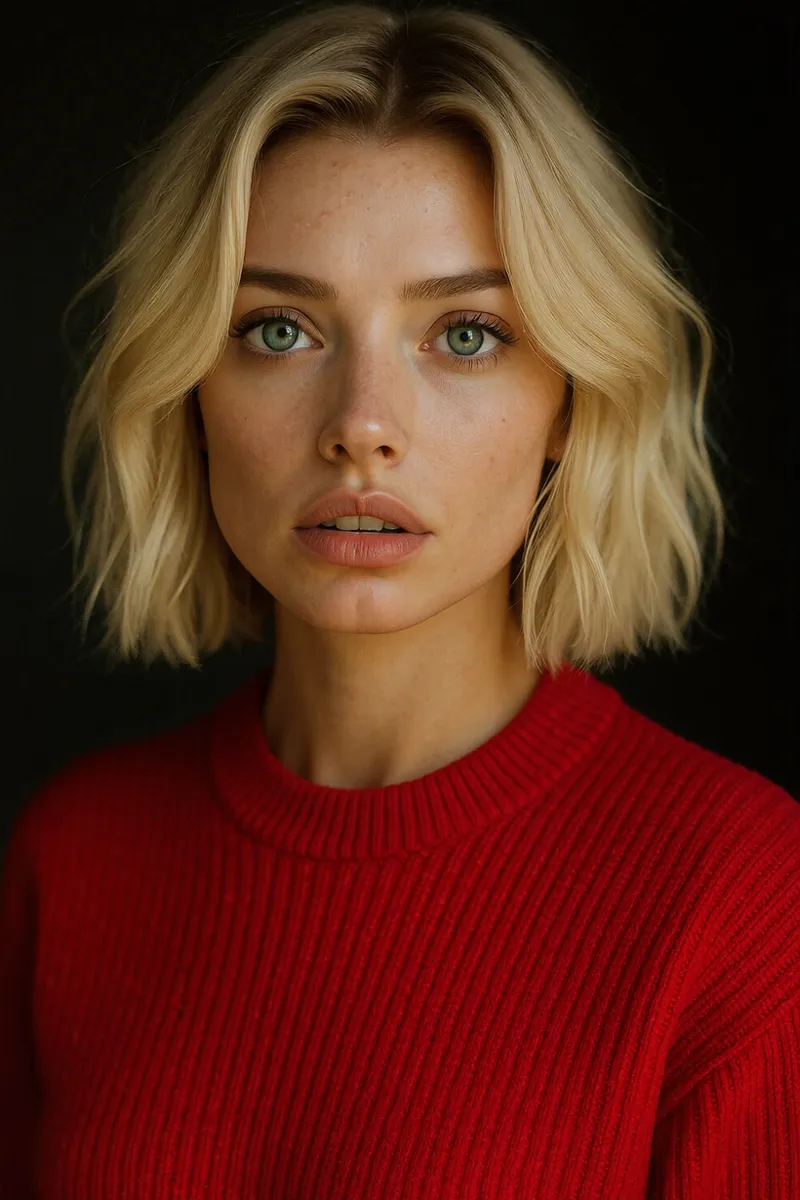
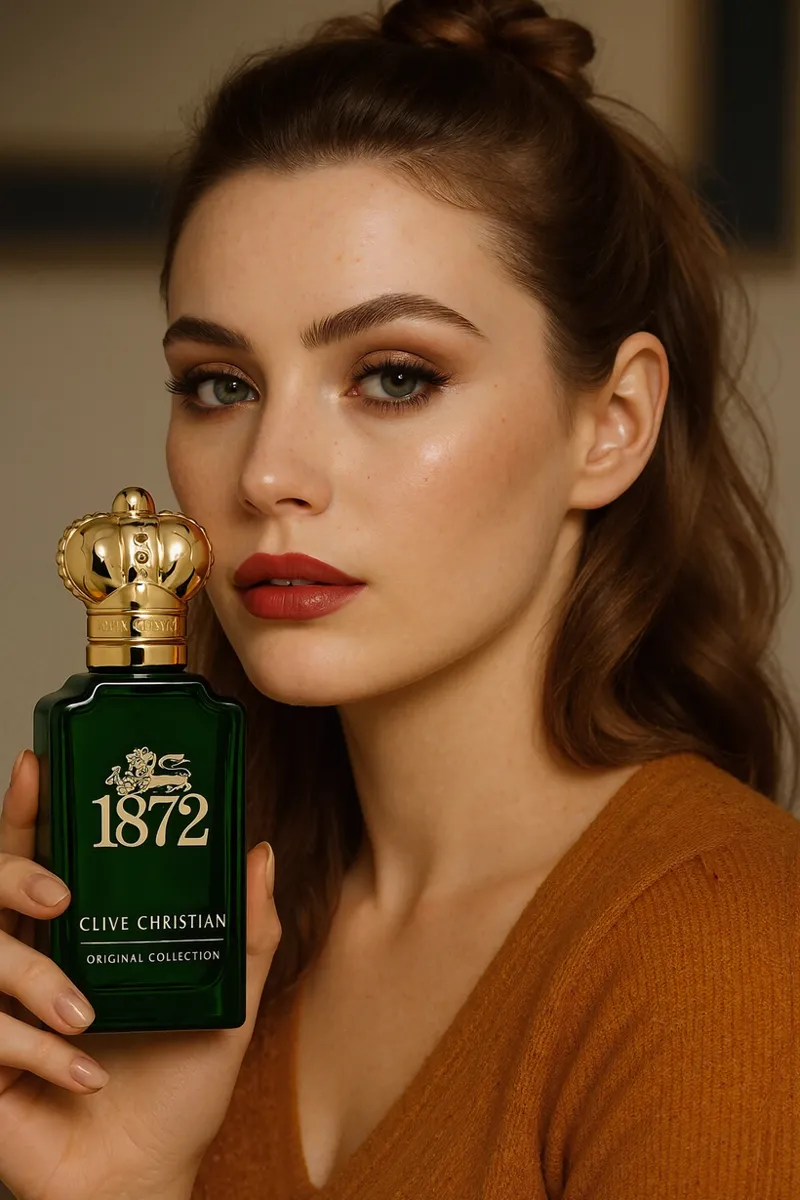


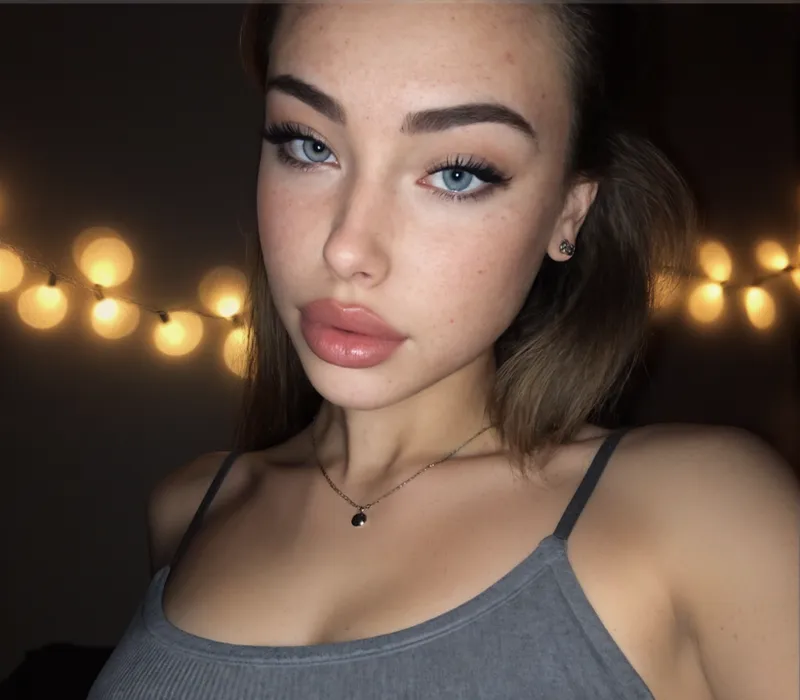
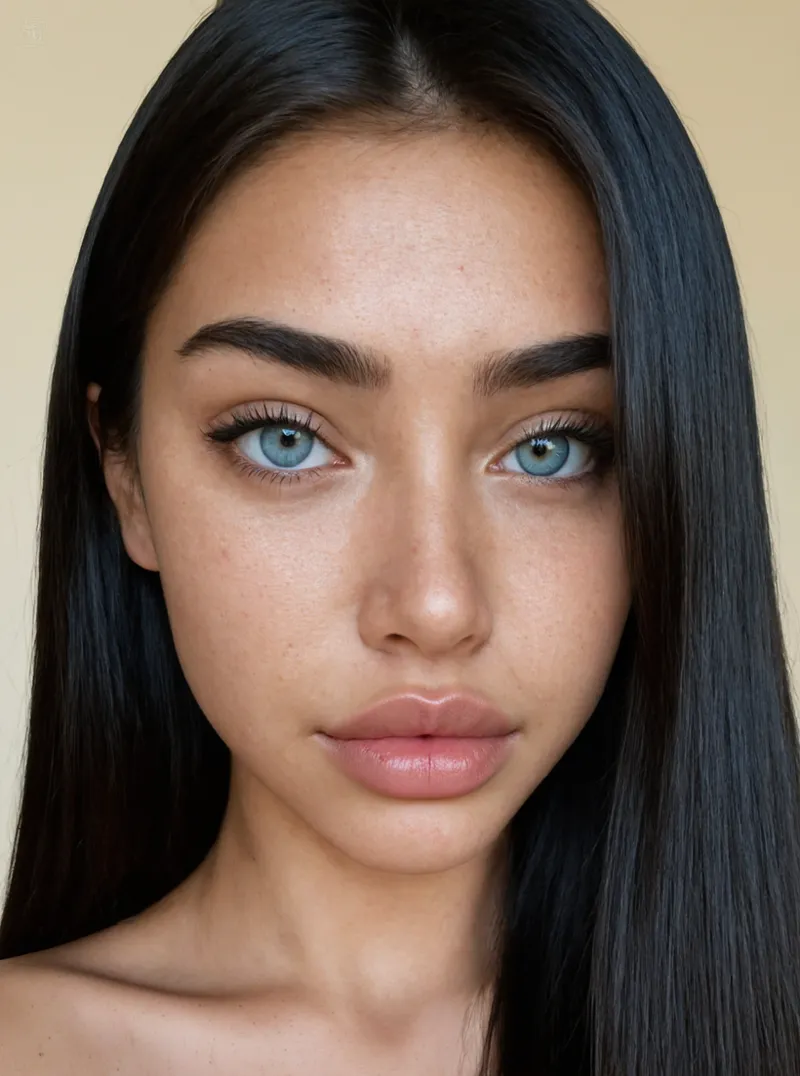





It's Finally Here - Silent Snow AI.
Watch on YouTube for chapters and HD!: https://youtu.be/rDDqy2ocgT4
This is going to be quite a long post - buckle up.
I wanted to start this off by saying thank you to each and every single one of you. Most of you are here from the original skin refiner workflows and, through the ups and downs, errors and all, have embraced them in full swing - and we appreciate it, all of it.
That in mind, we've been working extremely hard behind the scenes to finish what we started, an Enhancor competitor, and beyond that, in the long run, hopefully something truly special(ized) and useful to all of you.
That being said, I am humbled, thrilled, and beyond exhausted to officially announce that Silent Snow AI is in it's beta round, and it couldn't have been possible without you!
So, let's talk a bit about it - here's what you can expect:
Table of Contents
Platform Features VS Enhancor
Available Workflows & Results
(NEW!) Real Skin V2
(NEW!) Real Skin V3
(NEW!) Infinite Consistent Character Generator
(NEW!) Image Upscaling
Pricing
Q&A
State of Skin Refiner Workflows on Patreon
Expected Access Date
Waiting List
As mentioned we are in a Beta round and are not publicly accessible as of now. This post is a preview into what we've built and where we plan to go. Please see the "Expected Access Date" section for more info. We'd love to hear feedback on the results presented and any recommendations!
Platform Features VS Enhancor
While we do want to compete head to head with Enhancor in skin refinement, positionally, we aim for a different approach in the long term. In the long-run, this platform is being built for the designers and perfectionists who want to excel at what they do, and move quickly. We will forever aim to bring the very best - and that's largely the reason this announcement took longer than anticipated. Even outside of the available workflows, we aim to bring you control and authenticity, starting with the following features:
Free Starting Credits for All New Accounts
Anyone who makes an account through our platform will receive 45 credits (this may increase) to try out different workflows. This accreditation is 1 time. Once your starting credits are exhausted, new credits must be purchased to continue using the platform.
That being said, we are also considering discount periods and promotional activity to earn credits instead of purchasing. When the platform goes live, users will have the opportunity to earn credits by reporting bugs, sharing output images publicly, etc.
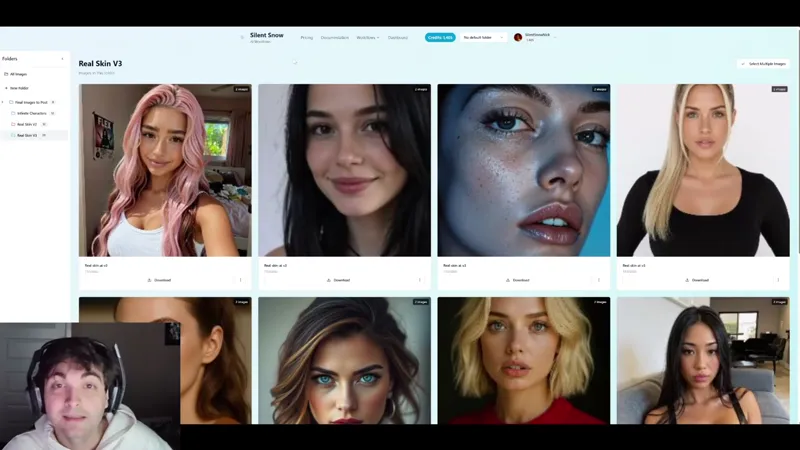
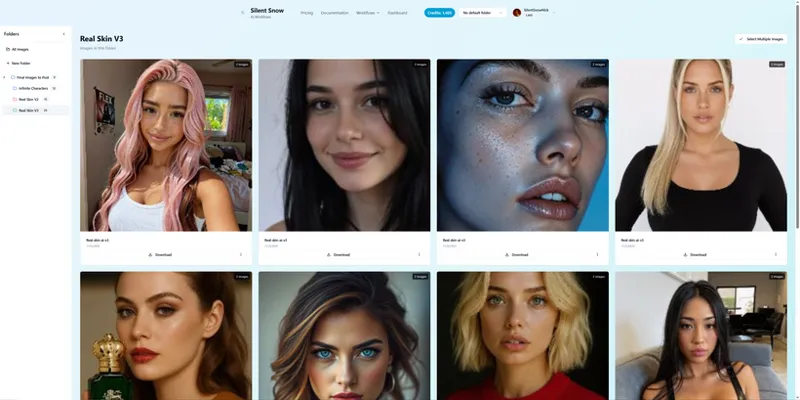
Dashboard for all of your images
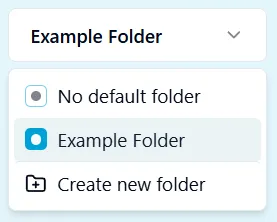
As every AI platform, you'll have an all in one section to manage your images and jobs complete with folders for organization. You can also set a default project at the top of your page to instantly push any generations into a specific folder without having to organize yourself. This is particularly useful for projects with lots of characters or in-mass generating of the same subject, scene, etc. All folders can be downloaded as a ZIP file as well.
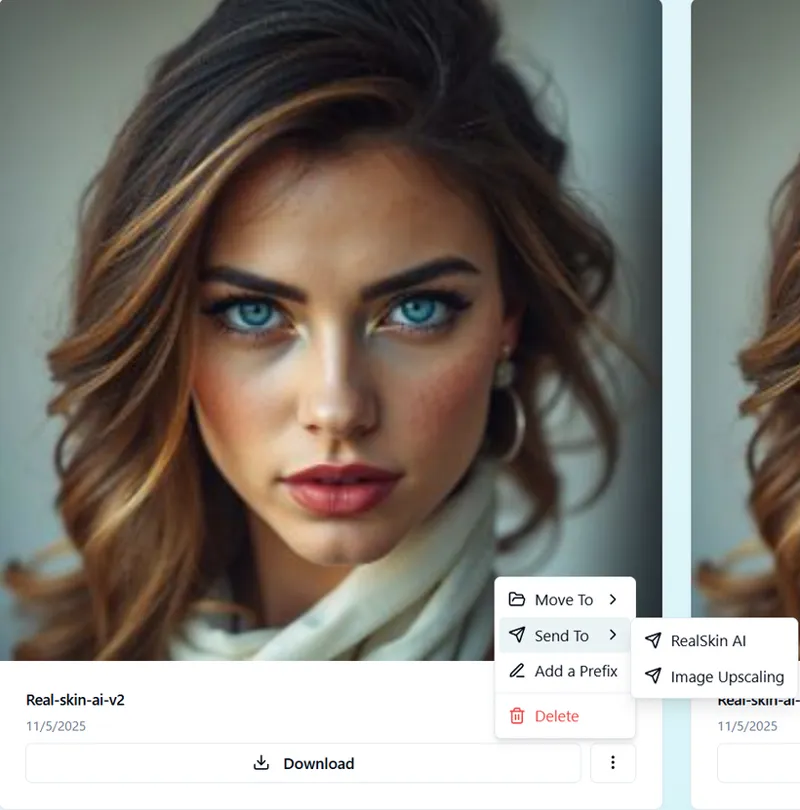
Additionally, each generation contains data on how that image was generated within the platform. You can click on old generations and pass those settings to any of our workflows to replicate settings from previous generations.
Folder Organization
Simple, but relatively unique - you an set a default folder at the top of your page to automatically filter generations to a specific folder for organization. This is best for at scale generations of a specific character or project for example.
Retry Feature
One thing we can't stand about platforms like Kling is charging ridiculous amounts for credits with no ability to dispute a generation. This is especially problematic if you are using an expensive model and getting a less than desirable result.
That's why all of our workflows have a retry system. Here is how it works:
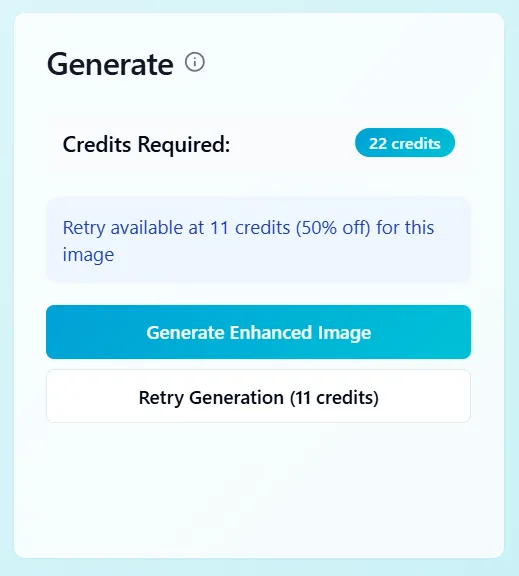
Let's say you load an image into any of our workflows, set your parameters, and hit generate. If the result you get back isn't what you were looking for, without changing the image, you can adjust your parameters and click "Retry Generation". This will re-run the generation at a 50% off rate to you. Batch processing does not have a retry feature.
The caveat here is that you can only do this once per image generation. So, for every full cost generation, you get one retry free. Retries do not compound or rollover. Put simply, you cannot generate with one image, swap in a new input image, and generate a brand new image at half off.
Batch Processing
Arguably the most important in our opinion is batch processing. All workflows are set to their best identifiable default settings (but can obviously change depending on your use case). With this in mind, you can perform batch processes to generate at scale instead of waiting for each individual job to finish. You can then download all images from the job as one batch. Just set it, and forget it!
Automatic Refunds
Enhancor does not offer automated refunds across all tiers - that's ridiculous. If your job fails, you shouldn't have to pay the cost of that failure. That's why we offer free automatic refunds across all failed jobs. This is ridiculously useful in batch processing, as sometimes jobs do fall through (we're working on it). In that event, you'll get your credits back and can try again.
This is particular great from a consumer perspective, as it puts pressure on us to resolve issues and maintain reliable image generation. In the long run, you shouldn't usually get a refund (since your generation should work the first time) but things happen/break, and you shouldn't have to pay for results you never receive.
Available Workflows & Results
Real Skin
It's been too long. Most of you, veterans and newcomers, are here from the skin refiner workflows. Looking back at our old skin refiners - we hear you. There were a lot of issues, no skirting that, and that's largely where this platform comes in as discussed in the F&Q section. We've aimed to cut the BS and deliver with refiners that truly get the job done as simply as possible. So simply in fact, V2 is controlled with a single slider.
As further mentioned in F&Q, Real Skin V2 and V3 will not be released and will remain native to the platform for further development. However, as new models are released, legacy models may be distributed here on Patreon. We will release a Comfy workflow that did not make the cut here on Patreon that IS better than the previous Mega refiner - though not better than Real Skin V2 or V3.
Another elephant in the room, yes, V3 works with NSFW most of the time, but still needs correction and wasn't a focus in this release.
Let's start with Real Skin V2:
Real Skin V2
Real Skin V2 aims to attack the complexity problem. Previous workflows were dramatic, overwhelming, and sometimes had too many screws. We performed DFMA and got rid of what wasn't needed, leaving you with a simple, one slider, all purpose refiner.
Given it's simplicity, Real Skin V2 lands on the cheaper end and can occasionally give you wacky outputs, but when dialed in and retried at half off, you can get some really great results.
Real Skin V2 has one slider - Detail Level. Detail level falls between 0 and .4 with 0 doing nothing and .4 being the heaviest generation. Your selection is heavily dependent on your input image, but generally comfortable values for all images land between .15 and .25. The workflow is set at a default value of .2.
Note that this workflow does not allow you to isolate specific face elements, as you generally don't need to - we handle the consistency.
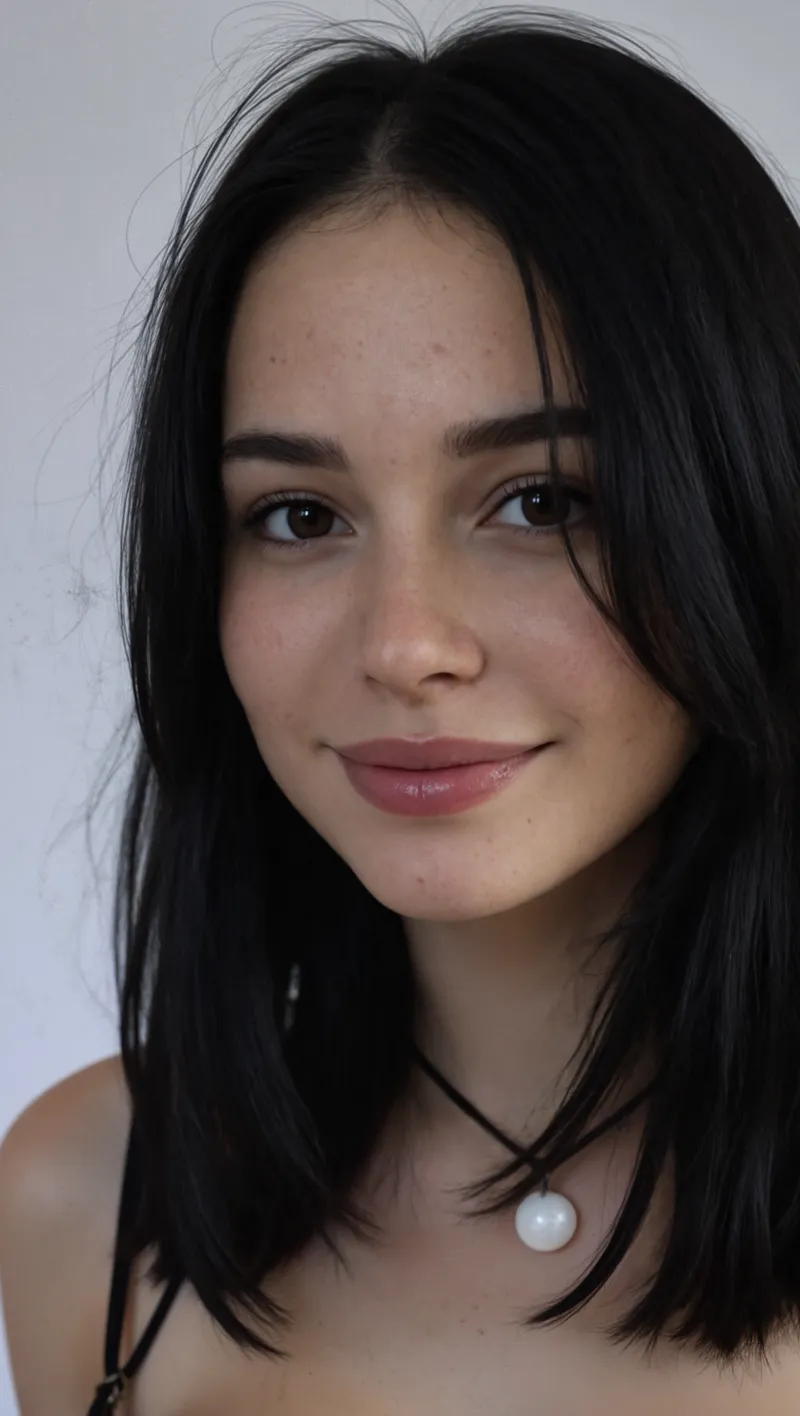
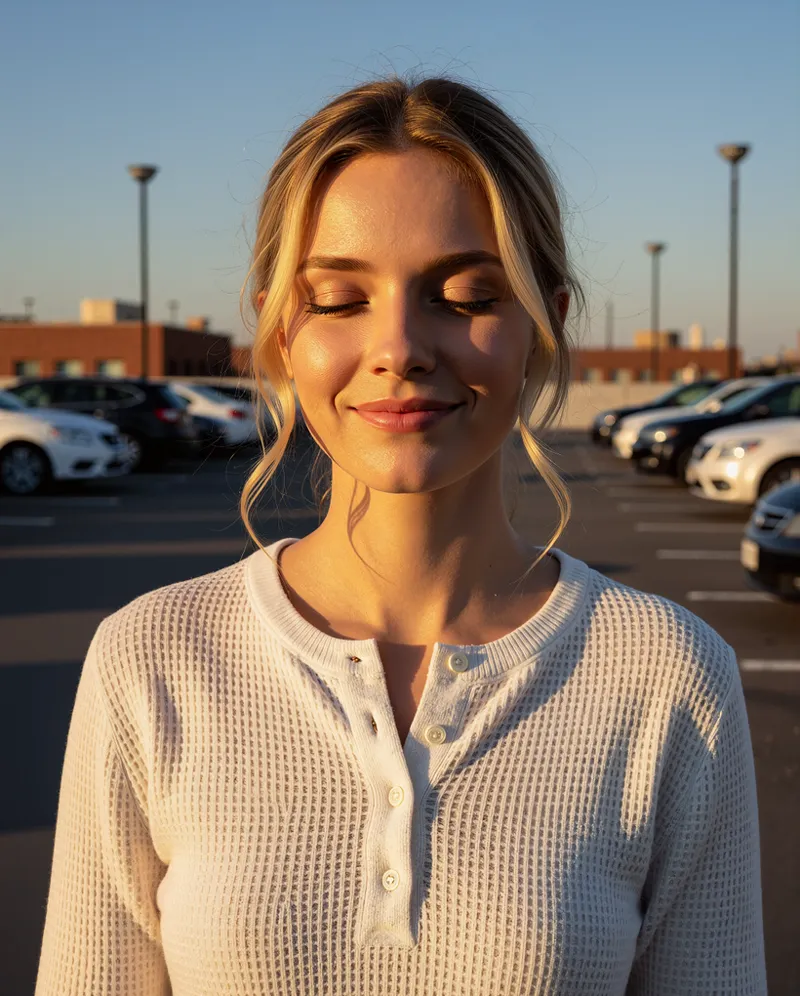
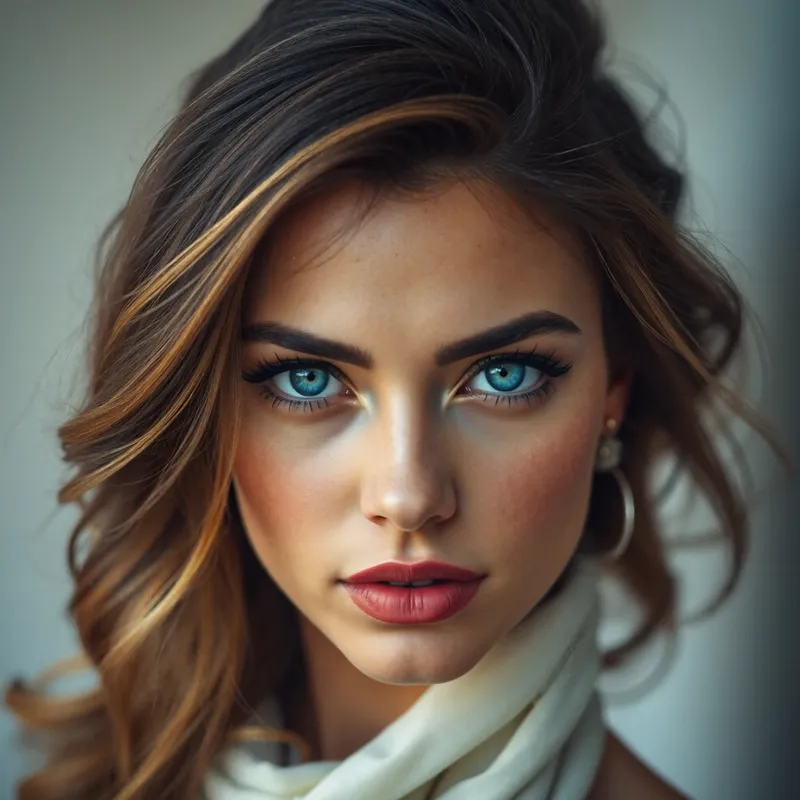
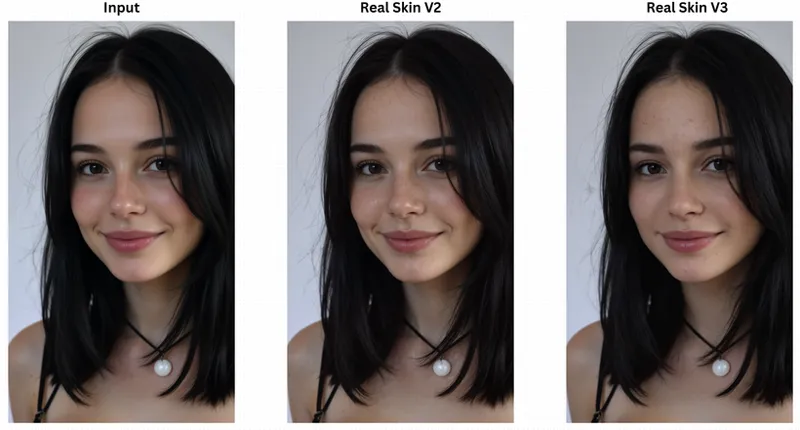
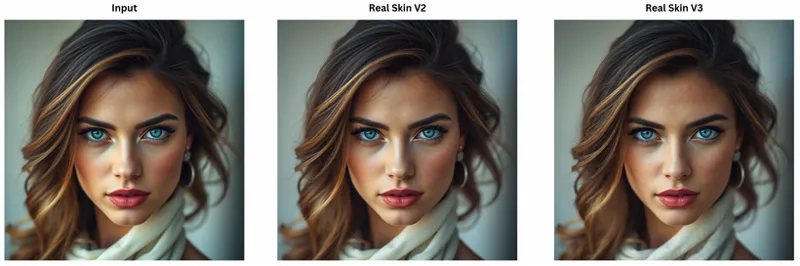
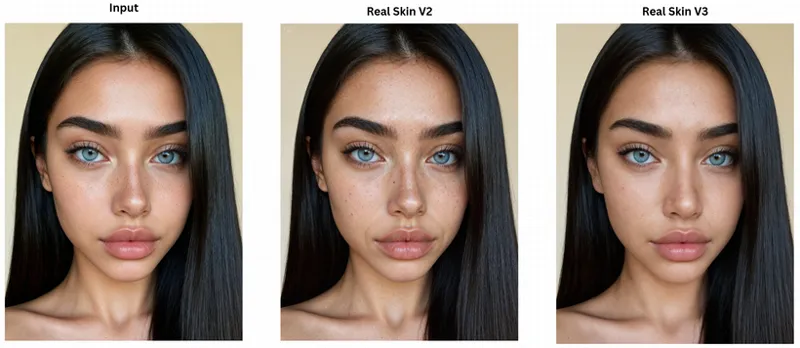
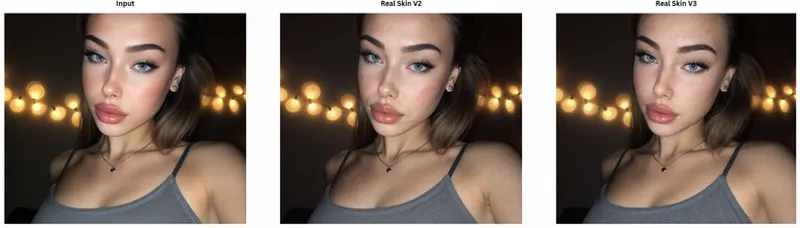
See the examples below. For comparisons against the input image, see the linked folder at the bottom of this post.
Real Skin V3
Real Skin V3 aims to attack the everything problem. From quality, to automated masking, to output detail, and more. We took the whole thing back to the drawing board and built it from scratch, comparing hundreds of images to get the best, simplest, quickest workflow we could, and V3 was the result.
While Real Skin V2 tends to provide pimples and occasional scaring, V3 aims for a cleaner, realism oriented approach. Put simply, V2 is a refiner, V3 is a refiner, enhancer, and upscaler combined. Given that, it lands slightly more expensive than V2, but tends to provide great results.
V3 has three areas of control, the Areas to Maintain section (lips, eyes, clothes, etc.), Detail Level, and Image Blending:
Areas to Maintain: Isolate elements of your subject to maintain consistency and control - just like Enhancor (literally, it's exactly the same).
Detail Level: The detail level you want to integrate ranging from 0-1.3.
Image Blending: The integrated blending between light and heavy generations WITHIN the generation process, not with your input image. Ranges from 0 - 1 with 0 showing heavy refinement and 1 showing no change.
Detail Level and Image Blending largely work together. If you set your Detail Level to 1, but also blending to 1, you will see very little change.
Generally, the best settings are Detail Level .95 and Image Blending .3 which are set for you by default.
Real Skin V2 VS V3
See examples below for Real Skin V2 VS V3:
Image Upscaling
Nothing too interesting to report here, just a great upscaler! See the example below! For a higher resolution look, see the linked folder at the bottom of this post.
Infinite Character Generator
The Infinite Character Generator workflow is something completely new to our workbench. It's main purpose - to help support creating synthetic datasets for Lora training.
We've talked about it a bit, but as good as models like Seedream and Nano Banana are at maintaining details, they aren't perfect, and the "character consistency margin of error" is much larger with those models relative to a Lora. Loras are still king for the foreseeable future, and with that, creating synthetic datasets for them still remains a challenge.
In the long run, our goal is to completely automate the Lora training process. You give the platform one image, select which model you want to train on, and come back later to all your models completely finished and ready for use (though this is a long term goal).
This workflow is a manual step in this process - creating Lora dataset ready images for training on AI generated characters. This process has been specifically designed to generate random angles, environments, poses, expressions, and outfits all while maintaining your character consistently - no prompting needed, just hit generate. See the results below for examples:
Input Image (Refined with Real Skin V3):
Workflow Outputs (Refined with Real Skin V3):
Input Image (Refined with Real Skin V3):
Workflow Outputs (Refined with Real Skin V3):
The workflow comes packaged simply into just two controls, your desired output resolution, and the number of images you want. That's it.
This page will also contain custom prompting to generate your own consistent images for story posts for example. Overall though, if you're training lots of Loras, this is a great tool for building part of your dataset.
There is a lot of power in this tool, and this is just one element of it's application. We certainly intend to develop further on this.
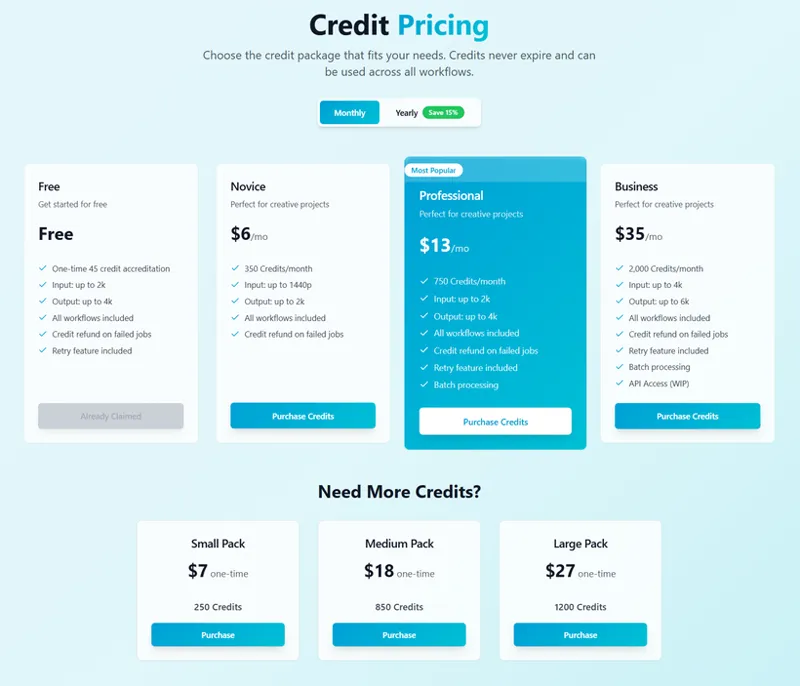
Pricing
Here is where our pricing stands as of now. We've aimed to keep margins minimal and provide these services at the lowest possible cost. That being said, these prices were determined mathematically with forecasting which is not always 100% accurate and thus these numbers are subject to change. The beta testing round should make pricing more clear. Unfortunately, we must admit we anticipate higher pricing, but aim to keep our offers as low as possible.
F&Q
State of Skin Refiners on Patreon
Let's get real here for a moment.
Throughout this project, I've grown to respect Enhancor and understand the position it comes from. The skin refiner workflows (specifically) backing Silent Snow AI (and subsequently Enhancor) are not lightweight. They are complex, heavy, and very knowledge & resource intensive. They are not an "out of the box" workflow as we've seen with the Mega Skin Refiner.
That in mind, if you look at the Mega Skin Refiner post, there are 60+ comments. While the vast majority of you have been able to successfully use the workflow without issue, the volume of inquiries and concerns cannot be understated. It begged the question of resolve - how can we avoid this with flows moving forward and guarantee results? Thus, Silent Snow AI was born.
The main purpose of this platform is not to replace the original objective of our involvement in AI, to support development and research, but to centralize control over the heavy, complicated workflows and pipelines into a consistent, reliable, well rounded machine. And selfishly, I wanted to see if I could build it.
Put simply, we have absolutely no intention of stopping distribution of any workflows here on Patreon, both paid and free. However, the way this looks may shift and, truthfully, hasn't been nailed down yet. What is certain is that workflows native to Silent Snow AI will not be released here on Patreon. However once more, when Real Skin V4 is developed and subsequently replaces the bottom of the ladder, the ComfyUI workflow for the legacy model will be released in some way. We don't intend to stop working on Real Skin any time soon. This philosophy will apply to all tools added to the platform.
Additionally, we did say a new skin refiner is coming soon. We do fully intend to release an upgraded version of the Mega Skin Refiner to our paid members which will land between the Mega Skin Refiner and Real Skin results performance and output wise. This workflow IS better than Mega Skin Refiner, but is NOT better than Real Skin V2 or V3.
Future Developments
Building off of Infinite Consistent Characters, we aim to expand into the world of product photography and ad development. We will soon be posting a nearly hour long masterclass tutorial on generating consistent product images for brands in the fashion industry. We aim to bring this technology into Silent Snow AI, but we show you the whole process from start to finish. This would simply streamline the development for in mass generations and efficiency.
Yes, we saw the freckles in Enhancor V4 and their future plans - we're working on it :)
Expected Public Access Date
Expected public access to the platform is currently TBD until the currently in progress beta testing round has completed by November 22nd at the latest. We expect Silent Snow AI to be public in early December or sooner.
Waiting List
To be reminded when Silent Snow AI goes live, or for potential early access in the beta round, please fill out the following waitlist form. All questions must be answered to be eligible for access:
All Images and Comparisons
You can find all demo images for Silent Snow AI across all available workflows at the link below:
https://drive.google.com/drive/folders/11FOTKrJFpU_CEhZW9-UTBN58DY7zItSc?usp=sharing
Comments (3)
where is the link of the websites ?
Your vidéo is private
Thanks for letting me know! Weird, shouldn't have been! It's posted publicly now, so you should be able to see it :)