




Dev Diary. NUI* - the future of my plugins
Most of my plugins differ in that they use their own interface, which is not based on standard RPG Maker windows layout. These are usually images and a set of parameters (such as specifying hard positions and colors) for editing them. When changing the resolution of the game, you have to redo the images (zoom in) manually, as well as change the location of the elements. Which is very inconvenient.
During April, I developed a new system for describing interface elements for my plugins. I tried to solve two main problems: 1) independence from the resolution of your game. 2) so that you can edit absolutely everything as you like and as it suits your game.
As a result, I developed a new user interface building system - NUI (shortcut)
NUI - a new system for building the plugin interface based on the scheme from .JSON file. The main features of NUI are full customization for you (not only coordinate changes, but also the removal or addition of new components, change components types and data bindings) and resolution independence (elements can be suited to any game resolution). The new system uses graphical primitives (rectangles, circles, gradient) to create beautiful elements, which allows you to achieve scaling without loss of quality. Special nine slice image types are also can be used, which can be stretched to any size. See example below.
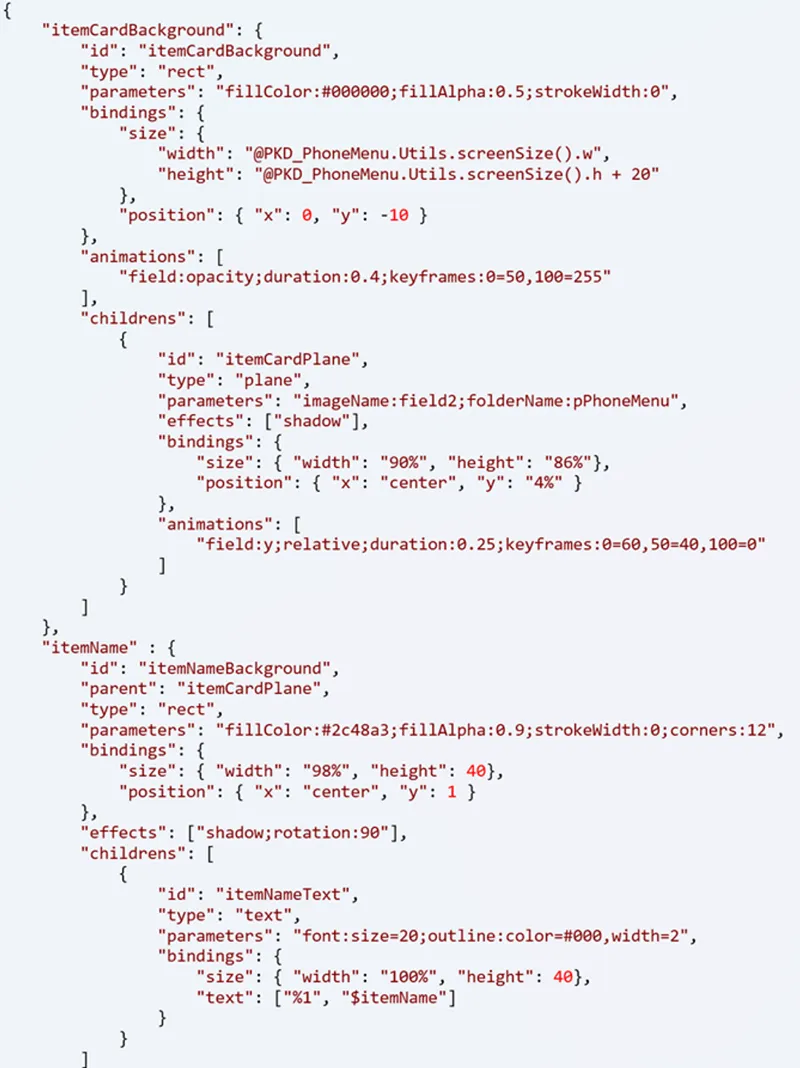
Here is how NUI .json file looks like (for example):
It may not be clear at first glance, but I will make a general guide so that you can always edit one or another interface element in my plugins.
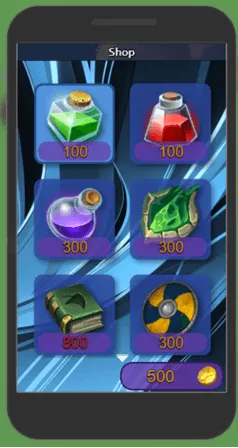
Right now, only latest update 1.4 of Phone Menu have already implemented NUI interface elements - are new Shop APP and updated Gallery APP
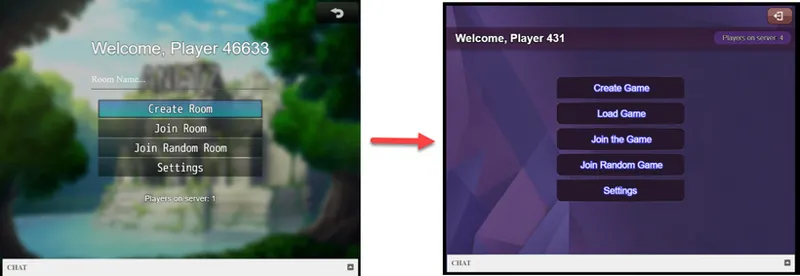
Here is how will look new intefrace of Alpha NET Z in next update, also based on new system. No matter how it looks in style, you can redo absolutely everything: the background, all the elements, even remove or add buttons or extra images, text.
And if we just change game resolution in Settings to 1280p, screen still will looks good, without changing any parameter or position or change values.
Here is another example, how system allows you using single image (nine slice element type) with static size and make any size from it.
I am currently working on the documentation. In the future, I plan to introduce this new system with updates to some existing plugins. All new plugins will also come with this system.
Comments (2)
This is insane. Thanks! And thanks for still implementing compatibility with MV!
Awesome work!