







Editing Weapon Color with MDF-XL
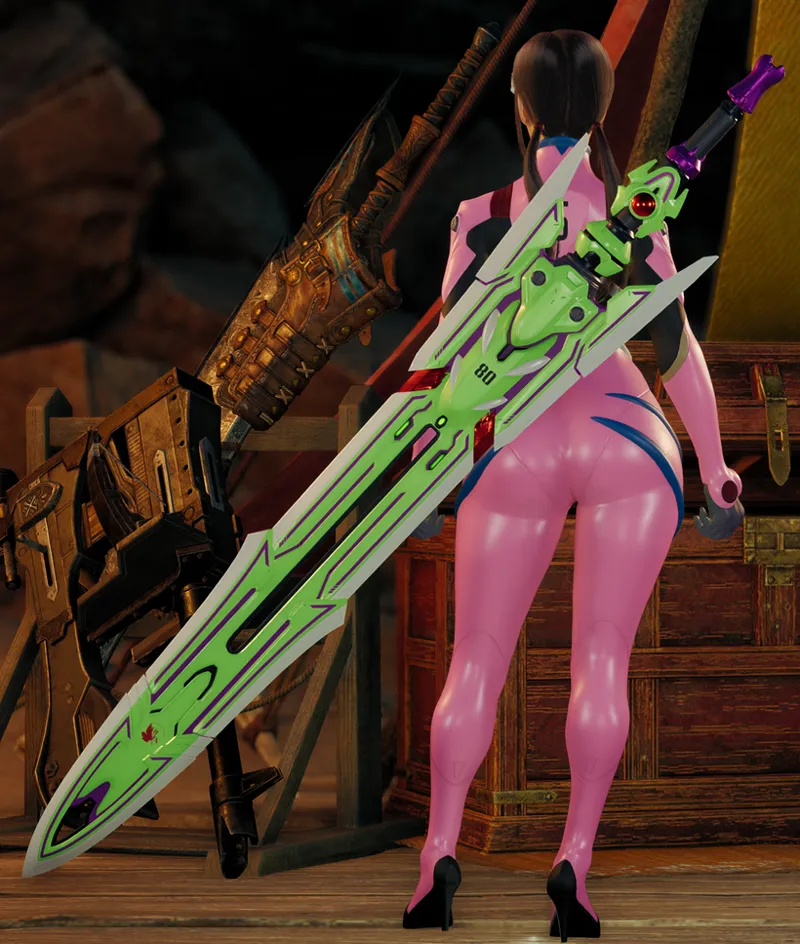
This guide will be for editing weapon color in game using MDF-XL. It will only work with mod that add changing color capability such as Eva 08 Custom Greatsword. In the future i'll add changing color ability to new weapon that i made.
You'll need both MDF-XL and _ScriptCore for this.
Activate both mod on Fluffy.
Click Open MDF-XL: Editor.
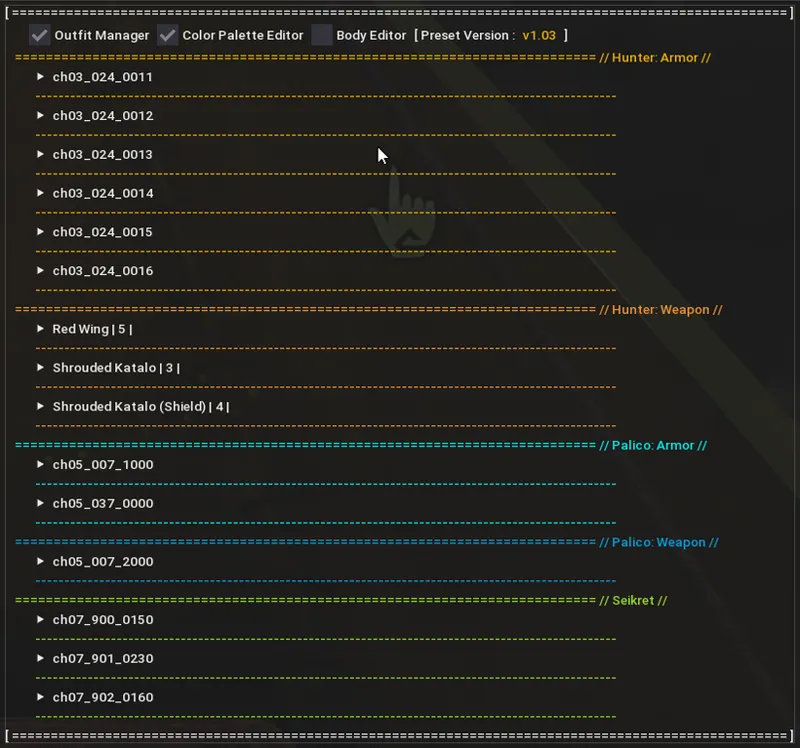
This is the mesh and material list that you can edited
For this example, we will only change the color of Red Wing, the greatsword in weapon section.
Click Material Editor to expand it, scroll down to find lambert2 material and click to expand.
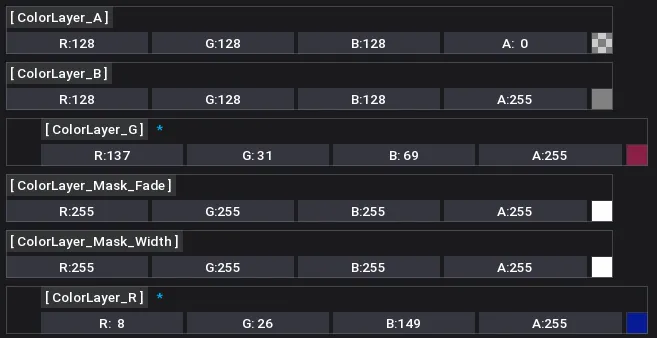
Scroll down until you find ColorLayer_G and ColorLayer_R. This is the color channels used to control what the color the weapon is.
You can change the color by clicking on the color square on the right side. It will open color pallet where you can use to specify what color you want.
The change is live so you can see the difference right away.
Once you're done you can save the preset by entering the preset name and click Save Preset.
Choosing the new preset will automatically change the glow next time you start the game.
Leave comment if something is not clear enough or you want to add some additional information.