
Free After Effects Script: Text Carousel Builder v1.1
Hey everyone! 👋
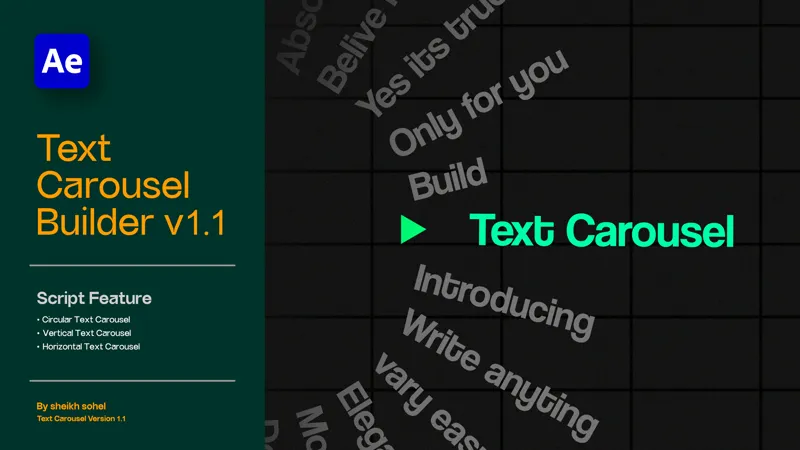
I am super excited to share a custom After Effects script I’ve been developing: the Text Carousel Builder v1.1.
If you have ever struggled with the complex math required to make text automatically rotate in a perfect circle, or wanted to create a premium "fisheye" hover effect where text pops out when it hits a marker, this tool does it all for you in a single click.
✨ Key Features:
3 Layout Modes: Instantly generate a Circle, Linear Horizontal, or Linear Vertical carousel.
Interactive Marker: As the text passes the custom marker, it automatically scales up, pops out, and changes color.
Custom Marker Shapes: Choose between a Triangle, Circle, Dash, or Arrow directly in the UI.
100% Customizable: Use the "Wheel Controller" to adjust rotation speed, snap distance, text spacing, and colors without ever touching a line of code.
Flip Side Toggle: Push your text to the left/right or up/down depending on your specific design needs.
Clean Up Button: Made a mistake or want to try a different layout? Hit "Clean Up" to instantly erase the rig and start fresh.
🛠️ How to Install & Use:
Download the .jsx file attached to this post.
In After Effects, go to File > Scripts > Run Script File... and select the downloaded file.
Choose your settings in the UI panel and click Build Carousel.
Click the generated Wheel Controller layer and use the Effect Controls panel to tweak the physics, speed, and colors!
(Tip: To make this script a permanent part of your workspace, drop the .jsx file into your After Effects Scripts > ScriptUI Panels folder!)
📜 License Info:
This version is completely FREE to download and use in all your personal and commercial video projects. (See the included EULA for full details).
Enjoy the script, and let me know what you create with it in the comments!
Comments (2)
Hi Sheikh, I have just tried your Text Carousel Builder – latest (German) version of AE, Windows. But the button "Build Carousel" only creates these things in my new and empty project: https://i.postimg.cc/W1cCHFKQ/2026-10-17-shot-001.png Whould could be the error – or my error? ; ) Thanks a lot for your work & help!
Ah, your script is not compatible with my German version of AE. I've tried it to convert quick & dirty with Gemini. At least a small step forward: https://i.postimg.cc/PfY5pZm6/image.png