
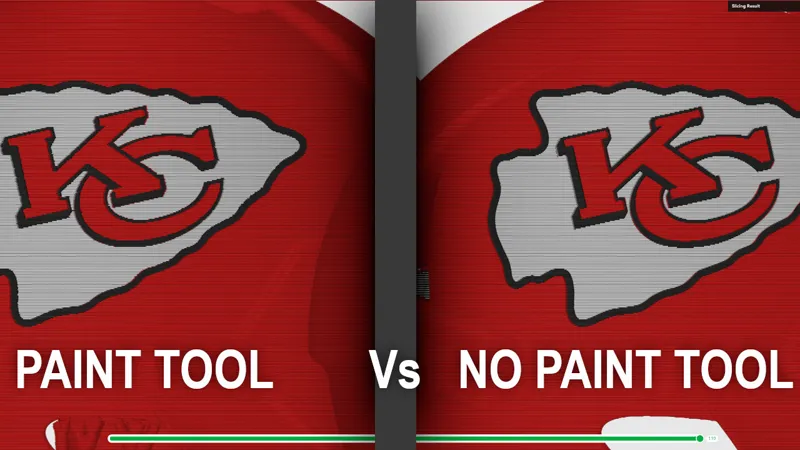
Cleaner multicolor results in Bambu Studio (without the Paint tool)
This question keeps coming up, so I finally sat down and recorded a walkthrough.
If you’re fighting fuzzy edges, color bleed, or weird results after painting in Bambu Studio, this shows why that happens and the workflow I use instead. No tricks, no overproduction — just how the slicer actually behaves and how to work with it.
I also posted this publicly on YouTube so it’s easy to share when the topic comes up again:
👉 https://youtu.be/T6faLX_D77s?si=d3sg9b0z2zyR6T04
As always, this came directly from real questions people are asking. If you’ve got a model that needs cleanup, color fixes, or just isn’t slicing the way you expect, feel free to reach out.
Comments (5)
On the helmets do you have files that can be printed separately with no ams and then able to put them together?
Your files are awesome BTW.
Thank you for responding and have a great day.
Have you ever split helmet into objects and printed logos separately to save on time and waist? I figure the logos could then be glued into place.
I haven't done much of that but all of my models you should be able to split to objects and print the logos on their own.