
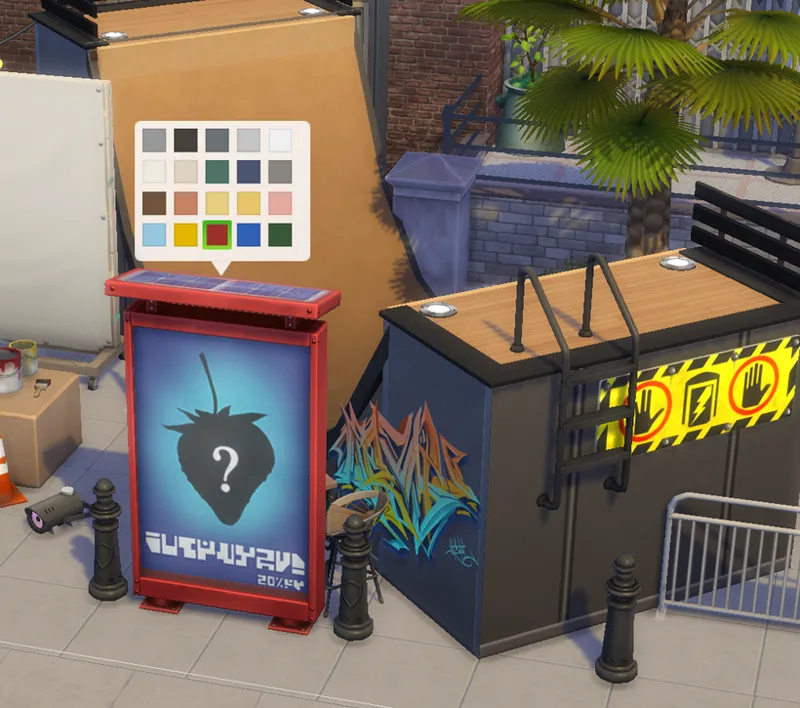
Animated Poster Display
I think I’ve finally wrapped up everything related to graduation. So… hello everyone 🤩
During some free time over the past few days, I made this new object. It includes quite a few new techniques I’ve been experimenting with, and I honestly can’t wait to show its animation effects and interactive features.
As a graphic design student, making poster into mockups and presentation renders is something I had to do all the time, Even though layout design was never really my favorite part, I always found myself fascinated by the poster frames and advertising displays inside those presentation scenes 🤔 They made me want to recreate those beautiful street billboards and exhibition spaces in The Sims 4.
Maybe making this object is also a nice way to commemorate the end of my university life.
includes 2 package files ( all Basegame compatible) :
📦01|DAO_TheInfinitePosterMachine
1 items|20 swatches|sculpture
📦02|DAO_Textur_Poster7x2x3_MaxisPosterPack
- items|poster7x2x3 | texture file
in-game picture :
There were several new technical experiments involved in creating this poster display🤩
1. Variable-speed scrolling animation
Creating a continuously scrolling poster in-game is actually quite easy, but making speed variable is much more difficult.
My solution was to prepare a static poster model placed over the constantly moving poster surface. By controlling exactly when the static layer appears and disappears, the transition between scrolling and stopping becomes visually seamless.
2. Interactive buttons instead of swatches
Using traditional swatches to change poster designs would have required around 20 x 7 x 2 = 280 swatches 😮 that sounds bad…
Fortunately, I experimented with an interaction-button system for poster switching instead😎.
• In Build Mode, all 20 swatches are dedicated entirely to frame materials and colors.
• In Live Mode, players can switch between 7 poster themes using interaction buttons.
(Each theme contains 2 posters that alternate during scrolling.)
3. Easy standalone recolors and texture sharing
The poster textures are separated from the display frame CC package.
If you want to create recolor with own poster designs, only need to replace or share files like:
📦Texture_Poster7x2x3_XXXX.package
* poster7x2x3 indicates the poster texture type.
⚠️In principle, only one texture package of the same type in the Mods folder
Comments (4)
That you even thought about the possibility of changing the posters… that is just so awesome!
You are so clever! <3
This is super cool! I can already imagine so many uses. Thank you 🫶
omg perfect timing! I needed these for my train stations!