


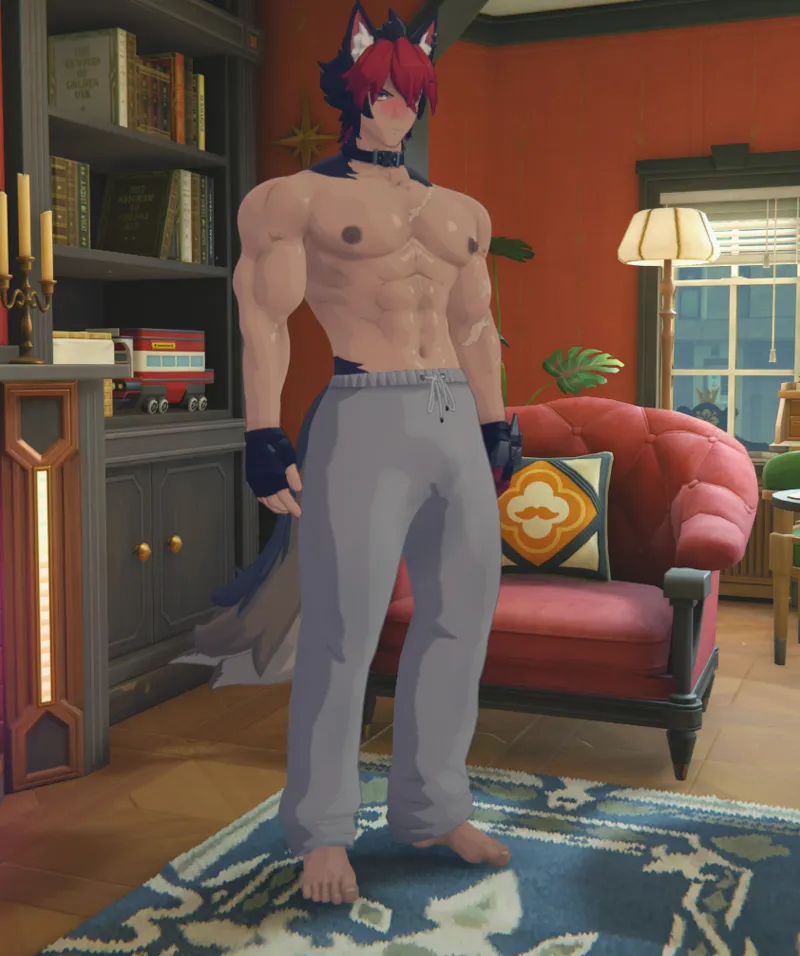
Komano Pajama Commission Mod
Hello everyone. This time, I created a pajama-themed mod for Komano after receiving a commission request. The commissioner kindly gave permission for it to be shared, so I am posting it here.
This mod includes toggle options:
Up Arrow = Top
Down Arrow = Bottom
Right Arrow = Shoes
] Key = Default Color
[ Key = Facial Blush / Beard
I'm glad I had the opportunity to create a casual everyday outfit for Komano. Thank you for the commission!
Comments (8)
okay, i got it to work but only the underwear loads properly
i'm really confused. i extracted the RabbitFX mod, not the exe file, and the textures still messed up. can someone explain where im going wrong? EDIT: its the latest rabbitfx file too EDIT2: okay i fixed it myself and knew where i went wrong. love the mod <3
how did you fix it? i cant get it to work
GUYS , CAN SOMEONE PLEASE HELP ME , lemme explain , so , i LOVE the mods that Han makes , BUT somehow , some works and some dont , even if i have the latest version of XXMI and the rabbitFX , le latest ones , when i run the fixer , it tells me no lines have been modified , and on my characters , its only a problem of textures , the shapes are just good , and like i said before , some mods i got from Han works so idk whats the problem exactly PLEASE help me, if you can . i think i might be the most thankful guy ever...
RabbitFX is not being installed correctly. RabbitFX is not an .exe file. It is a mod, not a fix tool. Download the RabbitFX archive and extract all of its contents into your game's mods folder. Also, don't use the Fix Tool. If RabbitFX is installed correctly, this texture issue will be resolved.
He’s so hot
Doesnt work
Please use the latest version of the RabbitFX mod and install it correctly. RabbitFX is not an EXE file. Download the latest ZIP archive, extract it, and place all of its contents into your Mods folder.