

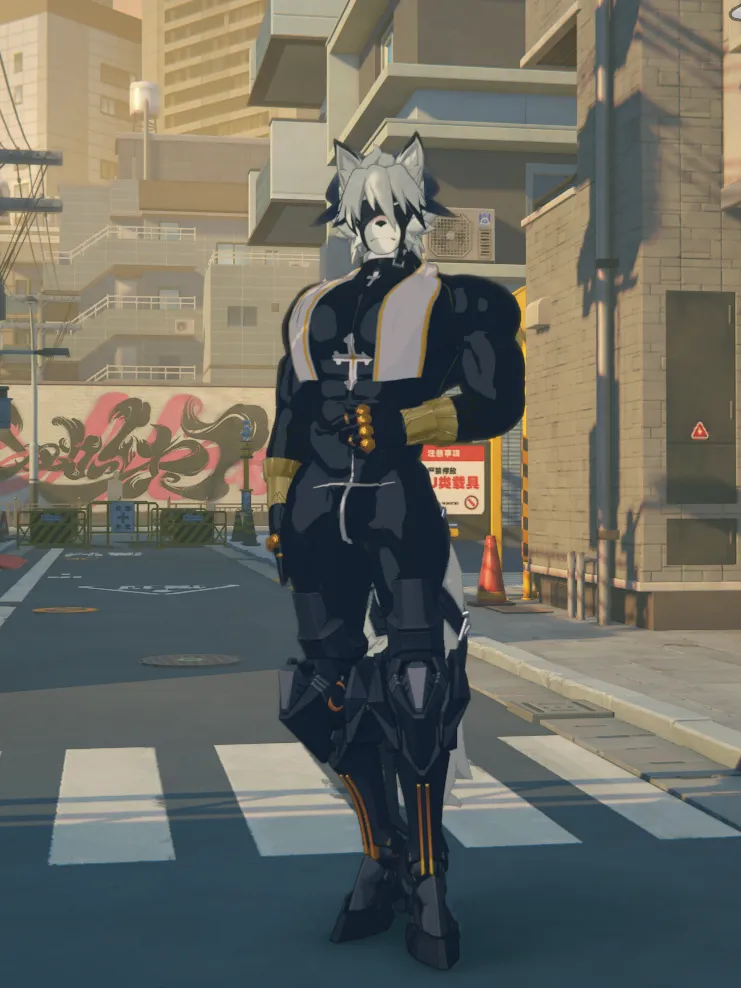


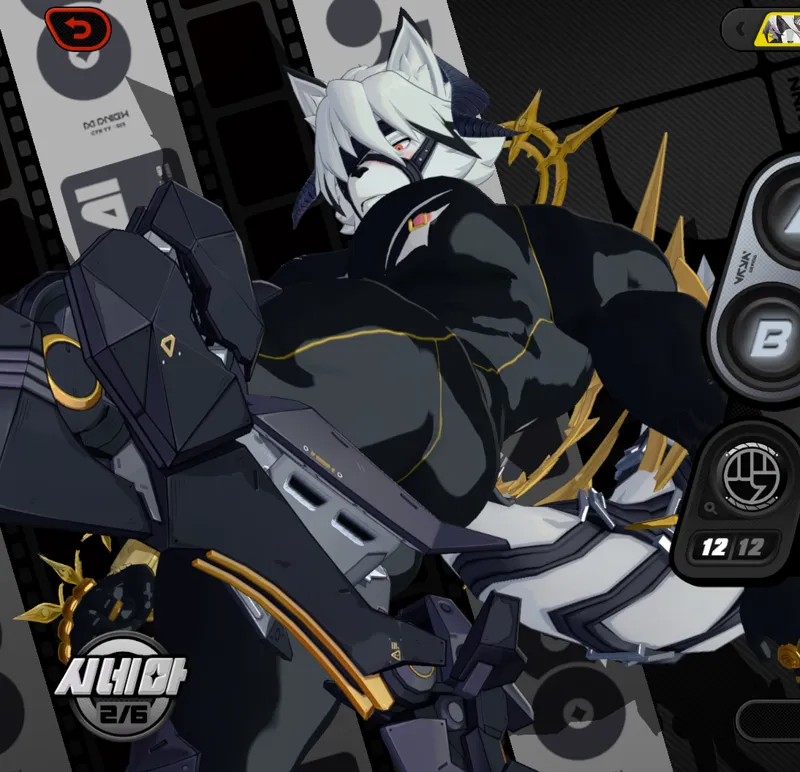
Lycaon Priest Upgrade
Please make sure to use XXMI, Rabbit Fix Mod, and Health Bar Mod.
Do not say the mod isn't working properly if you haven't used them.
Health Bar Mod: https://gamebanana.com/mods/547423
Rabbit Fix Mod: https://gamebanana.com/mods/531649
For both mods, just extract them and put the files into the mods folder.
This is an upgraded version of the Lycaon Demon Priest I made last time.
When I first created the priest version, this is how I had originally intended it to be.
I said it would take time to improve the quality, but now I wonder if it actually took that long.
If you are using Lycaon’s exclusive engine this time, certain parts will glow accordingly.
They won’t appear if you're not using the dedicated engine.
With the Health Bar Mod, the appearance changes when HP drops below 80% and again below 50%.
There are toggles for the face and accessories, using the left and right arrow keys.
For the face, I applied Rabbit Fix’s texture override technique, but while making it, I started to think that it might not work for others.
There’s a detailed reason for this, but to keep it simple—if the face doesn’t change, please try using FixTool.
And while I was making this mod, I suddenly wondered if it would be possible to add an animal-type face to an existing character's face.
So I tried making a small test mod.
The idea was to change the mouth or nose into an animal shape, while keeping the overall structure of the original character unchanged.
Of course, I kept the facial animations intact.
I tested it a little, and it actually turned out better than I expected.
I’ll keep which character it is a secret, but I noticed that there still isn’t a fully cow-shaped version of Thiren.
Toggle Version: I’ve confirmed that the Health Bar mod no longer works. Therefore, I changed it so that you can switch appearances using toggle buttons instead. The toggle buttons are the Up, Down, Left, and Right arrow keys. There was a comment mentioning that the mod wasn’t working, but I was late in checking it. I’m sorry about that. I think it was a great concept, but it’s unfortunate that the Health Bar mod is no longer being updated.
lycaonMod(d,p)3 (fix) (Toggle) (2) = I fixed the parts of the body that were breaking.
Fix: The face has been adjusted so that it applies correctly.
Comments (23)
Is it possible to add a toggle to pose like previous version?
The mod went bad again, could it be that rabbitfx's hash changed?
This mod requires RabbitFX to enable the glow effect. If you only want to modify the textures, open the .ini file in the mod folder, press Ctrl+F, search for "RabbitFX", and replace all instances with "ZZMI". However, I recommend waiting for an update to the RabbitFX mod—it should be updated soon.
Hey Han, after the great HabbitFX bug, and your later update, the glow on the halo is set to a white instead of the blue that matched Lycaon Sig glow, is that intended?
I have the same problem
i really love the rings in this skin, is there a way to have a sfw version?
Fix: Everything is well and happy !!! Just a request; Can the down toggle (with the accessories) have the bulge toggle too than just the peni? I love it all still though, just wanted my boy to have more class in fights ><
Someone just released a band-aid fix for the Healthbar mod on Gamebanana. I would like to test if it works for this mod it but I don't have the original file. ;;
For some reason, the halo and bracelets doesn't load or is it because of the latest update? I have run multiple times with fixes and installed the mods required. TT The face accessories couldnt be changed either but the blushes and the towel/chest piercing works in toggling. Help TT
Same here TT.And he health bar mod dose not work neither,the outfit didn't change a bit when hp decreased TT
Thank you for your creation, I really like it! However, there are some issues here. I'm curious, even though I used Lycaon's dedicated engine, the rear part is not glowing, and its usual color is black, not gold like in the video.
I checked, and it’s still working properly even after the update. This means you might not be using the xxmi launcher, or you might not be using the RabbitFix mod. Please make sure to use both, and carefully follow the instructions for the RabbitFix mod.
Hi, I love this mod and the texture, but I can not show the accessories behind Lycaon, and the right arrow key only turns on and off the blush. I tried Rabbit Fix and FixTool, but it did not solve the problem...
As stated in the post, this mod uses the health bar mod to change the appearance when health decreases. If you do not use the health bar mod, the appearance will not change.
I love this mod, tysm! But, would it be possible for you to list all the keybinds for this mod specifically? So sorry if this is such a hassle, but keep up the good work!
The keybinds are the left and right arrow keys.
와 헤일로 전무 이펙트 진짜 멋지네요ㅋㅋ
Thank you so much for the awesome mod! Prefer to have an abdominal pattern, especially when using combat techniques!
Open the lycaon.ini file and scroll down a bit—you’ll see sections like if $\Healthbar\Lycaon >= 0.8. These are set conditions, and there should be two parts: one for the body and one for the head. You’ll need to modify both. For example, if you want the change to happen at 90% and again at 70%, you can set it like this: if $\Healthbar\Lycaon >= 0.9, if $\Healthbar\Lycaon < 0.9 && $\Healthbar\Lycaon >= 0.7, and if $\Healthbar\Lycaon < 0.7. Look carefully and adjust the values to match what you want.
I LOVE IT WHEN YOU UPLOAD IT MAKES MY DIH BLUSH!!!!!!
Great work as usual! Would love to see you make a NSFW battle damage outfit of his default where his clothes and pants are ripped
Holy cow
My favorite lycaon mod is back!