
October 19, 2024
HOW TO USE S4STUDIO
Step 1
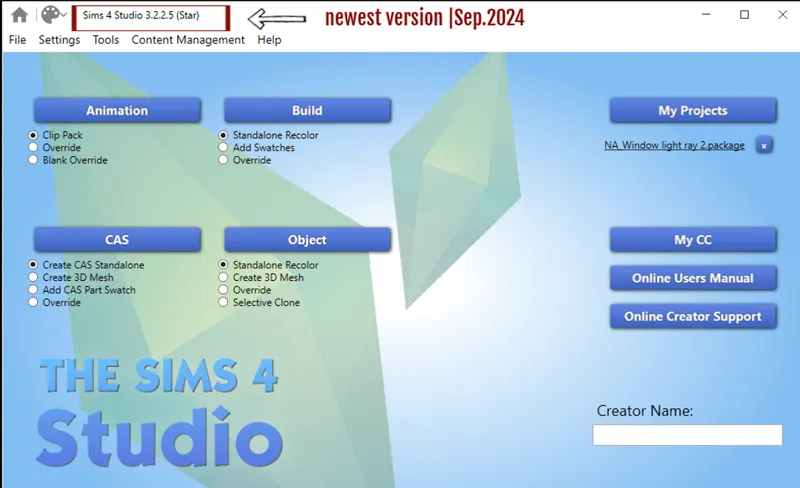
Download the newest version from the Sims4Studio
Open the program
Step 2
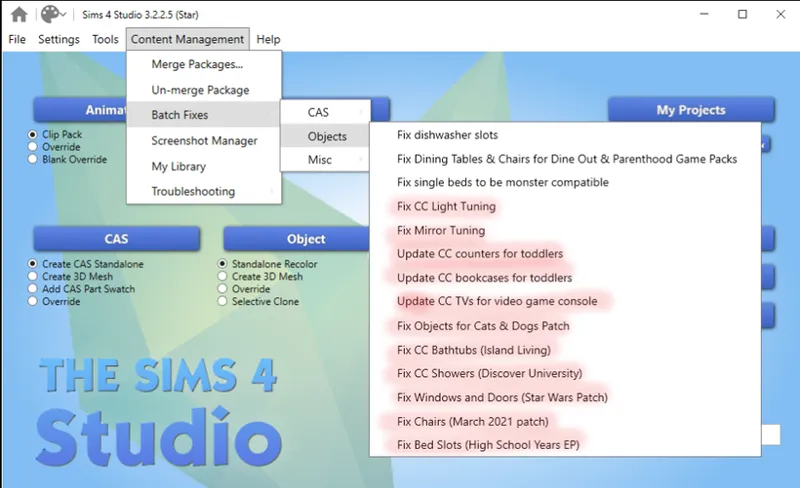
Use all the options highlighted in red- one by one
Step 3
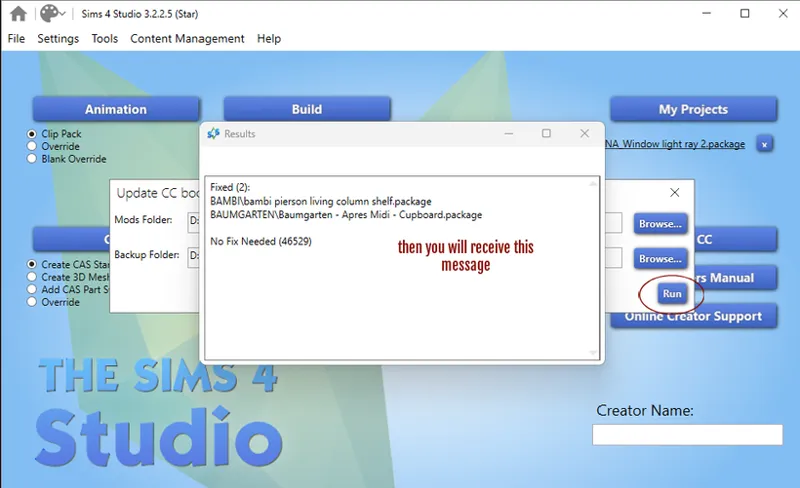
You will receive a notification every time about what could be repaired and what could not. You should delete the CC that could not be repaired because you will most likely no longer be able to use them in the game or your game will crash.
Step 4
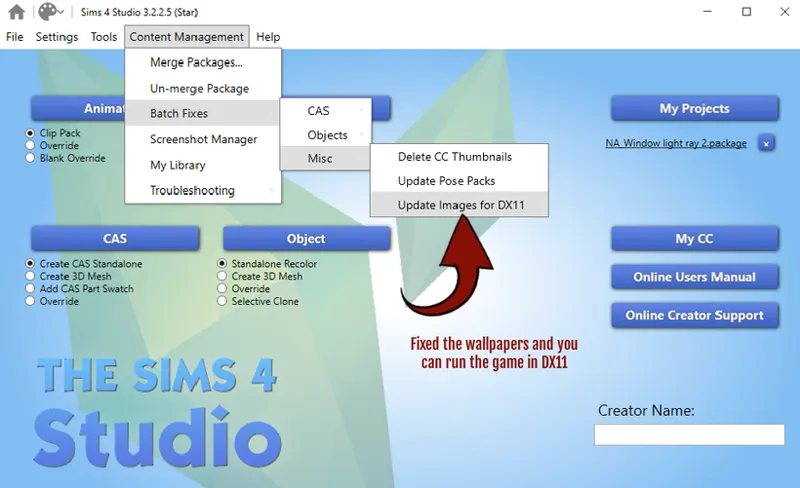
Once that is done then fix your wallpapers for the DX11 update. This may take some time depending on the size of your CC folder. I left the program running overnight.
Done! You should do this from time to time to be on the safe side!