

*UPDATE*New Update with Direct X11
Since yesterday's update, most wallpapers have bright colors and a question mark.
This is because the wallpapers are not compatible with DX11. The creators have to update them first and that can take a while. These include wallpapers from KTA Sims, Felixandre, Aggressivekitty and others.
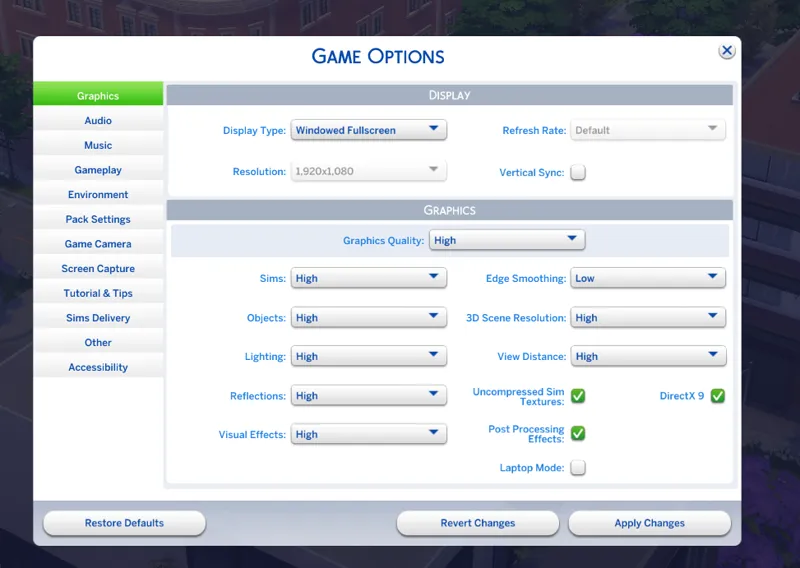
I found out that I can turn off DX11 in the game options, which I have now done until they are updated.
However, this setting depends on the graphics card, which means that not all of them have this function. I will note the version of Direct X that I used under each house.
___________________________
I want to give you an update on the problem with DX11.
After I built a house yesterday and the game didn't save or it kept trying to save, I had to start over twice until I realized that this must be a broken mod.
First of all, I've never had any problems after an update, I was probably just lucky...lol.
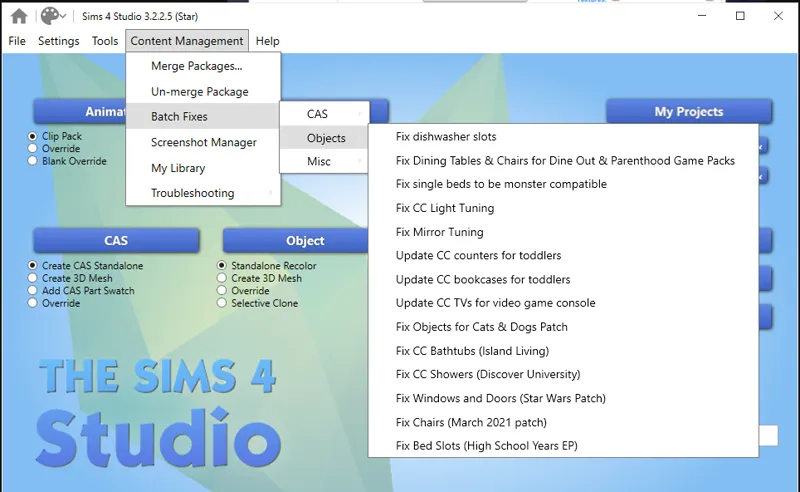
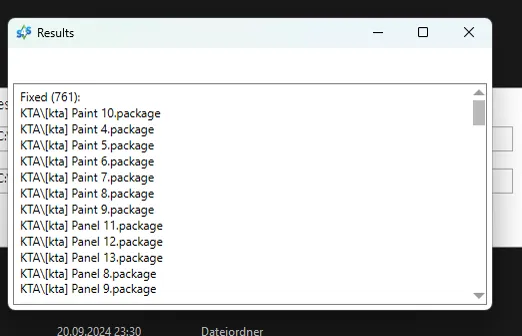
So I ran the mods through all the batch fix in S4Studio and look, it fixed a lot. Then I decided to fix the textures with the program and that took all night, probably normal with 200+ GB. But it worked and I can use everything with DX11 without having the horrible bright colors.
So I advise you to invest the time and batch fix your mods/CC. I'm sorry for all the stress with the update, EA always makes it difficult for us :(
______________________
Harrie also published this
Comments (10)
Hey sorry this is the only post i could comment on. your Vogue apartment doesnt work for me. are these files normal? never seen "rmi" or "room" files before": 0x00000002!0x028c132386f70379.rmi 0x00000000!0x028c132386f70379.room 0x00000003!0x028c132386f70379.trayitem 0x00000003!0x028c132386f70379.rmi
Yes, it should work because it seems your the only one with this issue so far. But Apartments are always a bit tricky to place it. Im sorry for this :(
Thank you Tara for this help! You're a lifesaver!
Thats nice to hear ♥
I was looking for it and found this on a forum, it worked for me: 1- Launch The Sims 4 > go to Game Options > then check: Direct x9 > Close the game. 2- Launch the game using the DX9 launcher. You should find it in the location where you installed the game. It's probably here: C:\Users\EAGames\The Sims 4\Game\Bin and then double click on the DX9 launcher.
Thats what I wanted to show with the picture. And you can fix it now with the s4studio as well if you want your walls are working with DX11
You can also batch fix cc wallpaper with S4Studio🙂
Ok I have to try it . Thanks
Oh my gosh thank you, I didn't understand why they were all broken!
Yes it's so annoying 😑. I was surprised when I saw my recent build looks so weird . But luckily you can turn it off