






【支援者向け】Discordサーバー連携方法 / 【For Supporters】How to Connect to the Discord Server
※English guide follows below.
シルバー・ゴールド会員の方は、PatreonとDiscordを連携すると「あんらいふのサーバー」で限定コンテンツを閲覧できます。
シルバー:当月・前月のコンテンツ
ゴールド:シルバーの範囲を含む、過去すべてのコンテンツ
※シルバーの対象月は、月が替わると変わります。
準備するもの:支払いに使ったPatreonアカウントと、閲覧に使うDiscordアカウント。
スマホでも、連携操作はSafari・Chromeなどのブラウザで進めてください。iPhone・iPadで参加できない場合は、末尾の年齢制限の項目を確認してください。
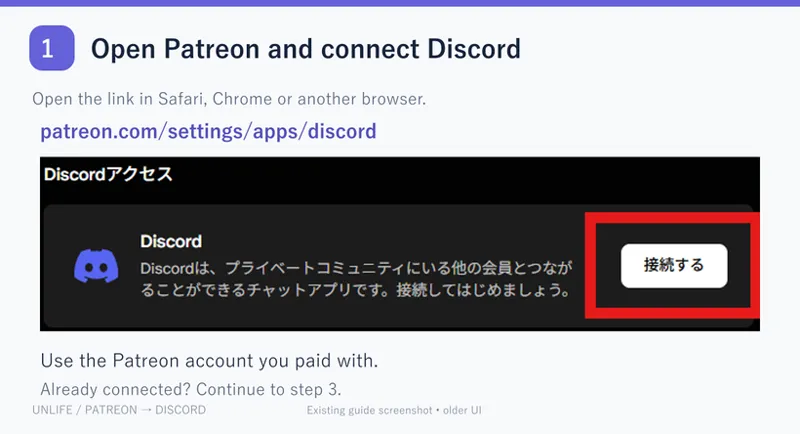
① PatreonでDiscordに接続する
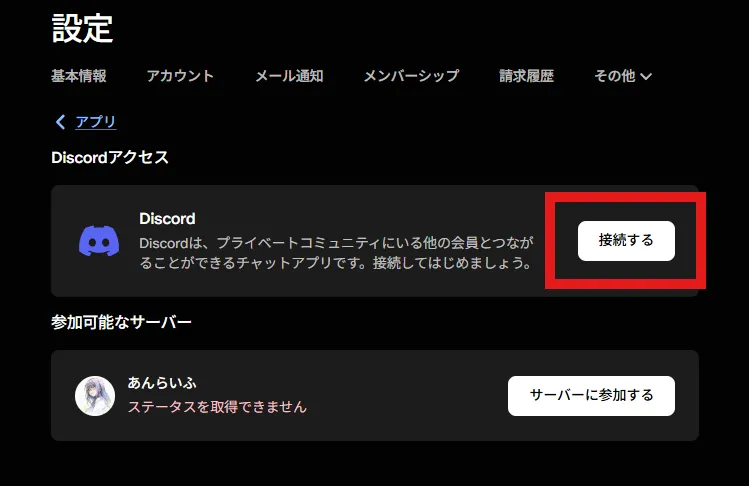
下のリンクを開き、支払いに使ったPatreonアカウントでログインします。Discordの「接続する/Connect」を押してください。
https://www.patreon.com/settings/apps/discord
「接続済み」なら③へ進みます。
② Discordにログインして認証する
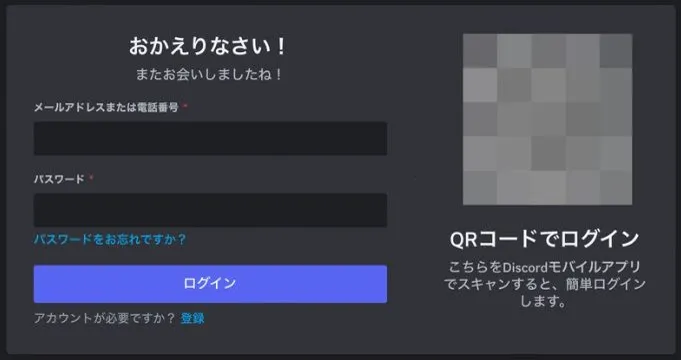
閲覧に使うDiscordアカウントでログインし、「認証/Authorize」を押します。すでにログイン済みならログイン画面は省略されます。表示されたユーザー名が、Discordアプリで使うアカウントと同じか確認してください。
アカウントがない方は、作成・メール認証を済ませます。
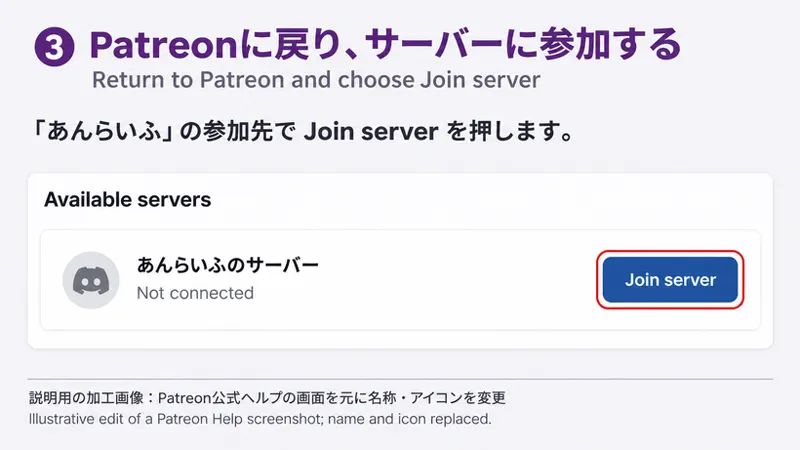
③ Patreonに戻り、サーバーに参加する
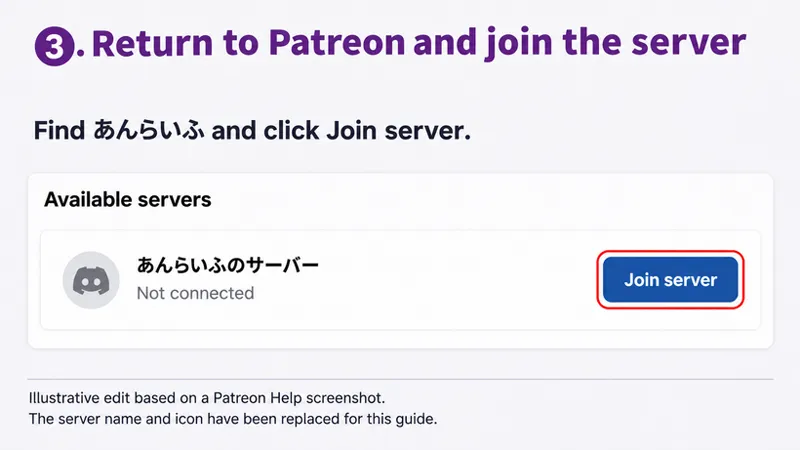
①の連携設定に戻り、「あんらいふ」の参加先にある「サーバーに参加する/Join server」を押します。表示が変わらない場合は、ページを再読み込みしてください。
「接続済み」だけでは完了ではありません。サーバー参加まで進めてください。すでに参加済みなら④へ進みます。
④ Discordで見たい月を選ぶ
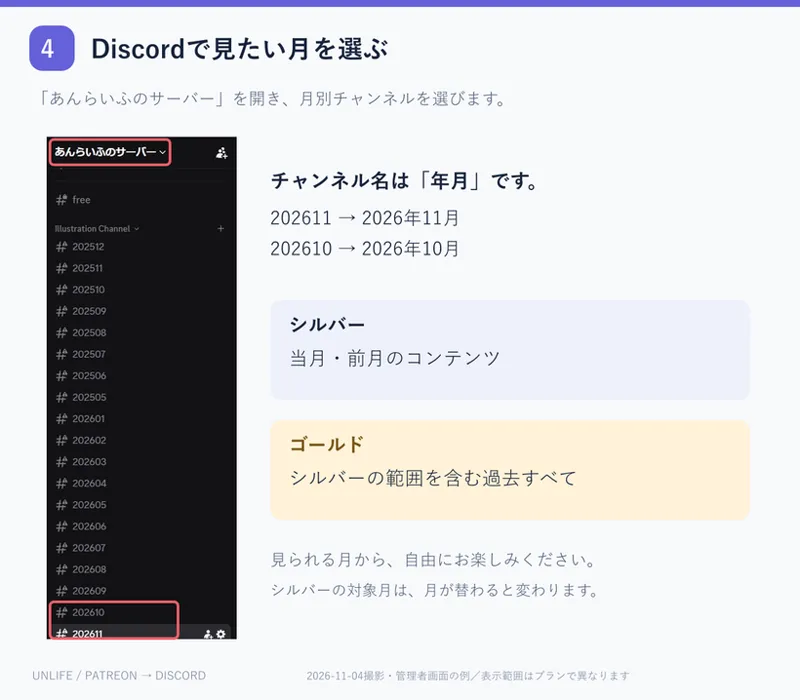
②と同じアカウントでDiscordを開き、サーバー一覧から「あんらいふのサーバー」を選びます。月別チャンネルを開くと、コンテンツを閲覧できます。
チャンネル名は「年月」です。例:202611=2026年11月、202610=2026年10月。
ご加入プランで見られる月から、自由にお楽しみください。シルバーで前々月以前が見えないのは正常です。
うまくいかないときは、当てはまる項目を確認
A. 認証画面が開かない
Safari・Chromeで①のリンクを直接開き直してください。ポップアップを妨げる拡張機能がある場合は、連携中だけ無効にして試します。
B. 参加先や「Join server」が出ない
支払いに使ったPatreonアカウントか、加入プランがシルバー/ゴールドか、支払いが完了しているかを確認し、①のページを再読み込みしてください。
C. Discordにサーバーがない
②で連携したDiscordアカウントと、アプリで開いているアカウントを照合し、③を実行してください。参加上限に達している場合も参加できません。
D. サーバーはあるが対象月が見えない
プラン・支払い状況を確認してください。権限反映に数時間かかる場合があります。しばらく待ってDiscordを開き直します。
E. 数時間待っても連携が反映されない
Patreonの連携設定でDiscordを切断 → ブラウザ版Discordからログアウト → Discord・Patreonのキャッシュ/Cookieを削除 → ①〜③をやり直します。ログインし直せることを確認してから行ってください。連携の切断は、会員プランの解約操作ではありません。
詳しい復旧手順(Patreon公式):
https://support.patreon.com/hc/en-us/articles/4408372541581-Troubleshooting-Discord-issues
F. iPhone・iPadで年齢制限が出る(成人の方)
PC版Discordでサーバーに参加し、「ユーザー設定」→「メッセージの権限」→「iOSで年齢制限のあるサーバーへのアクセスを許可する」を確認してください。
設定を有効にしてもiOSアプリで閲覧できないサーバーがあります。その場合はPC・Web版を利用してください。年齢確認が出た場合は、画面の案内に従ってください。
当方では年齢制限・iOSの制限を解除できません。Patreonへの問い合わせで解除できるものでもありません。
解決しない場合の窓口:Patreon公式サポート
接続・サーバー参加・会員権限についての相談は、下の公式窓口へお願いします。この投稿のコメント欄や当方へのDMは、接続サポートの受付窓口ではありません。
https://support.patreon.com/hc/en-us/requests/new
会員向けの問い合わせを選び、「あんらいふ/加入プラン/端末/止まった手順①〜④/エラー文/試したこと」を記載すると状況を伝えやすくなります。必要ならエラー画面を添付してください。パスワード・認証コードは送らないでください。
[For Supporters] Connect Discord and Access Your Content
Link Patreon to Discord to view supporter content in あんらいふのサーバー.
Silver: the current and previous calendar months.
Gold: all months, including Silver content.
The Silver window moves each calendar month.
Have your paid Patreon account and the Discord account you will use ready. On mobile, use Safari or Chrome for setup. If you cannot join on iPhone/iPad, see the age restriction note below.
1. Connect Discord on Patreon
Open the link, sign in to the Patreon account you paid with, and choose Connect next to Discord.
https://www.patreon.com/settings/apps/discord
Already connected? Go to step 3.
2. Sign in to Discord and authorize
Sign in to the Discord account you will use and choose Authorize. If already signed in, the login screen may be skipped. Check that the username matches the account in your Discord app.
No account yet? Register and verify your email:
3. Return to Patreon and join the server
Return to the settings page in step 1. Find あんらいふ and choose Join server. Refresh the page if the list has not updated.
Connected does not mean you have joined. Complete Join server; if already a member, go to step 4.
4. Open a month channel in Discord
Use the same Discord account as in step 2. Select あんらいふのサーバー from your server list, then open a month channel.
Names use YYYYMM: 202611 = November 2026; 202610 = October 2026.
Browse any month included in your plan. Older months being hidden is normal for Silver.
If something is not working
A. No authorization window
Open the step 1 link directly in Safari or Chrome. Temporarily disable extensions that block the pop-up.
B. No server or Join server button
Check your paid Patreon account, Silver/Gold tier and payment status, then refresh step 1.
C. No server in Discord
Match the app's account to the linked account and complete step 3. Reaching Discord's server limit can also prevent joining.
D. Server visible, expected month missing
Check your tier and payment status. Role updates may take a few hours; wait, then reopen Discord.
E. Still not linked after a few hours
Disconnect Discord in Patreon settings, log out of Discord in your browser, clear Discord/Patreon cache and cookies, then repeat steps 1–3. Make sure you can sign back in first. Disconnecting the integration is not cancelling your membership.
Detailed recovery steps (Patreon):
https://support.patreon.com/hc/en-us/articles/4408372541581-Troubleshooting-Discord-issues
F. iPhone / iPad age restrictions (adults only)
Join on desktop, then check User Settings > Messaging Permissions > Allow access to age-restricted content on iOS.
Some servers remain unavailable in the iOS app. Use desktop/web instead and follow any age checks shown.
I cannot remove age restrictions or iOS limitations. Contacting Patreon does not override them.
Still stuck? Contact official Patreon Support
For connection, server joining or membership-role issues, use the official form below. This post's comments and my DMs are not a connection-support channel.
https://support.patreon.com/hc/en-us/requests/new
Choose member support and include: creator あんらいふ, plan, device, step 1–4, error text and what you tried. Attach an error screenshot if needed. Never send passwords or verification codes.
Comments (14)
初めまして。Discordに接続できたのですが、その後どうやって投稿を見ればいいかわかりません。
Silverランクであることを確認しました。その場合202606と202607のチャンネルにアクセスできるのでそのチャンネルから各種イラストをDL出来るはずですがいかがでしょうか?
I can’t get into the server 🥲
Can I connect to Discord from this page? https://www.patreon.com/settings/apps/discord
デフォルトで未成年になってますか?
扱っているコンテンツがR18なので未成年は閲覧出来ないようになっています。解除等についての質問はPatreonにお問い合わせ下さい。
web版で年齢制限の項目をONにできません
iPhoneではr18設定の解除はできませんか?
はじめまして。
はじめまして。Discord連携してもDiscord側にサーバーが反映しません。確認お願いいたします。
Silverランクであることは確認できたため同じく【3.Patreonの設定から【その他】→【接続中のアプリ】で接続できるかと思われます
ありがとうございます。 接続できました。
Discordに接続できません。 確認をお願いします。
Silverランクである事は確認できました。その場合discordと連携する事でサーバーに参加できるかと思われますが、discordアカウントはお持ちでしょうか?お持ちであれば【3. Patreonの設定から【その他】→【接続中のアプリ】からDiscordに接続】で接続できるかと思います