

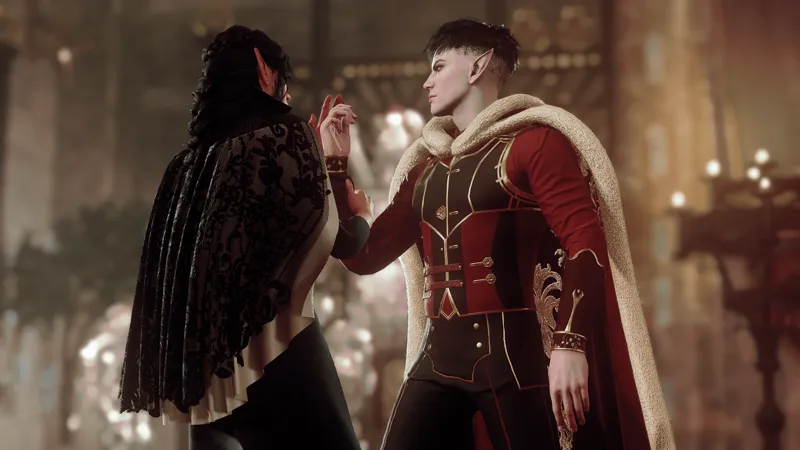
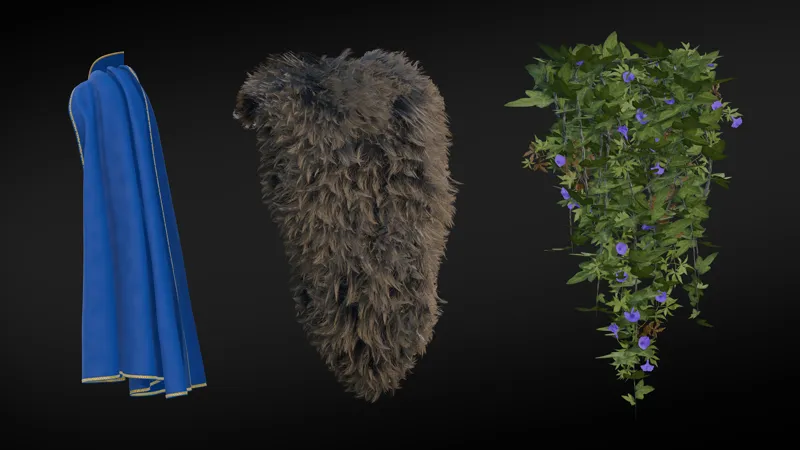
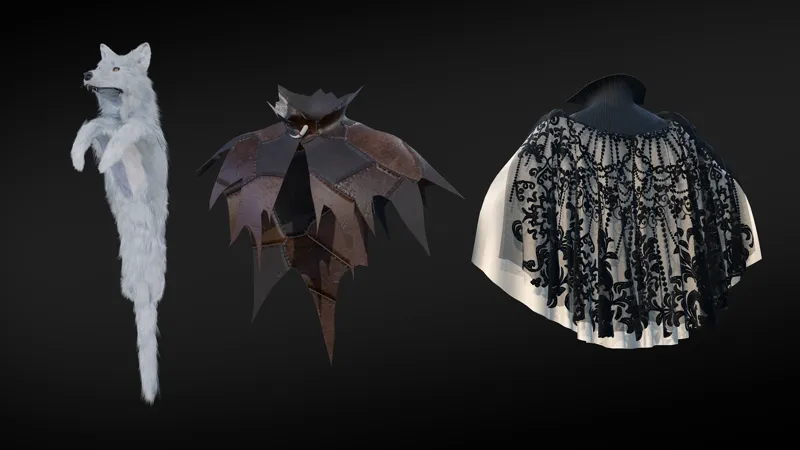
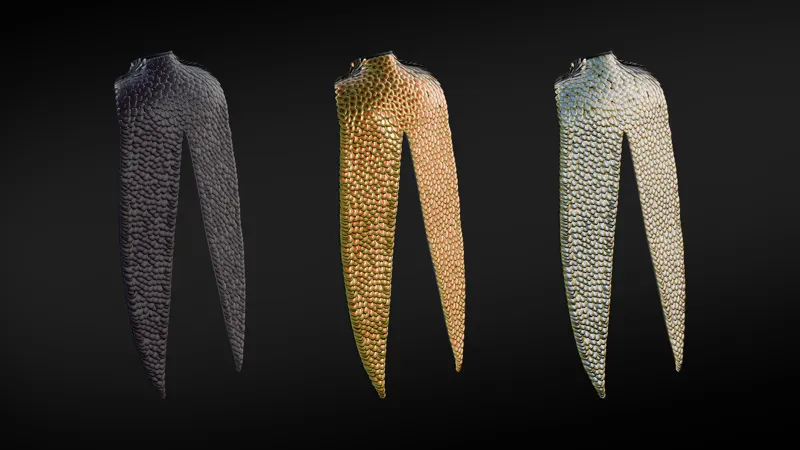


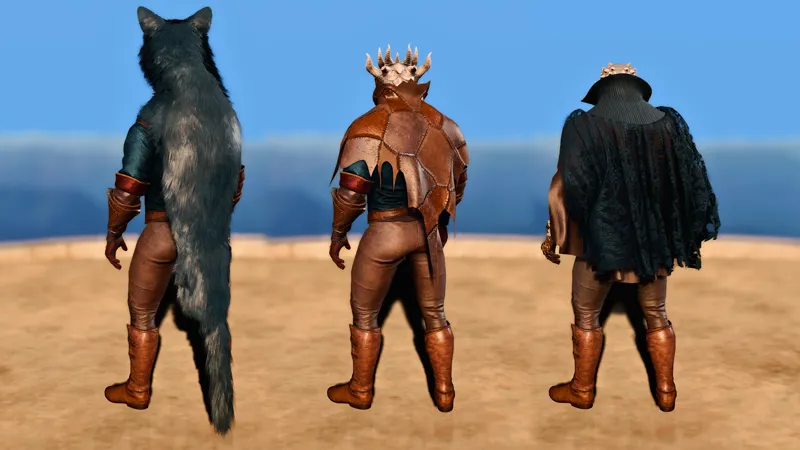
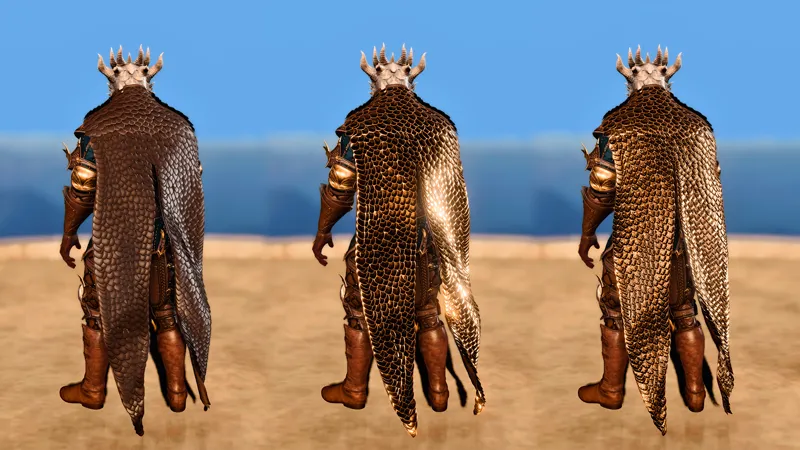
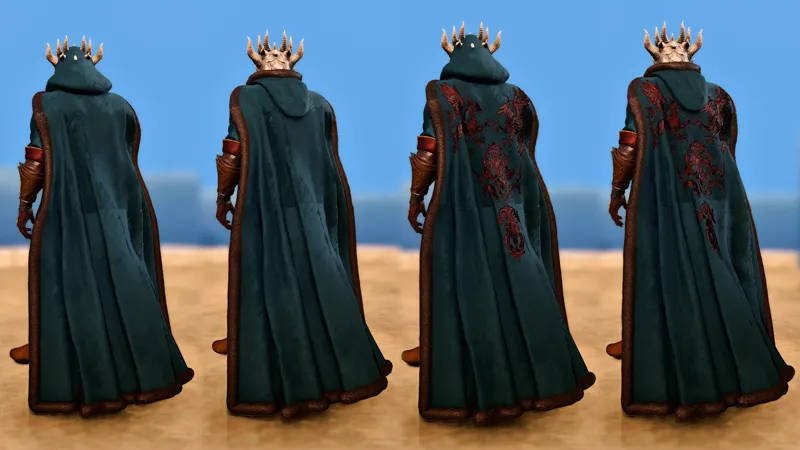

[Download] Cloak Pack 2 - Capes and Cloaks for Tall Races
-----------------------------------------------
NOW AVAILABLE ON NEXUSMODS
https://www.nexusmods.com/baldursgate3/mods/20507
(Any future update will be available on NexusMods)
-----------------------------------------------
Adds 9 cloaks (some with texture variants) to the game, compatible with all tall races (Human, Elf, Half-Elf, Drow, Tiefling, Githyanki, Dragonborn, Half-Orc) and body types (BT1, 2, 3, 4).
All cloaks are dyable.
The mod comes in two versions that are incompatible with each other, so install only one at a time! The versions are just Head Slot and Cloak Slot.
HIGHLY RECOMMENDED:
Please download and install my Dither Shader Fix (replacer), it will remove ugly outlines!
All of the items spawn inside a container in the Tutorial Chest. Use a mod like Tutorial Chest Summoning to grab it outside of the tutorial nautiloid.
There are no stats so please use a transmog mod like any of the following if you want stats:
- Transmog Enhanced
- Cosmetic slots
- Armory - Auto-Transmog Vanity Outfit Manager
If the outfit becomes too bloody and dirty too quick, please use this mod: Non-VT Shader Fix (Correct blood and dirt display) by badwitch69
Known issues
I do not guarantee the fit of the hood on Dragonborn, and there is bound to be some clipping! There is also a seam on the fur-lined mantle that I will try to fix.
Permissions
🔴Please do not share or reupload the mod files.
🔴You are not allowed to use the assets of this mod in your mod or claim it as your own.
🟠Please ask before modifying the mod for personal use (for example if you want to refit the outfit, or change the slot of an item).
🟢You are allowed to use my mods in pictures and render virtual photography, provided that you credit me! You don't have to ask for permission for that, but I love seeing my mods used in pictures so please don't hesitate to show them to me ❤️
Installation
Install with BG3 Mod Manager.
I do not provide support for other mod manager installations as I do only use BG3MM myself.
Uninstallation
⚠️Please be aware that there are still risks from uninstalling mods that add items, even if you follow the steps below! It is not recommended to uninstall these kinds of mods mid-playthrough.
You'll need to follow these steps to properly uninstall without breaking your save:
1 - Summon the tutorial chest or any other container that disappears on its own after a while.
2 - Put this mod's container as well as all of the mod's items into the ephemeral container, and let it disappear (make sure to buy any of this mod's items from vendors that sell them if you've come across them)
3 - Save and close the game
4 - Permanently delete the mod
Mods used in photos

Comments (9)
I really like the bear/fur cloak, it's really well done, thank you !
These are truly fantastic. I started a new game just for these. You have made my game so much more fun. Thank you!!!
I'm so excited to see these, thank you for sharing with us!! Eternally on a quest for good cloaks for one of my characters lol.
Finally. Proper fur cloaks. Absolutely amazing
I'm not sure if you do this, but if you do, would you be willing to notify me if you ever open commissions again ;∀;<3
Please message me! I think you know my discord? I have a long waitlist but I can still add you to it if you're okay with waiting :)
Absolutely Phenomenal! 💜💜💜💜
THESE ARE FRICKING AMAZING!!! I LOVE IT!
So amazing, cannot wait to try these!! Awesome work