
Mint Haus Teeth Brushing Overhual and Ship Da Emails Off OUT NOW! (with links)
I have two completely different gameplay mods ready for testing: Mint Haus Teeth Brushing Overhual and Ship Da Emails Off.
Both are officially in BETA, so please test them hard, save your game, and send me details if anything acts up.
Mint Haus Teeth Brushing Overhual | BETA
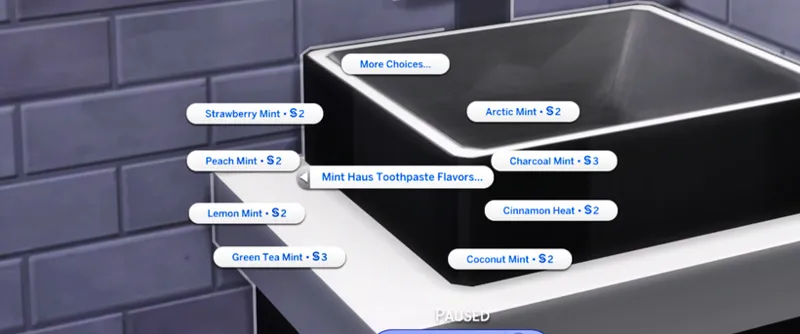
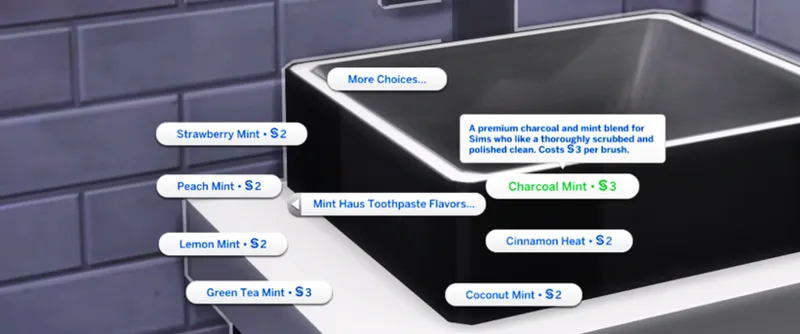
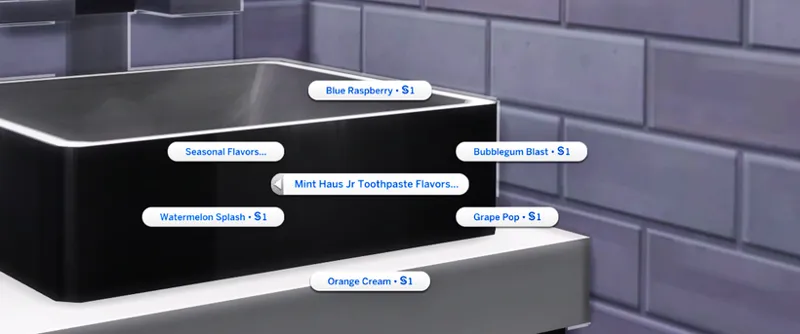
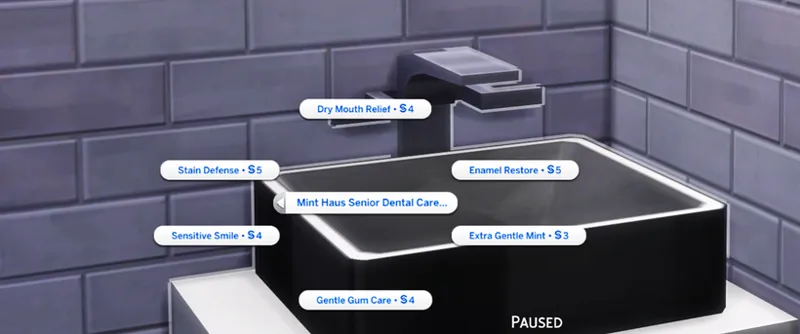
I made a small toothpaste mod because I wanted Brush Teeth to have more options than the same basic interaction every time. Mint Haus Teeth Brushing Overhual adds new toothpaste choices directly to sinks for kids, teens, adults and elders. JAYESIMS X JAYE HINSON PRESENTS - MINT HAUS ( TEETH BRUSHING OVERHAUL) MODS FOR ALL PROGRAM | JayESims on Patreon
FEATURES
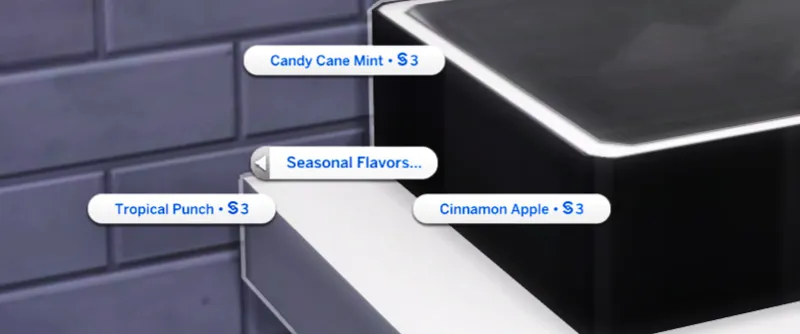
Multiple Mint Haus toothpaste flavors
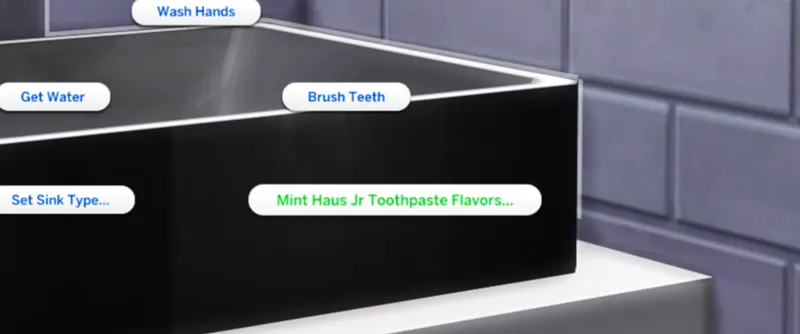
Mint Haus Jr toothpaste flavors for kids
Mint Haus Senior Dental Care for elders
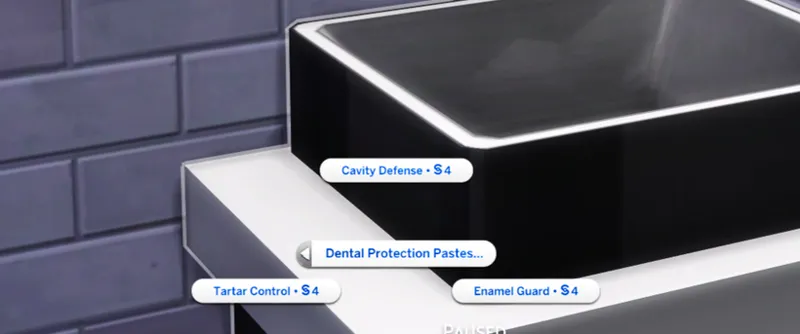
Dental Protection Pastes
Seasonal and limited edition flavors
Different prices depending on the toothpaste
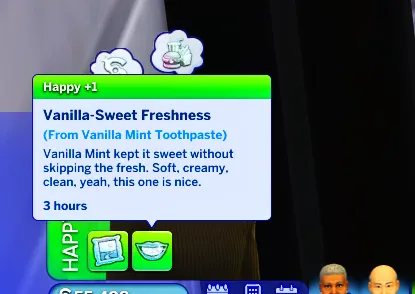
Unique moodlets for each toothpaste choice
Special kid reactions, including using way too much toothpaste
Regular, premium, dental care and specialty options
Elders can still use the regular Mint Haus flavors. Senior Dental Care is just an extra set of options specifically for them.
The mod still uses the regular Brush Teeth interaction, so Sims walk to the sink and brush normally.
PLEASE TEST
Different age groups
Different sinks
Toothpaste menus
Toothpaste prices
Favorite flavors / My Usual
Moodlets
Teeth icons
Kid reactions
Seasonal options
SHIP DA EMAILS OFF | BETA
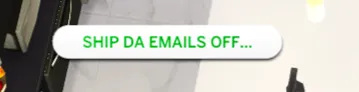
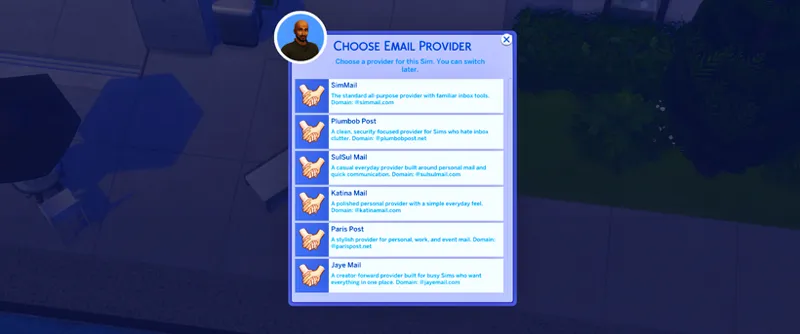
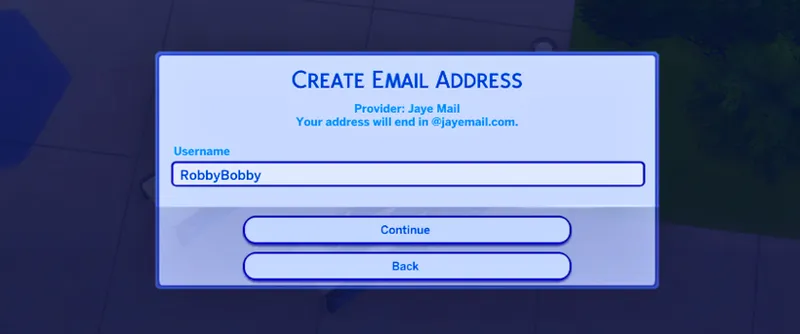
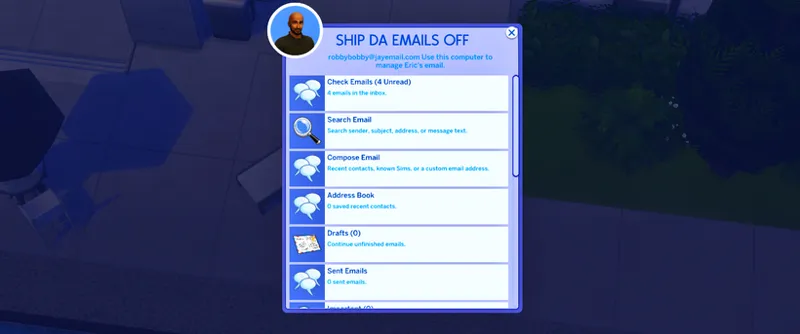
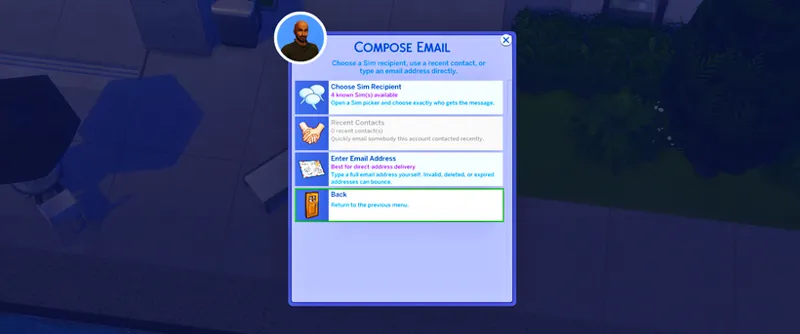
I wanted Sims to actually have something to do with email besides the same old computer interactions, so Ship Da Emails Off is finally ready for beta testing. Your Sims can create their own email account and use it from the computer. JAYESIMS X JAYE HINSON PRESENTS - SHIP DA EMAILS OFF (free mod) | JayESims on Patreon
EMAIL ACCOUNT FEATURES
Create a custom email address
Choose between 6 email providers
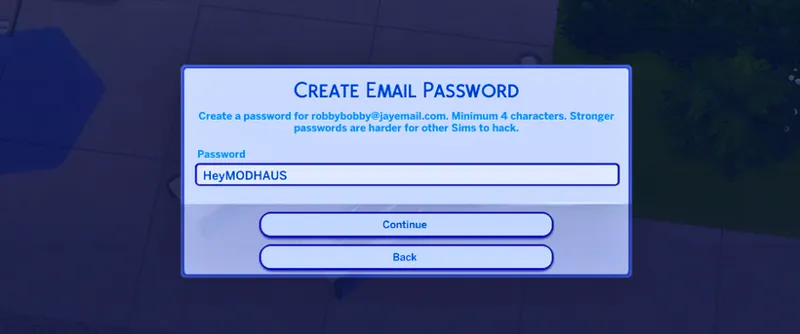
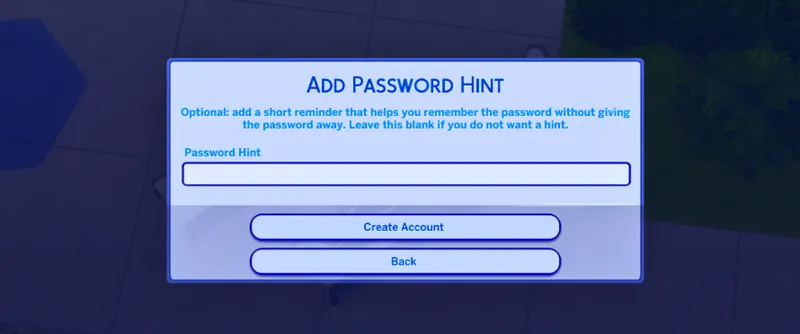
Set a password and password hint
Sign in and out of your account
Delete your email account
Keep or wipe old mail when deleting an account
Old-address forwarding when switching providers
Add a custom email signature
SENDING + MAILBOX
Send emails to other Sims
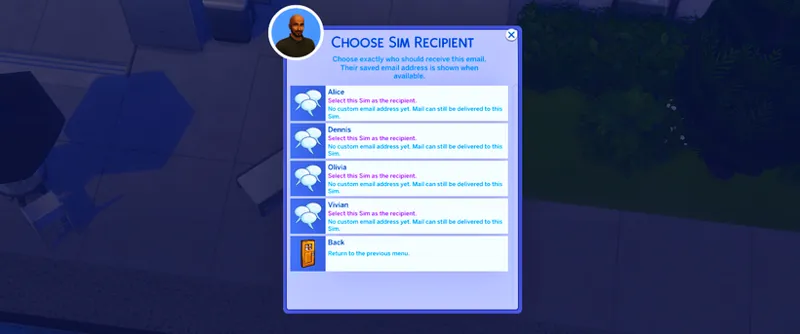
Choose who you’re emailing through a Sim picker
Type your own subject and message
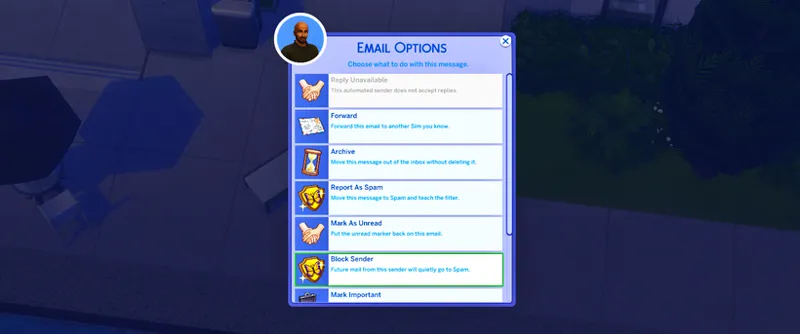
Reply to emails
Forward emails
Save drafts
View sent emails
Archive emails
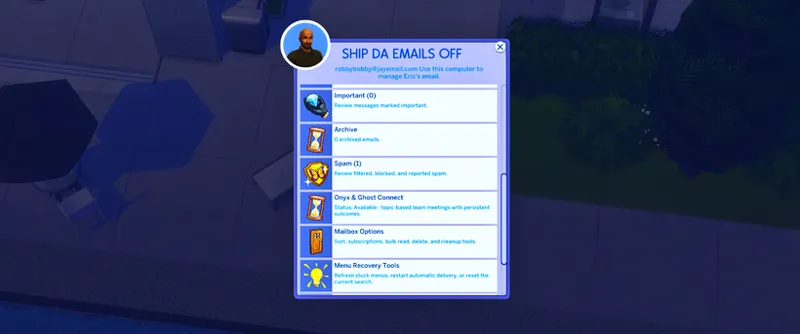
Mark emails as important
Search your mailbox
Sort your emails
Save contacts
View recent recipients
Block and unblock senders
Unsubscribe from mailing lists
Report emails as spam
Receive delivery failure emails
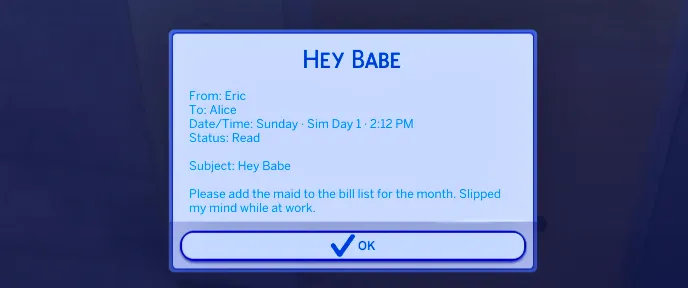
Email timestamps using the actual Sim day and time
RANDOM INCOMING EMAILS
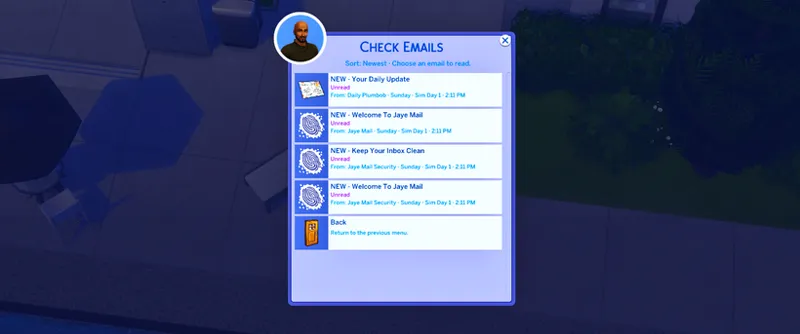
Your Sims can also receive randomized emails throughout the week.
These can include:
Work emails
Personal messages
Shopping ads
Service emails
Travel emails
Concert tickets
Newsletters
JayESims / Mod Haus emails
Adult promotional emails for Young Adult+ Sims
Spam, scams and junk mail
The inbox is not supposed to blow up every five minutes.
Mail comes in throughout the Sim day, and some days your Sim may barely receive anything.
EMAIL SECURITY + HACKING
Ship Da Emails Off also includes an email security system.
Sims can have:
Weak passwords
Medium passwords
Strong passwords
Teen+ Sims can attempt to hack accounts.
Hacked access is temporary, failed login attempts can trigger security alerts, and changing your password will shut compromised access down.
ONYX & GHOST CONNECT
Onyx & Ghost Connect is included with Ship Da Emails Off too.
Sims can:
Set their status to Available, Busy, Away, Do Not Disturb or Offline
Mute meeting notifications
Add Sims to team meetings
Pick a meeting topic
Hold 30, 60 or 90 minute meetings
Get different meeting outcomes depending on the topic and attendance
Receive meeting recap emails
View past meeting history
Meeting topics include:
Business
Money
Trips
Family
Relationships
School
Creator planning
Projects
Problem solving
And more
There are also menu recovery tools in case something gets stuck without forcing you to wipe your entire mailbox.
WHAT I NEED TESTED FOR SHIP DA EMAILS OFF
Please pay close attention to:
Phone menu showing correctly
Computer menu showing correctly
Creating an email account
Sending emails between Sims
Sim recipient picker
Reply
Forward
Drafts
Sent mail
Archive
Password/login system
Email timestamps
Random incoming emails
Spam
Blocking and unblocking
Hacking
Security alerts
Onyx & Ghost Connect meetings
Meeting recap emails
Saving your game, exiting and loading the same save again
XML Injector is required for Ship Da Emails Off.
BOTH MODS ARE CURRENTLY IN BETA
Please test these before treating either one like a finished public build.
If something does not work correctly, tell me:
Which mod you were using
What Sim/age you were testing with
What you clicked
What you expected to happen
What actually happened
Whether the problem happened again after retrying
If you receive a LastException, send me the actual LastException file and tell me what you were doing when it happened.
Do not just tell me “it broke” because I need enough information to actually track the problem down.
XML INJECTOR REQUIRED
Both are officially open for beta testing.
CONNECT WITH JAYESIMS X Jaye Hinson
Stay connected outside Patreon.
Baby Lab Name Generator - JayESims Baby Name Lab | Baby Name Generator, Birth Certificates & Sims Storytelling Tool
https://discord.gg/NVXhzzXhaK Discord
Blog For Tips, CC Finds And How-To JayESims Mod Hub
CurseForge - JayESims's Profile - Member List - CurseForge
Tumblr - @jayexsims on Tumblr
Jaye Hinson Instagram - : https://www.instagram.com/jayehinson
TikTok: @Jay4Sims
FaceBook Mod Haus Group: Click Here
Pinterest: SimsJaye
Twitter/X: Click Here
YouTube: Click Here
JAYESIMS Instagram: Click Here
Twitch: Click Here
Spotify - Click here for MOD HAUS SPOTIFY PLAYLIST
SUPPORT ME.
make TikToks. debunk the rumors. troubleshoot and help those who have trouble. buy commissions. even pay for one month then cancel. it all helps. every single bit of support tells me it’s worth it to keep going.
Comments (2)
Have A FUN WEEKEND!!!
you too Jay thank you for all your mods my game has been so much better with all of these on God ha ha love you boo.