
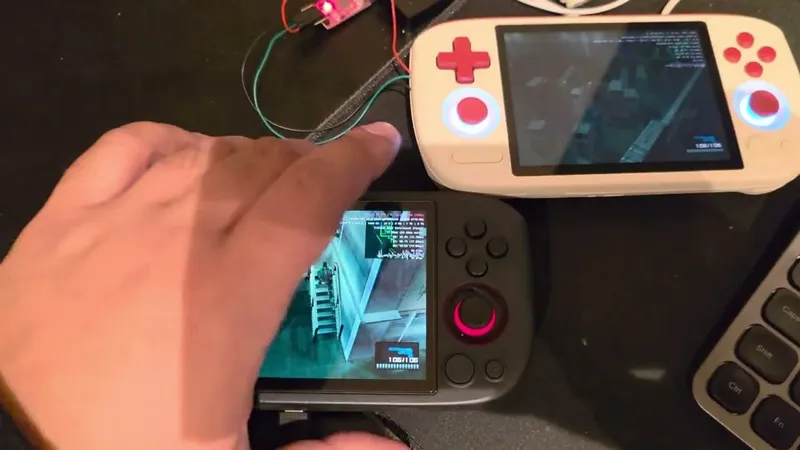
GammaOS Next v1.3.1 is now live for the AYANEO Pocket Air Mini, bringing the biggest GammaOS Next update yet to the MediaTek Helio G95 handheld! 🚀
Hey everyone,
This one has been a long time coming and I am genuinely excited about it. GammaOS Next 1.3 is the single biggest milestone for the project so far. Everything from the boot experience to the input stack to the update system has been rebuilt or heavily reworked. The AYANEO Pocket Air Mini is the latest device to receive it and I wanted to take a moment to talk about why 1.3 matters so much before getting into the specifics. 😄
The 1.3 generation is not just a version bump. It represents a fundamental shift in what GammaOS Next is. Previous releases gave you a solid Android 14 base with handheld optimisations, shaders, EQ and controller support. That was great, but 1.3 goes way further. You now get:
- A native boot menu (Nano) that can drop you into a game in seconds, no Android UI required
- A native OTA update system so the device can pull updates over the air without needing a PC
- A completely new gamepad daemon (GammaPad) built from scratch for lower latency and better compatibility
- A dedicated settings hub (GammaOS Toolbox) that brings all the gaming and system tweaks into one place
- A factory GPU overclock pushing the Mali-G76 MC4 from 850 MHz to 950 MHz
These are not small features. Each one of them on their own would justify a major release. Together they make 1.3 the version where GammaOS Next stops being "a nice Android ROM for handhelds" and starts being a proper dedicated gaming platform. I am really proud of how far things have come and I hope you feel the same when you try it. 🙌
As usual, this build is Patreon exclusive for now and will go public later.
🔐 AYANEO Pocket Air Mini Password (Full + Lite builds)
d789e6c2474292f3adb66fc2698a1758422f51bf993f60a577365592cbb5a06b1f056f2d13d7c3cc2c9707053e9ba779e5b14bd4a3cead23e368b839e2c3453a
📥 Download GammaOS Next v1.3.1 (AYANEO Pocket Air Mini)
https://github.com/TheGammaSqueeze/GammaOSNext/releases/tag/v1.3.1-AYANEOPOCKETAIRMINI
💥 What is new in v1.3.1 for AYANEO Pocket Air Mini?
GPU Overclock
Mali-G76 MC4 GPU overclocked from 850 MHz to 950 MHz (+11.8%). Smoother performance in demanding emulators and Android games. ⚡
GammaOS Nano - Boot to Game
Nano is a native XMB style boot menu that launches before the full Android desktop. You can go from power button to playing a game in seconds. It supports RetroArch and DraStic, has Quick Resume so you can pick up exactly where you left off even after a full power off, and lets you switch between an XMB layout and a simple list view with L1. Hold Power and choose Boot Nano from the power menu to enable it. Once you try it, you will not want to go back. ⚡🎮
Native OTA Updates
No more downloading firmware on a PC and reflashing. The device now checks ota.gammaos.sh for newer builds and applies them in place. Lite and Full update channels are handled automatically based on what you have installed. 📡
GammaPad
A brand new userspace gamepad daemon with per app profiles, input remapping and Screen Mapping. Lower latency, better compatibility across emulators, Android games and cloud streaming apps. This replaces the old input stack entirely. 🎮
GammaOS Toolbox
A single dedicated app that brings together all gaming features, shaders, performance profiles and GammaOS specific settings. No more hunting through Android settings or remembering setprop commands. 🧰
GammaShader
System level post processing shaders including CRT Simple, LCD3x and more. Great for getting that authentic retro look on your display. 📺✨
GammaEQ
System wide audio equalizer with per profile support. Tune the audio to your liking whether you are emulating, streaming or just watching videos. 🔊
GammaRGB
In process SurfaceFlinger sampler that drives the joystick LEDs to react to whatever is on screen. A small touch but it looks great in practice. 🌈
Platform Fixes
Numerous bug fixes on top of the Android 14 / LineageOS 21 base covering input, audio, sleep and resume, and WiFi stability. The overall system just feels tighter. 🔧
⚖️ Lite vs Full
Same approach as other GammaOS Next devices:
Full
Includes Google Play Store, Google Play Services and Google dependent components. Good if you rely on Google sync, Play Store and GMS only apps.
Lite
Ships without Google services or Play Store. Good if you want a focused handheld, use sideloading or alternative stores and do not want Google in the background. Recommended for best performance and battery life.
The GammaOS feature set is the same in both. Lite vs Full is simply how tightly you want the device tied to the Google ecosystem.
🧭 Installation
The AYANEO Pocket Air Mini uses SP Flash Tool on Windows with MediaTek drivers.
1. Download all three .7z parts and tools.zip from the release link above.
2. Extract tools.zip. Install Mediatek_Driver_Auto-Installer_5.1632.00.exe and ADB-and-Fastboot+v1.1.1.msi from the MTKUSB_DRIVER folder. Restart your PC.
3. Extract all three .7z parts together using 7-Zip. You will get both the Lite and Full firmware folders.
4. Run flash_tool.exe from the SP_Flash_Tool_v5.1924_Win folder. Load the MT6785_Android_scatter.txt from your chosen firmware folder. Select Format All + Download mode. Uncheck userdata at the bottom of the partition list.
5. Turn off the device, click Download, then connect the USB cable while the device is off. SP Flash Tool will detect it and begin flashing.
6. When you see Download OK, disconnect and power on. First boot takes 1 to 3 minutes.
Full step by step guide:
https://github.com/TheGammaSqueeze/GammaOSNext/wiki/GammaOS-Next-Installation#ayaneo-pocket-air-mini
Flashing will wipe all data on the device, so make sure you have backups first. 💾
Stock firmware (in case you need to revert):
https://drive.google.com/file/d/1EueuMf8R8Q-VzJJpLYujaHnc7EGY5W-4/view
🙏 Thank you
Seriously, thank you. The 1.3 generation has been months of work and the support from this community is what makes it possible. The AYANEO Pocket Air Mini joins the RG Vita Pro and RG Vita as the latest devices to receive the 1.3 milestone. More devices will follow.
I would love to hear:
How Nano feels on your Pocket Air Mini and whether Quick Resume changes how you use the device
Whether you notice the GPU overclock and GammaPad improvements in your favourite emulators and games
How the OTA system works for you when future updates land
If you are running Lite or Full and why
Enjoy the new build and happy gaming. 🎮✨
- Gamma
Comments (21)
I'm managed to load Gamma on my pocket air mini after a lot of trying. Cured the multiple Android errors, but I'm still having loads of input issues, doesn't seem to matter what I try. I think I'm going to have to restore back to stock.
Has anyone had any trouble with Android errors with the lite version? After first setup has finished and rebooted I'm getting a lot of app not responding warning. They could be anything, Bluetooth, file explorer, all sorts. Any ideas?
Hey there! I'm new here, just going through the procedure and in order for the device to be picked up by sp flash tool I had to connect it while powered off and holding volume down button. On the guide it only says that the device must be powered off upon connection.
i cant flash the gamma os in the ayaneo mini air, i follow the guide, but the program stay in no response, later dont do nothing, i have windows 11
Are there any better instructions on flashing the experimental file for the ghosting element? The file type downloaded doesn't seem compatible with the flashing software
Any news about RG rotate gammaos?
Loved Gamma’s appearance on RH, put Next on my Slide. Came here to show support, didn’t expect to immediately regret not buying a PAM.
Hi there, looks great! Just checking, am i wasting my time trying to get anyof this working via parallels? the whole usb thing seems to be a complete mess (likely entirely down to Mac) and that there's no native mac alternative if it's going to continue being painful?
Deadcells Adroid Crashed for me - on Stock its fine :-( Thats the only android game i want to play against all my ROMS :-(
Thank You :-) 1st time trying this and booting now excited :-))))
I flashed lite version but it feels a little slower than the original os.... i don't know why :/
It prompts "incorrect password" when I try to unzip the version 1.3.2 archive with my password, why?
Fixed it, it was a software issue.
For anyone with issues, can you try reflashing via a fresh copy from GitHub using SP Flash Tool, and NOT via OTA from version 1.3.1 to 1.3.2?
There is a bug. After adjusting the stick sensitivity in the quick dropdown panel, navigate to Settings > Handheld Settings > Game Controller. Scrolling down to the calibration section and continuing to scroll further causes an immediate crash, forcing a return to the previous menu.
Could you please fix the analog stick drift issue? The joystick moves randomly on its own even with no input.
I initially wanted to report this issue as well, but I found that it only required joystick calibration in the settings. However, it's worth noting that the calibration prompts are not user-friendly. You need to rotate the joystick in all directions on the initial screen (e.g., the left joystick), then move the joystick on the joystick reset screen to see if it resets. Once that's done, it should work.
Thanks for the development. The experience so far is excellent. However, some Android APK games I tested crashed; I'm unsure if this needs adjustment. Another point I need to report is that, while I'm in China and the local Wi-Fi connection is normal, I still get a "Restricted network access" message.
Having a weird issue. I flashed the full version, got everything set up, logged in, etc. I restarted it, and now the touchscreen doesn't work... Pretty much tried every normal troubleshooting step, not sure where to go from here.
Yes I have the same problem
Such a great timing! Many thanks for bringing GammaOS to the Ayaneo Pocket Air Mini and all that work you put in. 🥰 I wanted to setup the B.Duck right now…stock firmware for sure… but now perfectly in time….time for GammaOS Nano 🤗