


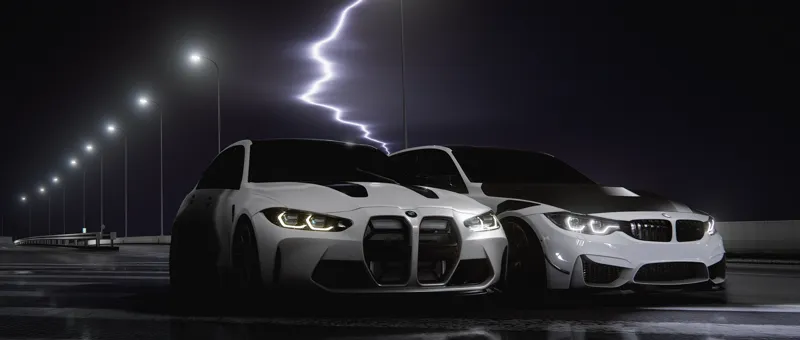
ASAP's NIGHT TIME C13AEGIS Config settings (FREE)
THE LATEST CSP LIGHTS PATCH IS REQUIRED FOR MY CONFIG SETTINGS
THE LATEST PURE IS REQUIRED FOR C13AEGIS (just for $1)
Check the disclaimer post in this patreon before downloading anything!!
I DO NOT OWN CSP LIGHTS PATCH/PURE/C13AEGIS
Attached are my free NIGHT TIME config settings to achieve the graphics that you can see within my videos.
You can download and adjust them to your own according.
PREVIEW'S OF THE CONFIG SETTINGS:
https://youtu.be/K-EPdiC6h_8?si=FNJCfoLvHIInxChI
MY CSP AND VIDEO SETTINGS:
THE PPFILTER MUST BE DOWNLOADED BEFORE THE CONFIG SETTINGS
HOW TO INSTALL THE CONFIG SETTINGS INTO CONTENT MANAGER:
CONFIG SETTINGS CAN NOT BE DRAGGED AND DROPPED INTO CONTENT MANAGER, PLEASE MANUALLY DROP THEM INTO THE SPECIFIED FOLDER
C:\Program Files (x86)\Steam\steamapps\common\assettocorsa\extension\config-ext\Pure
HOW TO LOAD THE CONFIG SETTINGS IN-GAME:
1) When loaded into the game, hover your cursor on the right side of the screen and click on Pure config(Green sign).
2) Click on Import at the bottom right of the Pure config tab and click on the config called ASAP's NIGHT TIME.ini
IF YOU ARE UNABLE TO SEE THE NAME OF THE CONFIG SETTINGS THEN YOU HAVE DONE IT INCORRECTLY, PLEASE RE-CHECK THAT YOU HAVE DONE THE STEPS PROPERLY.