
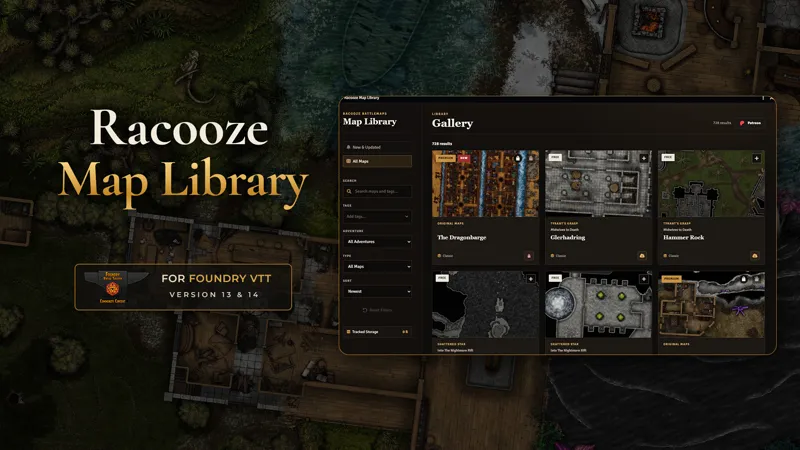



The Racooze Map Library for Foundry VTT is Here!
After a lot of work, testing, changes, broken things, and more testing, the Racooze Map Library is now ready to use.
The module brings the battlemaps available to you directly into Foundry VTT. You can browse the library, search for maps and tags, view previews, and import complete scenes without downloading and sorting every file by hand.
Maps are downloaded only when you need them and are stored locally on your own Foundry server.
How to Install the Module
At the moment, you can install the module with its Manifest URL.
Open Foundry VTT and go to:
Add-on Modules → Install Module
Paste this URL into the Manifest URL field:
Then click Install.
Paste the Manifest URL into Foundry VTT to install the Racooze Map Library.
After the installation, activate the module inside your world.
The module adds a new Racooze Map Library button to the Scenes directory.
The Map Library can be opened directly from the Scenes directory.
Click the button to open the complete library.
Browse and Find Maps
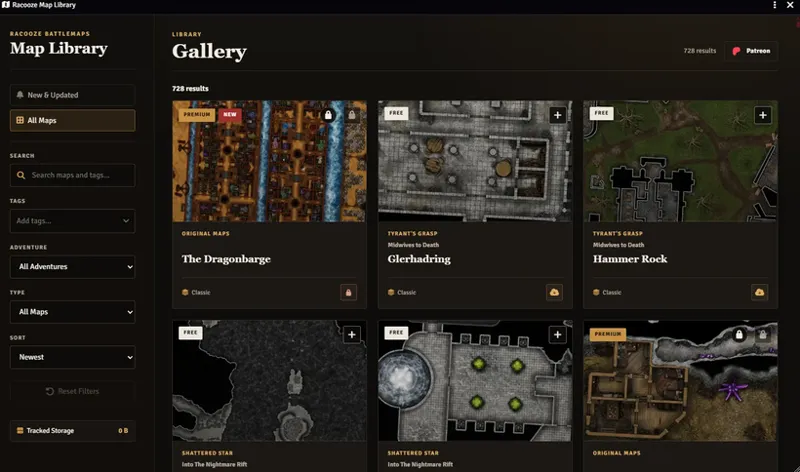
The Gallery contains all Racooze maps currently available to you.
You can:
search for map names and tags
filter by adventure
filter by map type
sort the results
view preview images
see Free, Premium, New, and Updated maps
open a map to view more information
download single maps or larger selections
Browse the complete map catalogue, view previews, and use filters to quickly find the map you need.
Complete Foundry Scenes
The module does not only download a background image.
Imported scenes can include the available:
walls
lighting
tiles
sounds
doors
scene settings
other prepared Foundry data
This means the scene is ready to use after the import, depending on what was prepared for that map.
You do not have to manually place every image, wall, light, or tile again.
Classic and Dynamic Scenes
The library supports two scene types.
Classic scenes are available in Foundry VTT 13 and 14.
Dynamic scenes are available in Foundry VTT 14.363 or newer. These scenes can use Foundry's newer level and dynamic door features.
On older Foundry versions, the module automatically uses Classic scenes. It does not offer Dynamic scenes when they are not supported.
Patreon Connection
You can connect your Patreon account directly inside the module.
The connection checks which maps are available to your account. Depending on your access, this can include:
Free maps
Premium maps
Early Access maps
other Racooze collections
Your permanent download key is stored locally in Foundry. The module does not ask you to enter your Patreon password.
Free maps can also be downloaded without connecting Patreon.
Download Queue
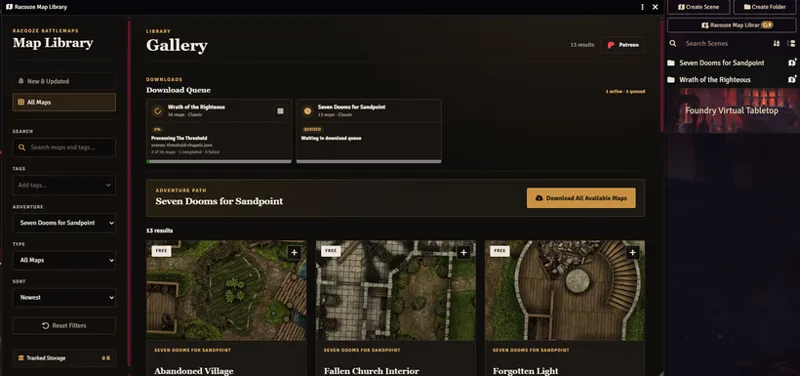
Larger downloads are added to the built-in queue.
This is useful when you download:
a full adventure
several selected maps
a large collection of Original Maps
The download queue keeps larger downloads organized and continues working when the Library window is closed.
The queue shows which download is active, which downloads are waiting, and which ones are finished.
Each download stays visible as its own card. Finished or cancelled downloads remain in the queue until you remove them.
You can close the Map Library window while the queue is working. The download continues, and the queue is still visible when you open the Library again.
New Maps and Updates
Newly released and updated maps appear directly inside the Library.
The New & Updated section helps you find recent additions and changes without searching through the full catalogue.
Public map releases also update the module version. This allows Foundry VTT to tell you when new Library content is available.
Downloaded assets stay on your own Foundry server. The module only downloads files when they are needed.
Local Storage
The module stores downloaded map assets outside the module folder on your Foundry server.
This means module updates do not remove your downloaded maps.
The Tracked Storage section gives you an overview of the estimated storage used by downloaded Racooze maps and shows how much space belongs to each adventure.
Important Information
The module itself does not contain the battlemaps inside its installation package.
Maps, assets, and scene files are downloaded securely from the Racooze Library when you request them.
The module currently supports:
Foundry VTT 13.351 or newer
Classic scenes in Foundry VTT 13 and 14
Dynamic scenes in Foundry VTT 14.363 or newer
This is the first public release, so reports about errors or strange behaviour are very helpful.
When reporting a problem, please include:
your Foundry VTT version
the map or adventure you were downloading
whether you selected Classic or Dynamic
any error message shown in the browser console
I hope the Racooze Map Library makes using my battlemaps in Foundry much easier and saves you a good amount of sorting, moving, and importing files by hand.