
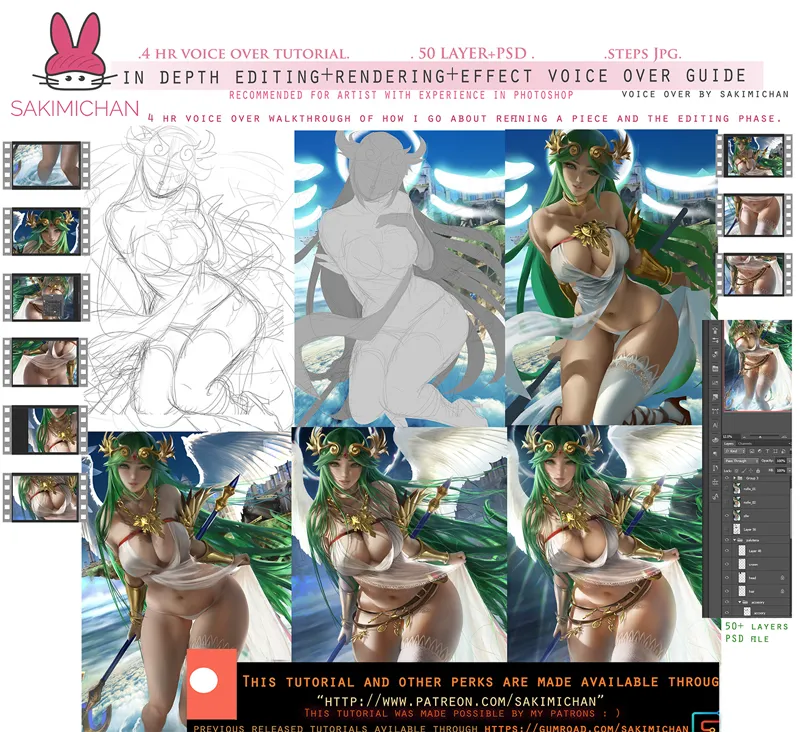
In depth Editing render/final touches painting voice over
Hey Guys This term's voice over will be a walk though of how I finished up the second Palutena piece I started earlier this term . I'll be talking about how I go about changing/editing Light/shadow. How to apply light effect and how I finalized this piece. This tutorial will be more on finalizing/editing /applying effects, basically the last steps to how to finish piece( witch usualy takes me the most time XD) This will be a 4 hr30 long voice over walkthough.
► (This tutorial is part of term 100 reward sign up from May 1-19) ◄Term 100 rewards will be send out 5th of June.
comes with
Tier3+
High res jpg steps
50+ layer PSD
voice over video tutorial 4 hr 30min
Comments (30)
i am a tier 3 but i cant see the video tutorial please!
im aleady a patreon
wheres the video tutorial?
Thank you for the support! The rewards will be send out on the 5th -6th of each month. :)
Hey. I want your drawings for commercial use. I will print and sell them. Do you allow?
No commercial use. :(
master !!!
❤️❤️❤️❤️😄 Wowww
thanks. :)
I sthere any tier where u can get prints of these awesome pictures? I would like to hang them on my wall.
yep tier 5. :)
wow that's a long tutorial :D so if i have a tier 3 does that mean on June 5th this tutotial will be available to watch?
Yup. Correct.
Thanks for the tutorial Sakimi Chan ♥
Upgraded to Tier 3 for this Tutorial! Looking forward to it! 💖
thank you for the support! :D
thank you
thanks. XD
❤️
thanks. :)
Thank you Sakimi! that's exactly what I needed ;)
you are welcome. XD
I don't know the first thing about painting. But a color study of your MHA wifi yuri showed me that you use really dark color palettes. Even though the skintone may look light and airy, it is actually in the darker RGB range. I need to learn this!
haha, thanks. :D
It’s always fun seeing your process for your pics! She turned out so good 😊
thank you. :D
Hi! Thank you for making this pic avaible
thank you. :)
Thank you for your hard work! It's really a great tutorial,I want to study💖
thank you. :)