
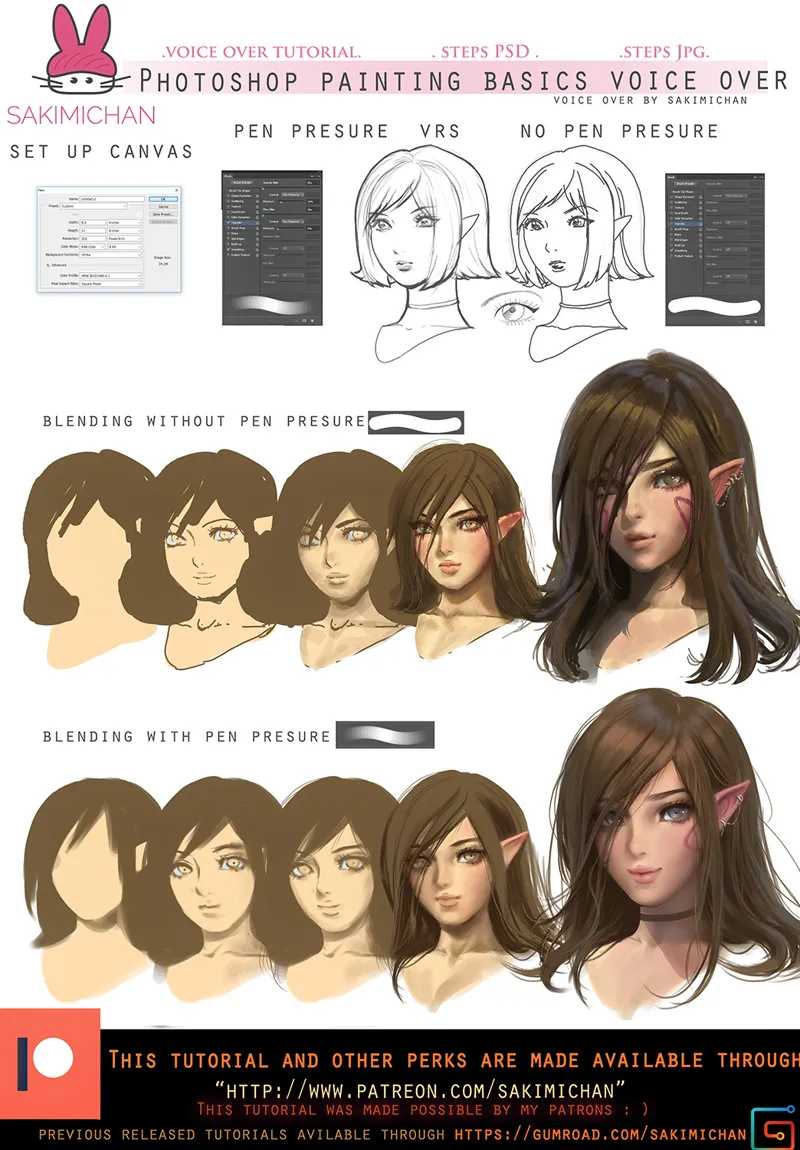
Photoshop painting basics voice over tutorial
This term's voice over tutorial will be another beginner friendly voice over guide. This guide will be on the popular requested subjects: How to set up canvas/ Brush setting/ blending**( more specifically, with pen pressure vrs without pressure). I know some of you probably can't paint with pen pressure either it's because of the tablet or program issues, it's still possible to blend it'll just be a bit more work !Honestly painting without pressure can still create an interesting style.
► (This tutorial is part of term 66 reward sign up from December 1-18) ◄
Term 66 rewards will be send out 5th of January
Tier 3+
High res jpg steps
PSD
voice over video tutorial
2 hr 6 min duration
Comments (40)
I already subscribed, how do I download the tutorials?
hello. how can i buy this term?
please pm me. >_
can i still buy this ?
nevermind i just found you on gumroad :D
Excuse me, I reaaalllly love your art and I'm really excited that you are doing this tutorial ! I'm new here... Can you explain, please, how can I see how much is it and how to buy it ? :o Thanks ! ^^
Sadly this term already passed if you want I can take the payment for this term through paypal. :)
uh i want this tutorial with term 66 if possible, what should i do? ur art and style is really good and i want to learn from you :D
Thank you! do you want to pay through paypal for this tutorial? :)
I can't wait omg it's just so good <3
thank you. :)
I can't pledge now to get this tutorial and term right?
Remind me again on the 5th and I can give you more info on how to get term 66. :)
Hmmm. I'll try to learn new techniques, If I can just stop being stuck in my ways.
keep drawing and never give up. :)
*Martins pulls the trigger and aims at the cage where the awards are* Mine O_O
*_*
This looks really good *_* I love you artworks. I would like to watch this tutorial. Is it available on gumroad too?
yep. :)
Huzzah! Super excited to see this one!
thank you. :)
Ooooh, very excited for this! I always keep wondering how people set up their brushes. Do you use pressure to control opacity? Pressure to control size? Pressure to control both? Will the tutorial cover this as well?
My pressure is on default. *_*
yayayaya I voted for this!!! I'm so excited for it q w q
thank you. :)
this brown haired elf looks gorgeous
thank you. :)
I wonder... Don't you run out of Tutorials at some Point some day? Non the less it's amazing you do this. To bad I can't draw at all, so that I would've no use for this...
people always have questions, at the same time I am learning also. :)
Cartoon and Reality, I would have loved such a tutorial of this kind made by our Sakimi Chan! <a href="https://serafleur.deviantart.com/art/Cartoon-and-Reality-Sarah-McDaniel-647257515" rel="nofollow noopener" target="_blank">https://serafleur.deviantart.com/art/Cartoon-and-Reality-Sarah-McDaniel-647257515</a>
I have something similar like that. :)
It is a very good idea this tutorial! 👍 It is clear that the pressure of the style plays a very important role. I currently own at Wacom Intuos Pro 4 and I would like to acquire a new "Wacom Cintiq Pro 16" graphics tablet! What do you think Sensei? 🤗
I would say if it's within your budget go for it. :)
YAAS!! Exactly what I need! Thank you!!! Can’t wait to try it
Thank you. :)
I’m really looking forward to this tutorial!
thanks. :)
nice
thank you. :)
Save Net Neutrality <a href="https://act.freepress.net/donate/internet_nn_wake_up/?source=share" rel="nofollow noopener" target="_blank">https://act.freepress.net/donate/internet_nn_wake_up/?source=share</a>