
A home for your creative world: how creators are curating their Patreon pages
Your creator page is often the first place a new fan meets you, and it's part of your work, too. The updated page design, first introduced in September 2025 and rolling out to every creator by November 16, 2026, gives you a ton of new ways to lean into your creativity and shape how fans experience what you make.
We asked Creator Ambassadors how they've made their pages feel like home for new visitors and longtime members. The best part? You don't have to do it all at once. Most of them started with just a couple of changes and built from there.
Give new members a front door
A featured "Start Here" or FAQ section was the favorite move among Creator Ambassadors.
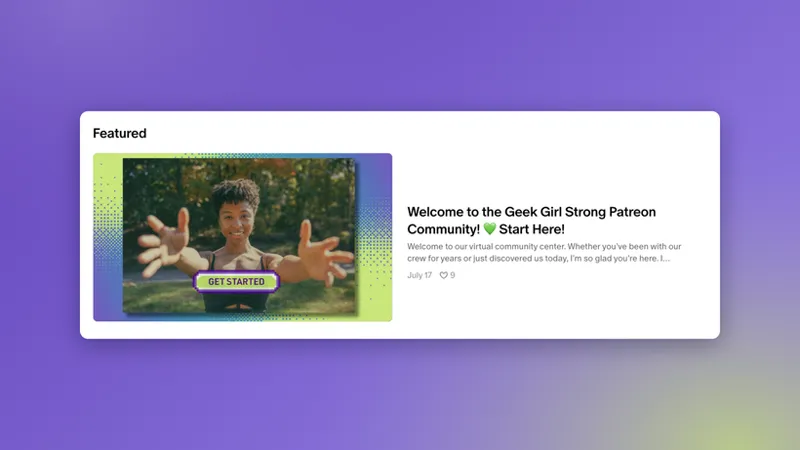
Geek Girl Strong welcomes fans to what she calls her "virtual community center" with a featured Start Here post.
Jenny Selig (NewUkeNewYork) pins a Start Here FAQ post with her most-requested work and popular free PDF songbooks. She refreshes an FAQ collection every month and uses the post as her Instagram link in bio.
Why it works: New visitors decide quickly whether to stay. A clear first stop helps them feel welcome instead of lost.
✨Try this: Answer what a first-time visitor wants to know. What's this about, where should I start, and what do members get?
Make it look like you
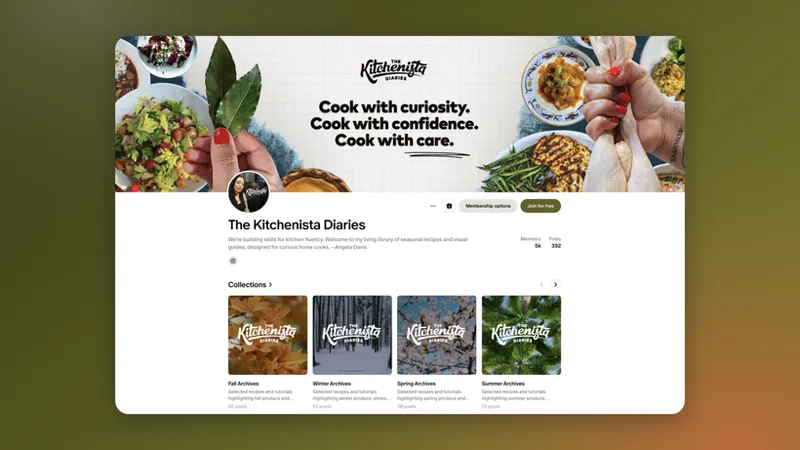
The Kitchenista Diaries is Angela Davis's "living library of seasonal recipes and visual guides." She went all in on the new page, and it shows.
"I love the new layout so much that I forgot what the old page looked like lol."
A library you can browse by season. Angela organized her recipes into Fall, Winter, Spring, and Summer Archives, plus collections for special interests. "I get fewer messages about finding posts from my patrons w/ this new layout."
The good stuff up top. She keeps frequently accessed info near the top, like her pinned Start Here: Recipe Key & Charts post, and places relevant shop products between her collection carousels.
A feed that never gets stale. She rotates her featured content often. When she highlights older recipes, they now show up in notifications from current engagement, so they get a second life without her having to email everyone.
AdorkaStock also switched from brand-matching colors to contrasting ones so the navigation stands out. And Geek Girl Strong themes everything, down to custom separator bars and hearts, which keeps the posts from ever feeling generic. "I really like being able to customize it," she says.
✨ Try The Kitchenista’s tips for a cohesive page:
Build a Canva template. Set one up with the right sizes for your banner, profile photo, and thumbnails. Canva lets you add multiple page sizes within one project.
Make custom collection thumbnails. "Thumbnails are more important now, the creator page is visual." Matching covers, like her seasonal Kitchenista set, make your page look cohesive. Open your page as a stranger would, on your phone too. Does it feel like you right away?
Set your sort order. Only the first 3 or 4 posts in a collection show on your main page. Customize the order so the right ones are visible, or it will default to the newest post first.
Curate your archive like a collection
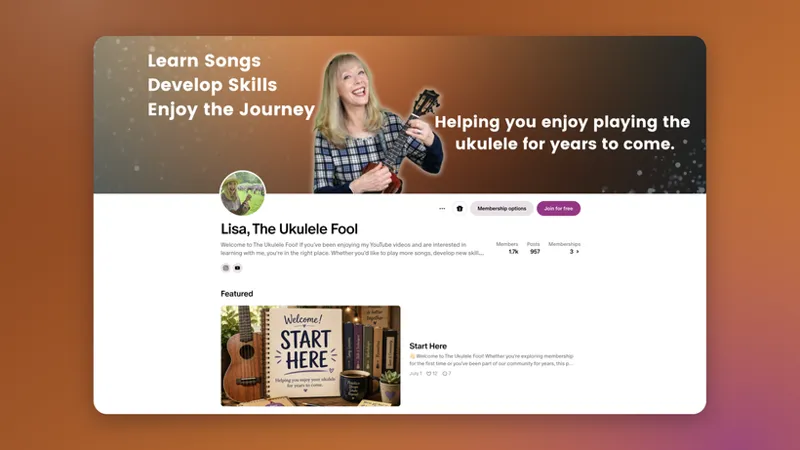
Lisa, The Ukulele Fool, has more than 500 evergreen pieces and "started thinking like a librarian." Her Start Here section welcomes new members and points current ones to benefits like her four monthly live meetings. It also links a Songfinder and curated guides by chord and genre, with a new guide planned every month. She says it has reduced "so much customer service friction."
"My membership is at an all time high and I don't have to answer nearly as many questions." - Lisa
Pro tip: Collection shelves now come with new layout options. Want to spotlight your writing or show off your work in a different way? Pick the layout that fits it best.
✨Try this: Start with one collection, like "Best of," "Beginner friendly," or "By season."
Bring all your work under one roof
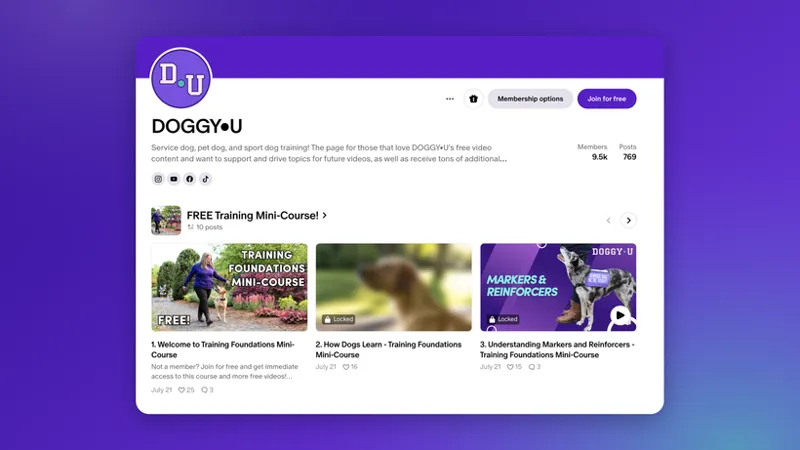
DOGGY•U moved a free mini-course from another platform to Patreon and featured it at the top of their page.
"...I was able to move my lead generating free mini-course to Patreon and feature it on the page so it's easy for new potential members to find. I believe this has led to quite a few conversions..." - Doggy•U
It went so well that they plan to bring the rest of their courses over in 2027.
✨Try this: Feature a free sample or starter resource so new fans have an easy first step.
Map out your creative world
Atypical Artists built their nav bar around three reasons people come to their page: an ongoing slow-burn romance, free audio drama resources, and their latest show.
Pro tip: You can also give your page a custom domain. Atypical Artists' page lives at atypipals.com, an easy-to-remember address that's all theirs.
✨Try this: Add a few external links to other sites you send fans to a lot.
🧭 Your next steps: start small
Socratica is refreshing their page one piece at a time, starting with a new welcome video. Updating tiers and artwork are up next. Their advice:
“My biggest challenge was being willing to just DO something, rather than feeling it had to be all complete and fully envisioned before I even got started.”
No two pages look the same, and they shouldn't. Patreon is where your creativity gets to lead.
Easy first steps if you're not sure where to begin:
Pin a welcome or Start Here post to your Featured section.
Add one tab for the thing fans ask about most.
Refresh your header image and brand color so the page feels like you.
Feature one post, highlight one collection, and keep building from there. Nothing you set up is locked in. Try something, see how your community responds, and adjust as you go.
💡 Switching to the updated page design? Every creator moves to the updated page by November 16, 2026. Head to our Help Center to learn about all the features of your updated creator page and how to set them up.
Comments (14)
So Faith you have my attention , what kind of shooting do you do ? What kind of fishing do you do ?
Thanks for the feature! 💕
Thanks for sharing how you built your page, Angela! Sorting your recipes into seasonal archives is such a smart way to help fans find what they’re looking for.
PLEASE give us the option to continue with the old header design. Many people have adjusted their banner image to perfectly align with the format. The new design with the color overlapping the image completely destroys that. So please make the banner optional, that's all I'm asking for. The rest seems fine to me.
Hey there. Thanks for sharing your feedback. During early testing of the new header we heard similar feedback from creators, and now, the new creator page will keep your current header image intact, with the same dimensions as the old page design, so no need to update the dimensions unless you want to, and, there is no longer a color blur laid upon your uploaded image. To see what this looks like, you can view the banner on top of Patreon for Creators where you'll see our header image displayed with the latest updates. To see how this would look on your page header, you can preview how the new design at patreon.com/customize while logged into your creator account.
the new creator page is great and super easy to use and browse
I definitely need to explore mine and make some changes!
Love the new Detail list and Media list layouts for elements in my page. Just switched up the look of some of them!
❤️🎉
This is exciting! Looking forward to getting even more creative! ❤️🥳
the option to reset the collection sort would be such a great feature. I have so many different ones and by hand it is a total pain. maybe also having sub collections or more than one main one.
Hey there, thanks for this feedback. It would be great if you shared it through this form as well to request a feature: https://support.patreon.com/hc/en-us/articles/4413425955213-Submit-a-feature-request-or-feedback
I do love some of these new customizable features!
Which ones have you started using so far?