
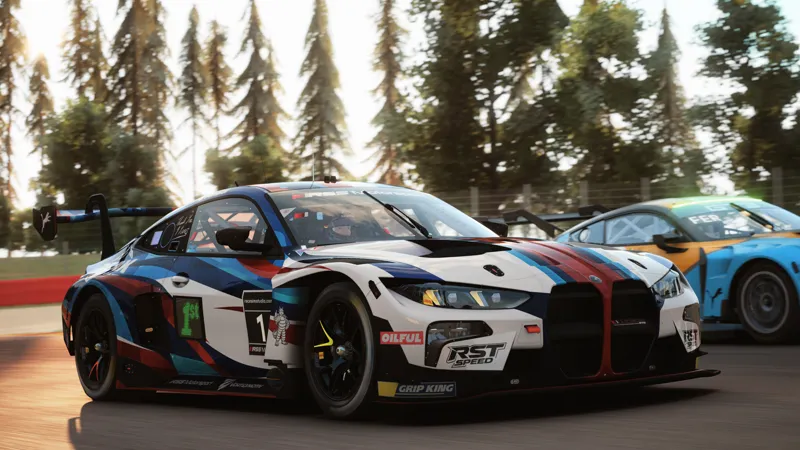

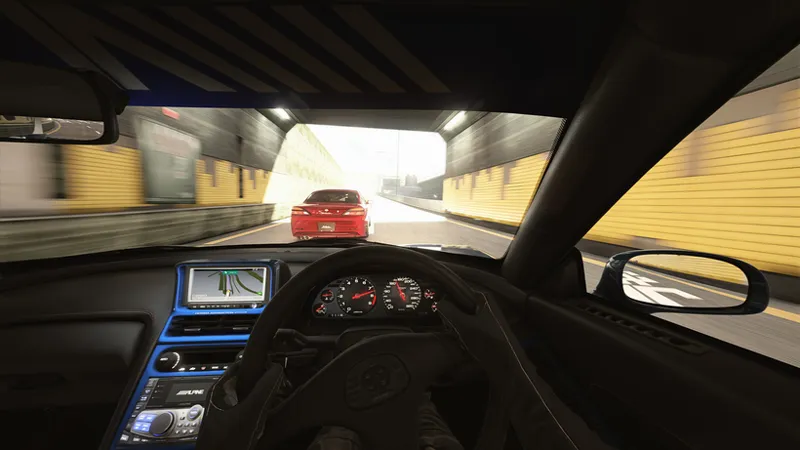










Exilitay Realism II (Public Preview)
This is the public preview of my new ppfilter, Exilitay Realism II (v2.0) 🤍
This is my biggest update/project, so I apologise for the long wait. All changes and what's new are below.
Official Download - https://www.patreon.com/Exilitay/posts/exilitay-realism-173477661
Compatibility:
• For Gamma & LCS (Pure v3.0+)
• VR support for both Gamma & LCS
Tonemapping
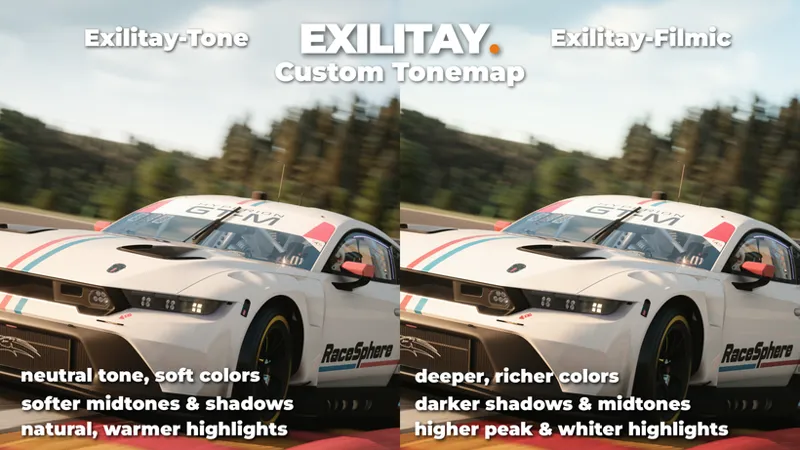
I've completely rebuilt my tonemaps in this update. Exilitay-Filmic (formerly GT7-Blend) still uses a hybrid ICtCp path adapted from Polyphony Digital, using the Uchimura Curve, with all tuning/math and shader integration implemented by me.
Exilitay-Tone uses a custom Rec.709 RGB curve instead of ICtCp, for a more natural, softer look. Filmic has brighter highlights, darker shadows, and richer colors.
Main changes:
Stronger highlights, with better Highlights Compression so whites don’t clip, and Hue Preserve so bright highlight colors stays their true colors (e.g. sun speculars on cars)
Overall darker shadows, with a subtle Shadow Lift so blacks don't get crushed
Overall lower midtone gamma for richer, less washed midtones
Color Volume retuned for deeper, richer colors (richer colors fade at very bright highlights, so colors stay deep without the colors clipping)
Separate tonemap curves for day and night
Exposure
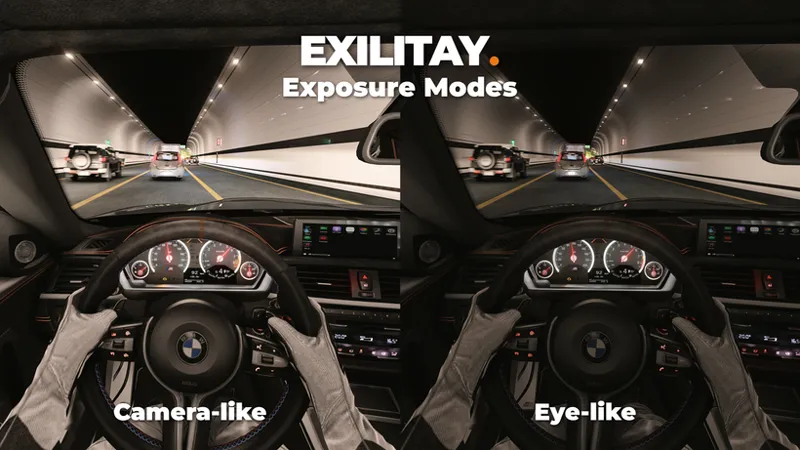
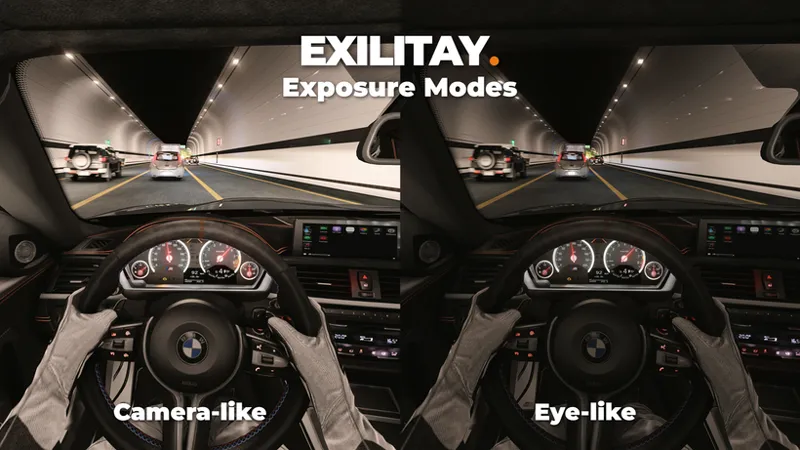
I spent a lot of time reworking my exposure system, as well as building two separate modes: camera-like & eye-like. Naturally, eye-like is darker, and camera-like has slightly more exposure, but the exposure modes work a lot differently from each other in all aspects.
Camera-like:
The exposure metering area is smaller/centre-weighted (the car and small area around you). You can resize it: smaller = closer to spot metering, larger = more full-frame. Which is why it's slightly brighter and holds exposure on the subject instead of letting the sky pull it down.
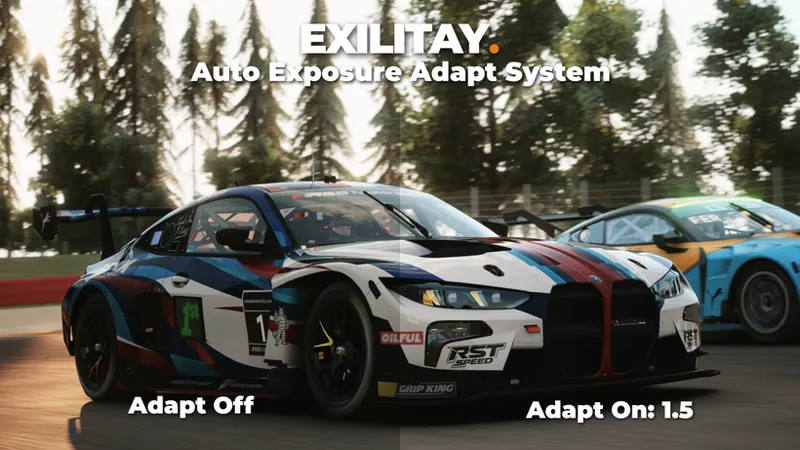
I've also developed a new system called AE Adapt. In darker areas, it will lift the exposure, and in open sun it lowers/adapts the exposure slightly, like how a camera would compensate for the subject. Exposure reacts faster than it darkens, so it brightens quickly in the shade, but doesn't react as fast when the scene becomes brighter. More reactive overall.
Eye-like:
Uses a wider, evaluative meter (more of the surroundings). Darker and more even/balanced in most scenarios, like how your eyes adjust to a whole scene rather than exposing for just the subject.
Doesn't use AE Adapt, so it doesn’t keep correcting for the subject/scene. Exposure darkens faster than it brightens; bright scenes don’t blow out as quickly. Smoother & more balanced.
Occlusion & Tunnels
I built my own occlusion system for more accurate tunnel lighting: ambient dimming and tunnel blinding when in occluded areas (under overpasses & in tunnels). It reads the sky above and to the sides, plus roof height, to detect actual tunnels. My Sky Occlusion system is overhead-only (e.g. under overpass/bridges). Tunnels smoothly dim the ambient lighting, increase exposure on entry, and create that tunnel-flash effect on exit.
Note: Built using CSP’s sky samples. The occlusion and roof height system is all my work.
When Exilitay Tunnel Dimmer is enabled, Pure's tunnel dimmer will be off to prevent stacking
World lighting
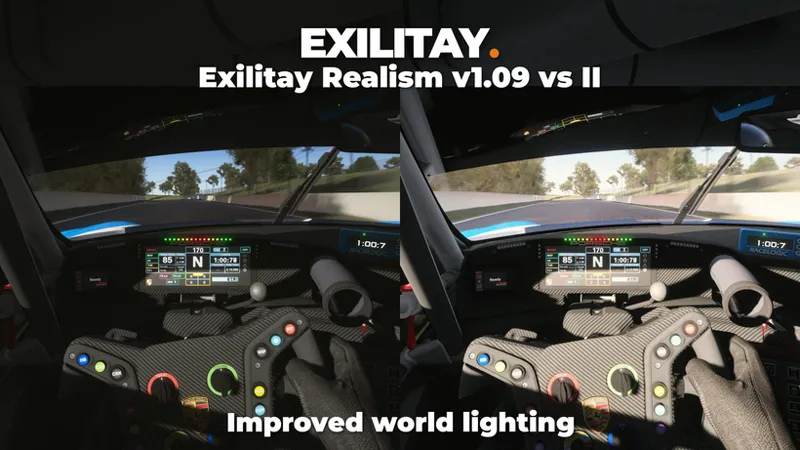
Completely fine-tuned lighting to look more accurate for all weather scenarios and times. Overall more ambient lighting and sun level across all types of weather. New sun level system; when the sun is in front of you, the sun level and speculars increase slightly. When the sun is behind, the sun level decreases so it doesn’t overexpose the scene. (back of the car). In overcast/bad weather, this effect is disabled.
I also retuned the rest of the day/night lighting. Overcast/bad weather also gets more sunlight and ambient lighting so the scene doesn't look dull, with a subtly cooler color temperature and cooler shadows/ambient light. Night ambient lighting is slightly darker, resulting in a more accurate image.
Sun blinding
I built my own sun-blinding shader. When enabled, Pure's system will stay off automatically so they don’t stack. When the sun is visible (in-frame), you get a soft glare and hot spot, which fades in and out as the sun is blocked by clouds, buildings, or when in/out of frame.
I designed this shader to be more subtle by default. However, you can change the settings to your preference and separate interior sun blinding from 3rd person.
Exilitay FX (Effects)
Advantages of ExilitayFX:
• Performance First: Save 10–15 FPS on average compared to ReShade effects.
• Zero Clutter: No more messing with ReShade installs, settings & annoying bugs
• Plug-And-Play: The most advanced coding, with a simple UI; all you do is plug-and-play
New FX & Changes:
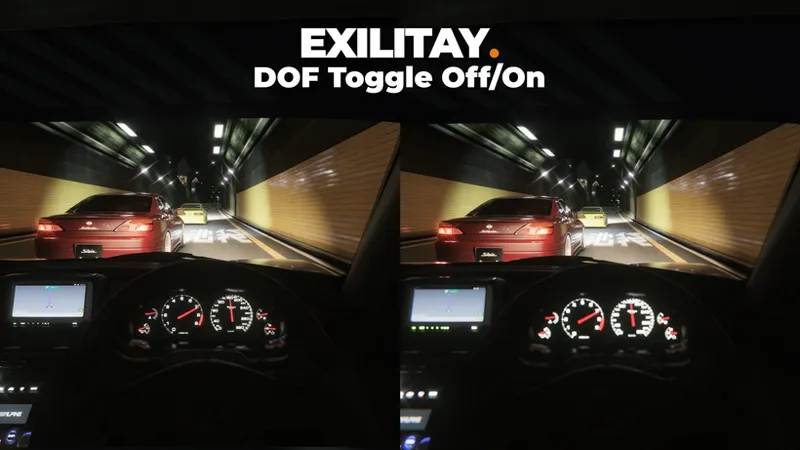
Auto DOF: Follows the car by default with many DOF adjustments for blur amount, blur curve, bokeh softness and more... Works in replay mode for other cars too. Optional Manual DOF feature.
Film Grain: Color and Mono. Separate day/night strength, plus size and softness adjustments. Most visible on midtones and highlights, not dark shadows.
Chromatic Aberration: CA in 1.09 was sharp. v2 blurs the edges for more natural look. (w/ new CA Blur adjustment) New Lens Edge CA and Blur effect for the corners only.
Color Engine: Presets: Default, PhotoRealism, Vibrant, and ExilitaySpec (New). White Point, Midtone Gamma, and Master Vibrance retuned for more accuracy.
Local Contrast: LC Intensity, Threshold, Thickness, and Softness adjustments.
Lens Dirt: New overlay (now three to choose from), cleaner blend. Only shows on bright areas, and doesn’t wash out the image as much as it did in 1.09.
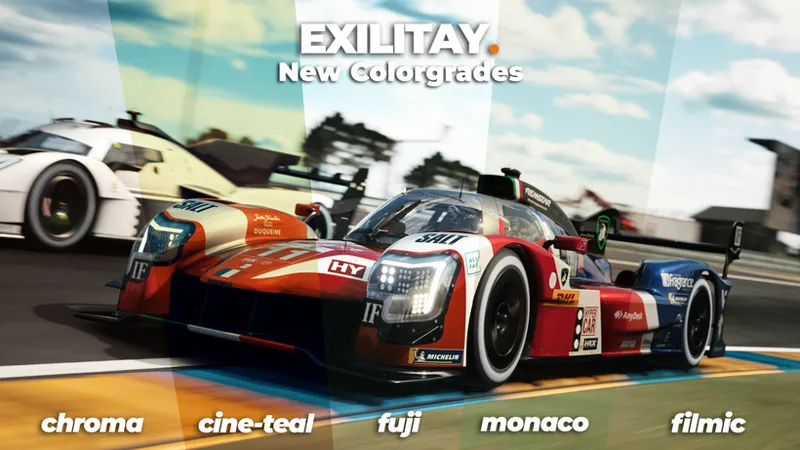
Color grading
New/Current LUTs: Chroma, Cine Teal, Fuji, Filmic, Kodak, Monaco, Paris.
Removed: Exilitay Punch, Autumn & NFS
New interface & system
This update introduces my new Lua app, designed and built with a user-friendly interface, making ppfilter settings easy to change.
It comes with 5 built-in looks, plus custom presets you can save, export, and import. Share a preset with a friend, or drop one you downloaded in, in a couple of clicks.
Factory Presets - toggle on with one click
Night Skydomes:
This update adds my night skydomes into my ppfilter/app. You can choose from multiple of my night skies, or leave it off. They fade in and out once the sun is down or is about to rise. There are many adjustments: sky rotation, animation speed, hue, saturation, temperature, and tint.
There is also a sky rotation animation feature (it's off by default). Increase the animation speed, and the night sky starts to rotate.
License System:
Exilitay Realism II now activates from your account. Open the app in-game, paste the key from the 'My Account' page, and you are in.
You'll be able to log in with Patreon on my website for the early access/official release (more info will be in that post). Once that key is activated, it stays on your PC, and you have lifetime access.
When logging in with Patreon/creating an account, you agree to the terms & conditions and privacy notice: https://exilitay.net/tos/ - https://exilitay.net/privacy-notice/ (Patreon login and billing also follow Patreon's own terms)
Final Words
I want to thank everyone who supports my projects and who has sent feedback. I love taking in your suggestions and using them to improve my mods. If you have any, let me know in my Discord server: https://discord.com/invite/exilitay
I truly believe this is the best ppfilter you can get. I have been developing it for many months, and I have put a lot of work into this update to achieve the best visuals and to make it as user-friendly and plug-and-play as possible.
For future releases, I aim to update or release new mods at least once a month on my Patreon or my website. My next release will be Exilitay's Graphics Pack II, which will include: my new ppfilter, new csp/video settings, updated neckfx, cam suite app (chase cameras) and my updated SRP skin.
I also want to mention that this update, and future updates, will no longer support HDR. Updating the HDR filter would take even longer, and not enough users use it to justify supporting it further.
Full changelog: here
I'm using CSP v0.3.0 preview649
Pure v3.59 (v3.50 + hotfix)
Comments (17)
Buenas,hay una version gratuita?
using CSP v0.3.0 preview 361 and pure gamma 2.57 Will it work on it or its pointless ? cant bother updating csp/pure anymore :D
You need to update your Pure to v3.0 or above
Buenas,como descargo la versión gratuita?
Early access release today?
We will be there ❤️
which bmw mod was that😍 can you tell me pls any information about it, thank you🔥🔥🔥🔥
https://www.youtube.com/watch?v=YI6KitC_9r0
Oh sorry i'm to impatient lile this.....
Let’s goooo
❤️
hello i'm french supporter i'm not understand how download and Install This Project
The info is at the top of the post. Early Access is released on the 9th October. The official release is on 26th October
nice bro hyped
Yessir!
Will this be compatible with dlss5?
ppfilters are post-processing; you can use DLSS 5 with or without