





Second Lesson: Modifying or adding texts to a model
Find the plain Spinach can (+french example to edit as you prefer) 3mf in the Popeye post
Ok, our fellow member Salut gave Us the opportunity to make another little class for newbies!
How to use the text tool on Bambu Studio (and Orca and most of other slicers I guess) to add wording to surfaces.
I think I am going to create another open Collection for these lessons, just in case someone need them!
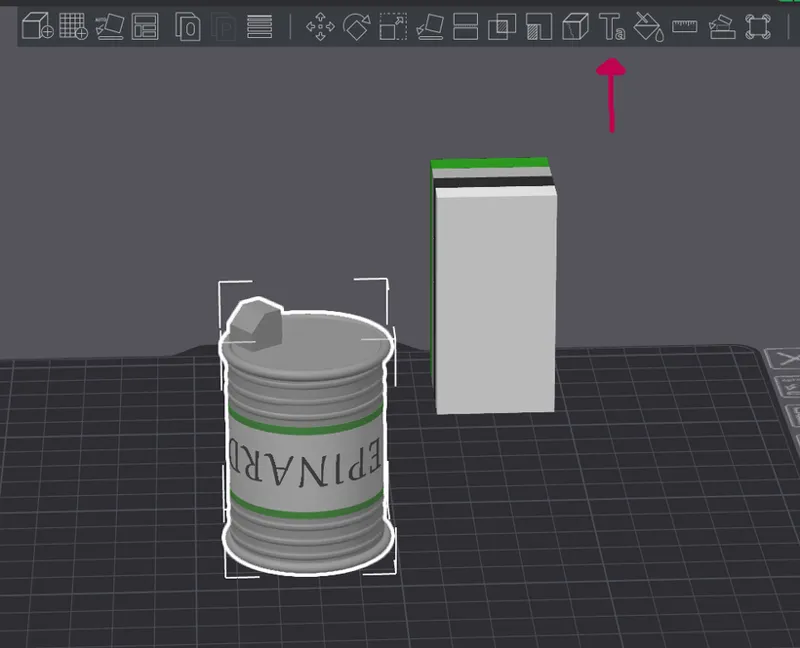
Open the file. You'll find this model with already a text added.
Click on the can model and a menu on top will become available. Click on the text tool.
In the left hand side, on the objects menu click on text_shape. The menu on the right will show some settings...
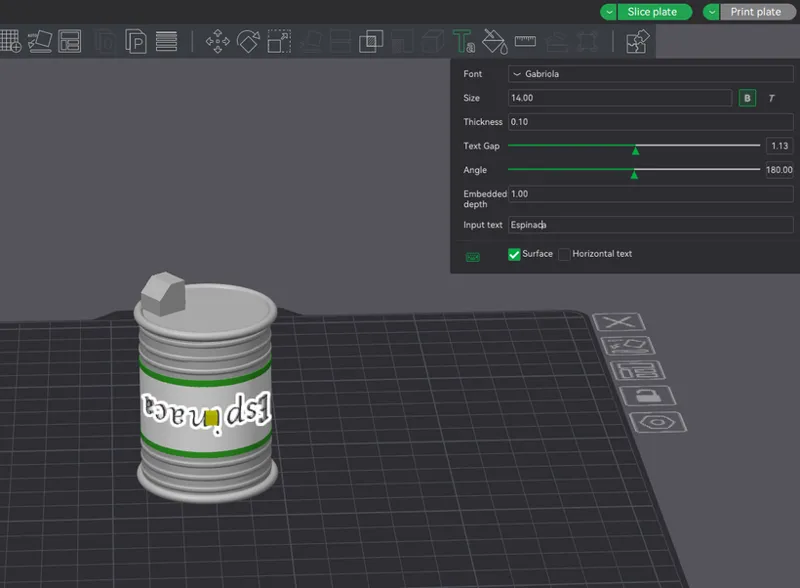
Font, Size, Thickness, etc
In "input text" you find the example word (Epinard). Let's change it by typing a new word...
P.S. The angle in this case is 180 as the can will be printed upside down. Always remember to choose the right orientation!
How To ADD a text to a plain object
Let's say that I have an empty object.
In this case I use the same can and delete the text.
Once erased the text, click again on top of the can model and then on the text tool.
Choose the font you prefer, the size, the thickness, the text gap, the Angle (in this case 180!!! because it needs to be written upside down) Embedded depth and Imput text and go with the mouse on the object. See here the example ( font, size, etc)
P.P.S
Just one thing to keep in mind...adding a word to a spherical or tube object isn't so easy as adding it to a flat surface as the letters wont get curved, they'll stay flat (or at least, I didn't find any setting to make them adapt to the surface) . Nonetheless if they are not too big the print will come out well anyway. See the sides of "O" letter as an example of what I am talking about.
These big "O"s are an extreme example ehehe!
Comments (4)
Woaoooo muchísimas gracias por la explicación, estaba esperando para imprimir la Lata, voy a intentar modificarlo sino imprimo la tuya y ya jajaja el modelo ya esta todo impreso.
You subì la versiòn con la palabra en francés, solo tienes que modificar la palabra. Es simple! :)
Le podemos poner (frijoles) 😂
Claroooo ajajajja Papas tambièn! ajajajja