


How to use model replacement
I love customization and I am sure you do to. I try to include some changeable details with model replacement with most mods I release. if you are not familiar with model replacement worry no more!
With model replacement you can remove, swap or add objects with a couple lines of code.
If one of my mods has model replacements there will be a file in the extension folder called object_remove.ini. You can open this file with Notepad, though I recommend installing Notepad++ for a better experience.
For this example I will use my LFA mod.
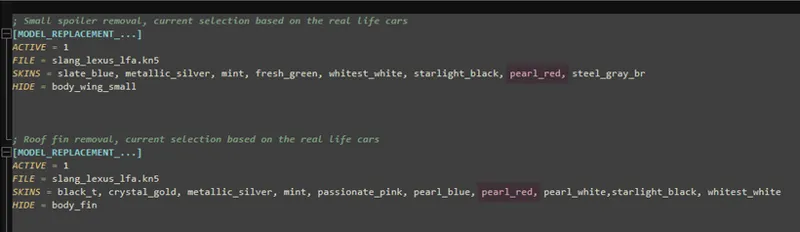
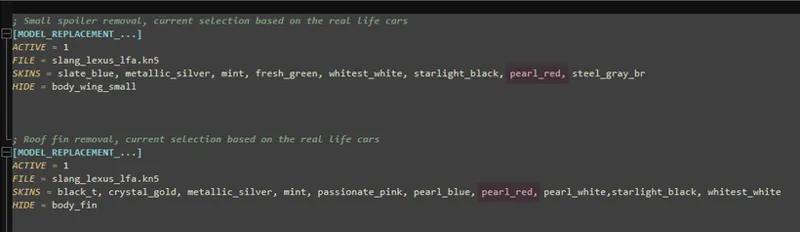
In the ini file there will be some presets with explanation on what they do. All you need know is that when a skin folder name is located behind the line with "SKINS =" it will activate the replacement. Don't forget to include a comma after every skin folder name. You can easily apply something to every skin by simply inputting a question mark: SKINS = ?
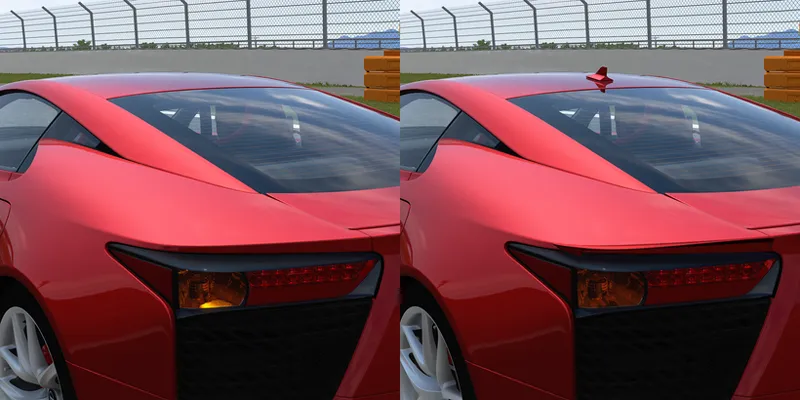
As you can see in the first picture in this post, the selected pearl_red skin does not have a roof fin or the small spoilers because it is included in the config from the second picture.
If we remove the skin name and save the ini file, the objects will reappear in game, like you see here below on the right.
This is just one example, on most of my mods you can remove or add front/rear license plates. Other examples include; wheel swaps for the F430's, V8 Vantage, A45 Widebody, 500e + Hammer, front fog lights and racelogic removal in the M3 E36, GTA wing swap on Giulia GTAm and more.
If you have any questions feel free to ask!
Comments (4)
Thanks for sharing! I use this all the time, CSP is really powerful.. I do however get some artifacting from time to time on swapped wheels when using the CSP wheel swapper script ([INCLUDE: common/custom_rims.ini) [ReplaceRims], have to go out of the game and back in for it to fix itself. Maybe its the latest preview of CSP that causes it. Not sure. Its interesting and refreshing seeing this guide coming from a very active high quality modder who doesnt encrypt.. I saw a few youtube videos explaining this feature of CSP and the comments section had other modders (who encrypt) being mad and that those videos were "ruining the modding scene" by telling others how to swap wheels..etc Anyways not trying to bring the politics of modding into it, just an observation. Cheers.
Interesting, I've actually never used the custom rims script myself, I've always done it with model replacement and haven't seen any issues besides LOD issues. I'll look into it, maybe I can figure something out. To be honest it's more a guide for my mods specifically though I am thinking about maybe making some modding guides because the joy of modding should always be shared. It's always the people who think they are something special that don't want others to have fun, I don't see the point in that. The only reason I am a modder today is because I had the opportunity to look at and edit other people's mods and learn from those modders. It's not like I am doing something special, anyone can learn this.
Hi, i asume that way you doing this is much easier as to set the part changes up for the extended controls button combos Ctrl+0 to 10 as example ? If you wouldnt mind my question :)
No this is not the case unfortunately, if you want parts to change with the extra buttons you have to include all those objects in the base model. For example if you want the rims to change on Extra A you would need to include both sets of rims which could easily add 20 extra objects which is not great for optimization.