
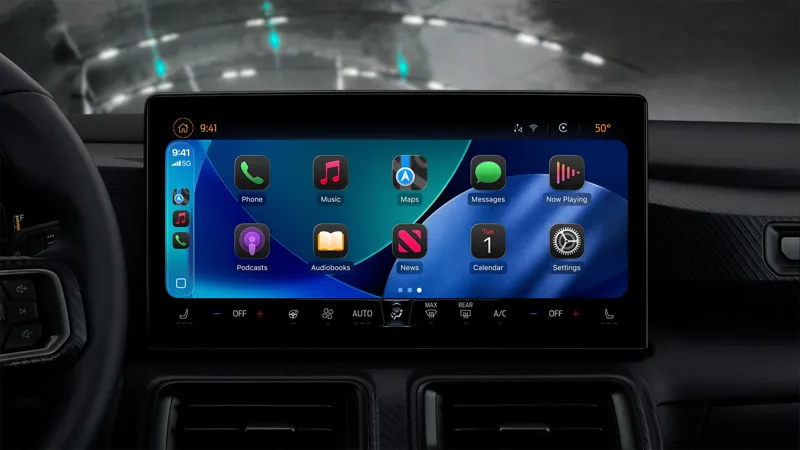
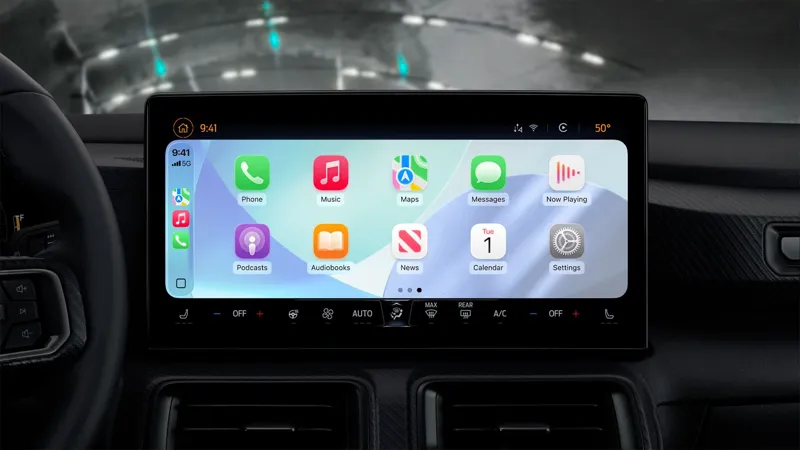
NEW Apple CarPlay iOS 26 Skins (LIGHT MODE & DARK MODE)
INSTALL: Drag and Drop the "assettocorsa" folder that's inside: "NEW Apple CarPlay - iOS 26 - Light Mode Skin (CSP 0.2.12 Preview 1) . zip" OR "NEW Apple CarPlay - iOS 26 - Dark Mode Skin (CSP 0.2.12 Preview 1) . zip" into the "(C:\Program Files (x86)\Steam\steamapps\common)" Folder DOWNLOAD:
Comments (4)
thats the thing i dont understand the lenguage.
same issue im just assuming is bugged
how can i make mine look like that i tried couple of thing but it nothing works
Have updated csp, activate the option in the custom shaders patch car instruments. There is a car with this media support, the cars from the no hesi serve usually have this support, if you have any questions, there is this link here that will teach you: https://youtu.be/t2I2p2LF7LM?si=3z8eecMdwFrAv-ks