
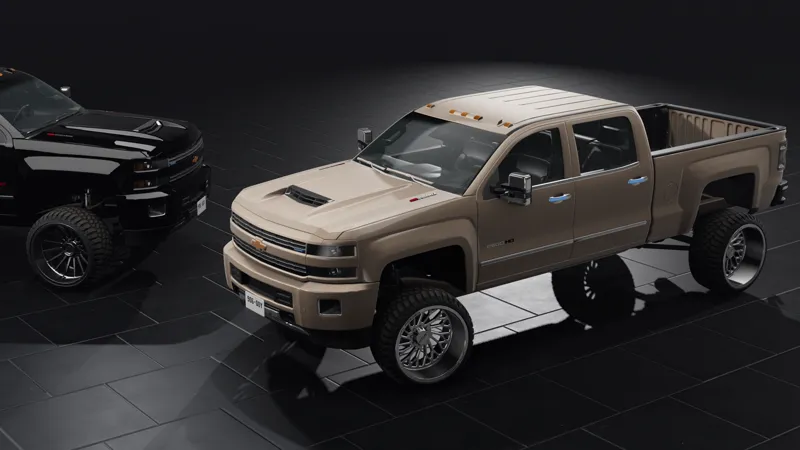

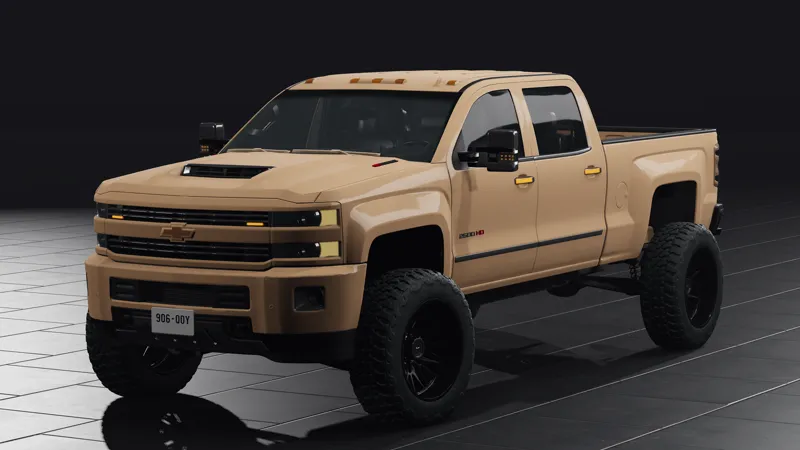
2017 Silverado Duramax custom
🔥 2017 Silverado Duramax Custom Mod Release 🔥
Take your simulation experience to the next level with the 2017 Silverado Duramax Custom mod. Featuring powerful performance, premium styling, and unmatched customization, this mod will deliver excitement for off-road and highway adventures alike.
Features Include
✅ Authentic Duramax Engine Lineup
• 6.6L Duramax Diesel V8 delivering massive torque and horsepower.
• Realistic engine sounds, turbo whistle, and exhaust tones for an immersive experience.
✅ Two Exclusive Configurations
1. Workhorse Edition
• Heavy-duty suspension for towing and hauling.
• Rugged steel bumpers and tow mirrors.
• Matte black wheel setup with off-road mud tires.
2. Luxury Off-Road Edition
• Lifted suspension with premium chrome accents.
• Sleek alloy wheels wrapped in hybrid terrain tires.
• Leather interiors with upgraded dashboard.
✅ Advanced Suspension & Physics
• Tuned suspension for a smooth highway drive and robust off-road capabilities.
• Responsive handling for both trail riding and everyday driving.
✅ Interactive Parts with PBR Materials
• Openable doors, hood, and tailgate for immersive interactivity.
• High-quality materials with lifelike reflections and lighting effects.
✅ High-Quality LED Lighting System
• Realistic LED headlights, taillights, and indicators with precise patterns.
• Enhanced brightness for nighttime and off-road visibility.
✅ Good-Quality Interior
• Detailed dashboard with functional gauge clusters.
• Comfortable seat textures and steering wheel controls.
✅ High-Definition Textures
• Realistic dirt, scratches, and wear effects for added authenticity.
How to Install the 2017 Silverado Duramax Custom Mod
1. Locate the Main Game Folder
• Navigate to your BeamNG.drive installation directory:
C:\Program Files (x86)\Steam\steamapps\common\BeamNG.drive.
• Alternatively:
• Open Steam.
• Right-click on BeamNG.drive in your Library.
• Select Manage, then Browse Local Files.
2. Extract the Mod Files
• Open the downloaded mod’s zip file.
• Inside, locate the vehicle folder or similar files.
• Use an extraction tool (e.g., WinRAR, 7-Zip) to extract:
• Right-click and select Extract Here or Extract to [mod name].
3. Move the Mod Files
• Navigate to Documents\BeamNG.drive\vehicles.
• If the vehicles folder doesn’t exist, create one:
• Right-click, select New Folder, and name it vehicles.
• Copy the mod’s extracted vehicle folder into this directory.
• Alternatively, if the mod contains its own vehicles folder, extract it directly into the BeamNG.drive folder.
4. Launch BeamNG.drive
• Open the game.
• Check the Mods section in the main menu to confirm the mod is enabled.
• Look for the mod under D-Series Configurations.
• Spawn the 2017 Silverado Duramax Custom and enjoy!
Download and Enjoy
Get ready to dominate the road with the 2017 Silverado Duramax Custom mod. Whether you prefer a rugged workhorse or a luxury off-roader, this mod has it all. 🚙✨