
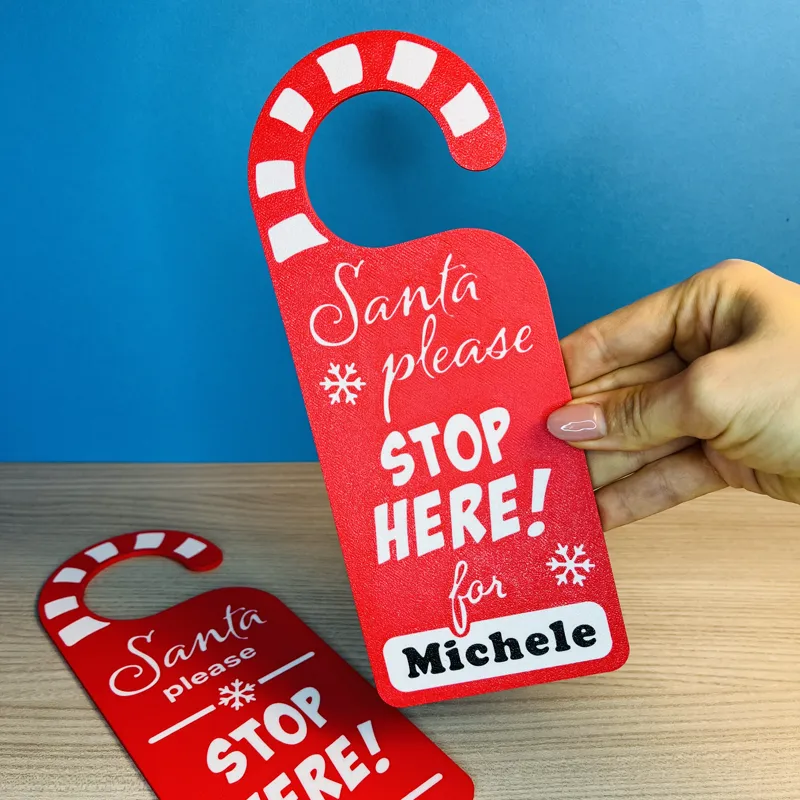


FREE! Santa Stop Here Door Hanger + Custom Name
Hello everyone! We present these signs that hang on the door! There is both the version with the customizable name and the one without a name.
We recommend reverse printing, that is, the main face facing the plate, for higher quality. 🙃
We hope you like this design. Thanks again to all of you for the support you give us and that allows us to continue this journey, which began almost a year ago.🤗
Cheers, Valeria & Mattia
Comments (4)
can I learn font ? I saw on video Agency FB but not same :)
Hi Senol! We opened the 3MF in BambuStudio, and the font set there is indeed the one you mentioned. No clue why it looks different on your side 🕵️♀️... sorry!!
I tried reverse printing but the model is not laying flat. It prints the top of the candy cane and name and then moves on to player 2 which resulted I printing in air and fails
Hi Kirk! I created a how-to-video guide :) https://youtu.be/feyIlhoUY_k Here’s how you can change the text: Start by opening the "Object" menu and scrolling down until you find "text shape." Once you’ve located it, select it. Next, open the text editing menu, where you can enter the name you want to use. After that, head over to the "Move" menu and adjust the value from 3.30 to 2.70. If the text isn’t centered horizontally, take a moment to align it properly. When everything looks good, select the entire object. Then, use the "Lay on Face" tool to position the surface with the text onto the plate. Finally, perform the slicing and double-check that the first layer appears correctly.