

Some comics moving to Discord.
For multiple reasons, I will have to move some comics over to Discord to ensure they can be released properly. Annoucement posts will continue to be made but they will direct you to discord to read the comic. I will try to continue posting as many other comics directly on patreon as possible however for certain comics, it's out of my hands and they must be done this way.
Currently the only comic that will be affected is Possession Trouble, which will begin with the next batch of pages on December 29th.
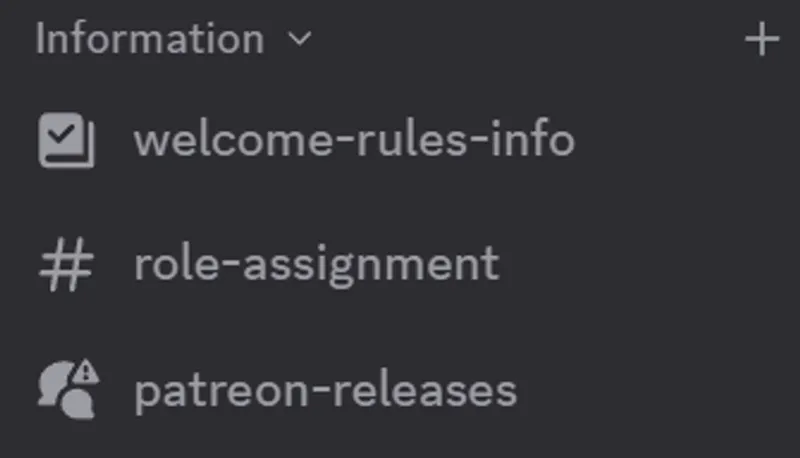
You can access these comics by linking your patreon account with a Discord account and joining my server, TS Fiction. A forum channel named "patreon-releases" will become visible to you once this process is complete. There will be unique threads for each comic.
If you don't or can't use the discord app, you can access discord using the website here: https://discord.com/channels/@me
Still having Trouble?
If after linking your discord account and entering the server you aren't able to see the patreon-releases channel.
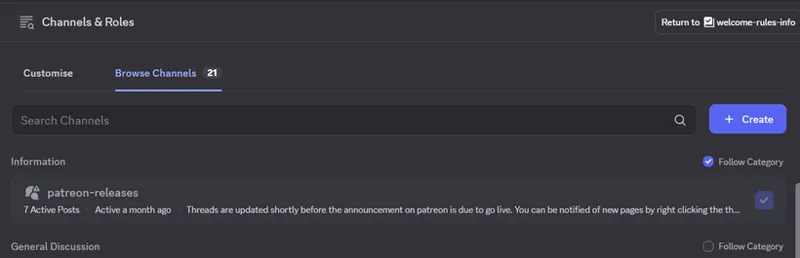
Go to Channels & Roles at the top of the channel list and either; right click it and select "Show All Channel"
or select it, go to Browse Channels and select follow category on "Information" which will contain the "patreon-releases" channel.
If you still have any issues, please contact me and I will do my best to address them.
Comments (11)
I have connected everything but cant use the discord Link to join the server
Addressed in DM.
It’s saying I don’t have access to the Patreon release s
Everything on my end indicates you have access, try this link https://discord.com/channels/1005577158716047520/1318006925840875591
I cant join the discord could you help me pls
Ive responded in dm.
i still can't see the p as treon channel on discord, did all the above
Try using this link https://discord.com/channels/1005577158716047520/1318006925840875591
Awesome thanks. Should be done 👍🏻
Silly question, how do you link your Patreon acct to your discord acct?
There's no such thing as a silly question, it can be done from here: https://www.patreon.com/settings/apps/discord