

✨HOW TO INSTALL MY SIMS INTO YOUR GAME✨
**NOTE**Make sure to update your game to the latest version.
♡₊˚・₊✧⋆⭒˚。⋆♡₊˚・₊✧⋆⭒˚。⋆♡
STEP 1: Extracting Compressed Files
You'll typically encounter compressed files in formats such as .zip, .rar, or .7z when downloading. To open them, you can use softwares like Winrar. No need to worry—it's totally free to download!
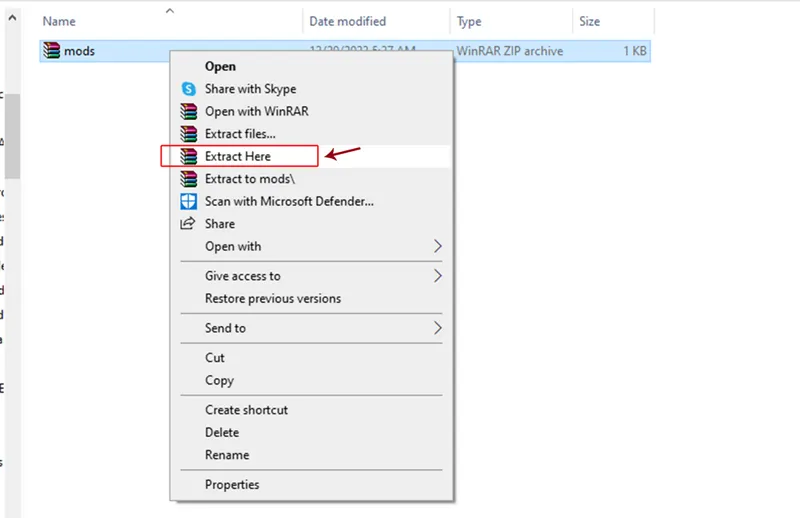
To decompress, right click and select Extract Here.
••••••••••••••••••••••••••••••••••••••••
STEP 2: Installing The CC/Mods
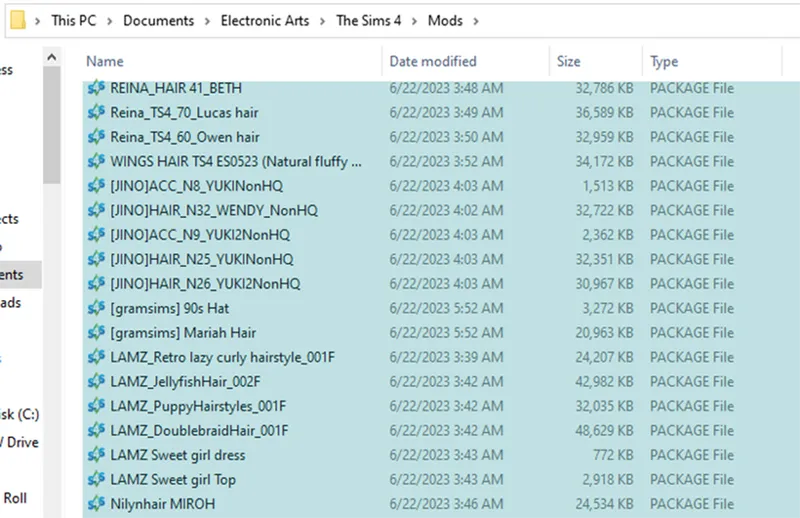
Make sure to place the package files in their designated folders. These files, such as clothes, hair, makeup, etc., are essential for shaping your sim. They always have a .package file extension.
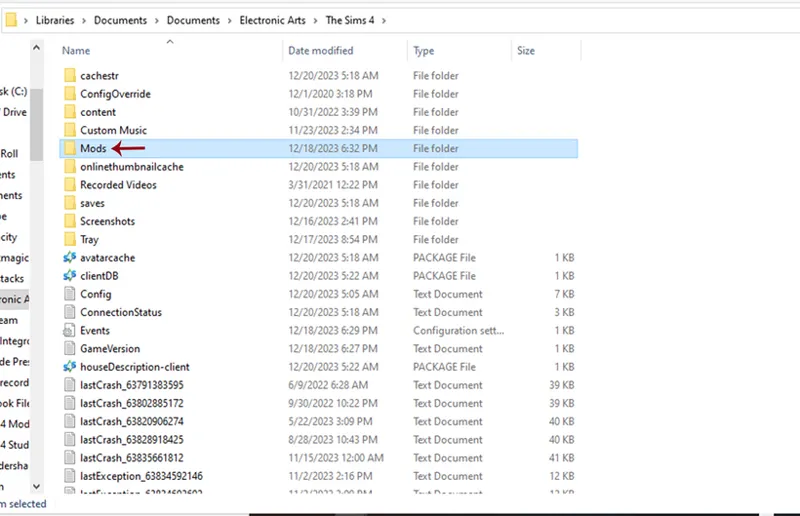
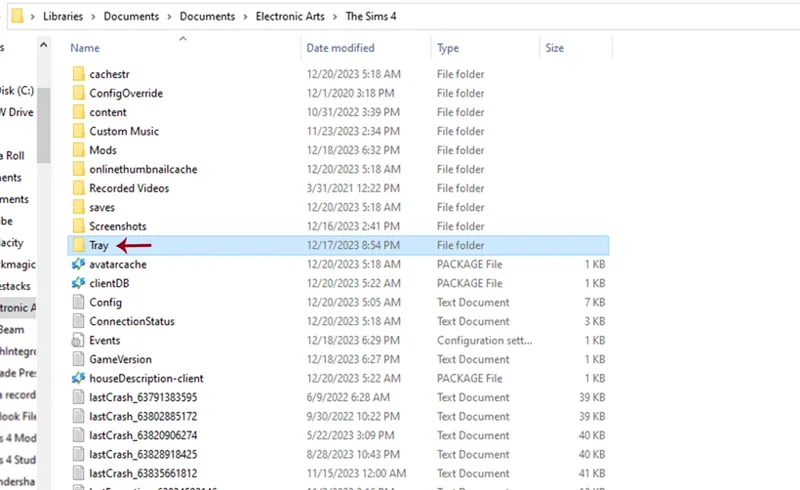
Find your Mods folder, typically located in Documents > Electronic Arts > The Sims 4 > Mods.
Place the files in there.
Note: Should you not find a Mods folder in your directory, feel free to create one.
••••••••••••••••••••••••••••••••••••••••
STEP 3: Installing The Tray Files
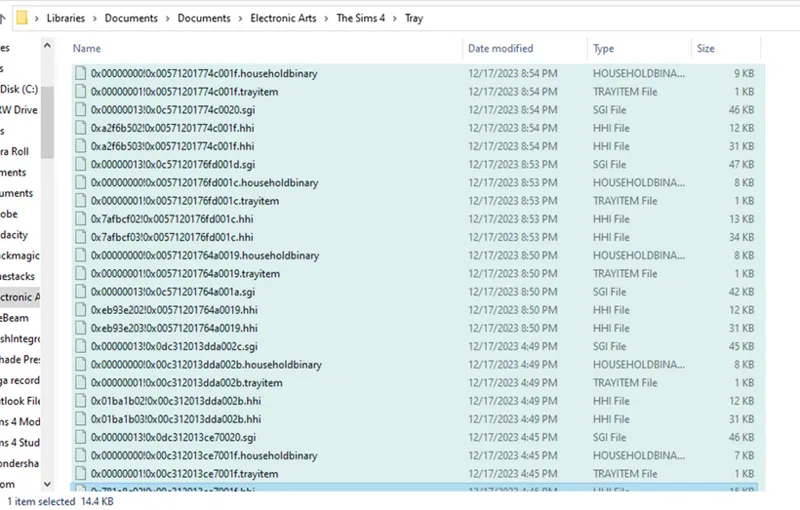
Tray files are the actual sim files, and without them, there won't be a sim household to start with. These files typically have extensions such as .householdbinary, .bpi, .room, .blueprint, .trayitem, .sgi, and .hhi.
**NOTE**Do not mix these with the .package files.
Instead, put them in the Tray folder. Located in Documents > Electronic Arts > The Sims 4 > Tray.
••••••••••••••••••••••••••••••••••••••••
STEP 4: Activating The Mods
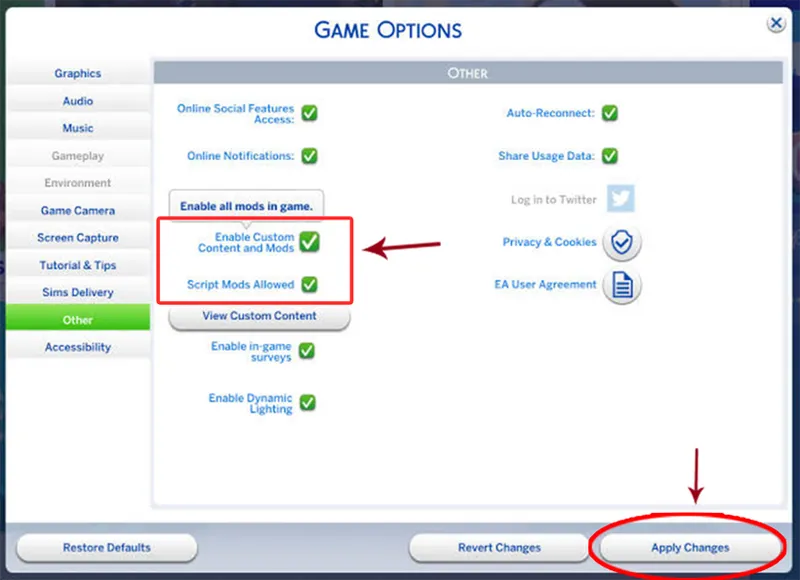
Launch your game. Once launched, go to Options > Game Options > Other. Look for checkboxes labeled "Enable Custom Content and Mods" and "Script Mods Allowed." Make sure to check them.
Click "Apply Changes". - Restart your game!
••••••••••••••••••••••••••••••••••••••••
STEP 5: Locating Sim
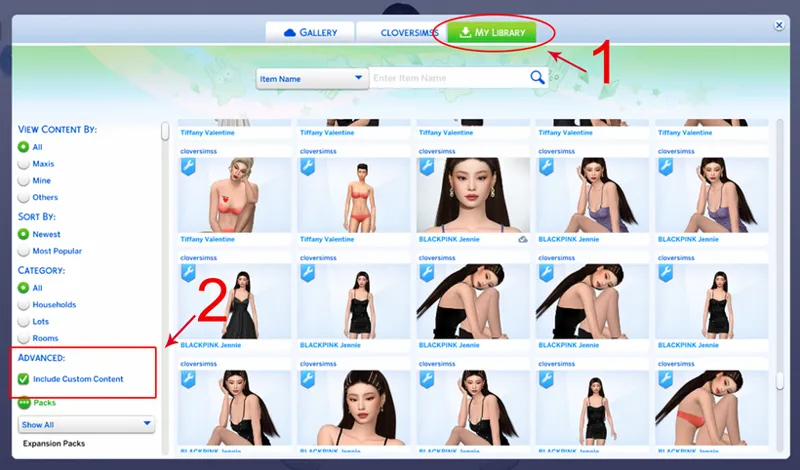
Visit the Gallery and access the My Library tab. On the left side, explore the Advanced section and tick the Include Custom Content box. Locate the recently downloaded sim.
Voila! Enjoy the game.
♡₊˚・₊✧⋆⭒˚。⋆♡₊˚・₊✧⋆⭒˚。⋆♡
xoxo, clover 💋
Comments (5)
not appearing in my gallery. game is completely updated. anything else i could do?
I cant find the Tray to put the files in
OK and when I pull the Simika in Zipp where do I place it? The Zipp does not ashable the Package
I triple checked every step and for some reason, your sims aren't appearing in my gallery? Should I be taking the files out of the folders?
Yes. And make sure to update your game to the latest patch🥰