
PosePal | Simplified EA rig by TINISIMS
Update 06.12.25: I’ve added a tutorial video to the shared folder showing how to import your own Sim from SIMRIPPER (.dae format), so you can work on poses directly with the Sim you prefer.
_________________________________________________________________________
PosePal – Beta Release
Heyyy, miss me? Thought I’d disappeared, didn’t you? But nope! ehehe
This is a test version of PosePal — consider it a beta 😊!
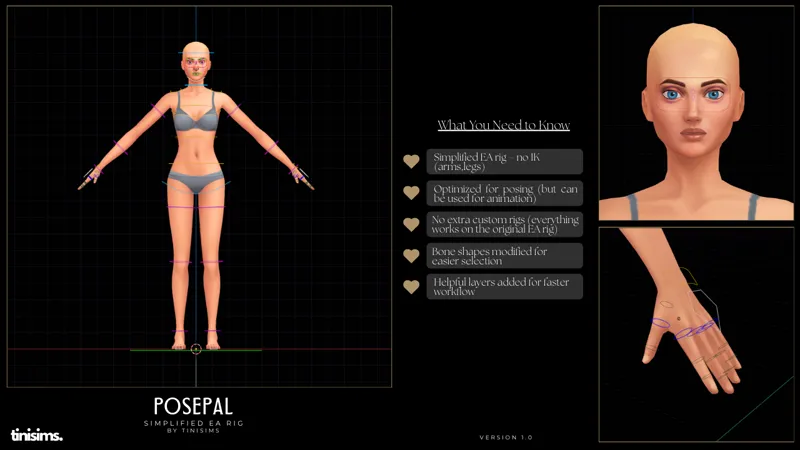
There are already many amazing custom rigs out there, and my goal is not to create a copy or compete with them. This is simply a simplified version of the original EA rig that I personally use for posing.
When I create poses, I normally work with the EA rig, not with pose helpers (for example, I use Vyxated’s rig for animation).
So, PosePal reflects that workflow:
The EA bones have been replaced with more intuitive and cleaner custom shapes.
I added a few simple IK controls for the hands, nothing complex.
There are no additional custom rig systems — everything behaves like the original EA rig, just easier to use.
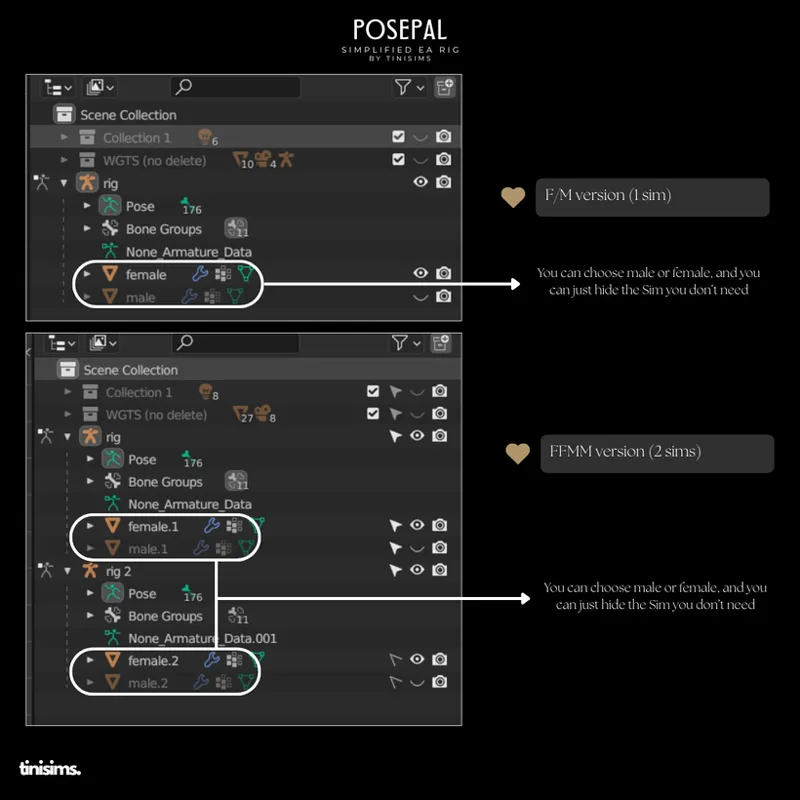
To make things smoother for those who want to try PosePal, I kept the Female/Male switch available in both the single-Sim file and the couple file.
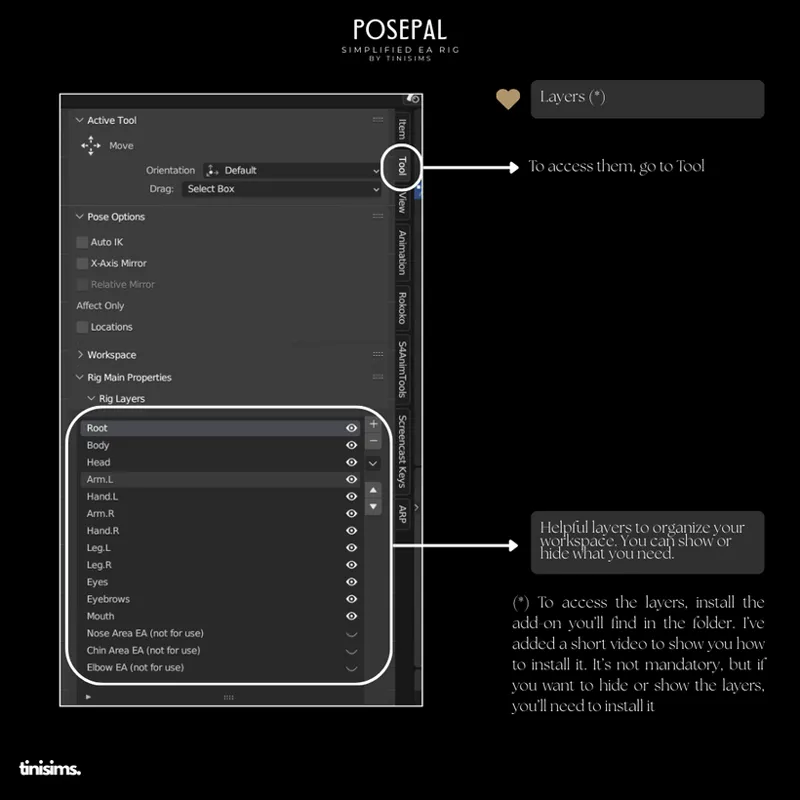
You’ll also find some helpful layers to organize your workspace.
To access them, go to Tool → Layers, where you can show or hide what you need.
To access the layers, install the add-on you’ll find in the folder. I’ve added a short video to show you how to install it. It’s not mandatory, but if you want to hide or show the layers, you’ll need to install it 🥰
After finishing your poses, I recommend showing all layers and then locking all keyframes.
As I already explained in one of my videos — which I’m linking here — I always recommend doing the baking. And yes, I do it for the poses too, just to make sure everything works. But feel free to do whatever works best for you … and once again, remember to check that all the layers I created are visible.
This isn’t a fully featured custom rig — it’s simply the EA rig, but streamlined and easier to use. In the folder you’ll find a video where I showcase the rig.
PosePal - Download
Note: The .blend files were created with Blender version 3.6.
**
If you use it, let me know! I’d really love to know if this is as helpful for you as it is for me.
Thank you for testing it !
If something doesn’t work or you have suggestions, feedback is always welcome 🥰
With Love,
Tini.
Comments (12)
This is so helpful, thank you so much!! <3
🥰🥰
Amazing! 😍😍😍❤️❤️ ill try it and for sure ill update and tag u!
thank you so much♥️😍
Will the bones be able to work on a sim imported rig?
Hi! 🥰 If you mean importing a sim (from SimRipper in DAE format), yes of course! It’s compatible. I will add a video tutorial! Thanks for the suggestion!
I Just used it to test it and everything seems to be working great Thank you for making something easier so far love it
thank you! 🤗🤗
Thank youuuu, I'll test your rig when I'll creates my firts animation in the future 😍🙏🏽⭐
I can't wait! 😍
TINI YOU LIFESAVER !! THANK YOU 🤍🤍
I hope everything works! Hehe🤣