





!!!! OUTDATED !!!! FA Dungeondraft Integration 3.0 (Updated December 19th 2024)
--------------------------------------------------------------
New 3.5 version available here!
!!! Support for 3.0 will end on January 1st 2025 !!!
--------------------------------------------------------------
Hello everyone!
This integration is made for and requires Dungeondraft – Standalone mapmaking software.
Our integration aims to completely replace the default Artstyle of Dungeondraft with our own. These files are prepackaged to be used only for Dungeondraft software, you can load them in and they are ready to go!
All these packs are Patreon Only ( any Tier ). You can download the "Starter Pack" for Free that contains a little bit of everything. So Non-Patreons can test it out first if they would like :)
This post will serve as a repository of our Dungeondraft Integration 3.0 Packs, and will be periodically updated with new content as we release it, you'll get a notification email when this post gets updated!
There is also a CHANGELOG at the bottom of this post listing updates and changes!
We have a "#Dungeondraft" channel on Discord, if you find any bugs/have issues with the packs or have some suggestions for changes, please let us know!
Make sure you download and activate all packs below to get all content!
We have a 200mb file limit on Patreon, so we need more than just one for all the assets. Having multiple packs is also better for performance and loading.
If anyone would like to know what each pack contains, here is a simple list of our Dungeondraft packs - DD_Packs_Folder_Structure
-----------------------------------------------------------------------------------------------
FA_Assets_L_v3.08 (updated October 23rd 2024)
FA_Assets_N_v3.10 (updated October 15th 2024)
FA_Assets_X_v3.03 (updated October 30th 2024)
FA_Assets_Y_v3.02 (updated December 19th 2024)
FA_Textures_Artificial_A_v3.01
FA_Textures_Artificial_B_v3.01
FA_Textures_Artificial_C_v3.01
FA_Textures_Artificial_D_v3.02
FA_Textures_Artificial_E_v3.01
FA_Textures_Artificial_H_v3.01
FA_Textures_Natural_L_v3.0 (created November 15th 2024)
-----------------------------------------------------------------------------------------------
THUMBNAILS v3.37 (updated December 19th 2024)
THUMBNAILS_Mirror v3.37 (updated December 19th 2024)
Dungeondraft is creating Thumbnails during the First load of new custom asset packs, which can take a long time. You can speed up the process significantly by downloading the thumbnails and placing them into your Dungeondraft User Folder (Menu>>Open User Folder).
<C:\Users\USERNAME\AppData\Roaming\Dungeondraft\.thumbnails>
(for "Clean" install, delete the old .thumbnails and replace it with the one you've downloaded)
** If you are on MAC, the thumbnails folder is hidden by default. Open the user folder and hold down cmd+shift+[.] , hidden files/folders should appear partially transparent
If you have any issues, refer to the FAQ below first! when the answer is not there, you can ask in the comments
How to load custom packs into Dungeondraft:
1. Download ALL the packs, create a folder and place the packs in a the folder together - This folder can be anywhere on your PC
2. Open Dungeondraft. & Click on the Diamond on top
3. Select the folder where you have placed your packs (The folder will appear empty, don't worry about it)
4. "Activate" all the packs by clicking on the tick box in front of each one
After running through some tests, and with the arrival of the new textures, we've decided to include roof textures only as patterns. This means roof tool, will be no longer supported!
Textures are with premade edges and with this approach you should be able make nice looking roofs in short time.
FAQ:
Q: Why do the Packs take forever to load?!
A: First load takes a while because Dungeondraft is generating the thumbnails for all assets, sub sequential loads are much faster.
Download the thumbnails above instead of creating them on your own if you want to get around it.
Q: Dungeondraft crashes when I try to load FA assets, why?
A: First load can be quite intensive because DD is creating thumbnails for all the assets - which is in thousands if you have all the packs activated at once - there is a memory leak so if you run out of RAM during the process, it crashes DD. Try doing the first load in batches instead, 3-5 packs at a time, then you can restart DD and load all at once.
Or download the thumbnails above instead of creating them on your own.
Q: Updates - do I just replace the current files?
A: Yes, delete the old version of the pack and replace it with the new version.
e.g. If a certain pack gets updated from 3.02 to 3.03, delete 3.02 and keep 3.03.
Q: Windows are not in portals, only window sills?
A: Since there are 684 window variants, we've decided to only include Window Sills in the "Portals" Tool and all the Window options as Objects that you can snap on top. It's much easier to look and search through in objects since there is no search/filter in the portals.
Q: What are the Legacy packs?
A: The ‘Legacy’ packs contain all the assets that no longer match our current art style and are in need of being remade. However, they do not yet have replacements so they are still available.
They rea in separate packs so we don't have to delete files from the main packs (as that could break old or in-progress maps in the future) when they eventually get replaced with new artwork.
Q: Why there are no Materials?
A: Materials in Dungeondraft in the current state don't work well with our artstyle, as the edges are too blocky and distort the textures too much. We will revisit and add materials once there is a bit more control over them.
Q: You just released a new pack, but it's not available in Dungeondraft why?!
A: Because it just came out and we didn't have a chance to convert it yet. It'll be integrated once we are done with the conversion.
Q: There is no X Asset, Will you add X asset? If so, When?
A: If it's Fantasy/Medieval related, probably yes. No idea when, when we feel like drawing it.
Q: Upcoming updates schedule?
A:We usually don't plan too much into the future. We decide on what we are working on on month-to-month bases, but we have a Trello "Roadmap" what we try to keep up to date.
Q: Do I also need the "Starter Pack" in addition to the Integration Packs?
A: No, Starter Pack just contains couple of pieces from the main packs as example, if you have the integration, you do not need the Starter Pack.
CHANGELOG:
December 19th 2024
*Warning: Packs contain optional nude options.
- Updated thumbnails zip file with all the changes
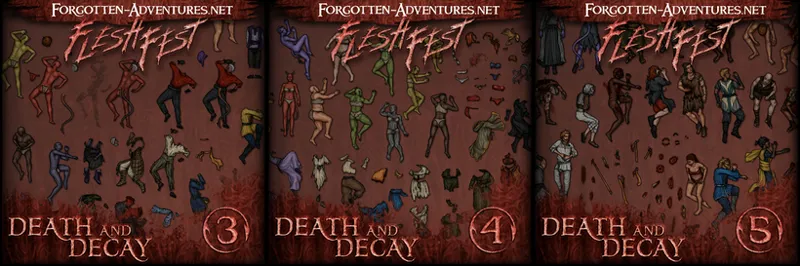
THUMBNAILS_Death_and_Decay_03_04_05
- This download contains only Death & Decay - Pack 03,04,05 thumbnails. It's for everyone who has thumbnails from previous update and missing only Death & Decay - Pack 03,04,05.
Added Death & Decay - Pack 03,04,05
Assets from this update can be found under the following tags:
- [FA] Modular Bodies - Female
- [FA] Modular Bodies - Male
- [FA] Modular Bodies - Nude
- [FA] Modular Bodies - Premade
- [FA] Wounds - Bodily
- [FA] Wounds - Weapon
Tag sets:
- [FA] Gore
November 27th 2024
- Updated thumbnails zip file with all the changes
- This download contains only Organic Lairs - Pack 03 thumbnails. It's for everyone who has thumbnails from previous update and missing only Organic Lairs - Pack 03.
Added Organic Lairs - Pack 03
Assets from this update can be found under the following tags:
- [FA] Flesh Cysts
- [FA] Flesh Eyes
- [FA] Flesh Growths
- [FA] Flesh Orifices
- [FA] Flesh Pustules
- [FA] Flesh Teeth
- [FA] Flesh Teeth Gumless
- [FA] Flesh Teeth Saliva
- [FA] Flesh Warts
- [FA] Flesh Webbing
Tag sets:
- [FA] Flesh
- [FA] Natural Decor
November 15th 2024
- Updated thumbnails zip file with all the changes
THUMBNAILS_Organic_Lairs_01_02
- This download contains only Organic Lairs - Pack 01 & 02 thumbnails. It's for everyone who has thumbnails from previous update and missing only Organic Lairs - Pack 01 & 02.
Added Organic Lairs - Pack 01 & 02
Added Organic Lairs - Pack 01 & 02
Assets from this update can be found under the following tags:
- [FA] Flesh Intestines
- [FA] Flesh Pillars
- [FA] Flesh Ridges
- [FA] Flesh Sinew
- [FA] Flesh Walls
Tag sets:
- [FA] Flesh
- [FA] Structures
- [FA] Walls and Curbs
October 30th 2024
- Updated thumbnails zip file with all the changes
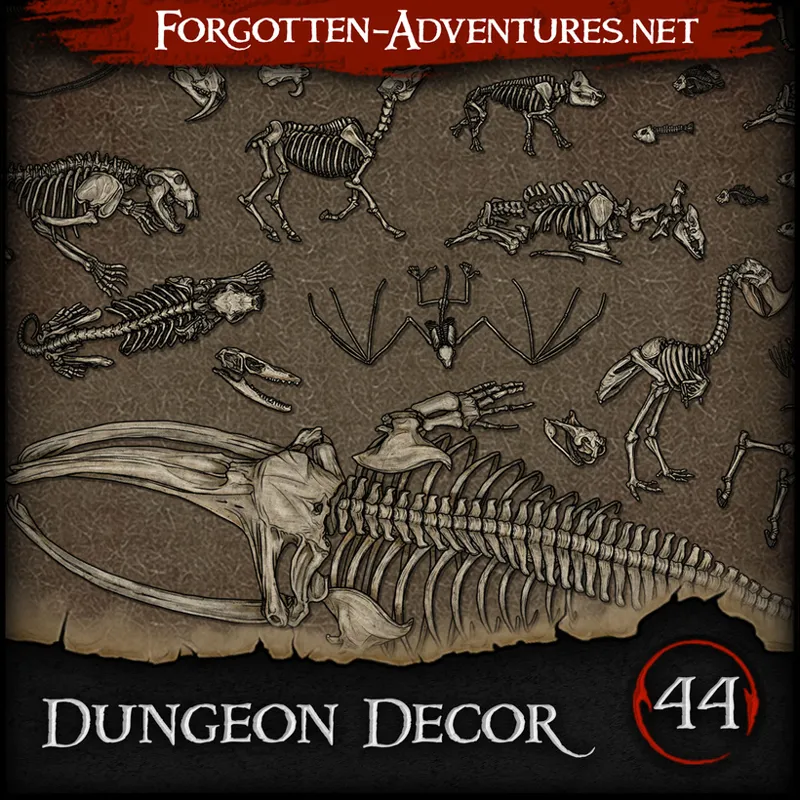
- This download contains only Dungeon Decor - Pack 44 thumbnails. It's for everyone who has thumbnails from previous update and missing only Dungeon Decor - Pack 44.
Added Dungeon Decor - Pack 44
Assets from this update can be found under the following tags:
- [FA] Beast Skeletons
Tag sets:
- [FA] Gore
October 23rd 2024
- Updated thumbnails zip file with all the changes
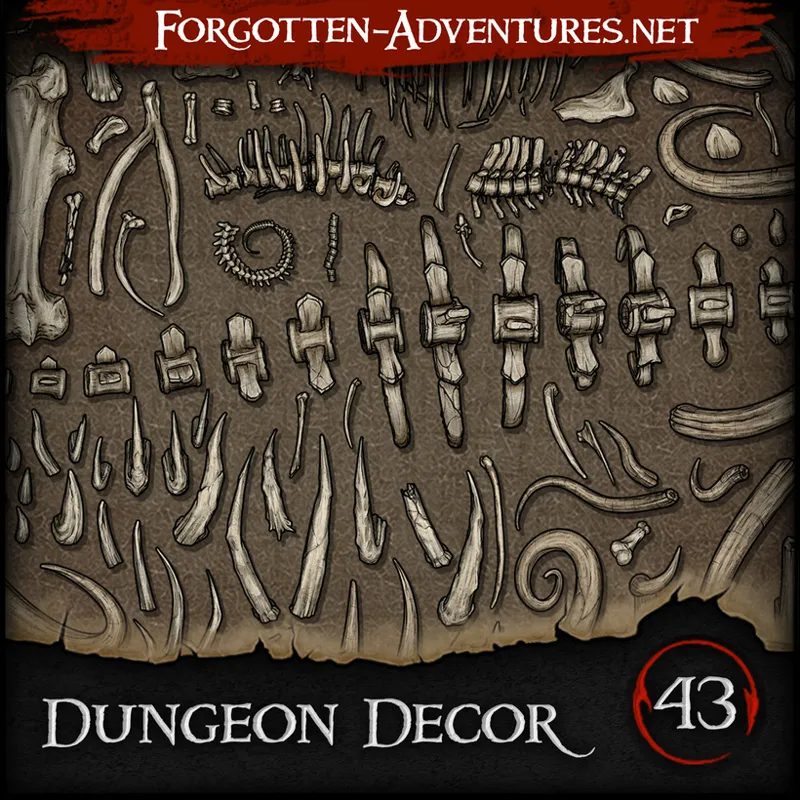
- This download contains only Dungeon Decor - Pack 43 thumbnails. It's for everyone who has thumbnails from previous update and missing only Dungeon Decor - Pack 43.
- Based on feedback, adding missing Basin_Wall_Stone_Earthy_Fancy_Extra_Large_Square_A1_4x4
(This is a minor update that is not necessary to download unless this particular asset is needed.)
Added Dungeon Decor - Pack 43
Assets from this update can be found under the following tags:
- [FA] Beast Bones - Hips and Shoulders
- [FA] Beast Bones - Long and Flat
- [FA] Beast Bones - Piles
- [FA] Beast Bones - Ribs and Ribcages
- [FA] Beast Bones - Spines and Tails
- [FA] Beast Bones - Tusks and Spikes
Tag sets:
- [FA] Gore
Comments (136)
can you make annything for material brush and light stuff please ??? your work was amazing 0-0
I'm a little confused - tried to find the answer - with the pricing model. If I download all the Dungeondraft Integration files - how am I charged? I read it wasn't per/download. So if I join - download all the files in a month, how much am I charged?
you are not charged until they release new content if you look at your receipt email it should say 0.00 as only when they release a new pack then you are buying the access to the new pack so all of the pack that are good to be download is free only pack after you join cost money
How do you determine where the roof edge gets added in the pattern? It seems to be adding it to a different spot every time.
I can’t open the links to download. I’m in my iPhone downloading them to my OneDrive. I’ve done this before with other Patreon downloads. Not sure why it’s not working. Tried again a day later and still can’t download any of them. I was able to download the thumbnails though.
Thank you for BOLDING the new files, that is such a great usability change in the recent update emails.
i double checked and cant seem to find the wood pattern since redownloading to add the new packs to my collection.
Is it possible to find the older legacy sets e.g. FA_Legacy_V2.02?
Here is the download link for FA_Legacy_V2.02: https://www.patreon.com/file?h=17713082&i=7729246
Can't download the thumbnails. Says too many users.
It's probably a regional issue. I tested the downloads, and they work. I would recommend to wait 1-2 days and try it again.
I feel really stupid, but I can not find rectangular roofs, I've checked the path tools and the objects. I can only find the octagon and the window roofs. Are they in one of the packs and I am missing that pack or are they not yet implemented.
We've decided to implement our roofs as patterns. More information about it can be found higher in this post, along with an example GIF of how to use it.
A humble request: If possible, could you put whatever packs were updated in Bold so we can quickly scan the list and see which ones to download? I know you already put the dates on them, which is great too, but seeing in bold which packs triggered the latest release would be helpful.
Done. But I would still recommend using our changelog, where you can find all the information and also directly download the updated packs.
Hi! I really appreciate your work, my players are always impressed by the maps that i can create with your assets! Any chance we might get a little generic description of what each new pack adds?
https://forgotten-adventures.net/wp-content/ZipFiles/DD_Packs_Folder_Structure.txt
Hi! First, congratulations on your assets! They're gorgeous! I'm having very long loading times. The thumbnails are already created, they're not the problem. I've found that the culprits are the textures, both natural and artificial. These assets take forever to load. ¿Is there something I can do?
I'm also very curious as to an answer for this.
These are amazing. The one thing I would ask; you have loads of weapons and such, but no armor. I want to put up suits of armor and lay out armors for shops like I can with weapons. I would love to see some armor assets added. Keep up the great work.
Colourable assets (pillows, rugs, beds etc) don't actually seem to be colourable anymore?
Anyone had any luck using the roofs in the texture tool well? Every time I've tired to use it I get constant missing rows, Tried messing with every Dungeondraft setting I can find for patterns with no luck. It's almost like it's left blank to put in a ridge, but where it's putting the gaps makes no sense for where a ridge would be? Any tutorials knocking about?
Gif showcasing how to use it is in this post right above FAQ section
Will we get tokens in Dungeondraft at any point in the near future?
No, DD is a mapmaking software, tokens are not for mapmaking.
Hi! I just got Dungeondraft and downloaded the asset packs. I'm trying to load them in like 3-4 at a time (and I downloaded the thumbnails as well) but it does seem to be crashing DD within the first like, 30 seconds. Is there something else I can be doing to help this process go smoothly?
There is a chance you have not installed the thumbnails correctly. Are you seeing individual assets with a file path being listed during load? If so, that means that your thumbnails are generating and you have not installed them correctly. This generation is very heavy on RAM/Memory and will crash DD since it runs out of space with that many assets.
Any chance we could get a torrent? You're almost running out of letters in the alphabet, and it's getting unwieldy to download individual parts.
Torrents don't really work well for items that are constantly updating... we have DD packs on the pCloud which auto updates if you are interested in that
hey! dungeoncraft has been loading the mignatures for more than 12 hours is this normal?? please I await an answer
Your PC cant handle the thumbnails generation most likely, I would advise to follow the instructions on how to download and install the thumbnails manually that's in the post
Are the new roof patterns suppose to be cut off like that and then start anew? Is there a tutorial to use them more efficently and quickly?
me too it repeats every 4th row
I don't have the file you mention for the Thumbnails. Is there another place they can go?
I can't seem to find the prefabs, even in the prefab section
They are in objects, we dont use the DD prefabs system
Oh dear lord my poor poor load times, gonna have to figure out which I'll need for each thing.
Hi, Is there no snow texture in any of the dungeon draft texture packs?
:DDD so good
Hey, maybe I'm just blind, but I can't seem to find the prefabs? I've downloaded and enabled the latest versions of all the asset packs, but the prefabs mentioned in the post don't seem to appear in the prefab list, unless I'm just looking in the wrong place? EDIT: Ah, I found them, didn't realize they would just be found under the object tool in each appropriate category.
asset B v3.02 makes me freeze dungeondraft, I think there is some problem, I get stuck in an endless loading
Hey, Just want to say that I've joined Patreon, just for the Dungeondraft files. They are fantastic. You've really done a great job. The only issue I'm having is that after loading the assets (which went fine, a little slow but not a problem) Dungeondraft goes into a not responding state when closing and I need to kill the application using task manager. It doesn't appear to be a RAM issue as during monitoring I only get to around 30% used. Any advice you can give would be wonderful. Thanks
That's a DD issue that I don't think I can help with, happens on my system too. But thankfully it's not really affecting functionality of the program, you shouldn't lose any map progress or anything like that, it's just not pretty that it doesn't close properly.
Hey, I don't know if i'm the only one but it seems Assets_H_v3.04 is broken. Dungeondraft crash when i try to launch with Assets_H_v3.04 activated.
I seem to be in the same boat as the previous two commenters. I downloaded the thumbnails first and placed them into the User folder in Dungeondraft. But the FA assets seem to be stuck at around Texture_Natural_D, after only uploading A, B, and C. Doesn't seem to want to load.
Based on the comment above, you probably didnt extract the thumbnails correctly, so they were generating and you possibly ran out of RAM which might cause this issue do to a memory leak. Also make sure you are on the latest stable version of dungeondraft, because I believe this was fixed in newer versions. Latest stable version is Dungeondraft v1.0.3.2 you can also try the latest release candidate (beta) v1.0.4.3
Is there supposed to be separate .thumbnails1 & .thumbnails2 folders in that User folder? That's what I end up with after unzipping the two thumbnail downloads. Am I supposed to merge them afterwards into a single folder?
There is just one .thumbnails folder in your user folder, you extract both zips into that same folder. We only split them because patreon has 200mb file limit.
Hi - I just bought Dungeondraft in order to use your assets here (I've been using Dungeon Painter Studio for a long time but I had to switch over because you don't support it any more) and I'm really struggling with it. It takes forever to load - not just the first time, but every time - and I can't load it with all the packs. Reading around it seems like this is a common problem because Dungeondraft for some reason loads all the packs into RAM??? Is there a solution to it other than swapping the asset packs in and out? That's not really workable.
I am also have this same issue with loading assets. I've read that just loading the packs needed reduces the load time. However, with the new 3 version, its near impossible to find which assets I need to load for the map due to the different labeling with these packs listed above and the how they are labeled on Forgotten Adventures website. For example, not every asset back has walls. Finding that pack tacks a while. Any suggestions on load speed and structuring would be most welcome. Thanks for the great products!
You are fucking heroes ! Quick question, is this the same assets as the FA_Mapmaking_Pack just ready to be imported into Dungeondraft, or are these different assets and I can/should use the Mapmaking ones as well ?
Same assets just ready for Dungeondraft
Hey, I noticed that wooden walls aren't part of the wall tool after I've updated everything. I have to place them as objects. Is this an intended change, or has my DD glitched?
Is it possible to have some nice rock textures worked into Dungeondraft assets for the Cave Builder tool sometime in the future? Was actually a bit disappointed when I fired up the cave building tool and only found the default assets. The path tool lets me add in cave walls the hard way, but then I can't put portals in there without planning well ahead of time.
Well I bet this might've been asked before but... I wanted to ask if the old fireplaces where added in these packs, like ever.
No, as those are retired
Joyous and tremendous thanks to you! Your assets are fanTAStic. I saw a friend using them recently and decided that I just had to come grab them myself. A splendid day to you and yours!
Question - if I download all the asset packs TODAY, do I need to go back and DL all the previous updates?
no, just the latest
Hi, can you inform me, whether different kinds of shoes and meat will be added to the assets?
:(
I just want to say that your work has been a literal game changer for the maps I've been making for my homebrew, and the dungeondraft implementation is a godsend. The fidelity of your art is second to none, and worth every penny!
Where do I put the Thumbnails for Apple Mac?
I'm not sure, but cant you follow what I did in the gif to open that location? in dungeondraft: Menu>Open User Folder
Is there FA support for the cave drawing tool, or does it have the same problems as Materials?
There is not at the moment, custom assets for the cave tool were just recently allowed - we didn't have a chance to test/implement it yet.
Where should I put the thumbnails in linux? Thanks
I'm not sure, but cant you follow what I did in the gif to open that location? in dungeondraft: Menu>Open User Folder
Hey FA, Hopefully this isn't a dumb question, but what would be the best ways to find the image of specific assets? I want to use the thumbnail basically of some of the treasure assets to be able to take the treasure off the map when they are taken within foundry, that why it isnt just kinda sitting there on the map still after being taken. Thanks so much for all you do!
Probably https://www.forgotten-adventures.net/live-gallery/
Hey! Love your work. I downloaded the updates but I think there might be some assets missing from Roofs_A_v3.0. All it seems to have for me is Roof Linings, Tower Roofs, and Window Roofs. I assumed there would be configurations similar to the old roofs pack. Like different tiled shapes so we can make our own non-tower roofs.
You can use the roof tool
a question do you need to pay again when you download a update?
No, you are not charged per download.
I'm having an issue with the walls not having an end cap on. Not sure if a pack issue or a me issue but non FA walls correctly show an end cap.
The pack folder structure link no longer works. PCloud says you have used up your bandwidth. Would it be possible to put this in a google doc or something? Thanks! Edit: Link now works, thanks!
Morning FA, is there any plans on updating fire places with burning wood in them and adding more light options?
Fireplaces with burning wood specifically, no. We do have plans for fire overlays and also more light options possibly, yeah.
I'm gonna make some rad shit. B)
I may be mistaken but I thought there were Windows in the Portal tool. If not are their ones in the asset packs?
Since there are 684 window variants, we've decided to only include Window Sills in the "Portals" Tool and all the Window options as Objects that you can snap on top. It's much easier to look and search through in objects since there is no search/filter in the portals.
I downloaded the new Asset Packs B, D, E, and G, deleting the old ones when I placed these ones in the asset file and now a ton of my walls ect. seem to be missing? Is this snafu on my end exclusively?
Which versions were you updating from? There shouldn't be any issues like that, sounds more like you forgot to load one or more of the packs
Thanks you ! You save me.
Hello, i have problems to read old maps from dungeon draft, it tell me it missing FA - Nature & Wilderness v1.1 and some other files like this and i found no way to get this old files from Forgotten adventure, cant open this old map because of this. there is a way to get this old files from somwhere? i found nothing in integration 2.0 or 1.0...
Props & Decor v1.7 https://www.patreon.com/file?h=17713082&i=7069609 Wood Variants v1.7 https://www.patreon.com/file?h=17713082&i=6826899 Buildings & Structures v1.8 https://www.patreon.com/file?h=17713082&i=6685013 Tile Sets v1.2 https://www.patreon.com/file?h=17713082&i=6685012 Winter Wilderness v1.1 https://www.patreon.com/file?h=17713082&i=6669266 Nature & Wilderness v1.3 https://www.patreon.com/file?h=17713082&i=6669261 Textures - Terrain v1.3 https://www.patreon.com/file?h=17713082&i=6458614 Textures - Terrain Patterns v1.0 https://www.patreon.com/file?h=17713082&i=6458592 Textures - Floors v1.4 https://www.patreon.com/file?h=17713082&i=6246629
I got a really low downloadrate with patreon is there any way i can download it faster (need more than 2 hrs to download 200 mb) ?
They might have a maintenance in your region or something, try again later, I'm getting 9-10MBs
Where can i find the thumbnail folder on MacOS?
i too would like to know this...
So I downloaded the new assets and thumbnails. Tried loading in the assets to DD and it crashed the program. Now I can't open DD at all. What did I do wrong??
I'm updating my Dungeondraft packs right now , but i have a question. I use a lot the Effects and Overlays A_v2.0 with other Dungeondraft packs also from other creator. Where i can find all those effect and overlays in the new 3.0 integration? Love your work btw! <3
Shadow Paths & Objects, Overlay Patches and Lights are all in the "Assets_B" pack
Is there any way I can see what is included in each pack?
I'm curious why you keep adding version numbers to the file name when you could just provide the dungeondraft file of the same name and just append the new additions to the file. This would allow people to keep prefabs and over all be way less overhead to maintain for large map makers. Having a bunch of assets disappear from the map each time the version changes is getting to be a bit much.
Yeaaah... that's not how it works. DD packs are loaded by ID not by filenames, so replacing v3.01 with v3.02 for example will work just fine without disappearing assets :)
Love the new assets, but would it be possible to remove the different colored duplicates (chairs, cloth, books, drinks, etc.) and let us rely on DD's recoloring functionality? Some lists are becoming prohibitively long to search.
Probably not, sorry, due to implementation of the recoloring feature it often cant really replicate the "proper"/intended colors/look, since recolorable area has to be entirely in one hue for the function to work.
Are these packs at a point where we should disable Dungeondraft's default assets? I know that is a goal of yours, but wanted to check if that was advisable right now since Dungeondraft advises against it.
You can, It's safe to do so. But it's up to you, ultimately.
Will maps being built on these particular versions break once the asset packs are updated to later versions? I removed some asset packs I used to build maps in the past and when reopening them, those assets are gone. Just wondering if that is going to happen here since the file names have the versions in them.
No, unless it's a breaking change marked in the changelog. Packs are loaded by ID not by filename
How do I delete the old asset packs off the asset selection dialog box? My list has them on there and doesn't have some of the new ones, maybe bc it ran out of room?
Delete the files from the folder?
Hi, I think there is an issue with the pack released on 21th September [FA_Assets_D_v3.01] I get an error while clic on it. Thank you for the great content though ! :)
It should work now, sorry for that.
So I noticed I have an "FA_Effects-and-Overlays_A_v2.0" pack, but didn't see a corresponding version 3.0. Has this been integrated into the other packs, or do I still need this one?
Nah, Its included in the packs, just not separately. All the same effects/overlays are there for your dungeondraft needs.
This might be me, or intended but I can't find the "Catacombs" walls. I can find them in objects but not as walls. This intentional?
Yes it's intentional, it was retired for now, as it needs an update
I'm noticing that windows, other than window sills, are missing from the portals. why would that be? did I import incorrectly? edit: never mind, they showed up now. weird!
See their answer above, this is intentional, the windows are under objects for easier searching. They will snap into the sills apparently.
Would it be possible to remove the built-in shadows on the various Roof Objects? Using the Roof Tool instead creates a weird effect near the edges.
Have the spiderwebs been removed or am I crazy? I can't seem to find them.
Mentioned in the doc: - Graveyard/Burial stuff was removed, as we are currently working on a new pack that’ll replace these assets - they will be added in the first update. That includes the spiderwebs
Can I remove ALL FA v2 packs from Dungeondraft, or are there a couple specific ones that should be left checked?
You dont need 2.0 packs
This is great! I've just seen that Dungeondraft v1.0.2.4 allows you to disable default assets on map creation, are your packs compatible with this option? That's to say, are all bases covered so we can run the program without the defaults?
How do I delete the 2.x packs from Dungeondraft?
Delete the older packs from the folder you set in DD... and put this news packs instead
QUITE excited. Was jumping on today to see what the roadmap for the project was. Imagine my surprise to see it's HERE! :) DD 3.0 mapped assets, here I come.
Love the new release, I decided to remake an old map but realized some assets I loved were in the old legacy pack and no longer in this one. I had to go back and re-add it to get my fancy fireplaces back. Other than that hiccup this is fantastic
Holy crap this is amazing! Thank you for your hard work
Hello, and thank you for all the hard work on the reorganization. I noticed that the "FA_Effects-and-Overlays_A_v2.0" doesn't appear to have updated to V3.0. Is this because it has been integrated within another pack, or is this on the way?
It's integrated in other packs.
Wow, I thought I loved your assets before, but the changes and the THUMBNAILS make me feel like it's a whole new product. Thanks for all your hard work and talent to produce this!
Hi - I'm upgrading to 3.0 and have an issue - when I go to Portals, I don't see any windows. I see them under Objects to add manually, but not as the portal tool. Am I missing something? Thanks! EDIT: I was able to make windows work by using the portal tool to create a Window Sill, then filling it with the Object: Window. The old versions didn't work that way, but this is a fine work around.
That's intended. Since there are 684 window variants, we've decided to only include Window Sills in the "Portals" Tool and all the Window options as Objects that you can snap on top. It's much easier to look and search through in objects since there is no search/filter in the portals. - At the moment there are some window sills and door options missing in the portal tool by accident, we will be fixing that today.
Super excited for new graveyard assets, I've been using your stuff through DPS for years and I'm so glad I swapped over to DungeonDraft and realized how much I was missing!
Ha, I also used DPS for a long time and switched to DungeonDraft. I liked DPS a lot, especially that it allowed Hex mapping. The developer is great too. The FA integration was what made me give DD a try, and it's been pretty great.
oh my... It's here! Version 3.0 is here! Oh yeah!
This update is great! I just started exploring it on DD, and the arrangement makes it a much better experience! Keep up the good work.
Sorry if this is a dumb question, but I should delete all the 2.X versions of files from FA that I have in my DD files?
Yes, if you dont plan on using them anymore. FA DUNGEONDRAFT INTEGRATION 3.0 IS NOT BACKWARDS COMPATIBLE WITH PREVIOUS VERSIONS!!! This means that any Maps created with 2.0 packs won't work with 3.0 and vice versa. You can load both sets at the same time, but it’s not recommended. If you have WIP maps with 2.0 integration, I would recommend finishing them with 2.0 and then moving to 3.0 for future projects.
Oof, 3.0 / 2.0 incompatibility is a bit of a bummer. Do you have a full list of before to after paths for all the assets I could use to convert my old maps (they're just JSON files, so I could just replace the paths in there)?
It's over 35000 files, each with new unique path and often file name... so no, sorry.