
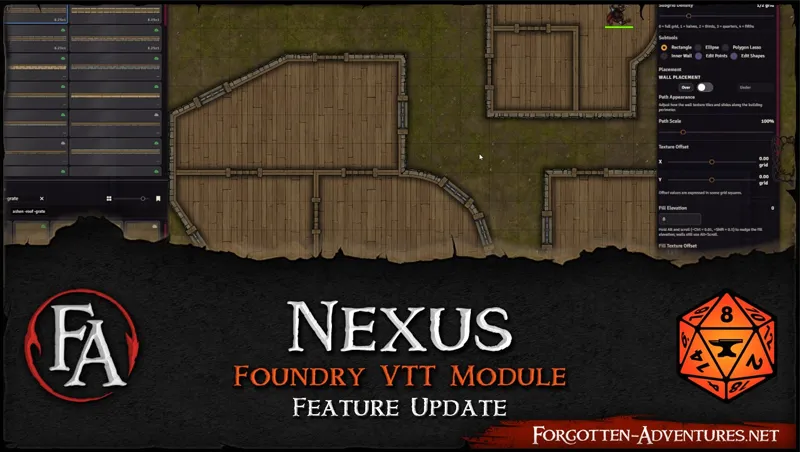

FA Nexus v0.2 - The Building Tool
This is our first big update for FA Nexus, and it introduces the most complex feature we’ve built so far~
Quick overview youtube video:
https://www.youtube.com/watch?v=EDIwMyDIyqw
Introducing the Building Tool
If you’ve been using Nexus for fast token/asset placement, this update is aimed at taking the next step: This premium feature lets you block out, texture, and commit full structures in seconds—while still keeping everything consistent with elevation & shadows.
Rapid structure creation: Construct building footprints with help of rectangle, elipse and polygon shapes (with arcs support) and inner walls.
Automatic Foundry walls: Created outer and inner walls are constructing foundry walls immediatelly.
Portals: Place textured doors, windows and gaps on any wall segment, the tool automatically cuts openings, creates appropriate foundry walls and textures. Doors and windows can even be animated!
Texture per surface: Assign different textures to exterior walls, interior walls, and floor independently.
Automatic shadows: Structures inherit the same elevation-based shadow system as regular assets for consistent depth.
Multi-building support: Build multiple buildings in one session, these get cleanly separated on commit and can be then edited individually.
Building tool preview:
But that's not all..
Other New Features
Subgrid Density slider — Snap to 1/2, 1/3, 1/4, or 1/5 grid divisions for precise placement
Direct cloud URLs — Option to load free cloud content directly from URLs instead of being downloaded and cached locally (saves storage!)
Floating Launcher — Drag the FA Nexus button anywhere on screen
S3 bucket support — S3 buckets can be asigned as content sources and download folders
Compendium filtering — Filter which compendiums appear in "Place Token As" to avoid duplicates
Player access restriction — FA Nexus now properly hidden from players
That's still not all...
Bug Fixes, Improvements & Polish
Reworked “Keep Tokens Above Tile Elevations” to shift tiles (not tokens), improving compatibility with modules like Sequencer which rely on token mesh elevation positioning. Scene background is pushed to elevation -5 while the feature is enabled so it won’t obscure shifted tiles.
Paths: smoother shadow blur at all zoom levels; width tangents hidden by default (optional toggle) and ignore snap-to-grid; thumbnails displayed in a wider aspect ratio for faster selection.
“Place Token As” now preserves prototype token settings (including incrementing numbers / random adjectives), and those options can be set directly in Token Placement.
Optional setting: don’t modify actor size when applying differently-sized artwork via Update Actor Token.
Asset Drop Shadow is now enabled by default.
Zoom no longer stops at 0.2 on large scenes
Keyboard nudging preserves fractional elevations
Random Color on Placement now works with local tokens
Feedback
FA Nexus is still Beta, so if you hit anything odd (or have workflow requests), please tell us—this update adds a lot of power, and we want to make sure it stays fast, stable, and intuitive.
While we already have bunch of features planned ourselves~A lot of the new features and improvements in this update were driven by your suggestions and we want to continue implementing what you guys need to make your lives easier so please keep them coming!
Thank you all for your amazing support!
Comments (17)
Is it possible somehow to give my players control over module? I want my players to draw maps for dungeons by themselfs as they delve
This is an amazing tool! Is there any plan to add roof feature? Right now I can add roof using texture but they are just flat texture.
I don't know if it's just cause I'm new to Foundry, but I've been having an issue where after I save the walls I've built, I suddenly can't select them. I've turned off any other modules I have and it's still happening. I'm not quite sure what I'm doing wrong or if it's a bug?
Walls are made on a Foreground layer (elevation 20+ by default), while on the tiles layer, click the little house icon to select things on foreground layer
This is pretty sweet. Where can I go to get all the documentation for the various features, including the explicit calling out of "when you are done, hit S to save the bunch of work you just did because you won't be getting any kind of warning if you exit the edit mode without it"? I can see how several of the features already implemented will be a massive boost to making maps over waiting several minutes for Dungeondraft to start up.
Everything is changing and evolving with each update so there is no comprehensive documentation yet or I would have to be rewriting that with each update. It's still in beta, a lot of stuff is 'placeholder' including the 'S' to commit - which is being changed in the next update to basically auto-commit on editor exit , adding actual commit / cancel buttons etc. making it obvious that you are in an 'editor' and you actually have to save the changes for them to be on the canvas. We are getting a lot of great feedback and why I wanted to push it out early to the community so we can improve it based on that feedback, so please if you have any, leave it on github or here or on discord!
I ran into a strange bug with FA Battlemaps whenever FA Nexus is also active. Maps with customizable visibility settings (scroll menu on the right of the map) seem to go back to the default visibility setting and cannot be altered. Disabling FA Nexus restores their functionality and previous settings. That aside, this is incredible and I am very much looking forward to the next version.
Heya I cannot get walls that are made to be movable like the ground. Pressing F12 results in the objects being treated in like it cannot get the objects, and it spews hundreds of errors into the console about it. I will be disabling more modules and see if i can find out more but is this a known issue with the walls being unable to be edited?
Not sure if I'm using it wrong but when I make a building with the tool how do I get it to stay? As soon as I close the nexus everything disappears
press 'S' to commit
This is super cool! I've already been playing around with it! I don't know if this was intentional, but "Door_Frame_Stone_Slate_A_2x1" and "Door_Frame_Stone_Slate_B_2x1" seem to have a gap between the edges of the door and where the frames sit. I was trying to use them, but it made my doors look kinda wonky.
You can set offset of the door frames.
FAbulous ! ^^ Now i just can't wait for FA to tackle Sci-Fi, region and world maps but i'm already so happy
I hope they don't start SciFi because they haven't even finished doing fantasy stuff like the rest of the dragons 😭
This is super cool! Running into an issue tho. I've installed the latest manifest (0.1.3) through Forge but don't see Building Tool listed as an option in the Nexus UI?
Update just went live Forge might take a minute to have it available. Newest is 0.2.2
This is actual wizardry. Impressive as hell.