






UPDATE📌Classic Mini Image Helper, an easy to use Cover Manager + Renaming Tool
NEW: Added support for subfolders and CD .cue files, you can now use it to rename covers for your PC Engine CD games and more!
::::::::::: ORIGINAL POST - HOW TO USE :::::::::::::::::
You can instantly match and rename your artwork filenames to fit your ROM collection with just a few clicks.
🔰 Quick view and tutorial
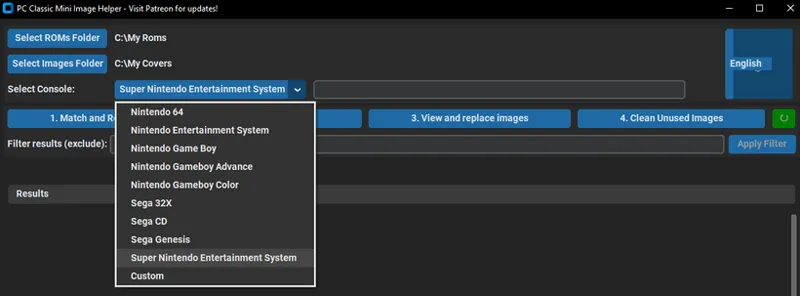
First, open the app and select your ROMs folder, followed by your Covers folder. Finally, select the correct console from the dropdown menu (DON'T FORGET THIS STEP).
🔰 FEATURE 1: Match and Rename
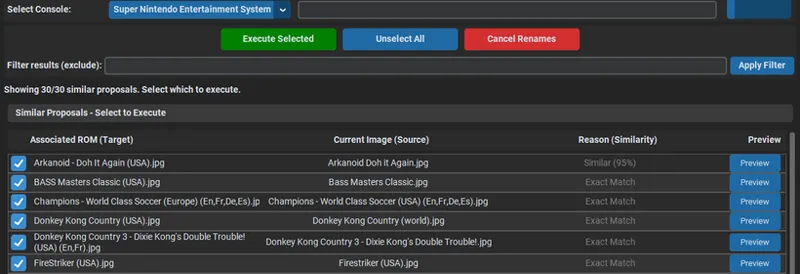
The Match and Rename tool scans your folders and tries to match names between roms and covers. You can review each match individually before clicking the green button to run the renamer. The tool will automatically rename the cover file to match its corresponding game.
🔰 FEATURE 2: Check Missing
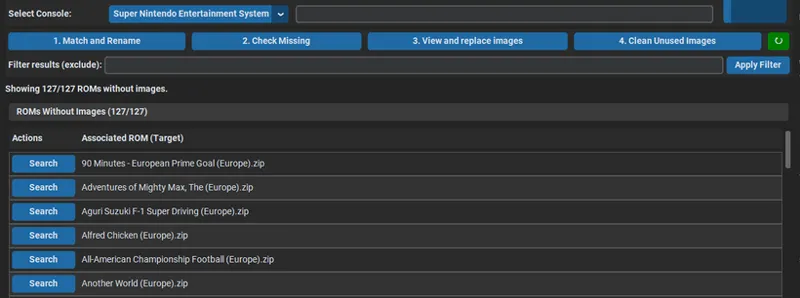
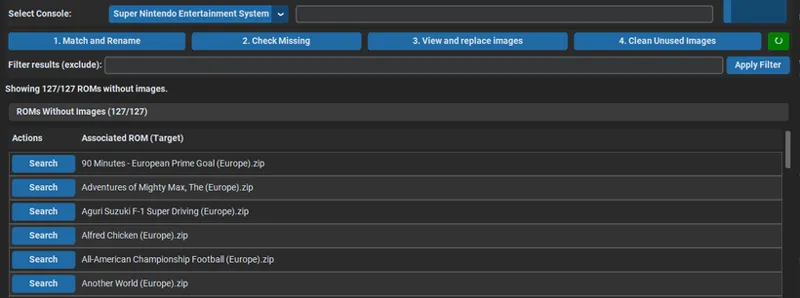
Check Missing identifies which games are currently missing an assigned image. Clicking "Search" will open a Google search for the cover, using your selected console as a search string. The app also automatically copies the game’s name to your clipboard, so you can simply paste it when saving the new image (intended for when there's a few missing covers).
🔰 FEATURE 3: View and Replace
View and Replace allows you to manually update incorrect images. Like the search feature above, it uses your selected console to find the correct cover on Google and auto-copies the game title for quick saving and renaming.
🔰 FEATURE 3: Clean unused
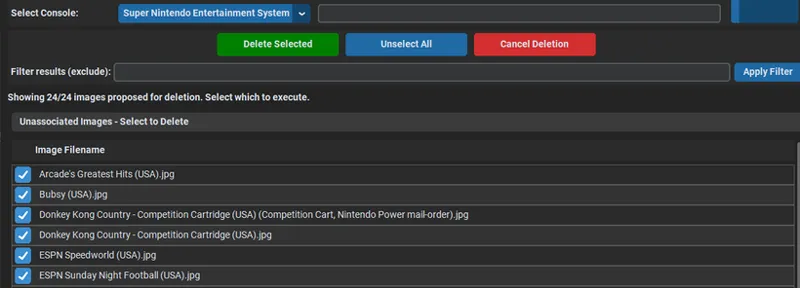
Pretty self explanatory, it will delete any remaining unused image.
