
CD UPDATE🔥 | TurboGrafx-16 Classic Mini for PC
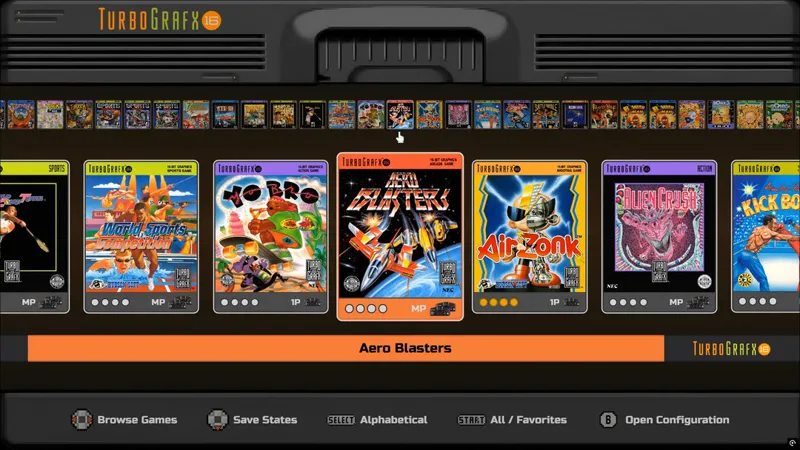
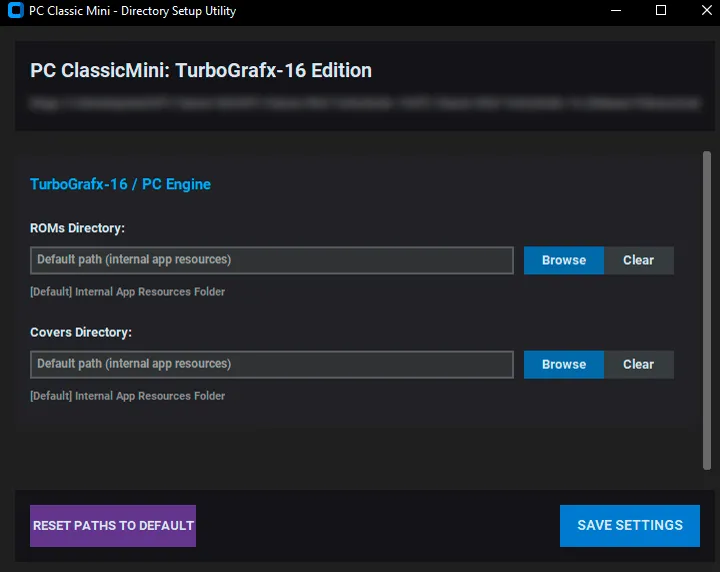
As promised, here's the latest version of the TurboGrafx-16 Classic Mini for PC. This version adds CD games support and filter. Please remember to can also use the Directory Setup Utility to set the path to your Games and Cover folders!
::::::::::::::::::::::::::::::::::::::::::::::::::
ORIGINAL POST:
Here is the newest addition to the PC Classic Mini family! 🤗❤️
Your support allows me to dedicate more time to this work, so if you haven't yet, please consider buying me a coffee here ☕
🔰 Frontend Features
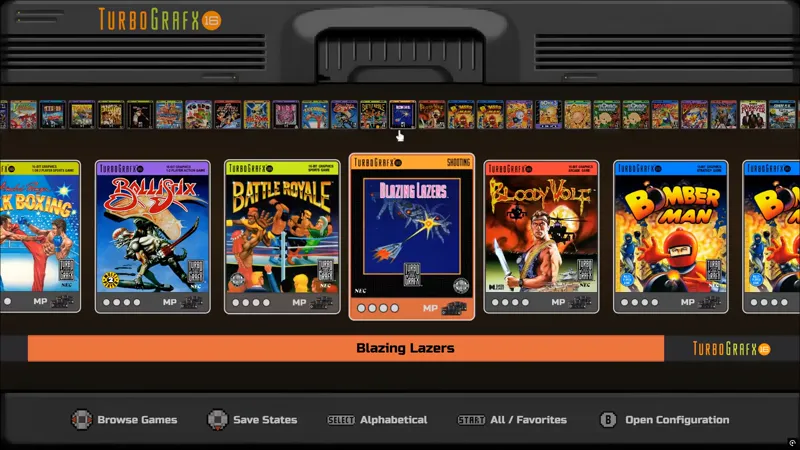
Quick Navigation: Use the alphabetical menu/shoulder buttons to quick browse games.
Video Options: Choose different aspect ratios/add or remove scanlines.
Pre-configured Retroarch: Optimized for the best balance of speed and accuracy.
Customizable BGM: Set background music and adjust volume levels within the menu.
Save States Manager: GUI save state system featuring screenshots, date, and time.
Music widget: During Attract mode (to customize BGM, go to resources\sounds\bgm).
Rewind and FFW feature (optional)
Auto detection of games: Simply put your game files and covers in the correct folders.
Multi-language: Support for several languages.
Next update will bring CD games filter support 🔴🔴🔴
🔰 Quick Setup - Get It Working in No Time!
Add ROMs: Put your games into resources\games (supported formats .pce, .7z or .zip).
Add Covers: Put your covers into resources\covers using .png or .jpg format.
Cover names must match the ROMs' filenames exactly
🔰Directory Setup Utility
This new tool lets you easily set custom paths for your games and covers. This means you can use the Classic Mini Collection alongside whatever other frontend you already use! You can keep your current ROM and cover folders right where they are and simply run DirectorySetupUtility.exe to tell Classic Mini where your files are located.
🔰 General Use Tips
Saving: In-game, press L3 + BACK/Select to save. The "4 slots" system can auto-increment, allowing you to pick your state directly from the frontend later.
If enabled, you can rewind and FFW using the combo L3 + LT / RT
Press shoulder buttons LB/RB to jump to letter.
Controllers: This works best with Xinput gamepads (Xbox, 8bitDo, etc.).
If using PS4/PS5 Gamepads you should be using DS4Windows or something similar.Try using optimized cover packs only. Since this is basically a web app, using unnecessarily big images on big game lists may hurt performance on your computer.
This app is optimized for 1080p/2160p, if using anything different you should disable scanlines in the menu and optionally use Retroarch's shaders directly
📌In case you need to rename the covers to match your ROMs collection, you can use the auto renaming tool I created some time ago:
https://www.patreon.com/Exodus_cl/posts/classic-mini-to-155889403
📌If you need some cover packs, you can get them here:
https://www.patreon.com/Exodus_cl/posts/165854923
💾 DOWNLOAD HERE [Supporters Release⭐]
As usual, thank you for supporting my work ❤
If you haven't yet, you can buy me a coffee and get access to more apps and their updates right here: https://www.patreon.com/c/exodus_cl/membership ☕📌Want to get this version, but can’t support on Patreon right now? You can still help out by spreading the word! If you have 500+ followers on any platform, post a feature or review of the project (video reviews are especially appreciated!). Just send me a DM with a link to your post, and I’ll send the download right over!