
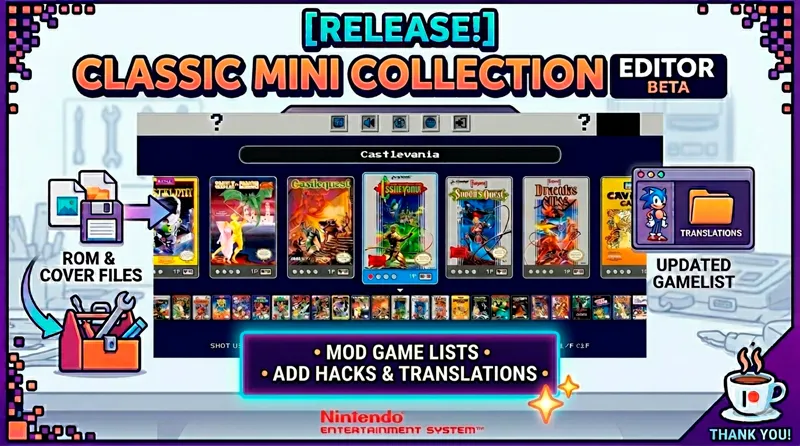



[Release🔥] Tool to add games/hacks/translations or edit current gamelist on your Classic Mini Collection!
With this new tool (compatible with all current Classic Mini Apps), you will be able to edit and curate your gamelists, add ROM hacks, translations, homebrews, and more!
🚩 IMPORTANT:
Future updates of Classic Mini apps will not require this tool, as they will support direct drag-and-drop for ROMs and covers!
HOW IT WORKS
Step 1: Select the folder containing the Classic Mini App you want to edit.
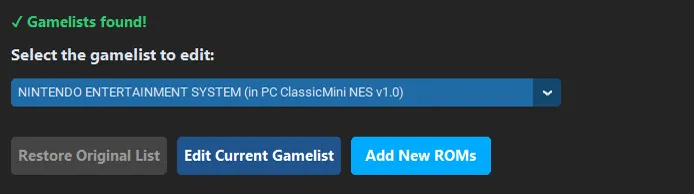
Step 2: Select the gamelist you wish to modify.
The dropdown will be available when there's more than one gamelist available to edit (SNES, SEGA and Game Boy)
From here, you can edit the current gamelist (to remove games you don't want) or add new ROMs directly.
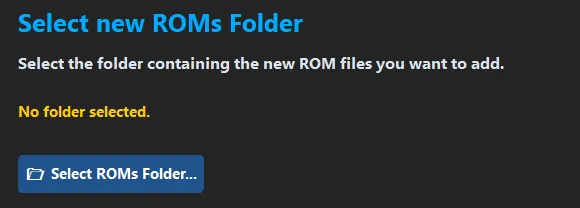
If you click the button ADD NEW ROMs, you will be presented with this screen where you will be able to select the folder where you have the new ROMs.
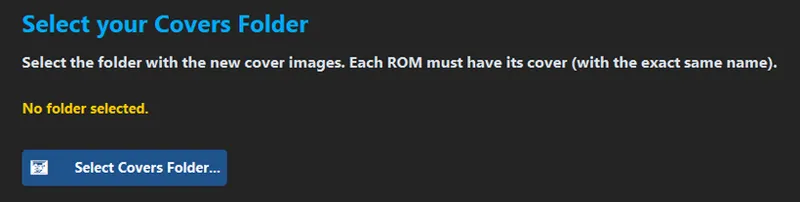
After selecting the folder with the new ROMs, you will select the folder that contains the covers for these new ROMs (you must provide the covers with the correct names).
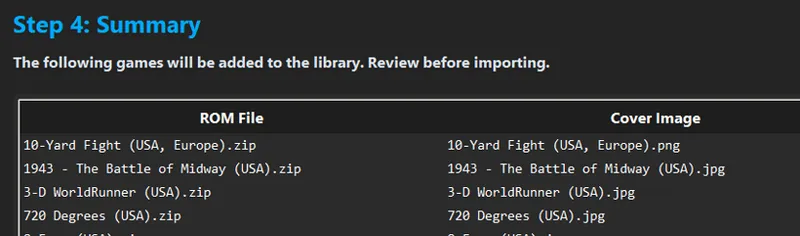
In the final step, you'll be presented with a summary of the ROMs and the covers that will be imported, if there are missing covers (or they are wrongly named) you will be notified and prompted to add/fix those images before proceeding (you will be able to import games without covers, but that's not ideal).
Once you accept, the app will move the files to the correct directories and update the configuration files so the new games appear in the main GUI.
If you make a mistake, you can restore the main gamelist in Step 2. This restores the gamelist text file as it was previous to the operation.
_____________________________________
Let me know if you have any questions!
Remember that a coffee ☕🍰 is always appreciated 🤗!
*Supporters in higher tiers receive priority support and can send me direct messages for assistance with this or any other emulation related topics.
See you in the next post, stay awesome!
Comments (5)
Esta genial esta herramienta, solo deberías agregarle dos pequeñas opciones, la primera que te de la opción de elegir el Core de retroarch con cual quieres lanzar el juego agregado, esto porque hay hacks que funcionan en cores específicos. la segunda opción es agregar archivos .exe de juegos. hay muchos juegos nuevos de consolas retros que traen la ROM y también ejecutable nativo. de resto esta genial. eres el mejor. (Ah por cierto, esta herramienta no es compatible con la versión mas reciente de clissic mini Nes que lanzaste, ya lo intente y no reconoce el nuevo orden de las carpetas. )
Hola Robert! las versiones recientes de Classic Mini ya no requieren esa herramienta. Como se indica en las últimas actualizaciones ahora basta con copiar las ROMs en la carpeta de juegos y listo. Además, en estas nuevas versiones puedes cambiar el core simplemente editando un archivo de texto. Mi recomendación es que, conforme vaya lanzando las actualizaciones de la colección, migres tus ROMs y carátulas a la nueva versión. Quedo atento por si tienes cualquier otra duda. ¡Saludos!
Ah ok
I have a problem on login of GBA/GB/GBC frontends, i Need enable download manager
Already informed, please check the feed. (latest posts).