

How to Create Your Own Main Menu & Loading Screen for The Sims 4 - Tutorial
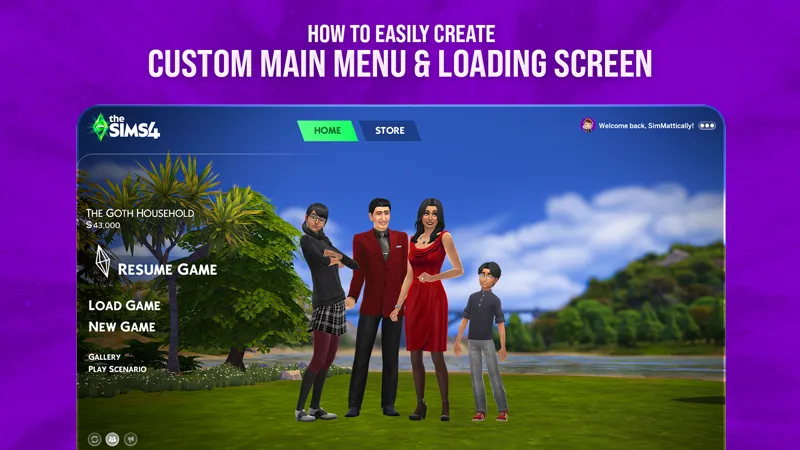
This tutorial will walk you through creating your own main menus and loading screens for The Sims 4 using my mods and the Background Pack Generator.
What you'll need:
• Refreshed Main Menu 3 or New Refreshed Loading Screen (depending on what you want to make)
• A raster graphics editor (Photoshop, GIMP, Photopea, etc.)
• Access to my Background Pack Generator – right now it’s available to members of supporting tiers due to server costs, but I’m working on a free lite version with some limits.
Step 1: Prepare Your Images
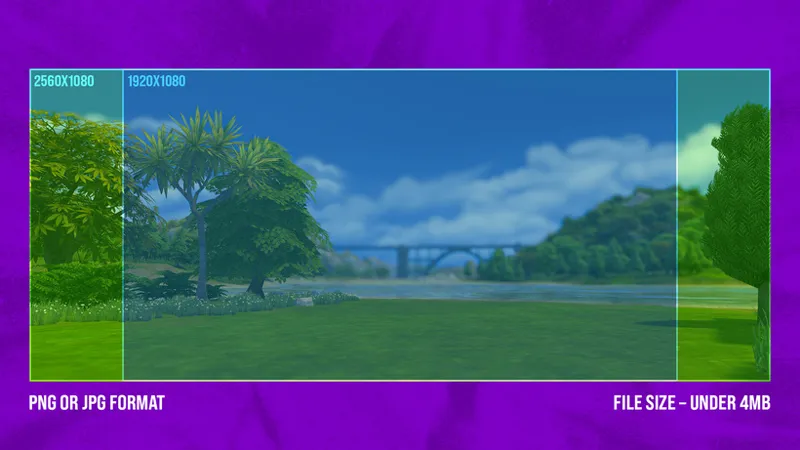
Your files must meet these requirements:
Resolution: 1920x1080 or 2560x1080
JPG or PNG format
File size under 4MB
Step 2: Start Work with Background Pack Generator
Click HERE to access the tool.
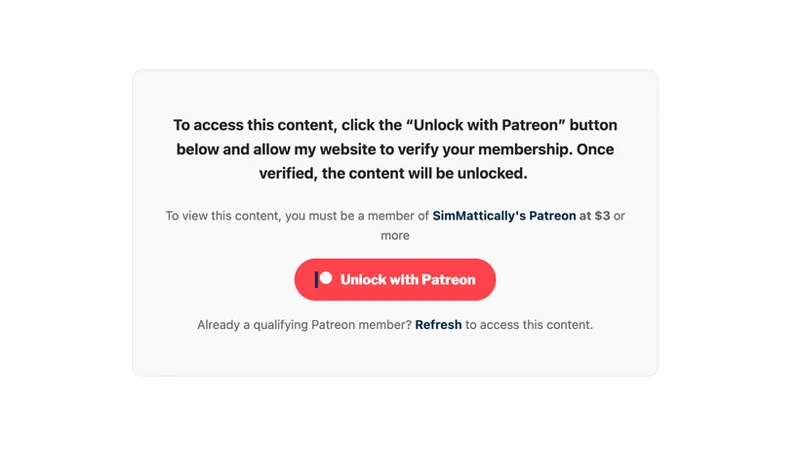
If you aren’t signed in, you’ll see a message explaining what’s needed to verify membership.
Click Unlock with Patreon and sign in. As mentioned, the tool is currently limited to supporting tiers, but a lite version will be available later.
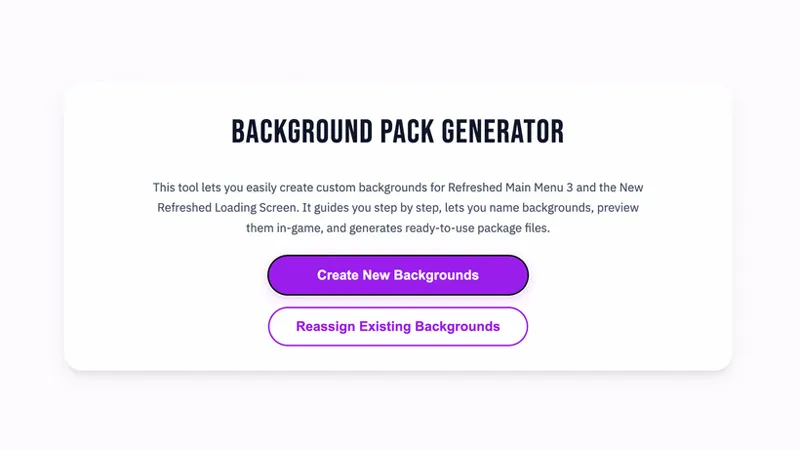
Once you’re logged in, you’ll see the welcome screen. Choose Generate New Backgrounds.
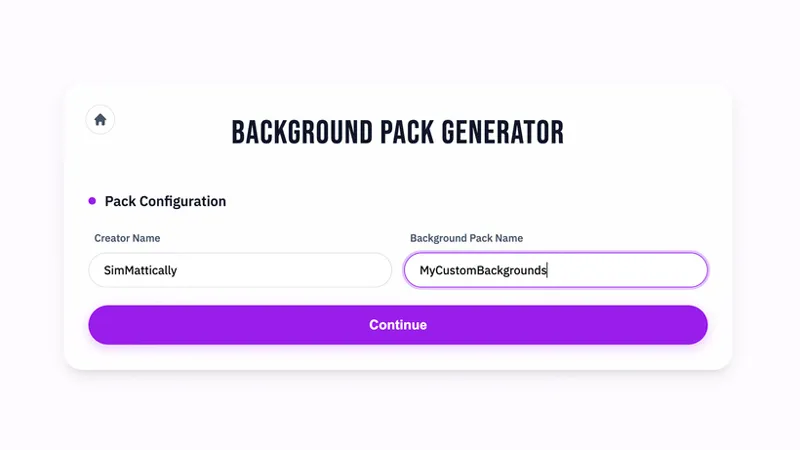
In the next step, you’ll be asked to type in your basic info, which is used in the file name and to make your files unique. Enter your Creator's name and the name for your Background Pack – it can be something generic or theme-based, whatever you like.
Click “Continue.”
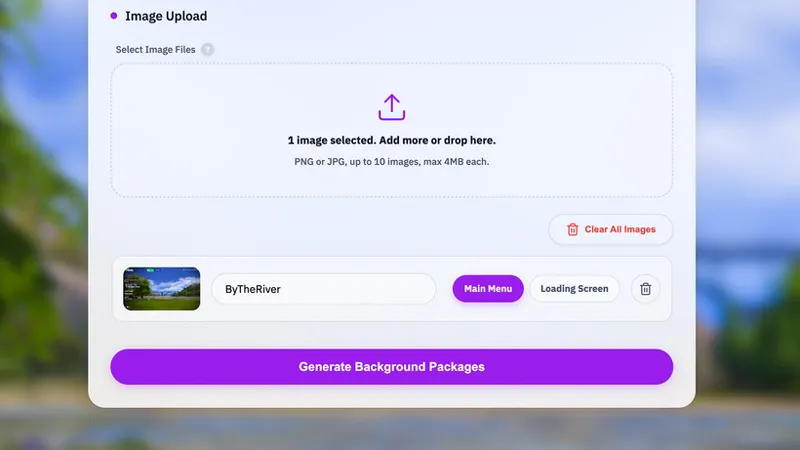
Then you’ll be able to select or drag and drop your custom images.
You can upload up to 10 images in one batch.
Step 3: Set How Each Image Is Used
After your images are added, you’ll see settings where you can decide if each one will be used as a main menu background, a loading screen background, or both.
You can also rename the background if the current file name isn’t something you want in the final output.
To preview how the image will look in-game as a main menu background, click the thumbnail of your image on the left.
Once everything is set the way you like it, click “Generate Background Packages.”
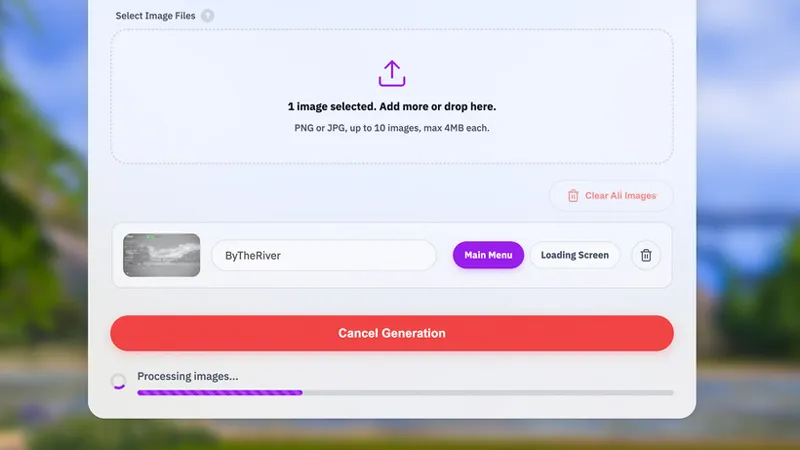
Any images that meet the requirements will upload to my tool, which will then generate your files.
Upload time depends on how many images you selected and your internet speed, but the actual generation process always takes about a minute, no matter how many images are being processed. The progress bar will show you how close you are to the end.
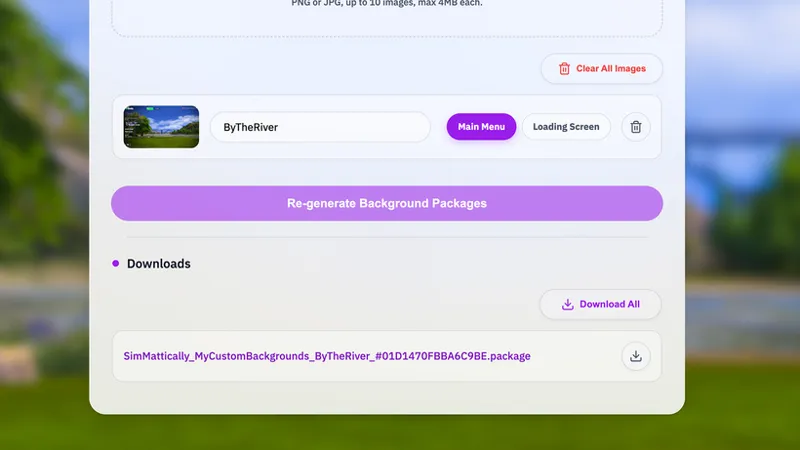
Once the images are ready, they’ll appear at the bottom as a list. You can download each file individually or click “Download all” to get everything in a single ZIP file.
While it’s good practice to follow the assigned template for file naming, you can rename the final files however you want.
The only important thing is to keep the ##, #, or $# symbols and the numbers at the end, since that’s how my main mods know how to use the backgrounds.
That's it! Enjoy!
_________
IMPORTANT INFORMATION:
Main menu overrides can become outdated with some game updates and break the game.
With the custom method my mods use now, you WON’T have to recreate your custom backgrounds after updates.
You DO have to make sure you’re using the latest version of Refreshed Main Menu 3 or New Refreshed Loading Screen, if something breaks after a patch.
The background files themselves should be completely immune to game updates and can stay as they are. You can also share them with other people to enjoy (as long as they have Refreshed Main Menu 3 or New Refreshed Loading Screen installed).
Comments (25)
Hey thanks a lot for this !!! I love it ! Just a quick question, it works amazing for main menus but my loading screen doesn't work, I just have the blue one from the game instead. If you could help me I would be so grateful ♥
I got everything working just fine. Thank you. 😊 Your mod is amazing !!! Sorry, I can't find my old comment to delete it when I needed help 😭😭😭
Okay these resolution rules are stupid can you update them at some god damn point i am angry
nvm that was rude but could you please upload the preview you have in the thumbnail its nice ;)
This is great! Can you do this same thing for splash screen? I can't find medieval splash screens anywhere so I need to make one 😭
After a press generate background it keeps saying failed after it loads, I followed the instructions and my image is a png and the resolution is 2650x1080, is there anything else I can do to make this work?
Make sure you have no browser plugins that may interfere with the tool. Any type of content or ad blocker might stop it from working correctly. I am working on a much faster and more reliable version of the background generator that will be released very soon!
Hi Matt! At last, I bought a membership to try this tool. After a few attempts, I'm good with main menu backgrounds. I have a question, though, and I'm sorry if the tutorial has the response, and I just can't understand. Can I have both the main menu background and the loading screen? I assigned a couple of the backgrounds, both background and loading screen, but the loading screen I see is the default game's. One thing I noticed is that it would not work with your wonderful animated loading screens, including the newest Christmas one. Thank you for your time to respond.
Hey! You need the base mods files: Refreshed Main Menu 3 and New Refreshed Loading Screen. These will allow the custom backgrounds from the generator tool to load and appear in their respective screens in the game. You can use both main menu and loading screen, but you can’t mix them with the other animated backgrounds – they’re standalone mods.
Wow Thank you!
Is it possible to use this tool to convert an outdated loading screen for personal use? A couple of my favorite loading screens broke recently and the creators are not active anymore
Yes, but you’d need to extract the background image from that outdated mod. You’d have to find an old tutorial on making custom loading screens with Sims 4 Studio and JPEXS, then use those programs to open the old mod and pull the image from it. Then you can use my tool to convert it into a background compatible with my mods.
OCTOBER 2ND, 2025 UPDATE The old repository has been updated to guide you on how to use the new Background Pack Generator with my Refreshed Main Menu 3 and New Refreshed Loading Screen.
Thank you you’re amazing
Can u please do one for the new main menu i really wanna try it for myself
Broken since update today. x:
how you to do it without your Template ? I'm curious
Hi, sorry to bother you, but will you still update this tutorial for the latest version of the game?
does this need an update? cause my main menu is a bit bugged and i dont know how to fix it :D
Yes, I need to update it! I will push an update once it’s ready! :)
hello , do you know how to share this purple background please? <3
can we use this to add our own backgrounds to your mod?
No, this repository is separate from my other mods.
Seriously amazing!! Thank you so much!!!!!!
You’re such a boss for this! Thank you! Definitely going to create my own!