
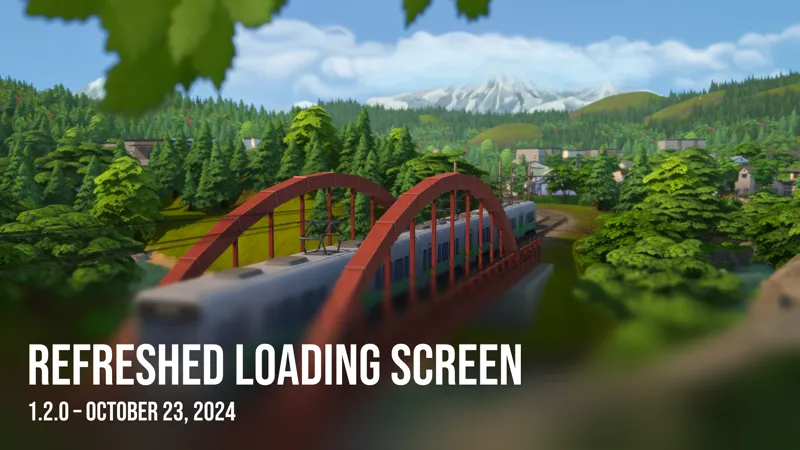
Refreshed Loading Screen - v1.2.0 [PUBLIC]
Many customizable layouts, a true loading bar, and the same unlimited custom backgrounds system – that's the New Refreshed Loading Screen.
Check it out at the link below!
Comments (25)
I'm sorry, but has the file been removed?
Yes the Modder unfortunately remove the file and i wish Modder's would stop deleting older versions of mods and just archive them instead
hey i was wanting to know if you could use a plum bob override for this mod
i love the loading screens. but i want the loading screen tips. i love reading them when bored. and if you could change the plumbob into the new rendered version.
Idea/Suggestion - Could this be made dynamic to use with your new custom main menu background generator? If not, understandable. Your work is spectacular regardless! :)
This is definitely on my roadmap for the next few months!! 👀
Hi, brilliant work. Loving my game more with this. Will you be adding more images to this from the new pack?
I just randomly stumbled upon your animated train loading screen and have had that in my game for a few days. Now I think I need this one. What can't you do?!
Thank you 🥰
HEY!!!! are you going to update the mod ????
HEY!!!! have some dang manners.
I believe that today's patch, 1.110.265.1030 broke the plumbob for the loading screen, it's been glitching on my game.
I'm having the same problem, and not only with SimMattically's way awesome one, but all loading screen mods I have.
Hi! I was wondering if you could tell me how you were able to move the plumbob into the corner as I want to create my own loading screens but I don't know how to remove the plumbob so I would rather it be small and not centered. If you can't tell me its all good!
"Warm Vibes" ← Love it! 🥰
I Lov This Mod!!!!! I find myself just watching the screen enjoying the view. And at times, picking a spot and perusing it more deeply. Thanks for this!!!
I love it, it's revolutionary! I'm going to download this anyway, is it possible to change the backgrounds depending on where you want to travel? For example, if you travel to Willow Creek, a background of Willow Creek would appear, and if you travel to Oasis Springs, a beautiful background of Oasis Springs appear. Is it possible to do a mod like that in future? I'm looking forward to more of your awesome content!
Thank you! As for your idea, I wish I knew how to do this! I am not even sure if it's possible.
hi, how do I actually add these into the game? I'm new to modding and have zero clue - thank you, this is really great
Thanks :) long story short – download the .package file from the post and put it into your Documents/Electronic Arts/The Sims 4/Mods folder. Then in your game, go to settings and turn on custom content and mods. More detailed tutorial is here: https://www.ign.com/wikis/the-sims-4/How_to_Install_Mods
edit: RESOLVED Sorry to bother you, but on my screen (2560x1440) the zoom-in effect is different than in the post: the image is becoming smaller with transparent sides. (At the start it properly fills the whole screen, it's only after the zoom-in effect starts that I have the black/transparent sides) So during most of the loading, the sides are black but toward the end, when the game is almost ready, I can see the game loaded behind the loading screen on the sides. Sorry if it's very unclear, but I don't think I can send a picture on Patreon (understandably)
Hey! I see the issue. I will work on it ASAP. Thanks for letting me know.
Sooo very nice!!
those are great, thank you! do you considering making an option to leave just of them, so that they're not randomised all the time?
Thank you! I will think about other options. :)