

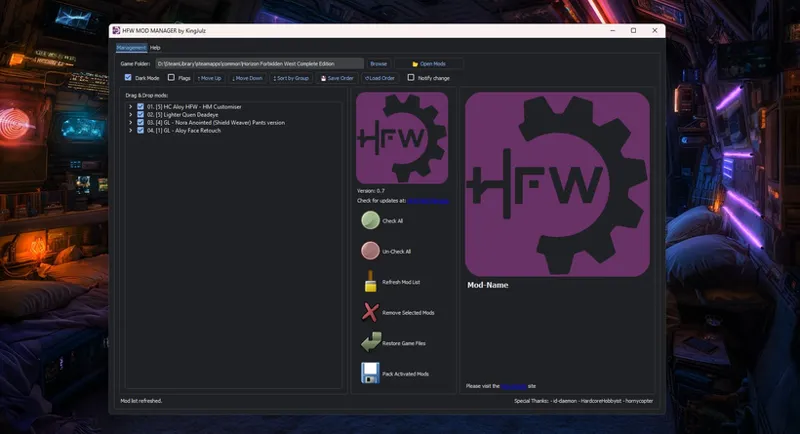
Horizon Forbidden West Mod Manager 0.7
Taking into account the instability of previous MM versions, I would like to ask you:
Does the latest version (v0.7) work for everyone, or does it still crash on some machines?
If it still crashes or is not working for some people, do you want me to show an alternative way how to install those mods without Mod Manager?
Are all functions of MM v0.7 clear, or shall I make some video review/tutorial on new features?
Write your answers/thoughts down below in the comments ⬇️
Comments (6)
Hmmm... It doesn't seem to work for me, removes the package.20.01.core.stream file. Do you have a manual method/guide somewhere?
That's normal. It will remove all files from "ar" and then put back only package.20.00.core.stream. If you need manual method you can check it in the support chat.
How do i update the modmanager ? Do i just install the new Version or do i have to delete the old version first.Everything works for me now but i dont want to break the game by updating the manager
The main steps to avoid breaking the game during MM updating: 1. The first and the most important, before updating, open your current Mod Manager and click few times "Restore Game Files" button. 2. Then you can close your current MM and delete all files in its root folder (by saying all files in root folder I mean all files which are stored in the same folder with HFW_MM.exe. 3. Unpack your new MM version to the same folder where old one was resting (recommended, but not crucial). 4. Run new MM and set up your game path. PS: normally your current mod list will remain the same, because MM keeps pre-installed mods in the separate folder, i.e. Horizon Forbidden West Complete Edition\mods For troubleshooting purposes, if you will have issues with old mod list you can always clear it manually by deleting files from Horizon Forbidden West Complete Edition\mods
Agreed. Manual is better.
manual install always better