
















PineCreek Save File V 1.0
**this is an outdated version please download the new version from here ⬇️⬇️
https://www.patreon.com/MichySims/posts/171553773?utm_campaign=postshare_creator
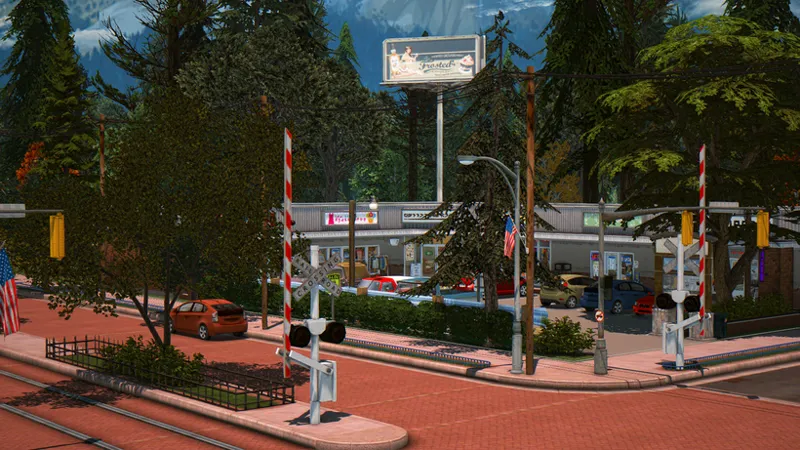
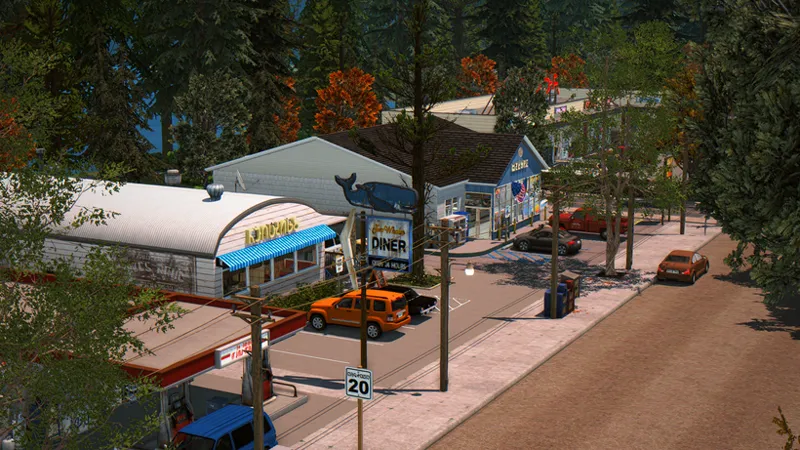
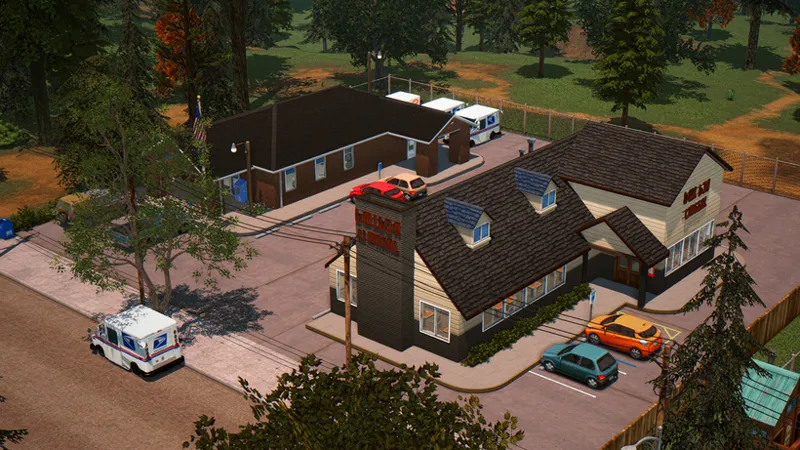
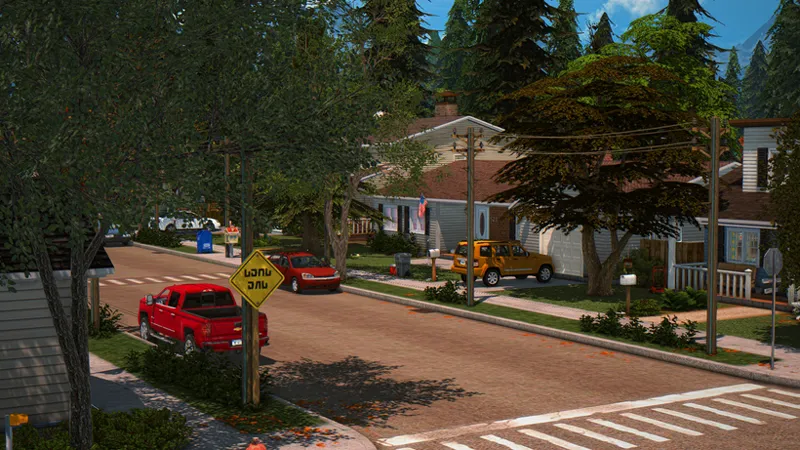
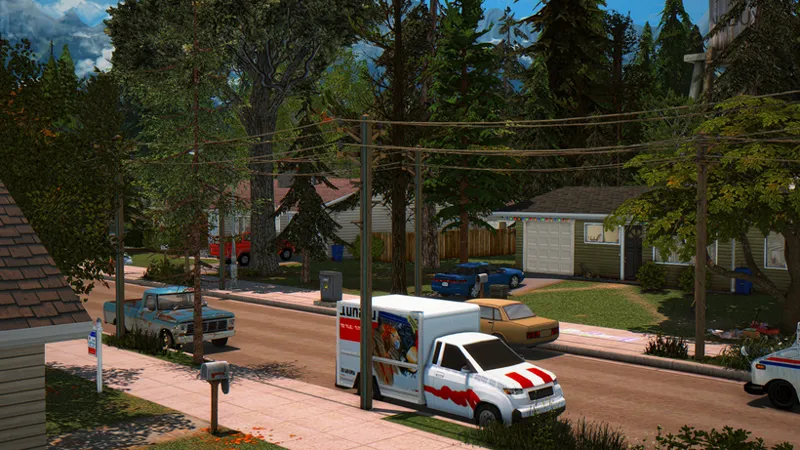
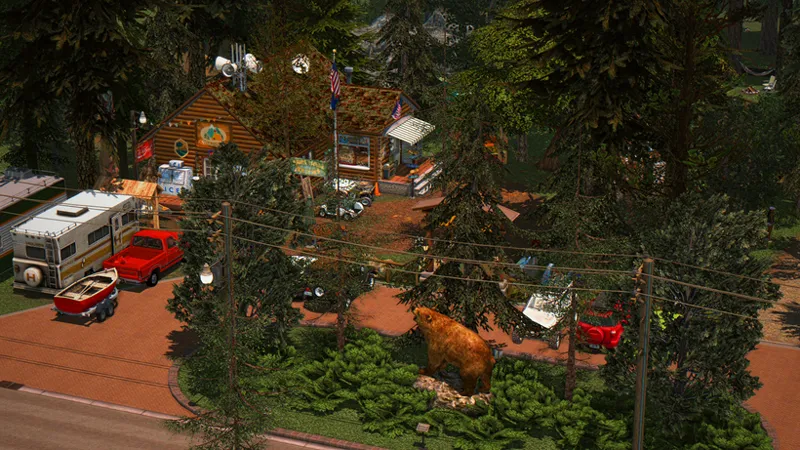
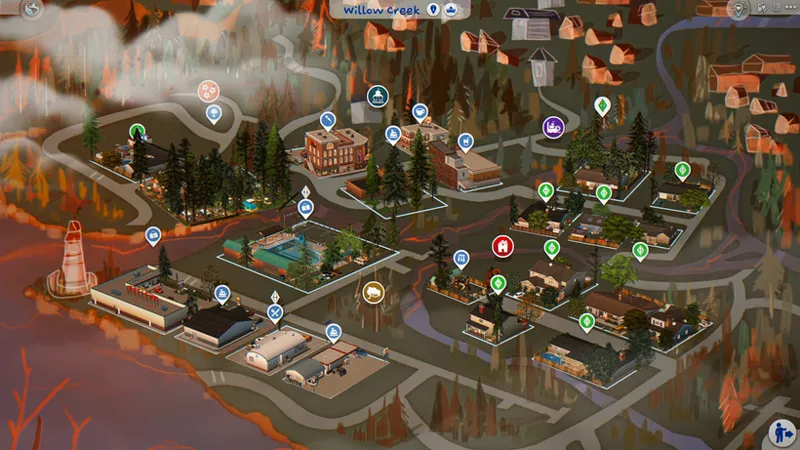
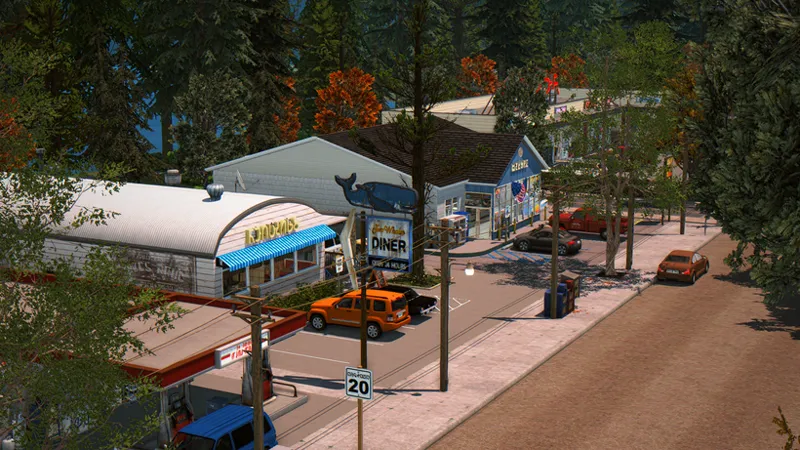
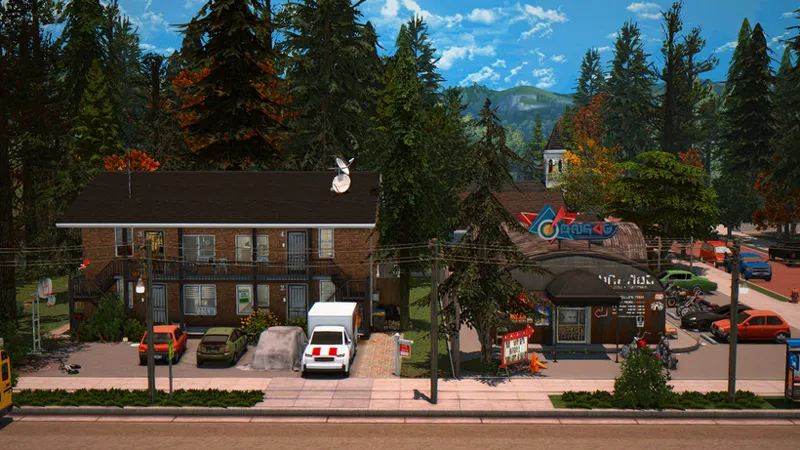
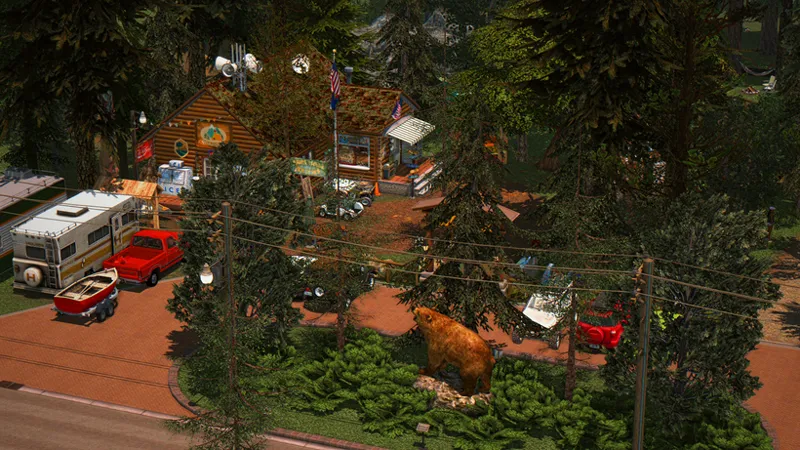
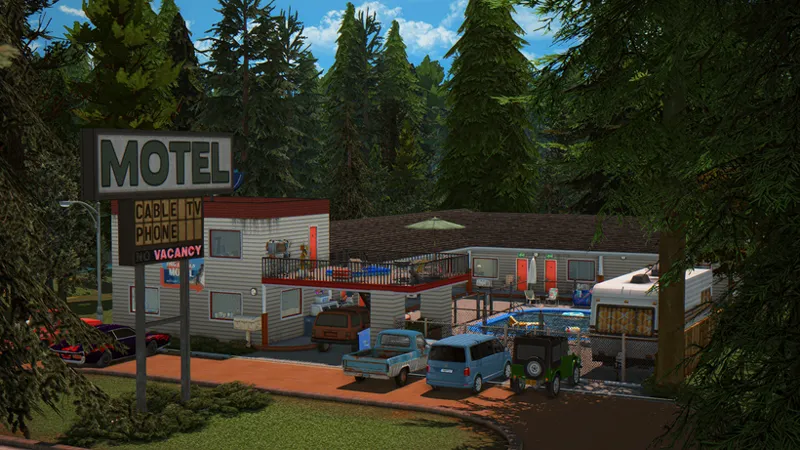
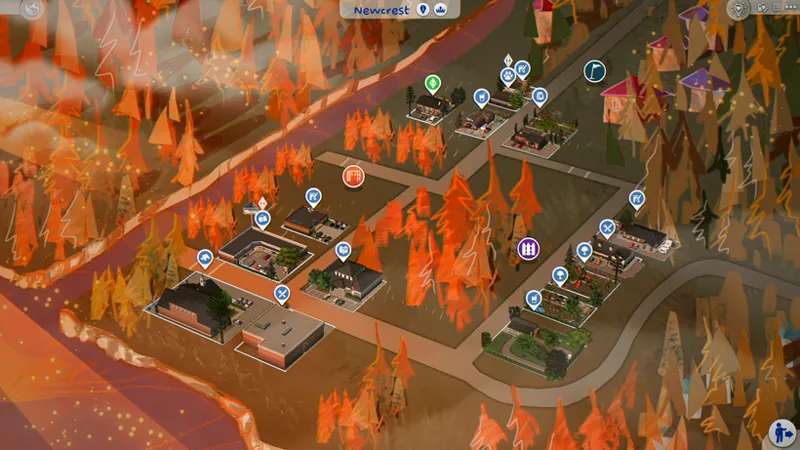
The PineCreek save file v 1.0 is finally here the wait of nearly two years is over. Let me tell you a bit more about this small town PineCreek. It is made up of two worlds, Willow Creek and Newcrest. The save file is inspired by small towns in the United States specifically the Pacific Northwest, with a touch of the Midwest. While PineCreek is a fictional town, it draws from real life small town references. It comes with 11 playable families that already have established relationships, careers, and preferences (likes and dislikes), as well as interconnected backstories within the town; however, if you prefer not to use these families and add your own instead, that is perfectly fine.
GAMEPLAY
To add more depth to this save file, I took the time to create a custom calendar with various holidays that give the world much more personality, and I set up several clubs that many of the households in the save are already part of. Regarding packs, I own all the expansion packs, game packs, and most of the kits, meaning all that content is used in this save file. However, you can still play the save even if you don't own every pack though some content will be missing. The packs I most highly recommend and which would have the biggest impact on your gameplay if you don't already have them are:
Seasons
Get to Work
Get Together
Get Famous
Cats & Dogs
High School Years
Eco Life Style
Growing Together
For Rent
Businesses and Hobbies
Adventure Awaits
Dine Out
Spa Day
Parenthood
Movie Hangout
Spooky Stuff
Bowling Night
Laundry Day
Bust the Dust
Bathroom Clutter
Everyday Essentials
Basement Treasures
Cozy Bistro
Kitchen Clutter
Restoration Workshop
Music Den
Golden Years Kit
Casanova Kit
This save file is a massive project that has taken me an incredible amount of time almost two years of hard work. I personally created every single one of the builds, as well as all 11 families and their storylines. Because of the immense dedication and effort put into building this world from scratch, the save file itself is launching with a two-week early access period. After those two weeks, it will become available to everyone for free.
A huge thank you goes out to all the amazing CC and mod creators this save file truly wouldn't be possible without them!
I also want to give a special shout-out and credit to some incredible save file creators who gave me a ton of inspiration to finally build my own world: Wolfxdreamersims, Cosmo Sims, Folkling, and Hallwayheart. Thank you all so much for inspiring this project!
📂 Custom Content & Download Info
To respect creator guidelines and keep things organized, the CC used will not be posted here. Instead, it will be shared completely free for everyone in the next post (the public release post) covering both Build/Buy and CAS items.
Build/Buy CC Size: The folder is roughly 18GB. To prevent download overloads and errors, it has been split into multiple parts.
Already a follower? If you have downloaded my builds before, you likely already have most of this CC in your game.
High School Years CC: I have separated the CC for the High School and auditorium into an optional folder. If you don't own the High School Years expansion pack, you can simply skip downloading this specific folder.
⚙️ Organization & Compatibility
Highly Organized: The CC and mods folder is neatly sorted.
My game still runs with DX9, and if your game runs with DX11, this save file may not be compatible with your game. You'll have to switch your game to DX9 to use the save file and avoid any problems.
⚠️ A Quick Note on Bugs
Since this is my very first time sharing a save file, I don't expect absolute perfection, though I have put an incredible amount of effort into preventing issues. Because it uses a heavy amount of CC and mods, there is always a small chance something might break, so please keep that in mind as you play.
While playtesting on another account, I noticed a couple of harmless visual quirks you might run into:
Random Trees in CAS: When you enter Create-a-Sim (CAS), you might see some trees hanging out in the background! This is likely because I used the TOOL mod to place a heavy amount of trees around the map. Weirdly, they didn't show up in CAS on my main game account, but they did on the test account. Don't worry it does not affect gameplay or break other save files at all; it's just a funny visual glitch.
The Empty Worlds Mod: I am using a world-override mod by Awingedllama that hides default world decorations and debug items to make Willow Creek and Newcrest completely empty. Please keep in mind that this specific mod will affect all your other save files in those two worlds by hiding their background decor too.
Harmless Last Exceptions: Because of how that empty world mod alters the game maps, you might occasionally get a Last Exception error when traveling to certain lots. I tried my best to fix it but couldn't completely clear it out. Fortunately, it is completely harmless, doesn't break anything, and won't affect your gameplay experience!
Thank you so much for your amazing support, and I hope you love exploring this world!
🚨REQUIRED MODS NOT INCLUDED 🚨
Cepzid Super store Mod Pack, Arcade mod pack, Lets Get Fit, Carnival
Cherisi Grocery set, purchase outfits mod, Dressing Room mod, Movie Theater set
More Traditions by Lunarbritney, Littlmsam, KiarasimsMods
K-Hippie 505 Terrain Override (mainly so that the terrain blends in with the builds and doesn't look odd)
Recommended mods: This means they are not essential for the save file but add more immersion and gameplay.
S&S Realistic Cooking Mod Simlish Version, microwave foods, pressure cooker
Lazysimmies - Animated Deco sims
Lot 51 Flicbuster, Plum Telephone Co, Doorbell, Sunrise
Utopia pool table, Twister Mod, Volleyball
Cherisi High School set, Stadium, Lively Park, winter wondering NPCS
Bakiegaming animated reptiles iguana (for high school Iguana)
🌲🌲PINECREEK🌲🌲
Welcome to the small town called PineCreek. Located in the middle of a forest full of natural beauty as well as cunning scenes and home to friendly locals with an approximate population of 1,500 Sims. In this old humble town every Sim is as welcoming as the next and you can bet yourself if you're into the outdoors or simply like to be away from the chaos of the big city. Then you will definitely like this place and everything it has to offer!
📥 Downloads & Installation Guide
Click the links below to download the mods and custom content included in this save file. Don't forget to download the save file itself as well! ⬇️⬇️
🛠️ How to Install the Save File and Mods
Step 1: Install the Save File (.save)
Download the file: (000000.save)
Locate your Electronic Arts folder: Go to your computer's file explorer and navigate to:
Documents > Electronic Arts > The Sims 4Move the file: Open the folder named Saves. Copy and paste your downloaded .save file directly into this folder. (Make sure not to put it inside any subfolders).
Step 2: Install the Custom Content & Mods
Extract the files: Unzip the downloaded CC/Mods folder (since it is a large file split into parts, make sure to extract all parts).
Locate your Mods folder: Go back to your main game directory:
Documents > Electronic Arts > The Sims 4Move the files: Open the folder named Mods. Copy and paste your new CC folders directly into this Mods folder.
Step 3: Enable Mods in Your Game Settings
Launch The Sims 4.
Go to the Game Options menu and click on the Other tab.
Check the boxes to Enable Custom Content and Mods and Script Mods Allowed.
Apply changes and restart your game.
⚠️ Important Disclaimer & Compatibility Note
Before downloading, please take a moment to read these important notes regarding game updates and pack requirements:
Game Version: Please note that this save file is not updated to the latest version of the game. It was built on a previous patch, so ensure your game settings allow for older save compatibility.
Missing Expansion Packs: During playtesting on a separate account, I discovered that if you do not own the specific expansion pack required for a certain lot type, the game will automatically delete the build and revert the lot back to default. For example, if a lot is set as a Café and you do not own Get Together, the building will not appear in your world.
🛠️ The Solution: Tray Files & Manual Placement
To make sure nobody misses out on these designs, I have come up with a solution!
Tray Files Folders Included: I have added a separate folder containing the individual Tray Files for every single non-Base Game build in this world.
How to use them: If a building is missing from your map when you load the save file, simply copy those specific Tray Files into your own game's Tray folder (Documents > Electronic Arts > The Sims 4 > Tray). This will put the building directly into your personal in-game Gallery!
Placing the Lot: Inside the save file, that missing lot will show up on your map as an empty, "Generic" lot type. You can simply click on the empty lot, enter Build Mode, open your Gallery, and manually place my build right onto it. From there, you can change the lot type to whatever pack options you own or prefer!
➡️✨✨SAVE FILE CC AND MODS FOLDER✨✨
Comments (42)
the best save file I ever had!
MICHY! i do NOT play this game. but this save has inspired me not only to actually PLAY but i even made a video using it, and WILL BE making a story from within Pine Creek. thank you so much for sharing. i love it.
This is actually epic
ahhhh can't wait to download!!
hii i just wanna say i just downloaded your savefile and it is so gorgeous —i love loveeee it so much. Thank you for sharing it with us! The world is so detailed theres no area that im snooping in on that isn't full of nature and every home is so detailed and feels super lived-in. I love how authentic everything looks! I'm living my pnw dreams through here lol. It also runs really smoothly and after downloading everything I havent into any problems!
I'm so happy to read that I'm glad to know that you're enjoying the save 💖
thanks so much, this save file is amazing - do you have a link for the world map override?
You are welcome you can get it from HERE https://www.patreon.com/simniora/posts/newcrest-map-161339848?utm_medium=clipboard_copy&utm_source=copyLink&utm_campaign=postshare_fan&utm_content=web_share and HERE https://www.patreon.com/simniora/posts/willow-creek-map-160175029?utm_medium=clipboard_copy&utm_source=copyLink&utm_campaign=postshare_fan&utm_content=web_share
If anybody is getting "failed to load game" when traveling to the diner, you can fix it by deleting the coloring placemat on the table (next to the corner booth, near the front).
yesss i’ve been waiting patiently for two years !! 😭😭♥️♥️
Hi! I’ve been playing in your save file for a while now and I’m completely in love with it. The only small issue I ran into was that one of the lots wouldn’t load in live mode, though it loaded fine in build mode. To fix it, I temporarily changed it to a generic lot, and it worked perfectly! I love your work so much that I'm actually taking all your previous builds and adding them into the other worlds while expanding on them. You did an amazing job I’ve loved your work ever since I found you a while back. Also, I'm playing on DirectX 11 and the performance is absolute perfection. Thank you for such an incredible save file!
Thank u so much I’m glad you’re enjoying the save file 💖
Hii so excited! Would those marketplace contents that I dont have prevent them from opening the game by any chance? Having infinite loading screen in some houses Dx
I’m not sure what can be causing the infinite loading screen because every build works fine in my game but looking at different ways to help everyone
Hi! I downloaded your save file and installed all the mods/CC you listed. I also have all the Sims 4 packs used in the save. However, when I enter some lots, especially community lots, the game says that I’m missing content and removes a huge amount of objects from the lot (sometimes over a thousand items). I’m not sure why this is happening since I have all the required packs and CC. Do you know what might be causing this?
Hi make sure to also download the cc from this post since all the cc used in the save file is in the post https://www.patreon.com/MichySims/posts/170550722?utm_campaign=postshare_creator
Hello, unfortunately 4–5 of the lots I tried on the map aren't loading. I normally use DX11, but since you mentioned using DX9, I first checked the build files with Sims 4 Studio. Even after deleting the indicated files, they still wouldn't open. Then I switched my game to DX9 and tried again, but I'm still getting the same issue. 😭
Sorry about that; it turned out the problem was actually caused by a script file I downloaded for my 'mods' folder today. I’d also like to mention that I absolutely love the save file you shared; I wouldn't have known what to do if it hadn't worked for me.
I'm loving this save file SO much you have no idea. I am unfortunately getting constant BE reports that interrupts gameplay. utilities\logging\version_handling.py\version_handling.py REASON: [manus] dynasty_service failed to handle on_all_households_and_sim_infos_loaded due to exception (RuntimeError: dictionary changed size during iteration)
Hi I’m sorry that’s happening to you can you by chance send the LE report so I can take a better look at it
Hi, sorry to bother you, (I absolutely love your save file btw, thank you so so so much its gorgeous), but when I go to Newcrest/Willow Creek world, they dont show up like the fall colors as shown above in your pictures? They look like the standard base game map, but everything shows up fine once I enter a lot. I wasnt sure if I was missing something/it was my error or a patch issue. Thank you!!
Hi! I’ve tested the save file and I love it so much, everything is so pretty! However, I’ve been dealing with an infinite loading issue from time to time when I try to play with the households. All my mods are updated, by the way! Just wanted to let you know about it since the issue can be pretty annoying!
Hi, thank you so much for letting me know. One question, is your game running on DX9 or DX11?
I can’t find lot that have office and tv station in the tray file folder or you just change the file name?
I'm so sorry, I don't know how I forgot to add that build, but don't worry, I've already attached it to this post. ⬆️⬆️
the save isn't showing up even though its only in my saves folder not any deeper, is there anything else I need to do??
Hey did u place the save file inside the sims 4 save folder?
Hey! I love the savefile it's all you could ask for! I noticed that some worlds like nordheaven have the original sims but the lots are missing, do you know why could that be? i have all the expansion packs except coach
Hi, I manually deleted all the builds that weren't from the Pine Creek world. This was mainly to help the game run more smoothly and avoid overloading the save file. I think I missed some worlds, but I deleted most of the builds in the save file that weren't related to Pine Creek.
Heyy! I just wanna say I love love your save file. I’ve always loved all your buils and have used some of them but this just blew my mind. Every body is so pretty and the household Info for each sim makes me wanna play rotational and know more of them. The national park looks incredible and I had so much fun! Thank you for your hard work and all the time you put in this file, it’s literally perfect!
I'm really glad to read that, and it makes me very happy that you're enjoying the save file.💖💖
Hola! Tengo un problema, al tratar de jugar con una de las familias entra en una pantalla de carga infinita y se queda ahí, suena la música que suena cuando acedes a la unidad domestica pero no sale de la pantalla de carga. Es algo que no pasa en mis otras partidas, si a alguien le pasa y lo ha arreglado lo agradecería.
hola se podria saber cual de las familas es la que esta dando problemas?
tysmmm
Never bought subscription this fast 💖
I'm so excited for this Michy!
Which Kiara traditions mods I need?
Traditions by kiarasims if you have season expansion pack
Yayy! Thanks so much for this Michy. Do you have all of Lazysimmies animated deco sims in the save file?
ofice animated decosims,seated animated decosims, library animated decosims, beauty salon animated decosims, restaurant and cafe pt1 and pt2 animated decosims, animated decosims pt1,pt2,pt3, and retro arcarde animated decosims
IM SO EXCITED!!!!
Yayyyy!!! Ive been waiting for this! I have a question though. Is your early 2000s tuscan build in this world? If not where did you have in mind for it to go?