
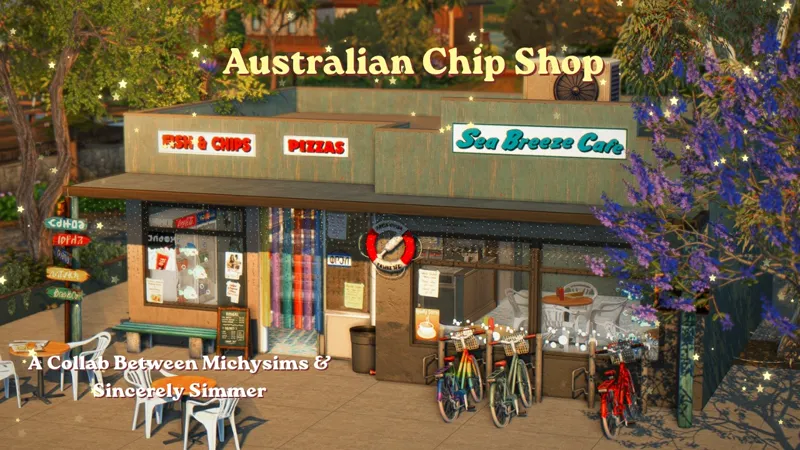


Australian Chip Chop! ✨ || The Sims 4 CC Speed Build
I built a chip shop in collaboration with my Aussie friend Jasmin @Sincerely.Simmer 💖💖 She made this beautiful set, which is available for download on her Patreon account also cheack her Youtbe Channel , so run to her page and download the set. She also has other beautiful sets available for download. She also makes beautiful builds. The shop is available for download, but it doesn't include her new set in the download link, so you have to go to her page. And thanks again, J, for giving me the opportunity to create this build. I had a lot of fun making it, and I also learned more about Australians, hehe.
⚠️BEFORE YOU PLACE THE BUILD DONT FORGET TO ACTIVATE THE CHEAT BB.MOVEOBJECTS ON⚠️
✨Restaurant
✨20x20
✨Tray files and Custom Content included in the download file below
✨Gallery ID Michy0113
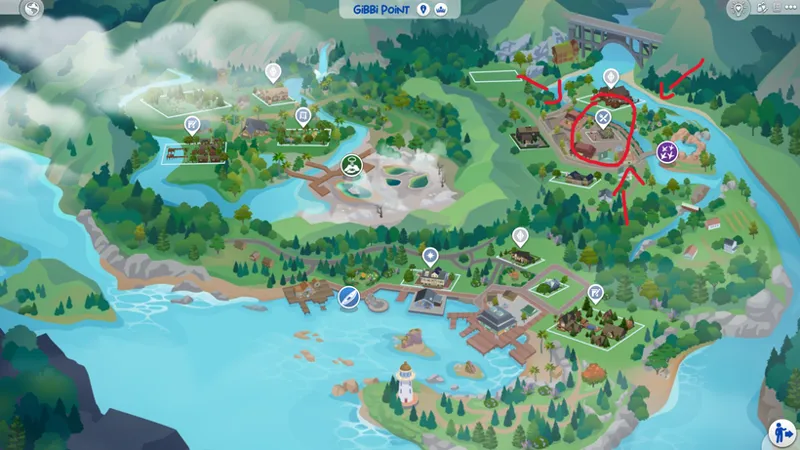
✨Located in Gibby Point but it works on any 20x20 lot
Packs used⬇️⬇️
LOCATED HERE
✨FAQ✨
Gshade preset The Wild Pale Yonder By Virsancte
Cc finds on my Pinterest account (Michysims)
Gallery ID Michy0113
Thank u to all the cc creators
T.O.U Don't claim as your own and do not re upload.
Michysims💖
How to Add Custom Builds to Your Sims 4 Game
1. Select the house or build you want and download the file.
2. Move the Tray files into your Tray Folder (located at: Documents > Electronic Arts > Sims 4 > Tray).
• These files won’t have the .package extension; instead, they’ll end in .bpi, .blueprint, or .trayfile.
3. If the build includes custom content (CC), place the .package files into your Mods Folder (Documents > Electronic Arts > Sims 4 > Mods).
• These files will be labeled as CC/Mods when you extract the download.
4. Open The Sims 4, then go to your Library (found in the top-right corner, represented by a lightbulb icon).
5. On the left side of the Library screen, check the box that says “Include Custom Content” in the settings.
6. Your downloaded house/build should now be visible and ready to use!
🩷🩷Thank you to all the cc creators 🩷🩷
FIND ME ON MY OTHER SOCIALS MEDIA AS MICHYSIMS
Australian Chip Chop! ✨ || The Sims 4 CC Speed Build (YouTube)
Comments (4)
I can't wait for this save file!!
Yesss my sis, you knocked it out the park! Thank you so much ♥
Hehe thank u friend 💖
your buildings are sooo amazing! i can't wait to see your save file