
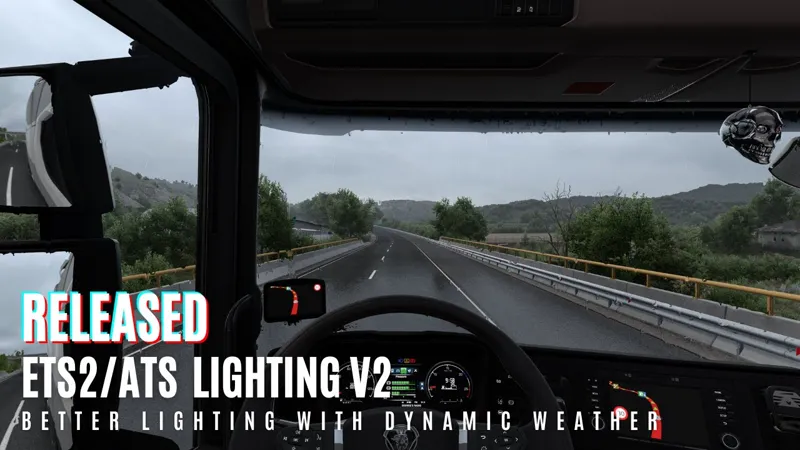
ETS2/ATS Lighting Improvements v2
If Windows Defender blocks dxgi.dll, try this to update Windows Defender database:
Extract files
Right click "defender_update.bat" and click "Run as administrator"
More information: https://www.microsoft.com/en-us/wdsi/defenderupdates
I already reported false positive to Microsoft but it shows nothing detected so you might have old database. You can also report false positive yourself by using https://www.microsoft.com/en-us/wdsi/filesubmission this link
About
This mod provides improved lighting by using ingame weather system and lighting data.
Compared to v1 extreme changes avoided to avoid incorrect results with different weather states and mods. I might make a custom weather system later in the future to achive something similar to v1.
Dynamic snow will be added after changing particles, sounds etc. It would be weird otherwise.
Vehicle reflections, water and night lighting (streetlights, headlights etc) handled by default game rendering system to avoid incompatibility with mods and game updates in the future.
Currently there are no quality settings, everything at maximum or optimal settings.
There are some game settings forced by the mod. Including highest quality setting for vegetation.
If you use medium or high mirror setting, lighting and TAA will be applied to mirrors. To improve the performance you can use lower settings.
Puddles created by using specular data from the game. It is not random, random looks unrealistic. Some regions doesn't have puddles, flat high quality roads like in Germany or most ATS roads. Some game textures make the whole road puddle so to avoid that normal map flatness reduced to 50% for puddles.
You can use weather mods to get better lighting.
If resolution scaling in game settings higher than 100%, set it 100% for higher performance.
License key tutorial: https://youtu.be/abfOoW42BSE
Download : https://snowymoon.io
Report and track bugs/issues: https://support.snowymoon.io
Updates
20/10/2026 - v2.5.10
Added game version 1.62 support, if you see any issue please report it
02/06/2026 - v2.5.7
Added game version 1.60 support, if you see any issue please report it
08/05/2026 - v2.5.6
Fixed a crash issue occurred while attempting to open the plugin menu.
03/05/2026 - v2.5.0
Fixed crash issues and road rendering issues for game version 1.59. Special thanks to Rounak Bhattacharjee and Kenan Imsirovic for their help <3
26/04/2026 - v2.4.0
General version update to keep everyone up to date.
25/04/2026 - v2.3.32
Improvements for rendering roads. This should fix dry/shiny road issues. Also should work fine with PNG/Promods and custom maps. If you try it please leave feedback.
22/04/2026 - v2.3.31
Compatibility improvements for 1.59
21/04/2026 - v2.3.30
Fixed crash issue after new 1.59 update
18/04/2026 - v2.3.29
Fixed flashing issue happening with v2.3.28
18/04/2026 - v2.3.28
Fixed game version 1.59 issues
15/04/2026 - v2.3.10
Added game version 1.59 support and fixed some issues with road rendering
Fixed foliage for game versions 1.55/1.56/1.57
31/01/2026 - v2.3.0 - Fixed rain/snow particles and missing rain drops on windshield for game version 1.58.
29/01/2026 - v2.1.0 - Added game version 1.58 support and fixed some wet road issues (if you see any issue please report in the comments).
18/01/2026 - v2.0.35.19 - Fixed the crash issue after pressing END/CTRL+P to open plugin menu.
19/12/2025 - v2.0.35.13 - Fixed snow particle rendering issues and wiper ghosting.
05/12/2025 - v2.0.35.11 - Fixed some issues started with 2.0.35.9.
29/11/2025 - v2.0.35.9 - Fixed an issue where certain roads remained dry during rain.
07/11/2025 - v2.0.35.7 - Fixed shaking sky for game version 1.57
06/11/2025 - v2.0.35.6 - Added game version 1.57 support
02/11/2025 - v2.0.35.5 - Fixed menu crash issue happening for some people, it should be fixed after first crash, just restart the game
14/10/2025 - v2.0.35.4 - Fixed interior lighting being dark/bright (if you try it please leave feedback)
04/10/2025 - v2.0.35.2 - Added Colors/Tonemap > Night Exposure
03/10/2025 - v2.0.35 - Fixed anti aliasing issues started with v2.0.31
03/10/2025 - v2.0.34 - Hotfix for memory leak
03/10/2025 - v2.0.33 - Hotfix for VR/Multimonitor
03/10/2025 - v2.0.31
Fixed dark mirrors.
Fixed chrome issues for ATS.
Added Colors/Tonemap settings for Method D (Default Lighting).
Rendering/Lighting > Default Mirrors added.
Rendering/Lighting > Default Rain added.
Objects > Surface > Albedo Saturation added.
Objects > Roads > Default Normals added.
Objects > Roads > Normals Intensity added.
Objects > Vegetation > Leaves Thickness added.
Objects > Vegetation > Grass Thickness added.
27/09/2025 - v2.0.30 - Fixed sunlight changing colors/flickering randomly
25/09/2025 - v2.0.29 - Fixed some crash issues and shadows being darker compared to older versions
24/09/2025 - v2.0.28 - Fixed sunlight changing colors/flickering randomly
24/09/2025 - v2.0.27
Added NVIDIA Smooth Motion support.
Fixed menu not showing up and some crash issues.
Fixed black rain reflections and dry roads.
Fixed sunlight issue started after v2.0.23.
11/09/2025 - v2.0.25 - Some changes (auto updater removed) to reduce false detections by antiviruses
10/09/2025 - v2.0.23 - Fixed crash issues at night, in tunnels/underground etc.
03/09/2025 - v2.0.22 - Added Global & SSAO Quality settings (Medium Quality is default). Fixed chrome materials. Added SSAO Intensity & Screen Space Shadows Enable/Disable options. To get better performance you can try to use Quality Medium.
Quality High : Full Resolution - Details High SSAO with Screen S. Shadows Enabled.
Quality Medium : Half Resolution - Details High SSAO with Screen S. Shadows Enabled.
Quality Low : Half Resolution - Details Low SSAO with Screen S. Shadows Disabled.
Currently quality settings only change SSAO/SSS settings.
01/09/2025 - v2.0.21 - Added new payment method (single payment for 6 months license key). If you cannot use Patreon, you can use new payment method. License keys provided by new payment method only can be used with v2.0.21 or higher versions. You will see a license key after payment also you will get same license key via email. Use it as your license key. These license keys are not possible change, so result of leaking/sharing license key will be disabling the license key, please be careful.
30/08/2025 - v2.0.20 - (Not available on website yet) Added game version 1.56 support. Fixed dark mirrors, invisible nametags/camera debug and some roads being mirror in the rain. Added auto update system, if you press "Yes" when you get "Version 2.X.Y released, do you want to close the game and update?" message it is going to close the game and update dxgi.dll - dinput8.dll. If you press "No" it is not going to ask again until new version available.
27/08/2025 - v2.0.17.2 - Added Color Temperature to Colors/Tonemap settings.
27/08/2025 - v2.0.17.1 - Added video tutorial.
25/08/2025 - v2.0.17 - Added test license system for paid version.
You need to enter license key once when you start the game then you don't need to do it again.
If you didn't subscribe to Patreon you need to subscribe to minimum Tier 1 (1 USD/Month).
You can get license key from website https://snowymoon.io > "Login" > Login with your Patreon account > "Get Your License Key" > "Copy".
Older versions are going to be disabled soon.
For now it is free for Belarus/China/Russia/Ukraine, when more payment methods added its going to change. If you are from one of these countries you can just download and use it, it's not going to ask license key (VPNs are going to be banned).
Also did some small adjustments.
19/08/2025 - v2.0.16 - Fixed some issues started to happen with v2.0.15 update.
19/08/2025 - v2.0.15 - Fixed some mirror rendering issues. Added "Lighting Method C" and "Lighting Method D (Default Lighting)". Small adjustments for Lighting Method A and B.
Lighting Method C : Something between Lighting Method A - Default Lighting. Brightness/Shadows similar to default lighting and also it preserves surface colors better. Balanced better to avoid anything looking extreme.
Lighting Method D (Default Lighting) : Default lighting with default tonemap. But cabin rendered with PBR not default lighting. Has foliage/rain etc improvements like other lighting methods.
12/08/2025 - v2.0.14 - Black colors adjustments for "Lighting Method B".
12/08/2025 - v2.0.13 - Fixed rain reflection issue happening with v2.0.12.
12/08/2025 - v2.0.12 - Fixed chrome materials. Added "Lighting Method B" as default lighting method for high contrast lighting with higher range of colors, you can switch to old method by changing to "Lighting Method A". (I'm still sick so I might not able to answer your questions/problems)
08/08/2025 - v2.0.11 - Fixed lighting and shadows issues. Fixed mirrors. Increased sky color impact for skylighting (ex. if sky is blue shadows are going to look bluer).
07/08/2025 - v2.0.10 - Fixed multimonitor
06/08/2025 - v2.0.9 - Fixed lighting issues (bright/dark/flashing etc) including mods (JBX, PNG etc). If you think contrast is too low with any mod you use, please use "Colors/Tonemap > Pre-Contrast" setting to increase it.
06/08/2025 - v2.0.8 - Fixed tonemap/anti aliasing not working issue. That might also fix JBX and multimonitor, if you try please leave feedback
06/08/2025 - v2.0.6 - Fixed lighting issues, shadow issues etc. Added more information to new frame log system.
05/08/2025 - v2.0.4 - Fixed a lot of problems including game version 1.53 issues, multimonitor, sunshaft color, flickering (TAA not applied), incorrect auto exposure (JBX3 should work fine now, I'm not sure, I don't have it) and some other issues.
Added Rendering / Lighting > Interior Lighting setting to change interior lighting amount.
Added Colors / Tonemap > Dynamic, Pre-Exposure, Pre-Contrast. Use Dynamic for enable/disable dynamic contrast when weather is overcast. Use Pre-Exposure, Pre-Contrast for better brightness and contrast adjustment, they will help you to have nice color adjustments without getting anything extreme.
04/08/2025 - v2.0.3 - Fixed interior lighting flashing with modded trucks. This happens when truck doesn't have interior reflection data like default trucks have. When the truck doesn't have interior reflection data it is going to use outside lighting for interior. For more accurate result truck mods should have interior reflection data.
02/08/2025 - v2.0.2 - Fixed bright/dark interior lighting issue, if you try please leave feedback
01/08/2025 - v2.0.1 - Fixed colors being bright/dull issue. You can use "Colors / Tonemap > Exposure" to increase brightness. Interior being black/white issue will be fixed with next update
Performance Tips
Set resolution scaling from game settings to 100%. This mod provides better anti aliasing compared to default SMAA/TAA, you don't need resolution scaling higher than 100%. Every other game you play has 100% resolution scaling. 100% scaling = native resolution (if you are playing 1080p then its 1080p, if its 4k its 4k). If you have performance to afford then you can increase for sharper image.
You can lower resolution of mirrors. If you have mirror quality medium or high then you will have new lighting applied to mirrors and a custom TAA pass applied to mirrors. You can set mirror quality to low but you will lose the lighting and TAA for mirrors.
Try Quality Medium from plugin settings.
Graphics Tips
If interior looks weirdly dark/bright, please reset game config.
If interior looks too dark/bright, adjust Rendering / Lighting > Interior Lighting setting.
If game looks dull with mods like JBX, increase "Colors/Tonemap > Pre-Contrast".
Use Dynamic for enable/disable dynamic contrast when weather is overcast. Use Pre-Exposure, Pre-Contrast for better brightness and contrast adjustment, they will help you to have nice color adjustments without getting anything extreme.
If game looks too bright/dark, you can change Colors/Tonemap > Pre-Exposure setting.
If game looks high/low contrast, you can change Colors/Tonemap > Pre-Contrast setting.
If shadows look too dark, you can increase Colors/Tonemap > Shadow setting.
If blacks are not black enough, you can lower Colors/Tonemap > Blacks setting.
If monitor resolution is high enough for the size of monitor and you want sharper lighting, you can set Rendering/Lighting > SSAO setting to SSAO Sharp. If it looks noisy on your screen you can set back to SSAO Soft.
TAA/DLAA/DLSS Tips
Use Temporal Anti Aliasing/Clarity for minimal performance impact.
Use Temporal Anti Aliasing Clarity for sharpest result.
Sharpen Edges is for sharpening edges of objects, sharpness is for sharpening whole screen. You can use Sharpen Edges to see objects easier while keeping the overall sharpening low.
If you have RTX Gpu, you can use DLAA/DLSS.
Use DLAA for 100% and higher resolution scaling.
Use DLSS for resolution scaling lower than 100%. Set resolution scaling to 25% for DLSS Performance, 25-50% for DLSS Balanced and 50% for DLSS Quality settings. This will help you get better performance but game is going to be rendered at lower resolution than your monitor's resolution.
Possible Crash/Not Working/Black Screen Reasons and Fixes
If you have antivirus/windows antivirus, turn off antivirus/windows antivirus or whitelist mod .dll files. Redownload .dll files and put them again
If you are using ReShade, use version 6.4 or older versions. 6.5 and newer versions are not supported.
Always start the game with DirectX 11.
For VR (only WMR) use OpenXR without OpenXR Toolkit. Instead use "OpenXR Tools for Windows Mixed Reality" from Windows Store and enable OpenXR from SteamVR (SteamVR Settings > OpenXR > Set OpenXR as Runtime).
Disable Windows HDR (if its same try to add this "-color_mode sdr" https://snowymoon.io/img/hdr.png )
Disable route advisor mods
Disable RTX from NVIDIA app and settings you have enabled later
Uninstall "MSI After Burner" and "RivaTuner" app, restart pc
Reset AMD/NVIDIA settings
Try a profile with no mods
Reset your game config.cfg (go to documents -> ETS2/ATS folder -> delete config.cfg -> restart game)
If you cannot see the menu, go to "bin\win_x64" folder -> right click eurotrucks2.exe/amtrucks.exe -> properties -> compatibility -> https://snowymoon.io/img/ets2_settings.jpg change it like this -> click OK.
It depends on your monitor settings, weather mod you are using and the way you like but my settings
Anti Aliasing / Motion Blur
Temporal Anti Aliasing Clarity with Sharpness 2, Sharpen Edges 5
Motion Blur Enabled with Intensity 3
Rendering / Lighting
SSAO Sharp & Noisy (it feels a little bit noisy at night but helps to provide sharper lighting)
Interior Lighting 1.35
Colors / Tonemap
Pre-Exposure 0.50
Pre-Contrast 0.13
Vibrance 0.40
Monitor set to sRGB color mode to provide natural colors/brightness. Resolution 4k. Default weather with no mods.
Roadmap
Fix all the problems
Improve performance
Maybe some custom weather system and new foliage, idk
Supported
All mods, you can use any mod you want
VR, Multimonitor (Multimonitor might glitch at some places after 1.56 version.)
Not Supported
HDR (disable it if its enabled)
Route advisor mods
Supported Game Versions
ETS2 1.53, 1.54, 1.55, 1.56, 1.57, 1.58, 1.59, 1.60
ATS 1.53, 1.54, 1.55, 1.56, 1.57, 1.58, 1.59, 1.60
Installation (Video will be added later with full release)
Go to ETS2/ATS folder
Go to "bin\win_x64" folder (check this part : https://youtu.be/BlKPus1xcSk?t=33 )
Copy & paste "dxgi.dll" and "dinput8.dll" files (optional: "nvngx_dlss.dll" for DLSS if you have RTX gpu)
Start game with DirectX 11
Press "END" or "CTRL+P" key to open menu ingame
If you want to use with ReShade (ReShade is not required to use Lighting Improvements) :
IMPORTANT: 6.5 and newer versions are not supported
You can also use this method with any other mod/plugin uses dxgi.dll.
Create a folder named "reshade" in "bin\win_x64\" folder.
Put all ReShade (or any other mod/plugin) files to "bin\win_x64\reshade\" folder or select "bin\win_x64\reshade\" folder from ReShade installer.
Comments (790)
V2 2.5.10 TAA need update- flickering in 1.62 beta. Can't use LoG TAA since it's not updated anymore.
buenas tardes alguien de soporte que me ayude con este problema compre la suscripción de por vida y cuando voy a usar los snowy moon me dice conection error
buenas noche tengo este problema compre la susbcripcion de por vida me sale esto a la hora de jugar y voy abrir el menu de snowy me sale conection error me pueden ayudar
v2.5.10 - Added game version 1.62 support, if you see any issue please report it https://cdn.snowymoondl.net/lighting_v2/ets2ats_lighting_v2_5_10_snowymoon.io.zip I am still working on v3 and meanwhile v2 will get compatibility updates. I am not going to add new features to v2, I will just keep updating for new game versions and fix problems for v2. v3 will have new features and v3 will be released when it is ready.
Could you please take a look at the many VR-related reports below?
did antialising broke with 1.61 or am i crazy these roads are mad blurry
For those who want to keep HDR enabled—so you don’t have to toggle it on and off every single time—until full support is added by Snowymoon, you can try the following. https://github.com/VantaCode420/SmartHdrManager
https://formamod-ets2.the4ma.workers.dev/pl/ Solution for those who use hdr
kısa zamanda dlss5 desteği getiricenmi şuan dlss3.7
Will arrive with v3 - https://www.patreon.com/SnowyMoon_io/posts/dlss-5-and-ets2-168239510
ne sağlık her kuruşuna değersin
eline emeğ
hocam sizin üyenizim merhaba cengiz cerrah tier1
Hi there! I’ve been a member for a long time and use Snowymoon, but lately, I’ve been experiencing FPS drops in TruckersMP whenever Snowymoon is active. My FPS doesn't go above 20, and lowering the settings doesn't help either. It seems to be conflicting with some feature in TruckersMP—what should I do?
meu snowy moon parou de fucionar no ets2 ja apaguei tudo mesmo assim não pega
Flickering really bad on latest update
Dear @Snowymoon, Temporal Anti Aliasing stopped working altogether in VR mode after 1.61 update! I get by using DLAA which still works, but it's not as good as TAA. I'm on Quest 3 with wireless VD, using nVidia 5080 GPU. It worked perfectly before 1.61 and now TAA enabled looks worse than Disabled option, super jagged and shimmering. I tried changing grphics settings while in game as others suggested to "reset" it but it does nothing.
As a temporary workaround for the shimmering issue in VR, changing any graphics setting in the game while wearing the headset and then setting it back to its original value seems to fix the problem. However, the issue comes back every time I restart the game, so I have to repeat the process each time.
Thx m8 this worked
Mod does not work for me anymore in 1.61 i get bad shimmering in vr oculus build, it works if I go back to previous 1.60 build.
Wonder where snowy is? Sitting in the Bahamas on a private yacht? This is the issue I have with paid subscription mods. Take the money but don’t follow through.
I recently updated to 1.61. and with lightning improvement 2.5.9, some object like mountain and terrain has some glitches like black shimmering. Any help?
Try to disable smooth motion if you use it.
Good afternoon. It stopped working in Russia, connection error.
Can you check connection to https://www.snowymoon.io/ with a ping?
The base game has improved so much graphically over the course of the updates that there’s no longer any need to install the Snowy Moon mod to make it look beautiful. In fact, this mod can sometimes create unpleasant visual issues. A simple weather mod alongside the vanilla game is more than enough to achieve an excellent visual experience. And anyway, if you encounter a problem with Snowy Moon, they seem unable to actually fix it. The only response you get is: “You need to disable HDR.”
Yup I found a free DLAA mod on GitHub that is promising. Works with HDR..that plus PNG and reshade looks great. Never liked the washed out lighting of this mod and lack of hdr support
In version 1.61, the flickering in VR is so severe that it’s unusable.
same problem.
Can i use lightning improvements with dlaa?
If you have an RTX series graphics card, yes.
BUENAS TARDES QUERIA SABER PORQUE NO ME DEJA USAR EL SNOWYMOON
Difficult to give any help since you don't give us some detailed information. Have you started a subscription and have problems with using the license key? Problems with CTD's?
the road trip cars has messed up paint jobs, they are matte-ish. I tried everything from deleting config file, to reinstalling the mod to playing with every possible slider to fix it, it just doesnt get fixed. my HDR is off. I cannot find any info about anyone else experiencing this. the trucks seems to have normal reflections but the cars dont
Hi, I am using snowymoon + DLSS + PNG + project ultimate + Optiscaler since last one month and it is working fine witout any issue. in 2.5.7 version... I have updated 2.5.9 and now issue is game lighting is very bright when I switch lighting option A,B,C. in D still bright but playable... can you please help me to resolve this issue?
Mais ma question est : le mod de Snowymoon est-il compatible avec RTX HDR ? Car l’utilisation de RTX HDR nécessite de désactiver le HDR dans le jeu???????????????????????????????????????????
You can't use HDR with Snowy's v2 mod. Snowy is working with the development of v3 and maybe will make v3 work with HDR. We have to wait and see what he comes up with.
Is it possible to set the in-game color mode to SDR and use RTX HDR?
Well I was doing that using -color_mode SDR as the launch option in steam but it’s not working anymore since a couple of days ago on ATS. ETS2 still works.
Love your Mod !!!! one of the best ones out there. great work man !
Hi, can you tell me please why snowy and reshade 6.5 doesn't work anymore from today?
Is anyone facing crashes while using -color_mode sdr as launch option on ATS?
The image flickers in VR in version 1.61
hey, when new update?
Hello everyone! Quick question: Is anyone else having issues downloading the latest file? The download link (cdn.snowymoodi.net/lighting_v2/ets2ats_lighting_v2_5_9_snowymoon.io.zip) is throwing an SSL protocol error for me. I’ve already tried it across 3 different browsers, incognito mode, and checking my network settings, but it just won't work. If anyone has a working mirror or alternative link to download the current version, I would really appreciate it. Thanks!
that link is missing "https://" it should be https://cdn.snowymoondl.net/lighting_v2/ets2ats_lighting_v2_5_9_snowymoon.io.zip
I paid now two times Lifetime License Key, but I was instantly redirected to Lemon Squeezy and cant even copy that key! What the hell is that?! I would like to be refund!
Needs HDR support
Ever since 1.61, with the latest version of the plugin, I've been getting fierce shimmering on the edges of objects, and vibrating textures on far away objects and mountains.
You have updated to version 2.5.9?
Hi, I used the paid version and now I want to uninstall the snowymoon mod to test the fps, I tried to delete all the related files, but the game won't start after deleting all the files, what can I do to fix this problem?
Use Steam to verify game files.
Dear, Snowy Moon I didn't share the file, but now I can't write to it. I just downloaded a different file to try applying dlss5. Why isn't it working?
Can someone please help me. Im currently running reshade 6.5 with Lightning 2.5.9 game version 1.61. This works fine. I the. Reinatalled game, removed all files that was left, and tried to run the game stock. It works, but as soon as I put snowy moon files im my x64 folder the game wont launch. If I the copy my backup from before in the x64 folder it works again. What am i missing. In loosing my mind.
Game is flickering in the mountains, pls fix the plug-in if you can
He will tell you that you need to disable HDR.He only knows how to say that.
I use dual screens for gaming and found that the software only works on the left screen, the right screen does not work, and the dual screens cannot function together. Please fix it.
I use dual screens for gaming and found that the software only works on the left screen, the right screen does not work, and the dual screens cannot function together. Please fix it.
Hello, author. I’m currently facing a really annoying issue: when it rains in the game, raindrops appear to glitch and flicker just a few meters away from the front windshield of my truck. Could you help me fix this? This problem has been bothering me for a long time—thanks!
I think this happens to all of us. I experience it too, even in earlier versions.
enabling TAA makes the game grey, enabling dlss makes the screen black. I use dx11, no reshade, exluded the folder in the virus scanner, delete the cfg file, followed everything. The only thing I haven't done is roll back my driver which I prefer not to do... I am out of ideas how to fix it.
Make sure HDR disabled from Windows/NVIDIA App. Also you can use this to make sure game doesn't use HDR: "Disable Windows HDR (if its same try to add this "-color_mode sdr" https://snowymoon.io/img/hdr.png )"
Hello sir, I'd like to report this to you anyway. I'm using the latest stable version 2.5.9, and ReShade version 6.4. When I run ATS, I can get to the main menu without any issues, but when I click "Return to the cab," after the loading bar reaches 80%, I suddenly get "Error (40:226)." Strangely, I've never had this problem in ETS2. Do you have any suggestions?
Can you try without reshade, is it same?
Update for 1.61 available ?
1.61 update released 2.5 months ago, please check website
Hi! Is anyone having trouble downloading version 2.5.9? I've been trying to download it for about an hour and it tells me that the page won't load
https://cdn.snowymoondl.net/lighting_v2/ets2ats_lighting_v2_5_9_snowymoon.io.zip it works fine, try to open in new tab/different browser
i cant even sign into the game now and for some reason im not seeing any new update or info on what it is i have to do. any one else know the process with the new update
https://snowymoon.io go to website and download 2.5.9 then replace dxgi.dll inside win_x64 folder with new one
I had to reinstall Euro Truck Simulator and now I can no longer fully use Snowy Moon graphics despite having DLSS5 etc. and no supported license key (purchased for $28). What can I do?
DLSS 5 is not officially released and it will be added when its released. If you are using with leaked files you can use it but make sure you follow their tutorial. Until NVIDIA releases official files I cannot add DLSS 5 to plugin myself.
I am experiencing severe performance issues while using the latest plugin (v2.5.9) on American Truck Simulator v1.61. Issue Summary: High frame drops and overall very low FPS with extreme fluctuations. Severe micro-stuttering that renders the game completely unplayable. Troubleshooting already attempted: Tested on a clean profile without any other mods active. Deleted config files to let the game and plugin generate fresh ones. Unfortunately, the issue remains unchanged after these steps. Verification: Completely disabling/removing the plugin immediately restores the game's performance back to smooth, normal levels.
v2.5.9 is same as older versions just fixed memory addresses so it should work fine as before. I didn't get any other feedback for last a few weeks since 2.5.9 released
Can someone confirm latest lighting_v2.5.9 is working with final ATS 1.61 release? For me, only 1.61 experimental beta worked, but not 1.61 open beta and final release.
Just tested and it is working fine
Hi, its compatible with DLSS 5
DLSS 5 is not officially released and it will be added when its released. If you are using with leaked files you can use it but make sure you follow their tutorial. Until NVIDIA releases official files I cannot add DLSS 5 to plugin myself.
In ETS 2 each time when i want to use a ferry my game crashes and this happens at all the ferry spots, it shows a popup screen from snowmoon.io with Error (40:226) this with version 2.5.7 on 1.60
1. Try with a clean profile - no mods other than Snowy's. If it works you have a conflicting mod. Add mods until ets crashes - deactivate that mod and try again. Resume here if ets still crasches with no mods: 2. Delete or move your config.cfg file from the documents folder (normaly C:\Users\\Documents\Euro Truck Simulator 2) and try again. If you still have problem: 3. Move all the Snowy mod files from the win_x64 folder to another folder and then reinstall the dinput8.dll and dxgi.dll and try again. If it still doesn't work you can move the backed up orignial files back to the win_x64 folder. I don't know what to do ff you still have the problem. Anyway, please report back if you manage to fix the problem. God luck!
Hey bro, I love the mod.. can we get renamed dxgi.dll so we use new dlss5.. or can you add dlss5 direcly wih your mod?
Snowy will add DLSS 5 to both v2 and v3: "DLSS 5 NR? Will be added to Lighting Improvements v2 and v3 when official files released so you can use DLSS 5 NR on top of lighting improvements."
j'ai zappe un nouveau site ou bien ca fait vraiment 4 mois qu'il ny a plus aucunes mise a jour????
SnowyMoon is working on version v3. And it seems like he's going to drive us all crazy with what he's going to do.
hello. I have a major problem: in version 2.5.9 and all earlier versions, whenever I select DLAA (or any DLAA setting), the screen goes black; I can hear the game audio, but there is no picture—I can't see the game. However, it works fine when I select Temporal Anti-Aliasing. I just haven't been able to get it to work. What do I need to do? I need your help. Thanks (my graphics card: 5070ti)
Make sure HDR is disabled
ömür boyu lisans nasıl satınn alabilirim nasıl aktif edebilirim lütfen mail olarak link atınız guler7195@gmail.com
Connection Error when im ingame
Hello. I just bought Lighting Improvement V2. Will this work alongside my Ultimate Graphic Mod by TGModz installed from the workshop?
You could just try it. I have used v2 with JBX3 and it worked fine.
I have a question. Is it normal that the transition from day to night is not realy smooth so that you can see that the light is dimming in big steps ?
Snowy Moon has nothing to do with it; the game modifiers are responsible for that.
snowymoon 2.59 is broken on ETS2 1.61.700.38s -- upon entering the career the game simply crashes to desktop
The same on game version 1.60 .snowymoon 2.5.7 ((
DLSS 5?
Is it released yet? Seems to be only for RTX 50 series, some sources say. I have a 5070 card and use upscaling instead of downscaling.
How can I get the code?
Snowy's tutorial: https://www.youtube.com/watch?v=abfOoW42BSE
Hi, I just subscribed to Tier I, but snowymoon.io keeps saying I’m not subscribed after Patreon authorization, so I can’t get my license key. Patreon shows my Tier I membership as active. I also tried revoking and reconnecting the Patreon authorization, but the issue remains. Could you please check this?
You have obtained your license key and registered the key?
this isn't working for me. I copied the files to Steam\steamapps\common\American Truck Simulator\bin\win_x64 When I press the end key and enable DLAA I get a black screen
I figured it out, I had HDR still on. I had to verify my game files through steam to get the game to launch and now everything works
Love Snowymoon so far but I encounter one issue: everytime i try to open the configuration panel my game freezes, then crashes. Any help on that?
Here is Snowy's advice (copied from above): "Possible Crash/Not Working/Black Screen Reasons and Fixes If you have antivirus/windows antivirus, turn off antivirus/windows antivirus or whitelist mod .dll files. Redownload .dll files and put them again If you are using ReShade, use version 6.4 or older versions. 6.5 and newer versions are not supported. Always start the game with DirectX 11. For VR (only WMR) use OpenXR without OpenXR Toolkit. Instead use "OpenXR Tools for Windows Mixed Reality" from Windows Store and enable OpenXR from SteamVR (SteamVR Settings > OpenXR > Set OpenXR as Runtime). Disable Windows HDR (if its same try to add this "-color_mode sdr" https://snowymoon.io/img/hdr.png ) Disable route advisor mods Disable RTX from NVIDIA app and settings you have enabled later Uninstall "MSI After Burner" and "RivaTuner" app, restart pc Reset AMD/NVIDIA settings Try a profile with no mods Reset your game config.cfg (go to documents -> ETS2/ATS folder -> delete config.cfg -> restart game) If you cannot see the menu, go to "bin\win_x64" folder -> right click eurotrucks2.exe/amtrucks.exe -> properties -> compatibility -> https://snowymoon.io/img/ets2_settings.jpg change it like this -> click OK."
For some reason when Im tryna get the prompt to get the license key in, it doesnt show up
oyundan atıp duruyor
Do you have this problem with a clean profile without any mods?
Hey man can you help me from getting "Connection error" when I open the menu on the free sunday
Hello. I really like your mod and how it makes the game look so much better, but I have a little problem that when using TAA, I can see a lot of ghosting and its a bit annoying. Is there anyway to fix it, or at least make it less obvious ?
How do I unstall as my fps gone dead slow down 9 now and I don't have the best gaming pc one I brought of ebay years ago pre built
Remove the files dxgi.dll and dinput8.dll from the folder ...\Euro Truck Simulator 2\bin\win_x86
Hi, I have an issue with Snowy Moon in Euro Truck Simulator 2. When I drive in Scandinavia, specifically in the areas that were added with the Nordic Horizons DLC, it doesn't get properly dark at night. For example, even when the in-game time is around 00:00–03:00, it still looks like daytime or is way too bright instead of being dark. This seems to happen specifically in the Nordic Horizons areas. Is this a known issue with Snowy Moon, or is there a setting I need to change? Thanks for your help!
In the north of Scandinavia the sun won't go down during summer. That's how it works IRL.
Hi, could someone tell me how to fix connection error issue? I tried use VPN to relocate my ip to other place, but still not working.
Only crossing from Ancora to Split my game crashes when I select the ferry and snowymoon app says error 40:226. How can I fix it?
Did you use PNG? Have you replaced snowymoon.io_lighting_v1_0_0 with the one from PNG? That caused the same problem that you just described. I replaced the file with the original from snowymoon and everything worked fine again.
My game keeps crashing in some location like Madrid-Valencia.Game goes frozen and then crash can someone help me please
how does it work without internet? I can spend 4-5 months without internet on a laptop. If the mod is not gonna stop working after 1 month of offline usage.
Would a mod that adds time to the truck's gps be considered a route advisor mod?
I use PNG + snowymoon but the PNG roads never appear wet
I paid for snowymoon patreon subscription but it won't give me my License Key, it keeps saying I don't have a subscription. They have taken my money though
I don't know what the problem is. I put all three files into "H:\Steam\steamapps\common\Euro Truck Simulator 2\bin\win_x64", but it didn't work. When I enable it, it just launches straight into the game instead of popping up the key‑setting window. In‑game, pressing END or CTRL+P doesn't bring up the interface either—it's as if the plugin isn't even enabled. What's going on?
same here
hey can you add a google pay subscription T-T idk why but my patreon payment is not going through
Thank you for your work. Am I the only one who has wiggly license plates?
Game crashes everytime I take a ferry, I have to remove the Snowymoon files if I need to be on a boat. Why is that?
Hi. Is it any chance in the future to release a support files for AMD FSR?
Im playing mostly VR right now and the TAA ghosting is really distracting, is there a way to decrease it?
It keeps crashing my game, playing 1.60 on DX11 and it says fails to load RT colors, not sure how to fix it.
If DLAA or DLSS is used, make sure you put nvngx_dlss.dll in the folder with the rest of the Plugin files.
If I play ETS2 with an RX 9060 XT, does SnowyMoon provide the same lighting effects as it does on NVIDIA RTX GPUs?
It should work as intended besides, it's only $1 dollar a month which gives you 30 days to tweak, decide if it's for you.
I love mod graphics 🫶
hi All, today I have start my ATS game and it is not starting so I have checked and found that prism3d is crashing and if I will remove snowymoon file, game is starting normally.. could you pleae help me..
----------------------------------------- Crash log created on: Wed Jul 8 21:54:24 2026 AvailMEM Virt:134211463 Phys:19688 Total:19529 TotalMEM Virt:134217727 Phys:32531 Total:37651 Exception code: C0000005 ACCESS_VIOLATION EXE Base address: 00007FF6E7100000 Fault address: 0000000000000000 DEAD:BEEF0002 Registers: RAX:0000000000000000 RBX:0000000000000000 RCX:0000000000000000 RDX:0000000000000000 RSI:000002DEEDD24030 RDI:000000FEA63FE9E0 R8:0000000000000000 R9:0000000000000000 R10:00007FF86F670268 R11:000000FEA63FDC30 R12:000000FEA63FE6D0 R13:000000FEA63FE9F0 R14:0000000000000020 R15:0000000000000000 CS:RIP: 0033:0000000000000000 SS:RSP: 002B:000000FEA63FE4C8 RBP:000000FEA63FE591 DS:002B ES:002B FS:0053 GS:002B Flags: 00010246 RIP preamble: -- -- -- -- -- -- -- -- -- -- -- -- -- -- -- -- -- -- -- -- -- -- -- -- -- -- -- -- -- -- -- -- -- -- -- -- -- -- -- -- -- -- -- -- -- -- -- -- -- -- -- -- -- -- -- -- -- -- -- -- -- -- -- -- RIP bytecode: -- -- -- -- -- -- -- -- -- -- -- -- -- -- -- -- -- -- -- -- -- -- -- -- -- -- -- -- -- -- -- -- -- -- -- -- -- -- -- -- -- -- -- -- -- -- -- -- -- -- -- -- -- -- -- -- -- -- -- -- -- -- -- -- Call stack (IMH): Address Frame 0000000000000000 000000FEA63FE4C0 DEAD:BEEF0002 00007FF86EAC7472 000000FEA63FE5D0 D3D10CreateDeviceAndSwapChain1+212 00007FF86EAC7231 000000FEA63FE680 D3D10CreateDeviceAndSwapChain+211 000000018005B1E4 000000FEA63FE950 0001:0005A1E4 C:\Program Files (x86)\RivaTuner Statistics Server\RTSSHooks64.dll 000000018007743C 000000FEA63FEB40 0001:0007643C C:\Program Files (x86)\RivaTuner Statistics Server\RTSSHooks64.dll 000000018007705B 000000FEA63FEC80 0001:0007605B C:\Program Files (x86)\RivaTuner Statistics Server\RTSSHooks64.dll 0000000180081F6C 000000FEA63FEDE0 RTSSCBTProc+1DC 00007FF8F17B4F00 000000FEA63FEE80 User32InitializeImmEntryTable+20A0 00007FF8F17B3B77 000000FEA63FEEE0 User32InitializeImmEntryTable+D17 00007FF8F3BC4084 000000FEA63FF068 KiUserCallbackDispatcher+24 00007FF8F17620A4 000000FEA63FF070 NtUserCreateWindowEx+14 00007FF8F17BD46A 000000FEA63FF400 CreateWindowExW+6EA 00007FF8F17BCFF7 000000FEA63FF560 CreateWindowExW+277 00007FF8F17BCE02 000000FEA63FF5F0 CreateWindowExW+82 00007FF6E72EE527 000000FEA63FF710 0001:001ED527 C:\Program Files (x86)\Steam\steamapps\common\American Truck Simulator\bin\win_x64\amtrucks.exe 00007FF6E72181EF 000000FEA63FF750 0001:001171EF C:\Program Files (x86)\Steam\steamapps\common\American Truck Simulator\bin\win_x64\amtrucks.exe 00007FF6E8D5EE9E 000000FEA63FF780 0001:01C5DE9E C:\Program Files (x86)\Steam\steamapps\common\American Truck Simulator\bin\win_x64\amtrucks.exe 00007FF8F20CE957 000000FEA63FF7B0 BaseThreadInitThunk+17 00007FF8F3B0AD6C 000000FEA63FF800 RtlUserThreadStart+2C Call stack (RTL): Address Logical addr Module 00007FF6E7225328 0001:00124328 C:\Program Files (x86)\Steam\steamapps\common\American Truck Simulator\bin\win_x64\amtrucks.exe 00007FF6E72245D8 0001:001235D8 C:\Program Files (x86)\Steam\steamapps\common\American Truck Simulator\bin\win_x64\amtrucks.exe 00007FF6E72241B6 0001:001231B6 C:\Program Files (x86)\Steam\steamapps\common\American Truck Simulator\bin\win_x64\amtrucks.exe 00007FF8F116F673 0001:0010E673 C:\WINDOWS\System32\KERNELBASE.dll 00007FF8F3BBE718 0001:0015D718 C:\WINDOWS\SYSTEM32\ntdll.dll 00007FF8F3BC3FF0 0001:00162FF0 C:\WINDOWS\SYSTEM32\ntdll.dll 00007FF8F3BC479F 0001:0016379F C:\WINDOWS\SYSTEM32\ntdll.dll 00007FF8F3AA5E97 0001:00044E97 C:\WINDOWS\SYSTEM32\ntdll.dll 00007FF8F3BC40DE 0001:001630DE C:\WINDOWS\SYSTEM32\ntdll.dll Stack: BC 83 D1 6E F8 7F 00 00 2B 01 00 00 00 00 00 00 E2 FF FF FF FF FF FF FF CA C9 DB ED DE 02 00 00 E2 FF FF FF FF FF FF FF 2B 01 00 00 00 00 00 00 5C 19 A2 6E F8 7F 00 00 2B 01 00 00 00 00 00 00 A0 C8 DB ED DE 02 00 00 29 01 00 00 00 00 00 00 50 E4 3F A6 FE 00 00 00 00 00 00 00 00 00 00 00 E0 E4 3F A6 FE 00 00 00 CA 01 00 00 00 00 00 00 C8 11 00 00 FE 00 00 00 54 AC D6 6E F8 7F 00 00 F8 B0 D6 6E F8 7F 00 00 2B 01 00 00 00 00 00 00 EA 07 07 00 03 00 08 00 15 00 36 00 18 00 CA 01 A0 C8 DB ED DE 02 00 00 00 00 00 00 00 00 00 00 2B 01 00 00 00 00 00 00 96 01 00 00 00 00 00 00 F8 B0 D6 6E F8 7F 00 00 00 A1 00 00 00 00 00 00 20 00 00 00 00 00 00 00 D0 E6 3F A6 FE 00 00 00 E0 E9 3F A6 FE 00 00 00 30 40 D2 ED DE 02 00 00 00 00 00 00 00 00 00 00 91 E5 3F A6 FE 00 00 00 > 72 74 AC 6E F8 7F 00 00 00 00 00 00 00 00 00 00 A0 5B D7 6E F8 7F 00 00 00 00 00 00 00 00 00 00 00 00 00 00 00 00 00 00 00 A1 00 00 00 00 00 00 20 00 00 00 F8 7F 00 00 00 00 00 00 00 00 00 00 00 00 00 00 00 00 00 00 E0 E9 3F A6 FE 00 00 00 F0 E9 3F A6 FE 00 00 00 E0 E9 3F A6 FE 00 00 00 00 00 00 00 00 00 00 00 10 00 12 00 00 00 00 00 40 B1 EE ED DE 02 00 00 7E 00 00 00 00 00 00 00 A9 A2 8C 6E F8 7F 00 00 00 00 00 00 00 00 00 00 00 00 00 00 00 00 00 00 25 F7 0D F2 F8 7F 00 00 2D FA 23 80 01 00 00 00 00 00 00 00 00 00 00 00 40 C6 8C 6E F8 7F 00 00 00 00 00 00 00 00 00 00 00 00 00 00 00 00 00 00 D5 B6 FE 9F 54 80 00 00 00 00 00 00 00 00 00 00 00 00 00 00 00 00 00 00 01 00 00 00 00 00 00 00 00 00 00 00 00 00 00 00 F0 E9 3F A6 FE 00 00 00 E0 E9 3F A6 FE 00 00 00 D0 E6 3F A6 FE 00 00 00 00 00 00 00 00 00 00 00 31 72 AC 6E F8 7F 00 00 00 00 00 00 00 00 00 00 00 00 00 00 FE 00 00 00 00 00 00 00 00 00 00 00 00 00 00 00 00 00 00 00 00 A1 00 00 00 00 00 00 20 00 00 00 00 00 00 00 D0 E6 3F A6 FE 00 00 00 F0 E9 3F A6 FE 00 00 00 E0 E9 3F A6 FE 00 00 00 E0 E9 3F A6 FE 00 00 00 00 00 00 00 00 00 00 00 7A 08 07 00 00 00 00 00 00 00 00 00 00 00 00 00 00 00 00 00 00 00 00 00 00 00 00 00 00 00 00 00 00 00 00 00 00 00 00 00 00 00 DA E9 F8 7F 00 00 7A 08 07 00 00 00 00 00 00 00 00 00 00 00 00 00 60 EA 3F A6 FE 00 00 00 D8 E9 3F A6 FE 00 00 00 E4 B1 05 80 01 00 00 00 00 00 00 00 00 00 00 00 7A 08 07 00 00 00 00 00 00 00 00 00 00 00 00 00 00 00 00 00 00 00 00 00 1D 00 00 00 00 00 00 00 D0 E6 3F A6 FE 00 00 00 F0 E9 3F A6 FE 00 00 00 E0 E9 3F A6 FE 00 00 00 00 01 00 00 00 01 00 00 3C 00 00 00 01 00 00 00 1C 00 00 00 00 00 00 00 00 00 00 00 01 00 00 00 00 00 00 00 20 00 00 00 01 00 00 00 00 00 00 00 7A 08 07 00 00 00 00 00 01 00 00 00 00 00 00 00 00 00 00 00 00 00 00 00 00 00 00 00 00 00 00 00 43 3A 5C 57 49 4E 44 4F 57 53 5C 73 79 73 74 65 6D 33 32 5C 64 33 64 31 30 2E 64 6C 6C 00 00 00 00 00 00 00 00 00 00 00 00 06 00 00 F8 7F 00 00 18 00 00 00 1A 00 00 00 90 77 10 EE DE 02 00 00 50 E7 3F A6 FE 00 00 00 01 00 00 00 00 00 00 00 01 00 00 00 00 00 00 00 00 00 00 00 00 00 00 00 50 00 00 00 20 00 00 00 60 DB 07 80 01 00 00 00 00 00 00 00 00 00 00 00 00 00 00 00 00 00 00 00 00 00 00 00 00 00 00 00 00 00 00 00 00 00 00 00 00 00 00 00 00 00 00 00 00 00 00 00 00 00 00 00 00 00 00 00 00 00 00 00 00 00 00 00 00 00 00 00 00 00 00 00 00 00 00 00 00 00 00 00 00 00 00 00 00 00 DA E9 F8 7F 00 00 03 00 05 00 00 00 00 00 01 00 00 00 00 00 00 00 00 00 00 00 00 00 00 00 60 EA 3F A6 FE 00 00 00 F2 C7 7B F1 F8 7F 00 00 01 00 00 00 DE 02 00 00 00 00 00 90 00 00 00 00 90 04 15 80 01 00 00 00 00 00 00 00 00 00 00 00 43 3A 5C 57 49 4E 44 4F 57 53 5C 73 79 73 74 65 6D 33 32 5C 64 33 64 31 31 2E 64 6C 6C 00 00 00 00 00 00 00 00 00 00 00 00 00 00 00 00 00 00 00 00 00 00 80 01 00 00 00 00 00 00 00 00 00 00 00 00 00 00 00 01 00 00 00 01 00 00 40 01 00 00 00 00 00 00 00 00 00 00 00 01 00 00 00 00 00 00 00 90 04 15 80 01 00 00 00 34 11 07 80 01 00 00 00 00 00 00 00 00 00 00 00 00 00 00 90 00 00 00 00 60 EA 3F A6 FE 00 00 00 00 00 00 00 00 00 00 00 00 00 00 00 00 00 00 00 00 00 00 00 00 00 00 00 01 00 00 00 FE 00 00 00 01 00 00 00 F8 7F 00 00 00 00 00 00 00 00 00 00 00 00 00 00 00 00 00 00 00 00 00 80 01 00 00 00 00 00 00 00 00 00 00 00 20 00 00 00 F8 7F 00 00 60 DB 07 80 01 00 00 00 00 00 00 00 00 00 00 00 00 00 00 80 01 00 00 00 00 00 00 00 00 00 00 00 03 00 01 00 00 00 00 00 11 00 90 00 00 00 00 00 00 00 00 00 00 00 00 00 35 B4 FE 9F 54 80 00 00 30 C7 2E EE DE 02 00 00 01 00 00 00 00 00 00 00 3C 74 07 80 01 00 00 00 78 07 15 80 01 00 00 00 00 00 00 00 00 00 00 00 78 07 15 80 01 00 00 00 2C 00 00 00 FE 00 00 00 00 00 00 00 00 00 00 00 E3 54 07 ED DE 02 00 00 CA 54 07 ED DE 02 00 00 B0 EA 16 EE DE 02 00 00 03 00 00 00 00 00 00 00 AC 8F 07 80 01 00 00 00 00 00 22 60 F8 7F 00 00 10 19 24 80 01 00 00 00 47 00 00 00 00 00 00 00 02 00 00 00 00 00 00 00 10 52 07 80 01 00 00 00 20 E9 14 80 01 00 00 00 00 00 00 00 00 00 00 00 A0 08 D6 ED DE 02 00 00 00 00 00 00 00 00 00 00 80 96 98 00 00 00 00 00 3E F1 FC 29 F7 03 00 00 47 14 AE F3 F8 7F 00 00 80 96 98 00 00 00 00 00 D1 E4 FC 29 F7 03 00 00 80 96 98 00 00 00 00 00 E7 E4 FC 29 F7 03 00 00 00 00 0A F2 F8 7F 00 00 E5 E4 12 F1 F8 7F 00 00 00 00 00 00 00 00 00 00 18 00 00 00 FE 00 00 00 01 00 00 00 00 00 00 00 18 00 00 00 00 00 00 00 00 00 00 00 00 00 00 00 00 00 00 00 00 00 00 00 18 00 1A 00 00 00 00 00 50 FC 59 EE DE 02 00 00 60 C2 07 80 01 00 00 00 4D C2 03 80 01 00 00 00 00 00 0A F2 F8 7F 00 00 03 00 05 00 00 00 00 00 F5 BA FE 9F 54 80 00 00 00 00 00 00 00 00 00 00 90 1D 08 80 01 00 00 00 03 00 05 00 00 00 00 00 00 00 00 00 00 00 00 00 CA 05 29 00 00 00 00 00 0A DB FC 19 00 00 00 00 B0 EE 3F A6 FE 00 00 00 42 00 00 00 00 00 00 00 2A 92 07 80 01 00 00 00 42 00 00 00 00 00 00 00 0A DB FC 19 00 00 00 00 00 00 00 00 00 00 00 00 1E 00 00 00 DE 02 00 00 C5 BB FE 9F 54 80 00 00 B0 F9 23 80 01 00 00 00 90 1D 08 80 01 00 00 00 03 00 05 00 00 00 00 00 CA 05 29 00 00 00 00 00 00 00 00 00 00 00 00 00 B0 EE 3F A6 FE 00 00 00 5B 70 07 80 01 00 00 00 03 00 00 00 00 00 00 00 03 00 00 00 00 00 00 00 0A DB FC 19 00 00 00 00 CA 05 29 00 00 00 00 00 90 1D 08 80 01 00 00 00 03 00 05 00 00 00 00 00 00 00 00 00 00 00 00 00 C0 EC 3F A6 FE 00 00 00 00 00 00 00 00 00 00 00 C0 EC 3F A6 FE 00 00 00 20 EC 3F A6 FE 00 00 00 6C 7D 0F 80 01 00 00 00 00 00 00 00 00 00 00 00 00 00 00 00 00 00 00 00 00 00 00 00 00 00 00 00 00 00 00 00 00 00 00 00 E0 EB 3F A6 FE 00 00 00 A8 EC 3F A6 FE 00 00 00 00 00 00 00 00 00 00 00 01 00 00 00 00 00 00 00 00 F1 C0 F3 F8 7F 00 00 50 55 19 80 01 00 00 00 30 53 CA ED DE 02 00 00 01 37 AA F3 F8 7F 00 00 00 00 A6 F3 F8 7F 00 00 00 AD B0 F3 F8 7F 00 00 A8 EC 3F A6 FE 00 00 00 C4 C8 03 80 01 00 00 00 00 01 00 00 00 00 00 00 40 04 15 80 01 00 00 00 C0 EC 3F A6 FE 00 00 00 70 F2 3F A6 FE 00 00 00 00 00 00 00 00 00 00 00 A8 EC 3F A6 FE 00 00 00 08 00 00 00 FE 00 00 00 CA 05 29 00 00 00 00 00 F5 B9 FE 9F 54 80 00 00 B0 EE 3F A6 FE 00 00 00 CA 05 29 00 00 00 00 00 6C 1F 08 80 01 00 00 00 03 00 00 00 00 00 00 00 40 31 86 F1 F8 7F 00 00 40 04 15 80 01 00 00 00 03 00 00 00 00 00 00 00 C0 1E FF FC DE 02 00 00 30 03 FF FC DE 02 00 00 49 6E 6A 65 63 74 69 6E 67 20 41 50 49 20 68 6F 6F 6B 73 20 6F 6E 20 43 42 54 20 68 6F 6F 6B 20 63 6F 64 65 20 33 00 00 C0 0C FF FC DE 02 00 00 00 00 00 00 00 00 00 00 00 00 00 00 00 00 00 00 08 00 00 00 00 00 00 00 01 00 00 00 00 00 00 00 00 00 00 00 00 00 00 00 E8 2B AA F3 F8 7F 00 00 00 00 00 00 00 00 00 00 10 00 00 00 00 00 00 00 0B 00 10 00 00 00 00 00 84 4E AB F3 F8 7F 00 00 00 00 FF FC DE 02 00 00 00 00 00 00 FE 00 00 00 30 FB FF FF F0 04 00 00 30 FB FF FF D0 04 00 00 21 00 00 00 00 00 00 00 00 00 00 00 F8 7F 00 00 38 31 86 F1 F8 7F 00 00 8E 1B 08 F1 F8 7F 00 00 00 00 00 00 00 00 00 00 00 00 00 00 FF 04 00 00 0D 00 00 00 00 00 00 00 00 00 30 A6 FE 00 00 00 00 00 00 00 00 00 00 00 50 ED 3F A6 FE 00 00 00 07 00 00 00 00 00 00 00 00 00 00 00 00 00 00 00 35 BE FE 9F 54 80 00 00 10 B7 45 6F F8 7F 00 00 B0 EE 3F A6 FE 00 00 00 00 20 E4 A3 FE 00 00 00 03 00 00 00 00 00 00 00 00 4F 7B F1 F8 7F 00 00 04 00 00 00 00 00 00 00 00 00 00 00 34 0A 01 00 00 00 00 00 00 00 00 00 00 00 00 00 00 00 00 00 00 00 00 00 00 00 00 00 00 00 00 00 00 00 00 00 00 00 00 00 00 00 00 00 00 00 00 00 00 00 00 00 00 00 00 00 00 00 00 00 00 A5 C9 B7 FF BC 00 00 30 02 00 00 00 00 00 00 00 00 00 00 00 00 00 00 00 00 00 00 00 00 00 00 00 00 00 00 00 00 00 00 00 00 00 00 00 00 00 00 00 00 00 00 00 00 00 00 00 00 00 00 00 00 00 00 90 F1 3F A6 FE 00 00 00 48 EF 3F A6 FE 00 00 00 77 3B 7B F1 F8 7F 00 00 01 00 00 00 00 00 00 00 14 3F BC F3 F8 7F 00 00 60 1C EA EC DE 02 00 00 8C 0E 00 00 00 00 00 00 88 EF 3F A6 FE 00 00 00 00 00 00 00 00 00 00 00 48 EF 3F A6 FE 00 00 00 58 00 00 00 00 00 00 00 88 EF 3F A6 FE 00 00 00 10 C7 83 F1 F8 7F 00 00 00 00 00 00 00 00 00 00 84 40 BC F3 F8 7F 00 00 F0 EE 3F A6 FE 00 00 00 F0 EE 3F A6 FE 00 00 00 00 00 00 00 00 00 00 00 F0 12 2C EE DE 02 00 00 48 EF 3F A6 FE 00 00 00 28 01 00 00 2A 00 00 00 A4 20 76 F1 F8 7F 00 00 8D 16 1D 6F F8 7F 00 00 00 00 00 00 00 00 00 00 78 F0 3F A6 FE 00 00 00 00 00 FF EC DE 02 00 00 28 01 00 00 3E 00 00 00 02 00 00 00 00 00 00 00 00 00 00 00 00 00 00 00 A8 00 00 00 00 00 00 00 00 00 00 00 00 00 00 00 E0 10 9C FD DE 02 00 00 03 00 05 00 00 00 00 00 CA 05 29 00 00 00 00 00 50 90 6E E9 F6 7F 00 00 00 00 10 E7 F6 7F 00 00 00 00 00 00 00 00 00 00 0E 00 01 00 00 00 00 00 00 00 00 00 00 00 00 00 00 00 00 00 00 00 00 00 00 00 00 00 00 00 00 00 00 F0 3F A6 FE 00 00 00 18 F0 3F A6 FE 00 00 00 00 00 00 00 00 00 00 00 00 00 00 00 00 00 00 00 90 1D 08 80 01 00 00 00 01 00 00 00 00 00 00 00 78 00 00 00 80 00 00 00 00 00 00 00 00 00 00 00 64 65 76 69 63 65 5F 6E 6F 74 69 66 79 5F 77 69 6E 64 6F 77 00 00 00 00 70 72 69 73 6D 33 64 5F 64 65 76 69 63 65 5F 6E 6F 74 69 66 79 5F 77 69 6E 64 6F 77 00 00 00 00 00 00 00 00 00 00 00 00 00 00 00 00 00 00 00 00 00 00 00 00 00 00 00 00 00 00 00 00 00 00 00 00 00 00 00 00 00 00 00 00 00 00 00 00 00 00 00 00 00 00 00 00 00 00 00 00 90 F1 3F A6 FE 00 00 00 6A D4 7B F1 F8 7F 00 00 00 00 00 40 00 00 00 00 00 00 FF FF FF FF FF FF 00 02 00 00 00 00 00 00 00 00 00 00 00 00 00 00 00 00 00 00 FE 00 00 00 00 00 00 00 F6 7F 00 00 00 00 00 00 FE 00 00 00 00 00 00 00 00 00 00 00 00 00 00 00 00 00 00 00 FD FF FF FF FF FF FF FF 00 00 00 00 00 00 00 00 00 00 10 E7 F6 7F 00 00 50 90 6E E9 F6 7F 00 00 00 00 00 00 FE 00 00 00 00 06 00 40 00 00 00 00 00 00 00 00 F8 7F 00 00 00 00 00 00 00 00 00 00 60 01 10 E7 F6 7F 00 00 00 06 00 40 00 00 00 00 00 00 00 00 00 00 00 00 00 00 00 00 00 00 00 00 00 00 00 00 00 00 00 00 00 00 00 00 00 00 00 00 00 00 00 00 00 00 00 00 00 00 00 00 00 00 00 00 00 00 00 00 00 00 00 00 00 00 00 00 00 00 00 00 38 00 00 00 3A 00 00 00 C8 B9 1C E9 F6 7F 00 00 00 00 00 00 00 00 00 00 00 00 00 00 00 00 00 00 00 00 00 00 00 00 00 00 00 00 00 00 00 00 00 00 50 90 6E E9 F6 7F 00 00 00 00 10 E7 F6 7F 00 00 00 00 00 00 00 00 00 00 FD FF FF FF FF FF FF FF 90 F4 3F A6 FE 00 00 00 A0 F1 3F A6 FE 00 00 00 00 00 00 00 00 00 00 00 00 00 00 00 00 00 00 00 00 00 00 00 00 00 00 00 D8 F1 3F A6 FE 00 00 00 00 00 00 00 00 00 00 00 00 00 00 00 00 00 00 00 D8 F1 3F A6 FE 00 00 00 00 00 00 00 00 00 00 00 30 FB FF FF D0 04 00 00 50 00 00 00 00 00 00 00 B0 E6 2E E7 F6 7F 00 00 00 00 00 00 00 00 00 00 00 00 10 E7 F6 7F 00 00 00 00 00 00 00 00 00 00 00 00 00 00 00 00 00 00 00 00 00 00 00 00 00 00 00 00 00 00 00 00 00 00 C8 B9 1C E9 F6 7F 00 00 00 00 00 00 00 00 00 00 C0 F7 3F A6 FE 00 00 00 00 00 00 00 00 00 00 00 00 00 00 00 00 00 00 00 E0 B3 45 6F F8 7F 00 00 38 F2 3F A6 FE 00 00 00 01 00 00 00 00 00 00 00 00 00 00 00 00 00 00 00 E8 2B AA F3 F8 7F 00 00 00 00 00 00 00 00 00 00 00 60 26 00 34 0A 01 00 0B 00 10 00 00 00 00 00 00 00 00 00 00 00 00 00 00 00 00 00 00 00 00 00 00 00 00 00 00 00 00 00 30 FB FF FF F0 04 00 00 30 FB FF FF D0 04 00 00 21 00 00 00 00 00 00 00 A9 DD 8C 84 A8 7A 00 00 40 01 00 00 00 00 00 00 60 02 23 6F F8 7F 00 00 00 00 00 00 00 00 00 00 00 00 00 00 FF 04 00 00 0B 00 00 00 F8 7F 00 00 00 00 30 A6 FE 00 00 00 00 00 40 A6 FE 00 00 00 C0 F2 3F A6 FE 00 00 00 C0 F7 3F A6 FE 00 00 00 00 00 00 00 00 00 00 00 00 00 00 00 00 00 00 00 F0 B4 45 6F F8 7F 00 00 08 F3 3F A6 FE 00 00 00 10 F3 3F A6 FE 00 00 00 00 00 00 00 00 00 00 00 00 40 C3 F3 F8 7F 00 00 00 00 A6 F3 F8 7F 00 00 00 60 26 00 34 0A 01 00 00 00 00 00 60 01 00 00 60 01 10 E7 F6 7F 00 00 00 00 00 00 00 00 00 00 00 00 00 00 00 00 00 00 03 00 00 00 00 00 00 00 91 BE B3 F3 F8 7F 00 00 01 00 00 00 00 00 00 00 79 DD 8C 84 A8 7A 00 00 70 B8 C9 B7 FF BC 00 00 D8 F3 3F A6 FE 00 00 00 00 00 00 00 00 00 00 00 90 F4 3F A6 FE 00 00 00 B0 F4 3F A6 FE 00 00 00 00 00 00 00 00 00 00 00 00 00 10 E7 F6 7F 00 00 08 BA 1C E9 F6 7F 00 00 00 00 00 00 00 00 00 00 00 00 00 00 00 00 00 00 10 F5 3F A6 FE 00 00 00 F7 CF 7B F1 F8 7F 00 00 06 00 00 00 00 00 00 00 00 00 00 00 DE 02 00 00 00 00 00 00 00 00 00 00 08 BA 1C E9 F6 7F 00 00 00 00 00 00 00 00 00 00 00 00 00 00 F8 7F 00 00 00 00 00 00 F8 7F 00 00 00 00 00 00 DE 02 00 00 FD FF FF FF FF FF FF FF 00 00 00 00 00 00 00 00 00 00 10 E7 F6 7F 00 00 50 90 6E E9 F6 7F 00 00 00 00 00 00 00 00 00 00 00 00 00 00 F8 7F 00 00 00 06 00 40 F8 7F 00 00 80 F5 3F A6 FE 00 00 00 28 00 00 00 2A 00 00 00 08 BA 1C E9 F6 7F 00 00 00 00 00 00 00 00 00 00 00 06 00 00 DE 02 00 00 38 00 00 00 3A 00 00 00 C8 B9 1C E9 F6 7F 00 00 00 00 00 00 00 00 00 00 Modules: 00007FF6E7100000 03811000 00007FF6EA8D7310 C:\Program Files (x86)\Steam\steamapps\common\American Truck Simulator\bin\win_x64\amtrucks.exe 00007FF8F3A60000 00266000 0000000000000000 C:\WINDOWS\SYSTEM32\ntdll.dll 00007FF8F20A0000 000C9000 00007FF8F20CE1A0 C:\WINDOWS\System32\KERNEL32.DLL 00007FF8F1060000 00400000 00007FF8F1065220 C:\WINDOWS\System32\KERNELBASE.dll 00007FF8ED7D0000 000A0000 00007FF8ED7F6830 C:\WINDOWS\SYSTEM32\apphelp.dll 00007FF86F1D0000 004A8000 00007FF86F1E3FA0 C:\WINDOWS\SYSTEM32\AcLayers.DLL 00007FF8F2FB0000 000A9000 00007FF8F2FB7A10 C:\WINDOWS\System32\msvcrt.dll 00007FF8F2AC0000 00067000 00007FF8F2AD2350 C:\WINDOWS\System32\SHLWAPI.dll 00007FF8F0DB0000 0014C000 00007FF8F0E13C80 C:\WINDOWS\System32\ucrtbase.dll 00007FF8E9A80000 00013000 00007FF8E9A81290 C:\WINDOWS\SYSTEM32\SortWindows61.dll 00007FF8F2200000 00792000 00007FF8F23F3BE0 C:\WINDOWS\System32\SHELL32.dll 00007FF8F1530000 000A3000 00007FF8F1558460 C:\WINDOWS\System32\msvcp_win.dll 00007FF8F1790000 001C7000 00007FF8F17E2CC0 C:\WINDOWS\System32\USER32.dll 00007FF8F1760000 00027000 0000000000000000 C:\WINDOWS\System32\win32u.dll 00007FF8F2070000 0002B000 00007FF8F2075ED0 C:\WINDOWS\System32\GDI32.dll 00007FF8F0C80000 00129000 00007FF8F0D0A0D0 C:\WINDOWS\System32\gdi32full.dll 00007FF8F1A20000 000B7000 00007FF8F1A41190 C:\WINDOWS\System32\ADVAPI32.dll 00007FF8F1970000 000AA000 00007FF8F1999460 C:\WINDOWS\System32\sechost.dll 00007FF8F29A0000 00118000 00007FF8F2A329F0 C:\WINDOWS\System32\RPCRT4.dll 00007FF8F3060000 00199000 00007FF8F30A5C80 C:\WINDOWS\System32\ole32.dll 00007FF8F3200000 00383000 00007FF8F3378930 C:\WINDOWS\System32\combase.dll 00007FF8F1FE0000 00080000 00007FF8F2011C20 C:\WINDOWS\System32\WS2_32.dll 00007FF8F1BA0000 000F2000 00007FF8F1BE5E50 C:\WINDOWS\System32\COMDLG32.dll 00007FF8F1CA0000 000F7000 00007FF8F1D02420 C:\WINDOWS\System32\shcore.dll 00007FF87E970000 0004D000 00007FF87E9799B0 C:\Program Files (x86)\Steam\steamapps\common\American Truck Simulator\bin\win_x64\steam_api64.dll 00007FF87CC90000 00212000 00007FF87CDB545C C:\Program Files (x86)\Steam\steamapps\common\American Truck Simulator\bin\win_x64\fmod.dll 00007FF8F2BD0000 000D9000 00007FF8F2C1E290 C:\WINDOWS\System32\OLEAUT32.dll 00007FF8F2170000 00032000 00007FF8F2178EC0 C:\WINDOWS\System32\IMM32.dll 00007FF8E7520000 00036000 00007FF8E752D1B0 C:\WINDOWS\SYSTEM32\WINMM.dll 00007FF86F040000 00189000 00007FF86F14DBA0 C:\Program Files (x86)\Steam\steamapps\common\American Truck Simulator\bin\win_x64\fmodstudio.dll 00007FF8D55B0000 00292000 00007FF8D56C5780 C:\WINDOWS\WinSxS\amd64_microsoft.windows.common-controls_6595b64144ccf1df_6.0.26100.8737_none_3e092eaee333b772\COMCTL32.dll 00007FF8ED970000 000A9000 00007FF8ED9BFBF0 C:\WINDOWS\SYSTEM32\UxTheme.dll 00007FF8D5AC0000 00008000 00007FF8D5AC11D0 C:\WINDOWS\SYSTEM32\MSIMG32.dll 00007FF861460000 0195C000 00007FF8623DBBA4 C:\Program Files (x86)\Steam\steamclient64.dll 00007FF8F15E0000 00178000 00007FF8F169E7E0 C:\WINDOWS\System32\CRYPT32.dll 00007FF8F1FB0000 00020000 00007FF8F1FB4F60 C:\WINDOWS\System32\imagehlp.dll 00007FF8F1960000 00008000 00007FF8F19612B0 C:\WINDOWS\System32\PSAPI.DLL 00007FF8F3590000 00487000 00007FF8F35DD7A0 C:\WINDOWS\System32\SETUPAPI.dll 00007FF8EF360000 00033000 00007FF8EF3791A0 C:\WINDOWS\SYSTEM32\IPHLPAPI.DLL 00007FF8E8920000 0000B000 00007FF8E8921430 C:\WINDOWS\SYSTEM32\VERSION.dll 00007FF8777D0000 0030E000 00007FF877850244 C:\Program Files (x86)\Steam\tier0_s64.dll 00007FF8C0DE0000 000C2000 00007FF8C0E0BF44 C:\Program Files (x86)\Steam\vstdlib_s64.dll 00007FF8EFFD0000 0006C000 00007FF8EFFF3A90 C:\WINDOWS\SYSTEM32\MSWSOCK.dll 00007FF8F0B70000 0002A000 00007FF8F0B81140 C:\WINDOWS\SYSTEM32\bcrypt.dll 00007FF8ED7B0000 0000D000 00007FF8ED7B1010 C:\WINDOWS\SYSTEM32\Secur32.dll 00007FF8F0920000 00051000 00007FF8F0945FD0 C:\WINDOWS\SYSTEM32\cfgmgr32.DLL 00007FF8EFCF0000 00049000 00007FF8EFCFEB90 C:\WINDOWS\SYSTEM32\SSPICLI.DLL 00007FF8F0240000 0000C000 00007FF8F02411E0 C:\WINDOWS\SYSTEM32\CRYPTBASE.DLL 00007FF8F1470000 000AC000 00007FF8F14B3B00 C:\WINDOWS\System32\bcryptPrimitives.dll 00007FF8EFA40000 0001B000 00007FF8EFA45650 C:\WINDOWS\SYSTEM32\kernel.appcore.dll 0000000180000000 00267000 00000001800C2688 C:\Program Files (x86)\RivaTuner Statistics Server\RTSSHooks64.dll 00007FF8C3620000 00036000 00007FF8C3636780 C:\Program Files (x86)\Steam\steamapps\common\American Truck Simulator\bin\win_x64\dstorage.dll 00007FF86EEC0000 00176000 00007FF86EEF1890 C:\Program Files (x86)\Steam\steamapps\common\American Truck Simulator\bin\win_x64\DStorageCore.dll 00007FF8E9DA0000 00023000 00007FF8E9DAB000 C:\WINDOWS\SYSTEM32\d3d12.dll 00007FF860220000 01240000 00007FF860361850 C:\Program Files (x86)\Steam\steamapps\common\American Truck Simulator\bin\win_x64\dxgi.dll 00007FF8D5850000 001D8000 00007FF8D5939440 C:\WINDOWS\WinSxS\amd64_microsoft.windows.gdiplus_6595b64144ccf1df_1.1.26100.8737_none_6ef421943dc63140\gdiplus.dll 00007FF8EBCB0000 0047F000 00007FF8EBDFBA30 C:\WINDOWS\SYSTEM32\D3DCOMPILER_47.dll 00007FF8D5A40000 00073000 00007FF8D5A5F110 C:\WINDOWS\SYSTEM32\OLEACC.dll 00007FF8D54F0000 000B0000 00007FF8D55114F0 C:\WINDOWS\SYSTEM32\WINSPOOL.DRV 00007FF8F0400000 0001B000 00007FF8F0408930 C:\WINDOWS\SYSTEM32\cryptsp.dll 00007FF86E9E0000 004D6000 00007FF86ECFAB58 C:\Program Files (x86)\Steam\steamapps\common\American Truck Simulator\bin\win_x64\reshade\dxgi.dll 00007FF8EDC30000 0002F000 00007FF8EDC38F90 C:\WINDOWS\SYSTEM32\dwmapi.dll 00007FF8D3CD0000 00295000 00007FF8D3E1E180 C:\WINDOWS\SYSTEM32\WININET.dll 00007FF8EE720000 00892000 00007FF8EEA7CF80 C:\WINDOWS\SYSTEM32\windows.storage.dll 00007FF8F0BA0000 00029000 00007FF8F0BAF3A0 C:\WINDOWS\SYSTEM32\profapi.dll 00007FF86E820000 001B5000 00007FF86E8F4234 C:\Program Files (x86)\Steam\gameoverlayrenderer64.dll 00007FF8F1DC0000 0015D000 00007FF8F1E4DD50 C:\WINDOWS\System32\MSCTF.dll 00007FF8BD260000 00147000 00007FF8BD2EAC70 C:\WINDOWS\SYSTEM32\textinputframework.dll 00007FF8ED3D0000 00125000 00007FF8ED462BB0 C:\WINDOWS\SYSTEM32\CoreMessaging.dll 00007FF8E9460000 002E4000 00007FF8E950EA10 C:\WINDOWS\SYSTEM32\CoreUIComponents.dll 00007FF8E92F0000 0016A000 00007FF8E933FB10 C:\WINDOWS\SYSTEM32\wintypes.dll 00007FF8EDAC0000 0013E000 00007FF8EDB2BD20 C:\WINDOWS\system32\dxgi.dll 00007FF8EF780000 0005E000 00007FF8EF78A370 C:\WINDOWS\SYSTEM32\powrprof.dll 00007FF8EF760000 00014000 00007FF8EF768280 C:\WINDOWS\SYSTEM32\UMPDC.dll 00007FF8EDCF0000 00046000 00007FF8EDCF2800 C:\WINDOWS\SYSTEM32\dxcore.dll 00007FF8EA0A0000 0005F000 00007FF8EA0A23C0 C:\WINDOWS\SYSTEM32\directxdatabasehelper.dll 00007FF86E660000 00136000 00007FF86E6664F0 C:\WINDOWS\SYSTEM32\d3d10.dll 00007FF8E9A60000 0000E000 00007FF8E9A61880 C:\WINDOWS\SYSTEM32\d3d10core.dll 00007FF8ECAF0000 00260000 00007FF8ECB97FA0 C:\WINDOWS\SYSTEM32\d3d11.dll 00007FF8A93D0000 00034000 00007FF8A93D65F0 C:\WINDOWS\SYSTEM32\d3d10_1.dll 00007FF8E8390000 0000E000 00007FF8E8391B70 C:\WINDOWS\SYSTEM32\d3d10_1core.dll 00007FF8EE4A0000 00242000 00007FF8EE4D2BF0 C:\WINDOWS\System32\dbghelp.dll ----------------------------------------- Crash log created on: Wed Jul 8 21:56:17 2026 AvailMEM Virt:134211477 Phys:19507 Total:19447 TotalMEM Virt:134217727 Phys:32531 Total:37651 Exception code: C0000005 ACCESS_VIOLATION EXE Base address: 00007FF6E7100000 Fault address: 0000000000000000 DEAD:BEEF0002 Registers: RAX:0000000000000000 RBX:0000000000000000 RCX:0000000000000000 RDX:0000000000000000 RSI:0000013E01E29470 RDI:00000021F72FEC80 R8:0000000000000000 R9:0000000000000000 R10:0000013E00190000 R11:00000021F72FE550 R12:00000021F72FE970 R13:00000021F72FEC90 R14:0000000000000020 R15:0000000000000000 CS:RIP: 0033:0000000000000000 SS:RSP: 002B:00000021F72FE768 RBP:00000021F72FE831 DS:002B ES:002B FS:0053 GS:002B Flags: 00010246 RIP preamble: -- -- -- -- -- -- -- -- -- -- -- -- -- -- -- -- -- -- -- -- -- -- -- -- -- -- -- -- -- -- -- -- -- -- -- -- -- -- -- -- -- -- -- -- -- -- -- -- -- -- -- -- -- -- -- -- -- -- -- -- -- -- -- -- RIP bytecode: -- -- -- -- -- -- -- -- -- -- -- -- -- -- -- -- -- -- -- -- -- -- -- -- -- -- -- -- -- -- -- -- -- -- -- -- -- -- -- -- -- -- -- -- -- -- -- -- -- -- -- -- -- -- -- -- -- -- -- -- -- -- -- -- Call stack (IMH): Address Frame 0000000000000000 00000021F72FE760 DEAD:BEEF0002 00007FF87C8A7472 00000021F72FE870 D3D10CreateDeviceAndSwapChain1+212 00007FF87C8A7231 00000021F72FE920 D3D10CreateDeviceAndSwapChain+211 000000018005B1E4 00000021F72FEBF0 0001:0005A1E4 C:\Program Files (x86)\RivaTuner Statistics Server\RTSSHooks64.dll 000000018007743C 00000021F72FEDE0 0001:0007643C C:\Program Files (x86)\RivaTuner Statistics Server\RTSSHooks64.dll 000000018007705B 00000021F72FEF20 0001:0007605B C:\Program Files (x86)\RivaTuner Statistics Server\RTSSHooks64.dll 0000000180081F6C 00000021F72FF080 RTSSCBTProc+1DC 00007FF8F17B4F00 00000021F72FF120 User32InitializeImmEntryTable+20A0 00007FF8F17B3B77 00000021F72FF180 User32InitializeImmEntryTable+D17 00007FF8F3BC4084 00000021F72FF308 KiUserCallbackDispatcher+24 00007FF8F17620A4 00000021F72FF310 NtUserCreateWindowEx+14 00007FF8F17BD46A 00000021F72FF6A0 CreateWindowExW+6EA 00007FF8F17BCFF7 00000021F72FF800 CreateWindowExW+277 00007FF8F17BCE02 00000021F72FF890 CreateWindowExW+82 00007FF6E72EE527 00000021F72FF9B0 0001:001ED527 C:\Program Files (x86)\Steam\steamapps\common\American Truck Simulator\bin\win_x64\amtrucks.exe 00007FF6E72181EF 00000021F72FF9F0 0001:001171EF C:\Program Files (x86)\Steam\steamapps\common\American Truck Simulator\bin\win_x64\amtrucks.exe 00007FF6E8D5EE9E 00000021F72FFA20 0001:01C5DE9E C:\Program Files (x86)\Steam\steamapps\common\American Truck Simulator\bin\win_x64\amtrucks.exe 00007FF8F20CE957 00000021F72FFA50 BaseThreadInitThunk+17 00007FF8F3B0AD6C 00000021F72FFAA0 RtlUserThreadStart+2C Call stack (RTL): Address Logical addr Module 00007FF6E7225328 0001:00124328 C:\Program Files (x86)\Steam\steamapps\common\American Truck Simulator\bin\win_x64\amtrucks.exe 00007FF6E72245D8 0001:001235D8 C:\Program Files (x86)\Steam\steamapps\common\American Truck Simulator\bin\win_x64\amtrucks.exe 00007FF6E72241B6 0001:001231B6 C:\Program Files (x86)\Steam\steamapps\common\American Truck Simulator\bin\win_x64\amtrucks.exe 00007FF8F116F673 0001:0010E673 C:\WINDOWS\System32\KERNELBASE.dll 00007FF8F3BBE718 0001:0015D718 C:\WINDOWS\SYSTEM32\ntdll.dll 00007FF8F3BC3FF0 0001:00162FF0 C:\WINDOWS\SYSTEM32\ntdll.dll 00007FF8F3BC479F 0001:0016379F C:\WINDOWS\SYSTEM32\ntdll.dll 00007FF8F3AA5E97 0001:00044E97 C:\WINDOWS\SYSTEM32\ntdll.dll 00007FF8F3BC40DE 0001:001630DE C:\WINDOWS\SYSTEM32\ntdll.dll Stack: BC 83 AF 7C F8 7F 00 00 00 00 19 00 3E 01 00 00 00 00 00 00 FF FF FF FF E0 51 31 02 3E 01 00 00 2B 01 00 00 00 00 00 00 2B 01 00 00 00 00 00 00 5C 19 80 7C F8 7F 00 00 2B 01 00 00 00 00 00 00 E0 51 31 02 3E 01 00 00 29 01 00 00 00 00 00 00 F0 E6 2F F7 21 00 00 00 00 00 00 00 00 00 00 00 80 E7 2F F7 21 00 00 00 20 00 00 00 00 00 00 00 94 2A 00 00 21 00 00 00 54 AC B4 7C F8 7F 00 00 F8 B0 B4 7C F8 7F 00 00 2B 01 00 00 00 00 00 00 EA 07 07 00 03 00 08 00 15 00 38 00 11 00 20 00 E0 51 31 02 3E 01 00 00 00 00 00 00 00 00 00 00 2B 01 00 00 00 00 00 00 96 01 00 00 00 00 00 00 F8 B0 B4 7C F8 7F 00 00 00 A1 00 00 00 00 00 00 20 00 00 00 00 00 00 00 70 E9 2F F7 21 00 00 00 80 EC 2F F7 21 00 00 00 70 94 E2 01 3E 01 00 00 00 00 00 00 00 00 00 00 31 E8 2F F7 21 00 00 00 > 72 74 8A 7C F8 7F 00 00 00 00 00 00 00 00 00 00 A0 5B B5 7C F8 7F 00 00 00 00 00 00 00 00 00 00 00 00 00 00 00 00 00 00 00 A1 00 00 00 00 00 00 20 00 00 00 F8 7F 00 00 00 00 00 00 00 00 00 00 00 00 00 00 00 00 00 00 80 EC 2F F7 21 00 00 00 90 EC 2F F7 21 00 00 00 80 EC 2F F7 21 00 00 00 00 00 00 00 00 00 00 00 10 00 12 00 00 00 00 00 90 9D 10 02 3E 01 00 00 7E 00 00 00 00 00 00 00 A9 A2 CC 9D F8 7F 00 00 00 00 00 00 00 00 00 00 00 00 00 00 00 00 00 00 25 F7 0D F2 F8 7F 00 00 2D FA 23 80 01 00 00 00 00 00 00 00 00 00 00 00 40 C6 CC 9D F8 7F 00 00 00 00 00 00 00 00 00 00 00 00 00 00 00 00 00 00 A1 7A A9 77 B1 2E 00 00 00 00 00 00 00 00 00 00 00 00 00 00 00 00 00 00 01 00 00 00 00 00 00 00 00 00 00 00 00 00 00 00 90 EC 2F F7 21 00 00 00 80 EC 2F F7 21 00 00 00 70 E9 2F F7 21 00 00 00 00 00 00 00 00 00 00 00 31 72 8A 7C F8 7F 00 00 00 00 00 00 00 00 00 00 00 00 00 00 21 00 00 00 00 00 00 00 00 00 00 00 00 00 00 00 3E 01 00 00 00 A1 00 00 00 00 00 00 20 00 00 00 00 00 00 00 70 E9 2F F7 21 00 00 00 90 EC 2F F7 21 00 00 00 80 EC 2F F7 21 00 00 00 80 EC 2F F7 21 00 00 00 00 00 00 00 00 00 00 00 BE 06 06 00 00 00 00 00 00 00 00 00 00 00 00 00 00 00 00 00 00 00 00 00 00 00 00 00 00 00 00 00 00 00 00 00 00 00 00 00 00 00 DA E9 F8 7F 00 00 BE 06 06 00 00 00 00 00 00 00 00 00 00 00 00 00 00 ED 2F F7 21 00 00 00 78 EC 2F F7 21 00 00 00 E4 B1 05 80 01 00 00 00 00 00 00 00 00 00 00 00 BE 06 06 00 00 00 00 00 00 00 00 00 00 00 00 00 00 00 00 00 00 00 00 00 1D 00 00 00 3E 01 00 00 70 E9 2F F7 21 00 00 00 90 EC 2F F7 21 00 00 00 80 EC 2F F7 21 00 00 00 00 01 00 00 00 01 00 00 3C 00 00 00 01 00 00 00 1C 00 00 00 00 00 00 00 00 00 00 00 01 00 00 00 00 00 00 00 20 00 00 00 01 00 00 00 00 00 00 00 BE 06 06 00 00 00 00 00 01 00 00 00 00 00 00 00 00 00 00 00 00 00 00 00 00 00 00 00 00 00 00 00 43 3A 5C 57 49 4E 44 4F 57 53 5C 73 79 73 74 65 6D 33 32 5C 64 33 64 31 30 2E 64 6C 6C 00 00 00 00 00 00 00 00 00 00 00 00 06 00 00 F8 7F 00 00 18 00 00 00 1A 00 00 00 20 9E 2D 02 3E 01 00 00 F0 E9 2F F7 21 00 00 00 01 00 00 00 00 00 00 00 01 00 00 00 00 00 00 00 00 00 00 00 00 00 00 00 50 00 00 00 20 00 00 00 60 DB 07 80 01 00 00 00 00 00 00 00 00 00 00 00 00 00 00 00 00 00 00 00 00 00 00 00 00 00 00 00 00 00 00 00 00 00 00 00 00 00 00 00 00 00 00 00 00 00 00 00 00 00 00 00 00 00 00 00 00 00 00 00 00 00 00 00 00 00 00 00 00 00 00 00 00 00 00 00 00 00 00 00 00 00 00 00 00 00 DA E9 F8 7F 00 00 03 00 05 00 00 00 00 00 01 00 00 00 00 00 00 00 00 00 00 00 00 00 00 00 00 ED 2F F7 21 00 00 00 F2 C7 7B F1 F8 7F 00 00 01 00 00 00 3E 01 00 00 00 00 00 90 00 00 00 00 90 04 15 80 01 00 00 00 00 00 00 00 00 00 00 00 43 3A 5C 57 49 4E 44 4F 57 53 5C 73 79 73 74 65 6D 33 32 5C 64 33 64 31 31 2E 64 6C 6C 00 00 00 00 00 00 00 00 00 00 00 00 00 00 00 00 00 00 00 00 00 00 80 01 00 00 00 00 00 00 00 00 00 00 00 00 00 00 00 01 00 00 00 01 00 00 40 01 00 00 00 00 00 00 00 00 00 00 00 01 00 00 00 00 00 00 00 90 04 15 80 01 00 00 00 34 11 07 80 01 00 00 00 00 00 00 00 00 00 00 00 00 00 00 90 00 00 00 00 00 ED 2F F7 21 00 00 00 00 00 00 00 00 00 00 00 00 00 00 00 00 00 00 00 00 00 00 00 00 00 00 00 01 00 00 00 21 00 00 00 01 00 00 00 F8 7F 00 00 00 00 00 00 00 00 00 00 00 00 00 00 00 00 00 00 00 00 00 80 01 00 00 00 00 00 00 00 00 00 00 00 20 00 00 00 F8 7F 00 00 60 DB 07 80 01 00 00 00 00 00 00 00 00 00 00 00 00 00 00 80 01 00 00 00 00 00 00 00 00 00 00 00 03 00 01 00 00 00 00 00 11 00 90 00 00 00 00 00 00 00 00 00 00 00 00 00 81 74 A9 77 B1 2E 00 00 B0 BC 21 02 3E 01 00 00 01 00 00 00 00 00 00 00 3C 74 07 80 01 00 00 00 78 07 15 80 01 00 00 00 00 00 00 00 00 00 00 00 78 07 15 80 01 00 00 00 2C 00 00 00 21 00 00 00 00 00 00 00 00 00 00 00 83 4F EB 01 3E 01 00 00 6A 4F EB 01 3E 01 00 00 70 C1 21 02 3E 01 00 00 03 00 00 00 00 00 00 00 AC 8F 07 80 01 00 00 00 00 00 0D 78 F8 7F 00 00 10 19 24 80 01 00 00 00 47 00 00 00 00 00 00 00 02 00 00 00 00 00 00 00 10 52 07 80 01 00 00 00 20 E9 14 80 01 00 00 00 00 00 00 00 00 00 00 00 70 21 EB 01 3E 01 00 00 00 00 00 00 00 00 00 00 80 96 98 00 00 00 00 00 91 6A 18 6D F7 03 00 00 47 14 AE F3 F8 7F 00 00 80 96 98 00 00 00 00 00 0B 5D 18 6D F7 03 00 00 80 96 98 00 00 00 00 00 20 5D 18 6D F7 03 00 00 00 00 0A F2 F8 7F 00 00 E5 E4 12 F1 F8 7F 00 00 00 00 00 00 00 00 00 00 18 00 00 00 21 00 00 00 01 00 00 00 00 00 00 00 18 00 00 00 00 00 00 00 00 00 00 00 00 00 00 00 00 00 00 00 00 00 00 00 18 00 1A 00 00 00 00 00 90 9D 2D 02 3E 01 00 00 60 C2 07 80 01 00 00 00 4D C2 03 80 01 00 00 00 00 00 0A F2 F8 7F 00 00 03 00 05 00 00 00 00 00 41 77 A9 77 B1 2E 00 00 00 00 00 00 00 00 00 00 90 1D 08 80 01 00 00 00 03 00 05 00 00 00 00 00 00 00 00 00 00 00 00 00 58 03 1D 00 00 00 00 00 CD 92 FE 19 00 00 00 00 50 F1 2F F7 21 00 00 00 42 00 00 00 00 00 00 00 2A 92 07 80 01 00 00 00 42 00 00 00 00 00 00 00 CD 92 FE 19 00 00 00 00 00 00 00 00 00 00 00 00 1E 00 00 00 3E 01 00 00 B1 71 A9 77 B1 2E 00 00 B0 F9 23 80 01 00 00 00 90 1D 08 80 01 00 00 00 03 00 05 00 00 00 00 00 58 03 1D 00 00 00 00 00 00 00 00 00 00 00 00 00 50 F1 2F F7 21 00 00 00 5B 70 07 80 01 00 00 00 03 00 00 00 00 00 00 00 03 00 00 00 00 00 00 00 CD 92 FE 19 00 00 00 00 58 03 1D 00 00 00 00 00 90 1D 08 80 01 00 00 00 03 00 05 00 00 00 00 00 00 00 00 00 00 00 00 00 60 EF 2F F7 21 00 00 00 00 00 00 00 00 00 00 00 60 EF 2F F7 21 00 00 00 C0 EE 2F F7 21 00 00 00 6C 7D 0F 80 01 00 00 00 90 C3 21 02 3E 01 00 00 00 00 00 00 00 00 00 00 00 00 00 00 00 00 00 00 80 C3 21 02 3E 01 00 00 80 EE 2F F7 21 00 00 00 48 EF 2F F7 21 00 00 00 00 00 00 00 00 00 00 00 21 00 00 00 00 00 00 00 00 00 00 00 00 00 00 00 50 55 19 80 01 00 00 00 80 C4 D0 00 3E 01 00 00 01 C3 21 02 3E 01 00 00 00 00 00 00 00 00 00 00 00 66 B7 F3 F8 7F 00 00 48 EF 2F F7 21 00 00 00 C4 C8 03 80 01 00 00 00 00 01 00 00 00 00 00 00 40 04 15 80 01 00 00 00 60 EF 2F F7 21 00 00 00 21 00 00 00 00 00 00 00 00 00 00 00 00 00 00 00 48 EF 2F F7 21 00 00 00 00 00 01 00 01 00 00 00 58 03 1D 00 00 00 00 00 41 70 A9 77 B1 2E 00 00 50 F1 2F F7 21 00 00 00 58 03 1D 00 00 00 00 00 6C 1F 08 80 01 00 00 00 03 00 00 00 00 00 00 00 40 31 86 F1 F8 7F 00 00 40 04 15 80 01 00 00 00 03 00 00 00 00 00 00 00 01 00 00 00 00 00 00 00 80 C3 21 02 3E 01 00 00 49 6E 6A 65 63 74 69 6E 67 20 41 50 49 20 68 6F 6F 6B 73 20 6F 6E 20 43 42 54 20 68 6F 6F 6B 20 63 6F 64 65 20 33 00 00 60 F0 2F F7 21 00 00 00 90 C5 21 02 3E 01 00 00 01 00 00 00 00 00 00 00 5F 00 00 00 00 00 00 00 5F 00 00 00 00 00 00 00 00 00 00 00 00 00 00 00 5F 00 00 5F 00 00 00 00 01 00 00 00 00 00 00 00 90 C3 21 02 3E 01 00 00 7C 00 19 00 3E 01 00 00 80 C3 21 02 3E 01 00 00 C9 F2 2F F7 21 00 00 00 CF AD AB F3 F8 7F 00 00 00 00 19 00 3E 01 00 00 00 00 19 00 3E 01 00 00 C9 F2 2F F7 21 00 00 00 00 00 19 00 3E 01 00 00 80 00 00 00 00 00 00 00 8E 1B 08 F1 F8 7F 00 00 00 00 19 00 3E 01 00 00 F1 1F B8 F3 F8 7F 00 00 01 02 00 00 00 00 00 00 10 02 00 00 00 00 00 00 00 00 00 00 00 00 00 00 0B 06 2F F7 21 00 00 00 07 00 00 00 00 00 00 00 01 00 00 00 00 00 00 00 81 72 A9 77 B1 2E 00 00 B8 F1 2F F7 21 00 00 00 50 F1 2F F7 21 00 00 00 00 20 C1 F4 21 00 00 00 03 00 00 00 00 00 00 00 00 4F 7B F1 F8 7F 00 00 04 00 00 00 00 00 00 00 00 00 00 00 F8 7F 00 00 00 00 00 00 00 00 00 00 00 00 00 00 00 00 00 00 03 00 00 00 21 00 00 00 00 00 00 00 00 00 00 00 00 00 00 00 00 00 00 00 00 00 00 00 00 00 00 00 62 F9 8C F2 C0 0D 00 00 81 A9 32 E7 17 E3 00 00 00 20 C1 F4 21 00 00 00 00 00 00 00 00 00 00 00 00 00 00 00 00 00 00 00 00 00 00 00 00 00 00 00 00 00 00 00 00 00 00 00 00 00 00 00 00 00 00 00 00 00 00 00 00 00 00 00 30 F4 2F F7 21 00 00 00 E8 F1 2F F7 21 00 00 00 77 3B 7B F1 F8 7F 00 00 90 C3 21 02 3E 01 00 00 14 3F BC F3 F8 7F 00 00 00 00 19 00 3E 01 00 00 C8 B9 1C E9 F6 7F 00 00 28 F2 2F F7 21 00 00 00 00 00 00 00 00 00 00 00 E8 F1 2F F7 21 00 00 00 58 00 00 00 00 00 00 00 28 F2 2F F7 21 00 00 00 10 C7 83 F1 F8 7F 00 00 00 00 00 00 00 00 00 00 84 40 BC F3 F8 7F 00 00 C4 F1 2F F7 21 00 00 00 C0 F1 2F F7 21 00 00 00 00 20 C1 F4 21 00 00 00 02 00 00 00 00 00 00 00 E8 F1 2F F7 21 00 00 00 28 01 00 00 2A 00 00 00 A4 20 76 F1 F8 7F 00 00 00 00 00 00 00 00 00 00 00 00 00 00 00 00 00 00 18 F3 2F F7 21 00 00 00 00 00 00 00 00 00 00 00 28 01 00 00 3E 00 00 00 02 00 00 00 00 00 00 00 00 00 00 00 00 00 00 00 A8 00 00 00 00 00 00 00 00 00 00 00 00 00 00 00 E0 10 68 10 3E 01 00 00 03 00 05 00 00 00 00 00 58 03 1D 00 00 00 00 00 50 90 6E E9 F6 7F 00 00 00 00 10 E7 F6 7F 00 00 00 00 00 00 00 00 00 00 0E 00 01 00 00 00 00 00 00 00 00 00 00 00 00 00 00 00 00 00 00 00 00 00 00 00 00 00 00 00 00 00 A0 F2 2F F7 21 00 00 00 B8 F2 2F F7 21 00 00 00 00 00 00 00 00 00 00 00 00 00 00 00 00 00 00 00 90 1D 08 80 01 00 00 00 01 00 00 00 00 00 00 00 78 00 00 00 80 00 00 00 00 00 00 00 00 00 00 00 64 65 76 69 63 65 5F 6E 6F 74 69 66 79 5F 77 69 6E 64 6F 77 00 00 00 00 70 72 69 73 6D 33 64 5F 64 65 76 69 63 65 5F 6E 6F 74 69 66 79 5F 77 69 6E 64 6F 77 00 00 00 00 00 00 00 00 00 00 00 00 00 00 00 00 00 00 00 00 00 00 00 00 00 00 00 00 00 00 00 00 00 00 00 00 00 00 00 00 00 00 00 00 00 00 00 00 00 00 00 00 00 00 00 00 00 00 00 00 30 F4 2F F7 21 00 00 00 6A D4 7B F1 F8 7F 00 00 00 00 00 40 00 00 00 00 00 00 FF FF FF FF FF FF 00 02 00 00 00 00 00 00 00 00 00 00 00 00 00 00 00 00 00 00 21 00 00 00 00 00 00 00 F6 7F 00 00 00 00 00 00 21 00 00 00 00 00 00 00 00 00 00 00 00 00 00 00 00 00 00 00 FD FF FF FF FF FF FF FF 00 00 00 00 00 00 00 00 00 00 10 E7 F6 7F 00 00 50 90 6E E9 F6 7F 00 00 00 00 00 00 21 00 00 00 00 06 00 40 00 00 00 00 00 00 00 00 F8 7F 00 00 00 00 00 00 00 00 00 00 60 01 10 E7 F6 7F 00 00 00 06 00 40 00 00 00 00 00 00 00 00 00 00 00 00 00 00 00 00 00 00 00 00 00 00 00 00 00 00 00 00 00 00 00 00 00 00 00 00 00 00 00 00 00 00 00 00 00 00 00 00 00 00 00 00 00 00 00 00 00 00 00 00 00 00 00 00 00 00 00 00 38 00 00 00 3A 00 00 00 C8 B9 1C E9 F6 7F 00 00 00 00 00 00 00 00 00 00 00 00 00 00 00 00 00 00 00 00 00 00 00 00 00 00 00 00 00 00 00 00 00 00 50 90 6E E9 F6 7F 00 00 00 00 10 E7 F6 7F 00 00 00 00 00 00 00 00 00 00 FD FF FF FF FF FF FF FF 30 F7 2F F7 21 00 00 00 40 F4 2F F7 21 00 00 00 00 00 00 00 00 00 00 00 00 00 00 00 00 00 00 00 00 00 00 00 00 00 00 00 78 F4 2F F7 21 00 00 00 00 00 00 00 00 00 00 00 00 00 00 00 00 00 00 00 78 F4 2F F7 21 00 00 00 00 00 00 00 00 00 00 00 00 00 00 00 00 00 00 00 50 00 00 00 00 00 00 00 B0 E6 2E E7 F6 7F 00 00 00 00 00 00 00 00 00 00 00 00 10 E7 F6 7F 00 00 00 00 00 00 00 00 00 00 00 00 00 00 00 00 00 00 00 00 00 00 00 00 00 00 00 00 00 00 00 00 00 00 C8 B9 1C E9 F6 7F 00 00 00 00 00 00 00 00 00 00 00 00 00 00 00 00 00 00 00 00 00 00 00 00 00 00 10 01 00 00 00 00 00 00 00 00 19 00 3E 01 00 00 69 F7 2F F7 21 00 00 00 32 E7 A9 F3 F8 7F 00 00 02 00 00 00 00 00 00 00 00 00 00 00 00 00 00 00 00 00 00 00 00 00 00 00 0F 00 00 00 00 00 00 00 20 00 00 00 00 00 00 00 00 00 19 00 3E 01 00 00 39 F8 2F F7 21 00 00 00 32 E7 A9 F3 F8 7F 00 00 02 00 00 00 00 00 00 00 00 00 00 00 00 00 00 00 00 00 00 00 00 00 00 00 00 00 00 00 00 00 00 00 00 00 00 00 00 00 00 00 00 00 00 00 00 00 00 00 00 00 00 00 00 00 00 00 00 00 00 00 00 00 00 00 00 00 00 00 00 00 00 00 00 00 00 00 00 00 00 00 00 00 00 00 00 00 00 00 00 00 00 00 00 00 00 00 00 00 00 00 00 00 00 00 00 00 19 00 3E 01 00 00 1B 00 10 00 80 1F 00 00 33 00 00 00 00 00 00 00 00 00 2B 00 00 02 00 00 00 00 00 00 00 00 00 00 00 00 00 00 00 00 00 00 00 00 00 00 00 00 00 00 00 00 00 00 00 00 00 00 00 00 19 00 3E 01 00 00 00 00 00 00 60 01 00 00 60 01 10 E7 F6 7F 00 00 44 EE D5 E8 F6 7F 00 00 70 45 E4 01 3E 01 00 00 03 00 00 00 00 00 00 00 91 BE B3 F3 F8 7F 00 00 01 00 00 00 21 00 00 00 02 00 00 00 00 00 00 00 31 AA 32 E7 17 E3 00 00 78 F6 2F F7 21 00 00 00 C8 B9 1C E9 F6 7F 00 00 30 F7 2F F7 21 00 00 00 50 F7 2F F7 21 00 00 00 00 00 00 00 00 00 00 00 00 00 10 E7 F6 7F 00 00 08 BA 1C E9 F6 7F 00 00 00 00 00 00 00 00 00 00 00 00 00 00 00 00 00 00 B0 F7 2F F7 21 00 00 00 F7 CF 7B F1 F8 7F 00 00 06 00 00 00 3E 01 00 00 00 00 00 00 3E 01 00 00 00 00 00 00 00 00 00 00 08 BA 1C E9 F6 7F 00 00 00 00 00 00 3E 01 00 00 00 00 00 00 FF FF FF FF 00 00 00 00 3E 01 00 00 00 00 00 00 00 00 00 00 FD FF FF FF FF FF FF FF 00 00 00 00 00 00 00 00 00 00 10 E7 F6 7F 00 00 50 90 6E E9 F6 7F 00 00 00 00 00 00 00 00 00 00 00 00 00 00 F8 7F 00 00 00 06 00 40 F8 7F 00 00 20 F8 2F F7 21 00 00 00 28 00 00 00 2A 00 00 00 08 BA 1C E9 F6 7F 00 00 00 00 00 00 00 00 00 00 00 06 00 00 00 00 00 00 38 00 00 00 3A 00 00 00 C8 B9 1C E9 F6 7F 00 00 00 00 00 00 00 00 00 00 Modules: 00007FF6E7100000 03811000 00007FF6EA8D7310 C:\Program Files (x86)\Steam\steamapps\common\American Truck Simulator\bin\win_x64\amtrucks.exe 00007FF8F3A60000 00266000 0000000000000000 C:\WINDOWS\SYSTEM32\ntdll.dll 00007FF8F20A0000 000C9000 00007FF8F20CE1A0 C:\WINDOWS\System32\KERNEL32.DLL 00007FF8F1060000 00400000 00007FF8F1065220 C:\WINDOWS\System32\KERNELBASE.dll 00007FF8ED7D0000 000A0000 00007FF8ED7F6830 C:\WINDOWS\SYSTEM32\apphelp.dll 00007FF8F2200000 00792000 00007FF8F23F3BE0 C:\WINDOWS\System32\SHELL32.dll 00007FF8F1530000 000A3000 00007FF8F1558460 C:\WINDOWS\System32\msvcp_win.dll 00007FF8F0DB0000 0014C000 00007FF8F0E13C80 C:\WINDOWS\System32\ucrtbase.dll 00007FF8F1790000 001C7000 00007FF8F17E2CC0 C:\WINDOWS\System32\USER32.dll 00007FF8F1760000 00027000 0000000000000000 C:\WINDOWS\System32\win32u.dll 00007FF8F2070000 0002B000 00007FF8F2075ED0 C:\WINDOWS\System32\GDI32.dll 00007FF8F0C80000 00129000 00007FF8F0D0A0D0 C:\WINDOWS\System32\gdi32full.dll 00007FF8F1A20000 000B7000 00007FF8F1A41190 C:\WINDOWS\System32\ADVAPI32.dll 00007FF8F2FB0000 000A9000 00007FF8F2FB7A10 C:\WINDOWS\System32\msvcrt.dll 00007FF8F1970000 000AA000 00007FF8F1999460 C:\WINDOWS\System32\sechost.dll 00007FF8F29A0000 00118000 00007FF8F2A329F0 C:\WINDOWS\System32\RPCRT4.dll 00007FF8F3060000 00199000 00007FF8F30A5C80 C:\WINDOWS\System32\ole32.dll 00007FF8F3200000 00383000 00007FF8F3378930 C:\WINDOWS\System32\combase.dll 00007FF8F1FE0000 00080000 00007FF8F2011C20 C:\WINDOWS\System32\WS2_32.dll 00007FF8F1BA0000 000F2000 00007FF8F1BE5E50 C:\WINDOWS\System32\COMDLG32.dll 00007FF8F1CA0000 000F7000 00007FF8F1D02420 C:\WINDOWS\System32\shcore.dll 00007FF8F2AC0000 00067000 00007FF8F2AD2350 C:\WINDOWS\System32\SHLWAPI.dll 00007FF8D18E0000 0004D000 00007FF8D18E99B0 C:\Program Files (x86)\Steam\steamapps\common\American Truck Simulator\bin\win_x64\steam_api64.dll 00007FF8F2BD0000 000D9000 00007FF8F2C1E290 C:\WINDOWS\System32\OLEAUT32.dll 00007FF8F2170000 00032000 00007FF8F2178EC0 C:\WINDOWS\System32\IMM32.dll 00007FF8E7520000 00036000 00007FF8E752D1B0 C:\WINDOWS\SYSTEM32\WINMM.dll 00007FF8B6DC0000 00189000 00007FF8B6ECDBA0 C:\Program Files (x86)\Steam\steamapps\common\American Truck Simulator\bin\win_x64\fmodstudio.dll 00007FF8B6F50000 00212000 00007FF8B707545C C:\Program Files (x86)\Steam\steamapps\common\American Truck Simulator\bin\win_x64\fmod.dll 00007FF8D55B0000 00292000 00007FF8D56C5780 C:\WINDOWS\WinSxS\amd64_microsoft.windows.common-controls_6595b64144ccf1df_6.0.26100.8737_none_3e092eaee333b772\COMCTL32.dll 00007FF8ED970000 000A9000 00007FF8ED9BFBF0 C:\WINDOWS\SYSTEM32\UxTheme.dll 00007FF8D5AC0000 00008000 00007FF8D5AC11D0 C:\WINDOWS\SYSTEM32\MSIMG32.dll 00007FF861460000 0195C000 00007FF8623DBBA4 C:\Program Files (x86)\Steam\steamclient64.dll 00007FF8F15E0000 00178000 00007FF8F169E7E0 C:\WINDOWS\System32\CRYPT32.dll 00007FF8F1FB0000 00020000 00007FF8F1FB4F60 C:\WINDOWS\System32\imagehlp.dll 00007FF8F1960000 00008000 00007FF8F19612B0 C:\WINDOWS\System32\PSAPI.DLL 00007FF8F3590000 00487000 00007FF8F35DD7A0 C:\WINDOWS\System32\SETUPAPI.dll 00007FF8EF360000 00033000 00007FF8EF3791A0 C:\WINDOWS\SYSTEM32\IPHLPAPI.DLL 00007FF8777D0000 0030E000 00007FF877850244 C:\Program Files (x86)\Steam\tier0_s64.dll 00007FF8E8920000 0000B000 00007FF8E8921430 C:\WINDOWS\SYSTEM32\VERSION.dll 00007FF8C0DE0000 000C2000 00007FF8C0E0BF44 C:\Program Files (x86)\Steam\vstdlib_s64.dll 00007FF8EFFD0000 0006C000 00007FF8EFFF3A90 C:\WINDOWS\SYSTEM32\MSWSOCK.dll 00007FF8F0B70000 0002A000 00007FF8F0B81140 C:\WINDOWS\SYSTEM32\bcrypt.dll 00007FF8ED7B0000 0000D000 00007FF8ED7B1010 C:\WINDOWS\SYSTEM32\Secur32.dll 00007FF8F0920000 00051000 00007FF8F0945FD0 C:\WINDOWS\SYSTEM32\cfgmgr32.DLL 00007FF8EFCF0000 00049000 00007FF8EFCFEB90 C:\WINDOWS\SYSTEM32\SSPICLI.DLL 00007FF8F0240000 0000C000 00007FF8F02411E0 C:\WINDOWS\SYSTEM32\CRYPTBASE.DLL 00007FF8F1470000 000AC000 00007FF8F14B3B00 C:\WINDOWS\System32\bcryptPrimitives.dll 00007FF8EFA40000 0001B000 00007FF8EFA45650 C:\WINDOWS\SYSTEM32\kernel.appcore.dll 0000000180000000 00267000 00000001800C2688 C:\Program Files (x86)\RivaTuner Statistics Server\RTSSHooks64.dll 00007FF8D1500000 00036000 00007FF8D1516780 C:\Program Files (x86)\Steam\steamapps\common\American Truck Simulator\bin\win_x64\dstorage.dll 00007FF8B6C40000 00176000 00007FF8B6C71890 C:\Program Files (x86)\Steam\steamapps\common\American Truck Simulator\bin\win_x64\DStorageCore.dll 00007FF8E9DA0000 00023000 00007FF8E9DAB000 C:\WINDOWS\SYSTEM32\d3d12.dll 00007FF8780D0000 01240000 00007FF878211850 C:\Program Files (x86)\Steam\steamapps\common\American Truck Simulator\bin\win_x64\dxgi.dll 00007FF8EBCB0000 0047F000 00007FF8EBDFBA30 C:\WINDOWS\SYSTEM32\D3DCOMPILER_47.dll 00007FF8D5A40000 00073000 00007FF8D5A5F110 C:\WINDOWS\SYSTEM32\OLEACC.dll 00007FF8D5850000 001D8000 00007FF8D5939440 C:\WINDOWS\WinSxS\amd64_microsoft.windows.gdiplus_6595b64144ccf1df_1.1.26100.8737_none_6ef421943dc63140\gdiplus.dll 00007FF8D54F0000 000B0000 00007FF8D55114F0 C:\WINDOWS\SYSTEM32\WINSPOOL.DRV 00007FF8F0400000 0001B000 00007FF8F0408930 C:\WINDOWS\SYSTEM32\cryptsp.dll 00007FF87C7C0000 004D6000 00007FF87CADAB58 C:\Program Files (x86)\Steam\steamapps\common\American Truck Simulator\bin\win_x64\reshade\dxgi.dll 00007FF8D3CD0000 00295000 00007FF8D3E1E180 C:\WINDOWS\SYSTEM32\WININET.dll 00007FF8EDC30000 0002F000 00007FF8EDC38F90 C:\WINDOWS\SYSTEM32\dwmapi.dll 00007FF8EE720000 00892000 00007FF8EEA7CF80 C:\WINDOWS\SYSTEM32\windows.storage.dll 00007FF8F0BA0000 00029000 00007FF8F0BAF3A0 C:\WINDOWS\SYSTEM32\profapi.dll 00007FF89DC20000 001B5000 00007FF89DCF4234 C:\Program Files (x86)\Steam\gameoverlayrenderer64.dll 00007FF8F1DC0000 0015D000 00007FF8F1E4DD50 C:\WINDOWS\System32\MSCTF.dll 00007FF8BD260000 00147000 00007FF8BD2EAC70 C:\WINDOWS\SYSTEM32\textinputframework.dll 00007FF8ED3D0000 00125000 00007FF8ED462BB0 C:\WINDOWS\SYSTEM32\CoreMessaging.dll 00007FF8E9460000 002E4000 00007FF8E950EA10 C:\WINDOWS\SYSTEM32\CoreUIComponents.dll 00007FF8E92F0000 0016A000 00007FF8E933FB10 C:\WINDOWS\SYSTEM32\wintypes.dll 00007FF8EDAC0000 0013E000 00007FF8EDB2BD20 C:\WINDOWS\system32\dxgi.dll 00007FF8EF780000 0005E000 00007FF8EF78A370 C:\WINDOWS\SYSTEM32\powrprof.dll 00007FF8EF760000 00014000 00007FF8EF768280 C:\WINDOWS\SYSTEM32\UMPDC.dll 00007FF8EDCF0000 00046000 00007FF8EDCF2800 C:\WINDOWS\SYSTEM32\dxcore.dll 00007FF8EA0A0000 0005F000 00007FF8EA0A23C0 C:\WINDOWS\SYSTEM32\directxdatabasehelper.dll 00007FF87C680000 00136000 00007FF87C6864F0 C:\WINDOWS\SYSTEM32\d3d10.dll 00007FF8ED6C0000 0000E000 00007FF8ED6C1880 C:\WINDOWS\SYSTEM32\d3d10core.dll 00007FF8ECAF0000 00260000 00007FF8ECB97FA0 C:\WINDOWS\SYSTEM32\d3d11.dll 00007FF8C2CB0000 00034000 00007FF8C2CB65F0 C:\WINDOWS\SYSTEM32\d3d10_1.dll 00007FF8EC1A0000 0000E000 00007FF8EC1A1B70 C:\WINDOWS\SYSTEM32\d3d10_1core.dll 00007FF8EE4A0000 00242000 00007FF8EE4D2BF0 C:\WINDOWS\System32\dbghelp.dll
Hi there, first of all, you do really great work! So i have a little prob. My game (ETS2 1.60) crashes always when i try to ride a ferry from Naantali to Mariehamn. There pop up a little window with a error message "snowymoon.io error (40:226). Can you tell me what this means? i use version 2.5.9 Thanks
I think i found the solution myself, there where some wrong settings in the snowymoon.io_lighting_v1_0_0, i had a backup and now everything works fine again.
Hello, I don't get it. I have Snowymoon files on my ETS2, and there's LOG Pro, right? So if I use LOG Pro, I can't use Snowymoon, right? But are they the same?
Use either or but not togther. V1, V2 and LoG.Pro are all different plugins with different feature sets. Log.Pro is in it's earliest stage of betas(alpha). Alpha = early, broken, testing Beta = mostly done, testing before release(further testing before release). Alpha is rough. Beta tends to be more polished. The LoG.Pro OP states exactly where it is now and it's pipeline going forward. To take full advantage of all available features V2 is recommended.
e' compatibile con la PNG?
I’m sure—I had to create a different email address to purchase it. If you have an email address where I can attach the image of the account statement and the transaction details, please let me know.
pague por un year y ya nme cobro a mi targeta y ahora no puedo obtener la key me puedes ayudar
Did you buy it on patreon?
25/06/2026 - v2.5.8 Added game version 1.61 support
hi, i tried to get my license key but i cant login onto the website with patreon, it tells me im not subscribed (im a tier 1) or theres an error occured, so i cannot get my license key, what do i do?
Do you still have same issue? If you do please send me private message on patreon
what i o with key
https://www.youtube.com/watch?v=abfOoW42BSE
Promods support: are custom road shaders fully supported? Rain/wet road effects disappear in some areas.
The mod causes serious texture glitches in the 1.60 version: https://imgur.com/a/QDfmH5n
Running v2.5.7 since 1.60 update without any problems.
I'm having crazy performance drops with the 1.60. Downloaded the latest 2.5.7V, but all the dlss options drop my fps from 130 to 2. RTX 5070Ti card, Ryzen 7 8745HX
You shouldn't use DLSS, DLSS is for resolution scaling lower than 100%. Use DLAA
I am working on something but no spoilers. I am going to keep updating lighting v2 and log.pro for new game updates. But I am not going to check messages etc and I am not even going to leave the house until release, full focus on the project.
When I press the end key, it says Connection error! Why is that? Game version 1.59, 2.5.6 snowymoon
how do i download it
Go to Snowy's home page to download the latest version: https://www.snowymoon.io/ Under Games - Klick on the ETS/ATS image Then klick on Lighting Improvements v2 and scroll down to the bottom. Here you can download latest version or older versions.
Is there any change to make snowymoon v2 compitable with windows native hdr. The bonnet from all my trucks are white. I use nvidia rtx hdr because i have qd oled monitor. Everything works fine only the bonnets turn white.. thanks for your work👍
I don't think so. Snowy's new project, LoG, will replace this v2 and I guess he'll won't have time to develop v2 any further.
Is there any change to make snowymoon v2 compatible with windows hdr in the future. I use nvidia rtx hdr , but the bonnet from my trucks are white in every scenario in the day.. thanks for your work anyway👍
buenas me indican que hago para que me funcione el snowymoon pues se actualizo mi juego a la 1.60 y ahora no funciona el mod de graficos
Do you have the v2.5.7 version? If not, download this one. (v2.5.7 - Added game version 1.60 support
WHy is not working again? im in 1.59
if the game doesn't show upon launching and can b seen only in task manager just wait 4-5 min the game will finally appear and the game icon too in taskbar
I changed my computer. Can I still use my previous secret key on my new computer?
Should be able to or generate new key.
Very Good. https://canva.link/f3nykzgfgfmqfm8
So, i'm going to try it
Will the plugin support FSR in the future?
I am a little bit sick, I will be back soon <3
Yesterday everything was fine. Today the game keeps crashing. After deleting the Win64 files, the game works correctly again. Version 2.5.6 Fault address: 00007FF8AF28891D 0001:0009791D D:\SteamLibrary\steamapps\common\Euro Truck Simulator 2\bin\win_x64\dxgi.dll
Still using stable v2.5.6 build + 1.59. Not sure if it's something on my end, 1.59 or the plugin itself but color/tonemap sliders randomly work now regardless of preset selected. Kinda noticed this yesterday while testing Reshade presets. No HDR, deleted .cfg file, no issues with Smooth Motion as I'm not on the latest Nvidia drivers.
Hello, I bought the V2 for 6 months and installed everything required, including DLSS and DLAA. However, once in-game, when I select DLSS or DLAA in the controls, my screen goes black, but I can still see the additional mirrors and the speedometer with the map. I didn't have this problem before.
Do you have HDR enabled? "Disable Windows HDR (if its same try to add this "-color_mode sdr" https://snowymoon.io/img/hdr.png )"
Hi Mate I have this glitch in ATS. Did not see that anywhere else yet. https://youtu.be/jAEGVeGKbng Any advise, please? Marcin
Can you try to reset game config
With the 1.60 update, the game received an improved material system and several lighting changes (although, in my opinion, the lighting looks worse than before). Will these changes affect your mod in any positive or negative way? Also, did the material system update make the textures PBR-based, or are they simply higher-quality versions of the existing textures?
Currently its converting values same as old versions, probably they added reflections as second layer I don't think there is much to do but it should work fine and improve compared to before
If you have any flickering/lag etc issue please switch back to older versions of NVIDIA drivers, May 10 or older versions.
Something interesting I have found: A while back I was using your V1 mod with the 4k tree mod available on the workshop by dirceu junior/juninho944. This was causing some trees to be very sparse re: leaves. I removed that mod and it was fixed. Fast forward, now using your V2 mod and yesterday mixed it with PNG. Sparse trees returned, no 4k tree mod being used. Added the 4k tree mod, sparseness reduced but still bad. Removed the 4k tree mod, fixed. Happy its reversed, added this so people know (see this tree leave sparseness manifesting itself in subreddit pics and Jeff Favignano's latest Youtube video). Wonder if you have any insight? I am not married to the 4k tree mod so its no big deal. Gemini told me it was some kind of cache purging that happens when adding then removing a mod, and that it can re-occur given certain conditions. Looking forward to the LoG evolution here. F the haters...
02/06/2026 - v2.5.7 Added game version 1.60 support, if you see any issue please report it
Is there definitely no way the mod will work with HDR?
Currently no, LoG supports HDR and I will add lighting v2 features to LoG
bonjour est ce que quelqu'un arrive a fair fonctonner snowy moon avec la vr , perso le menu ne s'ouvre pas et le mod ne fonctionne pas je crois .
Can confirm, newest Nvidia update broke something. The game flickers now when there is any motion.
Is that with Smooth Motion enabled?
Off Topic Question: Those of you who installed the NVIDIA GeForce Graphics Drivers 610.47, did you have any problems with Smooth Motion enabled? Without any of the Snowymoon Plugins. Incredible blurring of objects when rotating the camera and the image becomes like seeing 3D on a 2D monitor.
No problems on my setup. ETS2 1.59. Win 10. RTX 5070. Single monitor 1440p. No Smooth Motion enabled - not good on my setup. Snowy on method D with Enhanced Graphics 2.1.9 - no reshade. A lot of other mods active. Removed dxgi.dll still no problems. Are you using VR or multiple monitors?
I have the video of the rain flickering issue. I am posting a new comment hence the reply won't work for me. Let me know when to provide the video
Snowy asked you for the video six days ago.
When I press home it doesn't open for me to make my graph more realistic, does anyone know what it is?
Try pressing "END".
i try V2329 and V256 and game crash after graphic setting, i dont use other mod
Can you send Documents > ETS2/ATS > game.crash.txt file to snowymoondotio2@gmail.com after crash
Hi, I'm following the entire process normally, downloading the files and placing them in the folder, but when I click to open the game, the window to enter the license key doesn't appear; the game opens directly. Is this correct?
Maybe because it's sunday and the mod is free to use for everyone.
is there a way to force snowymoon in directx 12 mode? I want to try to use snowymoon for dlss and optiscaler fg for the frame generation itself. any insights? thanks.
Why Snowymoon TAA shows “Connection Error” after reinstalling Windows
Maybe antivirus/windows antivirus blocking connection? Can you access this page https://api.snowymoon.net you should see "err4"
Hey I am having an issue with the raindrop textures flickering/flashing from a distance. I am using PUR reshade, PNG, and JBX2. I dont know what to do and I love to drive in the rain.
What anti-aliasing method do you use? DLAA is the best.
C'est pour quand la v3???
LoG will be released when layer 1 is ready. https://www.patreon.com/posts/157527201
Hello, i suspect there may be a bug with the mirrors, sometimes they significantly reduce the FPS, even though the GPU/CPU usage stays the same. I even recorded it here : https://youtu.be/mBXtowceevg
I am going to check that
update bro
Do you mean for 1.59??? That's already done ages ago :-) Go to Snowy's home page to download the latest version: https://www.snowymoon.io/ Under Games - Klick on the ETS/ATS image Then klick on Lighting Improvements v2 and scroll down to the bottom. Here you can download latest version or older versions.
Paguei pela assinatura, e o snowymoon está bloqueado pra mim!!!
hey how to download this i purchased it today
Go to Snowy's home page to download the latest version: https://www.snowymoon.io/ Under Games - Klick on the ETS/ATS image Then klick on Lighting Improvements v2 and scroll down to the bottom. Here you can download latest version or older versions.
Could anybody share their settings for Lighting C? Mines are too white and bright. I'm also using Snowymoon with PNG.
Pre-exposure 0.5 , Pre-Contrast 1 , Contrast 0.9 , Saturation 0.9 , Shadows -0.05 , Highlights 0.10 , Blacks 0.01 or 0.02 , Whites -0.05 . Maybe try this one 😊
How to pay if I am in India . I have tried card payment it doesn’t accept it . Plz let me know which other payment I can access to content when I live in India
Excuse me, author. In Euro Truck Simulator 2, after taking the ferry, the screen freezes, and a pop-up window in the game background shows "snowymoon.io Error (40:226)". When I click the OK button, the game crashes. May I ask what this error code means and how to solve it?
Game version 1.59, using the latest version 2.5.6.
i think its not working on 1.59.1.3
Exactly what isn't working? Snowy's won't load? You get a black screen?
Two questions 1. Are updates working on older ETS versions? Or if i update i can only play on 1.59? 2. Do you plan to update for newest reshade? Many mods that are used i9n cooperation with your as PNG + reshade, must have 1.6.5 version
I'm just another user. 1. Version 2.5.6 should work on older versions. You also have the option to download older versions at Snowy's home page: https://www.snowymoon.io/ 2. Snowy is working on LoG (Layers of Graphics) and hopefully he will look into this matter with LoG. I don't think Snowy will solve the problem in this version 2.
Since updating to version 1.59 ATS, I've been experiencing crashes with SnowyMoon, whether using version 2.5.6 or the preview version 2.5.6.
You should use a clean profile (no mods) and only Snowy and make sure that isn't a conflict with another mod.
Do i need to install the 2.5.6 preview version for 1.59? Or can i use the stable version?
The choice is yours, I always choose the most stable build unless I encounter issues.
Does anyone have an issue where when you enter an underground warehouse in ATS, the exposure glitches out and gets so dark that you can't see a thing outside the cabin?
Haven't experienced that since the Missouri dlc.
When using the mod and trying to Fast Travel the game crashes. No problems when i'm not using the mod. I'm playing on 1.59 with Preview version.
You mean version 2.5.6? Does it crash if you only disable Snowy's mod?
I am sorry I was a little bit sick, I will be back tomorrow <3
what is current version plea i got the paid version says v2.5.1 -ATS 1.59.1.7 is that correct but on the page is says version 2.5.6 ??
Go to Snowy's home page to download the latest version: https://www.snowymoon.io/ Under Games - Klick on the ETS/ATS image Then klick on Lighting Improvements v2 and scroll down to the bottom. Here you can download latest version or older versions.
will this work with this mod? https://steamcommunity.com/sharedfiles/filedetails/?id=3491882019
Yes, it works with this mod
can you adapt this to dx12 because new shaders caching?
ETS2 does not support DX12.
Hello, I have paid for three months, but the homepage still indicates that I haven't made a purchase
Please update to version 1.59: Temporal Anti-Aliasing
Won't happen, but a solution that includes a TAA layer is on the way: https://www.patreon.com/posts/157527201
I just updated to 2.5.6 and suddendly I have map loading issues, there are just whole squares of the map not loading at al, any help?
Quick question I'm on v 1.59.1 and using lighting v2 2.5.6 (Preview). The Night Exposure slide is doing nothing. I can move it all the way to the right/left side but I see no apparent change. Could it be a bug or some issue on my ene maybe? Thanks in advance!
Night Exposure only works in lighting mode A and B.
I would like to use camera mirrors but they are usually too bright or dark in ETS/ATS. 1.59. Snowy 2.5.6 method D. Default mirrors disabled. RTX 5070. Win 10. Is there anyway to fix it?
00:08:25.285 : [dx11] Unable to map attribute (tex_coord_1) for shader (/effect/eut2/_shd/b63d845678b3a4810013c7f120d67fa0.sm5x.vso), buffer_layout=49, element=4/5! 00:08:25.285 : [dx11] Failed to create vertex input layout for shader (/effect/eut2/_shd/b63d845678b3a4810013c7f120d67fa0.sm5x.vso), buffer_layout=49, elements=4/5 (0x80070057) 00:08:25.285 : [dx11] shader input 0: mapping=color 00:08:25.285 : [dx11] shader input 1: mapping=normal 00:08:25.285 : [dx11] shader input 2: mapping=position 00:08:25.285 : [dx11] shader input 3: mapping=tex_coord_0 00:08:25.286 : [dx11] shader input 4: mapping=tex_coord_1 00:08:25.286 : [dx11] bound element 0: semantic=COLOR0, slot=0, offset=16, format=28 00:08:25.286 : [dx11] bound element 1: semantic=NORMAL0, slot=0, offset=8, format=13 00:08:25.286 : [dx11] bound element 2: semantic=POSITION0, slot=0, offset=0, format=10 00:08:25.286 : [dx11] bound element 3: semantic=TEXCOORD0, slot=0, offset=20, format=37 my game is crashing after 1.59 with these shader errors, any ideas?
Are you using any mods?
How do i unstill the snowy moon.?
Win_x64 folder > remove dxgi.dll
Hi, first of all, nice to meet you and congratulations on your ETS2 mod, it's really amazing, I only use it in VR with Meta 3 and it works very well, I wanted to ask you something if I may... since it uses so many resources and I only have a 4070RTX, I would like to use DLSS but it doesn't work in VR... is that normal?... thanks a lot!
Thank you <3 Do you get some error or?
It hasn't been working since last night, any advice? I have a membership and the files in the game are not responding
Can you remove dxgi.dll from win_x64 when game is open?
Hey there. I was able to replicate the issue Jon Coble specified. I, too, have this graphical glitch at that specific map sector. This is on a completely vanilla profile, zero mods, no reshade. I took some extra steps to ensure this was a problem with this plugin and not a corrupted base SCS file and deleted a bunch of SCS files in the game folder, verified integrity of game, and the issue still persists. Additionally, I cleared the game's cache folder, as well as NVIDIA's cache folder, and the issue is still present. After removing the Snowymoon files, the issue is resolved. I have screenshots of where this specific issue is if you would like them, however I am unsure if there are other map sectors in the game world also affected by this.
I am going to check this issue later <3
Noticed a graphical glitch with v2 Lighting improvements in Colorado Springs even on a vanilla profile with no mods enabled. The POWECO building next to the SELL GOODS depot has weird black blotches all over it, like the lighting/shading is not applying correctly. I tried with all settings and playing around, but unless I disable the anti aliasing, the graphical glitch is present still. This is on your most recent v2.5.6 on ATS 1.59.1.0s game version. Also tested it on previous versions of your v2 plugin and same issue was present in same area also.
I am going to check this issue later <3
Hi snowy is this new update patch only cuz i allready got the 1.59 version v2
Yep, you dont need to update if its already working fine for you
Not sure if you know Snowy but V2 has been leaked and is available on the mod sites. I've located it on several of the mod sites. Hopefully whatever key is being used will help you sort out who is leaking this so you can block them.
Files are public so its fine. If they share license key, license key is going to be terminated. I have logs but I was lazy to make an automated system but I will check logs manually and terminate the keys
TAA v10 is not going to be updated for 1.59, everything will be included single app called LoG (Layers of Graphics), for more information https://www.patreon.com/posts/157527201 (you can use only TAA + Motion Blur with Layer 1)
08/05/2026 - v2.5.6 Fixed a crash issue occurred while attempting to open the plugin menu.
Snowymoon please look at the free v10 version because it crashes the game every time I go into settings and press drive. After the crash it lets you drive but it happens again if you go into settings. Also big stuttering when driving in ETS and ATS which reaches after 2-3 restarts of the game until it does it again. Without the Plugin everything works smoothly. I hope you show interest.
TAA v10 is not going to be updated for 1.59, everything will be included single app called LoG (Layers of Graphics), for more information https://www.patreon.com/posts/157527201 (you can use only TAA + Motion Blur with Layer 1)
When I frequently return to the in-car driving view from the map screen or any menu screen, the game crashes, and Snowymoon shows an RT CORE error. I am using VR to play this game.
Are you using lighting improvements v2 for VR?
estou tendo problema com a versao free v10 ,jogo fechando
TAA v10 is not going to be updated for 1.59, everything will be included single app called LoG (Layers of Graphics), for more information https://www.patreon.com/posts/157527201 (you can use only TAA + Motion Blur with Layer 1)
hola ay un problema con la nueva vercion me crachea que hacer en ese caso
Can you try v2.5.6?
Snowy Moon, I’d like to ask you a question about the paid Mod V2. The Lighting Improvements V2 configuration file, located in the Ets2 and ATS executable folders, is labeled/named V1 instead of V2—which is perfectly normal. It’s a question I’ve been meaning to ask you for a while.
v2 built on v1 source code and I forgot to change the name :D
Hi! NEED HELP! After I installed the latest version of Snowymoon, the game crashes immediately when I press the END key after entering the game. Then Snowymoon pops up an error prompt: UI(71:3161):80070057. I have tried completely uninstalling and reinstalling it, but the problem still persists. I have paid for the lighting improvement v2 and it happened right after I updated the latest version of Snowymoon. Before updating to the new version, Snowymoon worked perfectly fine in both ETS and ATS . I am wondering why.
Can you try this one https://cdn.snowymoondl.net/lighting_v2/ets2ats_lighting_v2_5_4_snowymoon.io.zip
How do I get that menu that pops up for you with all the different things the menu that pops up for me has very few settings nothing to change lighting?
You need to download Lighting Improvements v2 from website https://snowymoon.io/?dl=v2
Fixed website and APIs
snowymoon.io mot working for me
HTTP ERROR500
There is a problem with Amazon Web Services, I am checking
My key just expired shortly after I bought it. What's going on?
Cloudflare got some problems, can't confirm is youre human or not. Should be fixed in a couple of hours.
This page isn’t working snowymoon.io is currently unable to handle this request. HTTP ERROR 500
For me it's working fine. Right now I'm on page and downloading without problems. (12:46AM Madrid)
Website gives '500 Internal Server Error'
snowymoon.io HTTP ERROR 500 Down ?
snowymoon.io Website gives '500 Internal Server Error'
Hello, I am using "Temporal Anti Aliasing v10" for VR, and it worked great in ETS 1.58. But now when the game is 1.59, I only get Connection Error... I have try to delete all files, and put them back again, but it allways just say Connection Error.....
Should be fine now
Friends, I read many commentaries of players having problems with "no connection", "game crashing", etc. I'm not a PC technician but I read the "Info" description of Snowy Moon and I did exactly what he says. When my game crashes or doesn't start I delete all the Plugin files and I install it again and the game runs like a dream! Sometimes I have to delete also the config.cfg file. But after that the game runs ok. So, I tell you for sure the problems are not because of the Plugin but because problems in your PC or your game (try first new profile with no mods!), or with your Internet Connection, or your VPN, or your Antivirus (I never used any Antivirus, not even the Windows Security shit (Antivirus is made for ignorant people that don't know to use a PC!) I have thou the Nord VPN (VPN is good for some stuff but be aware you're never "Anonym" in Internet!! Somebody (you know who!) can see always if they want, where you are actually connected!!) and I'm always connected to US or Spain or any other region but I never had any problems with the Snowy's Plugin). So, please, take time to read carefully the info page or watch the YT video I made yesterday (search for link in the commentaries below) showing how to install properly the Plugin before you blame or ask Snowy for help. With love for all, from Spain, Greetings to everyone!
Test v2.5.1 in ATS 1.59! Video here: https://www.youtube.com/watch?v=VhdzrCBEEiM
why cannot i open the game after the 1.59 update? i already deleted the old file and downloaded the 1.59 new file, it still said "doesnt support 1.59, max version 1.58" something like that
I made a video yesterday explaining how to solve issues (link in commentaries below)
Olá, quando pressiono os botões "END" ou até mesmo o botao "CTRL+P" nenhum abre o menu. Já não sei mais o que fazer. Sou novo por aqui e até agora não consegui utilizar a ferramenta! Alguém poderia me ajudar?
Check the comment directly below yours. Maybe it will solve your problem.
Game Crashing? Game doesn't start? Try this first! Correct Install Snowy Moon's Plugin! Video here: https://youtu.be/txw-GaXNqtU ssss
No arranca el juego? Crachea el juego? ¡Intenta esto primero! Instalación correcta del Plugin de Snowy Moon: Video aquí: https://www.youtube.com/watch?v=txw-GaXNqtU
2.5.0 works ok for me on ETS2 1.58. Watch video here https://www.youtube.com/watch?v=VMSjh6C6ojY
If you get virus error while downloading, it should be fine with v2.5.1, probably there was some random data inside detected by pattern search, I just recompiled and uploaded to website. If its still same I will report to Microsoft and they should fix it
no es en la descarga, es cundo se ejecuta el juego
es pero una pronta respuesta, porque yo compre la suscripcion de un año, y llevo todo este tiempo sin poder usar el programa
What error message do you get? When do you get it? When you start ETS/ATS? You have to provide more information to help Snowy to help you.
lo mas raro es que de repente me funciona, pero muy esporadicamente, a demas tengo este problema des hace por lo menos un mes y medio
Intenta esto: ¡Cierra completamente el juego! Ahora eliminar (borrar) todas las carpetas/ficheros relacionados con Snowy Moon en C:/Program Files/ETS2/bin/Win_x64 (toda carpeta con el nomre de Snowy Moon y los ficheros del plugin antiguos o nuevos) y tambien borrar el fichero config.cfg en Documentos/ETS2. Luego ponga los nuevos ficheros del Plugin v2.5.0 en ETS2/bin/Win_x64. Arranca el juego con DirectX 11. Si te pide la clave del Plugin copy/paste la clave. si no, deberia funcionar sin problemas. Si aun persiste el error no es relacionado con el Plugin sino con tu ordenador/connection Internet!
el problema de coneccion persiste en mi pc, no se que puede ser porque tengo todo actualizado, incluyendo la base de datos del anti virus
I need your help with that, please.
I've had this problem for over a month.
and I have a one-year subscription
The connection error problem persists even after updating to version 1.59.
I can't download version 2.5.0; it keeps reporting a virus. Please help me.
Read the info on top of this page and you will know.
The new update 2.5.0 is blcocked by Windows Security. I cant download this update and my ETS2 crasht wen i starting with snowy 2.4.4 and ETS2 1.59
Read the info on top of this page and you will know.
I can't download version 2.5.0; it keeps reporting a virus. Please help me.
I've tried the defender.bat but result still the same can not download the file. Defender still blocks it.
Why does it say that the file has a virus?
Read the info on top of this page and you will know.
Mate the latest update of your mod ended up on ModLand, in case you didn't know already
I thought there was a line in the config file to resize UI. Was this removed?
Hello, I noticed your plugin stopped working. It definitely worked until April, but then it stopped working. I was using version 2.3.1 back then, and at first I thought it was an internet issue, but it wasn't. I downloaded version 2.4.4, and it only worked on Sundays for the last two weeks. Today I downloaded the latest version 2.5.0 for version 1.58.1.4s, but it still gives a connection error. My antivirus is disabled, so I've fixed any possible issues. On Sunday, the plugin didn't work without a VPN, but I enabled it and it worked. Today, the same thing happened again, but I still get a connection error with and without a VPN. Thanks in advance.
A while ago you mentioned a similar plugin for omsi 2, i would love to know if it is in development and omsi 2 really needs something to refresh the game's graphics
I wanted to make plugins for different games but its consuming huge amount of energy and time so for now I decided focus on ETS2/ATS. I try to improve a lot and it requires a lot changes inside rendering pipeline etc so its hard to keep working on multiple projects. But OMSI 2 doesn't get updates so I might do it later when I am done with ETS2/ATS <3
Error 40:226 Version 2.5.0 After remove 2.4.4 files ( dinput8.dll , dxgi.dll, snowymoon.io_env.dat, snowymoon_logs.txt) from bin\x64 i downloaded and installed the new version 2.5.0 because the old one was crashing my game, so i put the 2 files dinput8.dll , dxgi.dll from 2.5.0 again in my x64 folder, and the game still crashes when entering drive mode btw it didnt asked me for the licence key again, after i updated the files
It looks like DirectX11 is crashing, try these: If you have antivirus/windows antivirus, turn off antivirus/windows antivirus or whitelist mod .dll files. Redownload .dll files and put them again If you are using ReShade, use version 6.4 or older versions. 6.5 and newer versions are not supported. Always start the game with DirectX 11. For VR (only WMR) use OpenXR without OpenXR Toolkit. Instead use "OpenXR Tools for Windows Mixed Reality" from Windows Store and enable OpenXR from SteamVR (SteamVR Settings > OpenXR > Set OpenXR as Runtime). Disable Windows HDR (if its same try to add this "-color_mode sdr" https://snowymoon.io/img/hdr.png ) Disable route advisor mods Disable RTX from NVIDIA app and settings you have enabled later Uninstall "MSI After Burner" and "RivaTuner" app, restart pc
HEY BRO WHERE TO DOWNLOAD FILES
Go to Snowy's home page https://snowymoon.io/ Under Games - Klick on the ETS/ATS image Then klick on Lighting Improvements v2 and scroll down to the bottom. Here you can download latest version.
Hi Snowymoon,, I think issue is resolved now.. I can play plugin with png and reshade.. again back in game... thanks for the update..
<3
03/05/2026 - v2.5.0 Fixed crash issues and road rendering issues for game version 1.59. Special thanks to Rounak Bhattacharjee and Kenan Imsirovic for their help <3
Drove a couple of jobs ETS 1.58 using Enhanced Graphics 2.19 no problems and lovely rain.
Any weather or vegetation mod causes a crash.
Version 2.4.6. Nothing has changed. It works without PNG, but there are no puddles on the asphalt. With PNG, the game crashes and returns to the desktop.
Since version 1.59.0.337, there’s been an issue where the rain effects/reflections on the ground no longer appear properly. Also, some asphalt textures seem to have an excessive brightness/shiny effect.
In latest Beta of ETS 2 (1.59.0.337) the Rain Effect on the Floor doesnt work anymore Seems like they changed something
1.59 베타 지금 비오면 도로가 그대로인데 언제 수정할거임?
Is the lighting mod compatable with Realistic Brutal Graphics?
Should be compatible, RBG is a just a Workshop mod.
The current version of plugin, its not working combine with new update png on ets2 1.59 beta
In version 1.58, the updated PNG + Snowymoon 2.4.4 works perfectly. I haven't checked on 1.59 yet.. ( https://youtu.be/qD-Y7ZQvx40 )
hello since update 2.4.4 the game crashes when you load into the map and I have deleted the Snowy Moon plugin it works again.... never had this problem before update 2.4.4
In version 1.59.0.337, using the 2.4.4 version plugin and also using PNG simultaneously caused the game to crash when the driving button was clicked. However, using PNG alone was fine, so the problem lies with the plugin.
Same with me.. both are conflict together.. stand alone both are working
The latest beta update of ETS 2 does not work with the puddle effect on asphalt
Same for me
Good day, author. Your plugin stopped working for me in April of this year. Before April, it worked more or less somehow, but closer to mid-April it stopped connecting and shows a “Connection Error.” My internet connection is fine, and other possible issues have also been ruled out. I also tried using a newly created profile, but it shows the same connection error there as well. My game version is 1.58.1.4, and the plugin version I downloaded is 2.4.4.
Which country do you live in? Can you access this page https://api.snowymoon.net if you do, do you see "err4" message?
Fixed connection error for TAA v10, there was a problem with cloudflare
Unfortunately, it still crashes. Took a completely fresh profile with nothing. Not a single mod. Deleted the config, had it recreated, no improvement at all. The crashes persist. If I remove your addon, everything works perfectly.
After updating to version 1.59.0.337 today, the game crashes with your mod. I get to the main menu, click "drive," and then it crashes. There's no crash log. I'm using version 2.4.4 Preview.
Did you try with no mods and only with plugin?
Connection error on both paid and free version. Not sure what happened.
I have a problem; when I launch it, I get a connection error message.
Same to me.
can you add an option to buy called blik
Hi, I only have this problem: when I activate the windshield wipers, their movement creates reflections on the wet road.
Buenas noches una pregunta istalo el snowy y funciona cierro el juego en steam y inicio y funciona pero apago el pc y lo prendo ya no funciona que podra ser consejos por fabor
tienes algun mod de texturas como png?
make it free for moldova too, please ;)
Buenas Bro la última versión q publicaste hay una falla en la lluvia de las carreteras cuando activo lluvia en la consoló aparece bien con agua y gotas en la carretera pero de unos segundos desaparecen el piso se hace seco ya no se ve el agua y las gotas por favor puede solucionarlo eso gracias espero alguna respuesta de su persona
Hi Snowymoon, using the 2.3.32 ( I have to update to 2.4.0), I noticed the road signage became more blurry and harder to see until closer up. If you could check this out when you get a chance. I am still on ATS 1.58 Hope you get well soon
Do you accept other payment methods besides credit card?
This mod is amazing but i have an issue: On all the older trucks with physical dashboard the light up is barely doing anything making gauges really hard to see. Modless screenshot: https://steamcommunity.com/sharedfiles/filedetails/?id=3715462458 Lighting Improvements screenshots: https://steamcommunity.com/sharedfiles/filedetails/?id=3715462603 https://steamcommunity.com/sharedfiles/filedetails/?id=3715462682 I followed "how to fix Problems" guide but it didn't help.
Will there be FSR at some point?
Hi, I don't know if I'm the only one having this problem, but with many versions that I've tested, I have the same problem: my roads, the textures become blurry or absolutely not textured, basically disgusting. I would like to know why and if someone has a solution?
does this work on amd?
Yes, it works with AMD graphic cards as long as you run ETS/ATS with directX11. But you can't use DLSS or DLAA with an AMD GPU.
Is the reflection of white grass in mirrors during nighttime supposed to be like this, or is it a bug? (ets2 1.58 v.2.4.4 (https://youtu.be/eMKe5aoD1dU)
I have a feeling the button functions might be reversed (when it writes disabled its actually enabled). I thought about this too and I was ready to report it away but I felt I was just schizo. I'd still need a confirmation from the actual dev to see if I'm right or not.
🇺🇸 - I just updated to v.2.4.4, but so far the interior shadows are rendering incorrectly, and on rainy days the raindrops seem to bounce as they fall.... 🇧🇷 - Acabei de atualizar v.2.4.4, até o momento sombras internas ficam com erro de renderização, dias chuvosos os pingos ficam saltitando ao cair....
Você está jogando em mapa brasileiro?estou tendo problema no mapa rotas Brasil ,algumas estradas molhas e outras não !
@Snowy Moon Game Crashes while use V2.4 when trying to use Ferry. On 2.3.8 works fine otherwise (ETS2 1.58)
26/04/2026 - v2.4.4 Fixed "failed to create RT color texture" issue with custom "snowymoon.io_lighting_v1_0_0.cfg" file from PNG.
hola amigo esta version 26/04/2026 - v2.4.0 es compatible con la version 1.58 la anterior que estaba no me dejaba aclarar el interior de la cabina
Yes, its compatible with 1.58
Hi, I'm having a problem. Some lanes are getting wet while others aren't, and the water spray has stopped when the vehicle is moving! I'm using PNG.
Try latest version, it should work fine
Hi snowy, Is the latest version compatible with the latest version of Reshade?
It might but I am not sure
Hello, i usually don't give feedback on mods, but with the earlier version i was having shiny roads on ProMods with lighting presets that werent D (Default) and now they seem to be fixed from what i've seen. I took some pictures near Stockholm i believe and in my opinion there is a big improvement this patch, so good job. https://imgur.com/a/BxIOdT9 (using PNG and Reshade btw)
<3
Hi — Snowymoon isn’t working with ReShade version 6.5.0 required by PNG update 2.0. The plugin doesn’t open. Is there any way to fix this?
You need to create a folder named "reshade" inside win_x64, and move all the files installed by reshade (including reshade dxgi.dll) from win_x64 folder to win_x64/reshade/ folder, then install the light plugin to win_x64 folder
26/04/2026 - v2.4.0 General version update to keep everyone up to date.
Optimized?
Fixed issues
Hi, using ATS 1.58 with JBX3 (no PNG), and build 2.3.32 and lightning B, DLAA The roads are now corrected when it is raining, looks so much better. I have rain on the windshield as well Thanks for all your hard work, cheers
<3
In 1.58 the road is wet but no rain on windshield of vanilla (scs) Peterbilt. I'm using JBX 3.
the mod isn't working; i keep getting UI (71:3161) : 80070057 error
It happens when DirectX 11 is crashing, try with no mods and no reshade, only with lighting plugin
25/04/2026 - v2.3.32 Improvements for rendering roads. This should fix dry/shiny road issues. Also should work fine with PNG/Promods and custom maps. If you try it please leave feedback. Download: https://cdn.snowymoondl.net/lighting_v2/ets2ats_lighting_v2_3_32_snowymoon.io.zip
very bad FPS drops please help thanks
More info needed,. What snowy version? What ETS version? What in game setting for scaling? What FPS did you get before the drop. What FPS did it drop to?
I installed Beta ETS2 v1.59 today and downloaded the v2.3.31 plugin. Everything works perfectly.
Still same problem, wet roads on version 1.58 and v2.3.29 for ets2. I use promods and poland rebuilding with 0 texture mods and roads are still wet help pic - https://imgur.com/a/Y45FBGg
Please help. This has always worked fine for me before, but now I'm getting a connection error. My VPN and antivirus are disabled.
Please fix mettalic paint issue i cant even use white paint as well paint looses reflection
I played yesterday for 19 hours ATS 1.58 with map mods from GMC America Classic+NTTF PAID (no Beyond, only America, Western Canada, C2C, ATS, Reforma Free, no Better Arizona, MAC free), Peterbilt scs Truck, JBX3, Jazzycat AI traffic mods, Traffic Maniac AI mods, No Default scs traffic, Real Billboards Gas Stations Shops (3 mods). I tried all config and kept Lightning Default D with default Snowy config only adjusting the Interior Shadows a bit. The game run flawless only exception was no rain on windshield and various areas of roads were dry. Graphics, colors very very beautiful FPS 114-130. Flat LG 32" 240Hz Monitor 4k, RTX 3080Ti, scaling 100%, settings all Ultra/High, Mirrors to Medium. I don't know what should I do for having the rain fixed. Please if anyone knows to help. Greetings to all, special thanks for Snowy Moon 🤗 Video here: https://youtu.be/OVDgM9KBpyQ
Hola por qué tengo que reiniciar la pc para que me abra el snowymoon. al empezar el juego siempre me muestra error. Y es ahí donde tengo que reiniciar la pc. gracias por su ayuda..
Seguro algo hiciste mal pero no puedo decirte qué. Intentaré ayudarte si me escribes email o dm. Por cierto yo estoy en ATS 1.58 con plugin 2.3.29 y todo va perfecto!
Hello! Anyone can tell me why I have no rain on windshield and some many roads? I play ATS 1.58 plugin 2.3.29 with lighting default D, mod JBX3, Map America from GMC (but on vanilla scs map is the same), nVidia RTX 3080Ti.
Good evening my friend, could you fix the dry asphalt issue with the PNG mod?
No wet road reflection in ETS2 1.58
Not work on ETS2 1.59 .0.322
Is that with v2.3.31 ?
22/04/2026 v2.3.31 - Compatibility improvements for 1.59
The new version of plugin v2.3.30, still crash in 1.59 ets2 when opened
Seems I'm still getting some crashes on both a modded and non-modded profile. If it happens again (it's location specific) I will send a game.log.txt here for you to look at, otherwise all other bugs seem to be resolved (1.59)
Can you update the old TAA Plugin to be compatible with version 1.59?
21/04/2026 v2.3.30 - Fixed crash issue after new 1.59 update
is it working with reshade? after puting all reshade files to new folder ''reshade'' its not even loading
At some gas stations, when you drive past or directly pull in to refuel a truck, the cabin flickers and goes black (instrument panel, mirrors, etc.), for example in Sweden. This also happened in previous versions Lighting Improvements v2 ( https://youtu.be/WI2lLTAW4E8 )
Is that with version 2.3.29? Beta 1.59 or 1.58? Clean profile without other mods?
hello, with the new update today when I press the end key the game crashes
same
o jogo tá chashando quando chego em uma parte do mapa, o quê pode ser ?
This is not a problem with Snowy Moon, it is a problem with your installed mod maps.
hola buenas tardes una pregunta istalo el snowy entro al juego y funciona bien pero cierro el juego y lo buelvo abrir me sale error que sera
What error message do you get?
Does it already support 3 screens? Because the last time I tested it, it didn't work.
Not yet, I am planning change to TAA rendering order, new version fixed the issue with first part but I have to fix second part which is moving TAA from after tonemap to before tonemap. The issue with this change is it cannot upscale image anymore so I am trying to find a way to solve that issue
Hello, first of all, thank you very much for your work. I've noticed a small issue: the current stable version 2.3.29 works fine under normal transportation conditions, but it crashes when I fast travel or duplicate vehicle configurations. Rolling back to version 2.3.1 makes everything work normally again. Wishing you a pleasant day.
works fine for me must be an issue on your end
Good evening, I have a small issue with the Snowy Moon graphics mod. When I join a friend in a private convoy, my screen turns completely black and I have to disable the mod to see the game again. If you have a solution, please let me know.
tienes que desactivar el HDR
not sure what i did wrong, i updated to the last version and now all my graphics are blurry and low quality. It reset all my graphics settings in the game as well but even after setting them back to previous settings the graphics still look the same.
Hello Snowy! I'm playing ATS/ETS2 v1.58 on a new clean installed game (with RTX3080Ti). Which version of your Lighting should I use please? I'm confused cose 2.3.29 it's supposedly made for v1.59. Thanks in advance and best wishes!
Works OK with 1.58
2.3.29 on ATS is good except for the rain defect. It also makes DLAA more comfortable, though performance seems slightly worse
anyone have any ideas why i get these error's when i have the snowymoon files in right place but not when i dont have them there? [gfx] Selected rendering device: dx11 00:00:18.973 : [nvapi] NVAPI initialized 00:00:18.976 : [gfx] AGS not detected. (6) 00:00:19.016 : [gfx] failed to initialize device subsystem! (dx11) 00:00:19.016 : [gfx] Ignoring uninitialized rendering device: dx11 00:00:19.016 : [gfx] Selected rendering device: dx12 00:00:19.016 : [nvapi] NVAPI initialized 00:00:19.021 : [gfx] AGS not detected. (6) 00:00:19.046 : [dx12] Failed to create a Direct3D12 device at detection stage. 00:00:19.046 : [gfx] failed to initialize device subsystem! (dx12) 00:00:19.046 : [gfx] Ignoring uninitialized rendering device: dx12 00:00:19.047 : [gfx] Selected rendering device: gl 00:00:19.047 : [nvapi] NVAPI initialized 00:00:19.052 : [gfx] AGS not detected. (6)
is it a driver issue or?
Hi, I'm on version 1.58 in American Truck Simulator. I am trying out version 2.3.29 of the plug-in. I am using lighting B alongside DLAA. I am not using any textures like JBX graphics or PNG or rain mods. I am getting lots of pavement that is dark black and it's showing the rain properly. But alongside this, I am also getting lots of pavement that is light gray with no rain, so the roads are dry. This checkered effect happens mostly at intersections. The stable version has the same issues
Snowy has said that he will look inte the road texture problems after he has fixed the issues with 1.59 version.
do you know anything about the road textures when raining with PNG?
v2.3.29 - Fixed flashing issue happening with v2.3.28 v2.3.28 - Fixed 1.59 and this is a test version for 1.59 and 1.58/1.57/1.56/1.55/1.54/1.53 https://cdn.snowymoondl.net/lighting_v2/ets2ats_lighting_v2_3_29_snowymoon.io.zip If you try it please leave feedback
Thx! I try this now ;)
Do we have any news on the v3?
I am working on ingame map editor for v3 I want to use it to remake maps, if I can make a good/fast/easy to use and mostly automated map editor I am planning to change all the maps in the game. I am not going to change the world structure but I want to have high quality models/textures with PBR compatibility and a lot of details created at runtime while loading new regions to add more details on road/ground such as garbage, leaves, deformations etc
When I press the "drive" button, it gives an error on the loading screen and the snowymoon folder opens in this version (v2.3.28). The installation freezes and crashes. I had already experienced the same error in previous versions.
Can you send snowymoon_error.zip to snowymoondotio2@gmail.com
v2.3.28 - Fixed 1.59 and this is a test version for 1.59 and 1.58/1.57/1.56/1.55/1.54/1.53 https://cdn.snowymoondl.net/lighting_v2/ets2ats_lighting_v2_3_28_snowymoon.io.zip If you try it please leave feedback
thank you for the update. quick test on the 2 games it works thank you.
Hi. I cannot download 2.3.17 version. I can 2.3.1 from 31.3.26 olny or v2.3.20 preview - but ets1.58 crashes with this version. But I have latest version 2.3.8 from 22.3.26. I do not uderstand wich is really the latest version and best for 1.58. Thank you.
It seems that the 1.59 update has encountered some obstacles.
Hi, im getting a road cache error with the latest preview 2_3_20 to 1.59
hello any news for 1.59 update?
Not yet
I dont know why but I get a crash ONLY whenever I'm trying to record with OBS. As far as I know from my research, it's due to the dxgi file but is there any fix for it? I used both Stable and Preview versions (also no reshade has been used) but still makes no difference.
https://www.reddit.com/media?url=https%3A%2F%2Fpreview.redd.it%2Fissues-with-snowymoon-and-png-v0-qr23mrcta0tg1.jpeg%3Fwidth%3D850%26format%3Dpjpg%26auto%3Dwebp%26s%3D7a7e699fcd247746bd167be4dce7d794c9ba5857 this is what I'm experiencing
I have an issue, the rain drops with snoowymoon doesnt work in my game. I tried only with Snoowymoon activated, deleted the config file and nothing, idk what to do, i need to use a mod from the workshop so i can see the raindrops in my windshield, do you guys have a fix for this, i play in ATS and ETS still doesnt show the raindrops in the windshield in any truck, SCS or custom.
I'm getting crash to desktop with the latest version
is that with the stable version or the preview
your mod began to conflict with your most recent version of snowymoon with PNG graphic overhaul the roads now have dark spots and weird sections because the roads are clipping through eachother
2.3.27 runs fine on ATS 1.58, leaving only some old issues, such as the edges of certain roadsides turning black, and the wheels of AI vehicles jittering under DLAA.
ets2ats_lighting_v2_3_27_snowymoon.io V 1.58 work fain! (https://youtu.be/ZUQb0SCbloQ)
o snow e o jogo ta crashando após eu ter atualizado o ets2 p V1.59. É normal isso, ou é pq o snow n ta atualizado p funcionar na V159?
la versión 2.3.27, esta solo no me deja poner mas ilumicion en en interior en la cabina de lo de mas trabaja bien
v2.3.8 and v2.3.27 are almost same with small changes for 1.59 update, it should work fine. I didn't notice interior lighting issue I will check it
una pregunta la version la versión 2.3.8 tiene algun problema en la ats 1.58 porque me jalo bien
Hello, version 1.58 — after installing v2.3.27 it enters the game menu, but when I try to start the game, it crashes to the Windows desktop.
(*This wasn't an issue from v2.3.27, same problem was happening with v2.3.1 so its something else) Can you send documents > ets2/ats > game.crash.txt and game.log.txt to snowymoondotio2@gmail.com
v2.3.27 - Test version for 1.58 crash issue (after its fixed for 1.58 I will prepare for 1.59) https://cdn.snowymoondl.net/lighting_v2/ets2ats_lighting_v2_3_27_snowymoon.io.zip If you try it please leave feedback, if its still crashing when its crashing and do you get any error?
I have played for 55 minutes v2.3.27 in ETS2 1.58 and works fine. None crashing anymore.
where can i found 2.3.8?
https://cdn.snowymoondl.net/lighting_v2/ets2ats_lighting_v2_3_8_snowymoon.io.zip
Hi, I am using ATS version 1.58, and I'm just wondering if it's best not to use JBX or PNG for textures, since the pavement textures change colour when it's raining.
If roads look dry while it is raining you should avoid using them for now until they update
I am trying to fix the crash issue with new version for 1.59, for now please stay on 1.58 with older versions of plugin
Yes, The game crashes when i play with 1.59 version. It says Road texture crash please fix ASAP
Newest beta update broke the game again... When driving around, everything turns blurry and at some point it crashes (the crash log blame fmodstudio.dll) and nothing in the normal logs
everything works fine util the rain starts. everything looks nice and decide to look on the road ahead you. you see that the water that is splashing out from the sky is now there for am ilisecond, and then dissapearing another milisecond, and repeat. it creates a wierd visual image so i need help please
the last update of ets2 v 1.59.0.319s and ats v1.59.0.324s beta just broke the game again, it’s all blurry
me sale error de coneccion
ETS2 1.58 + V2.3.20 is crashing. And ETS2 1.58 + V2.3.1 stable works fine!
ETS2 1.59 + V2.3.20. No mods or Reshade were used. The game crashed immediately after clicking the driving button. The error.zip file has been sent to your email.
The performance of the new version has indeed improved. It would be even better if the video memory usage could be optimized. Also, is it possible to improve the flickering/jittering of AI vehicle license plates and wheels under DLAA?
It displays correctly on ETS2/ATS using v2.3.24. Previously, I was using ReShade 6.7.2 with PNG formatting. How should I arrange the dxgi.dll file? ---- Looking at the previous instructions, it seems it's not supported.
I believe the compatible ReShade version is 6.51 or 6.50. You need to create a folder called "reShade" and put all the ReShade files in it, then install the Snowy plugin. I hope this helps
Starting from 2.3.8, there's a road surface color block issue with Light D in ATS. Has no one mentioned it?
Found the issue, its going to be fine with next update
v2.3.24 - For 1.58 to fix crash issue https://cdn.snowymoondl.net/lighting_v2/ets2ats_lighting_v2_3_24_snowymoon.io.zip If you try it please leave feedback, if its still crashing when its crashing?
It seems everything is fine.
v2.3.1 has the fewest issues on ATS 1.58. v2.3.20 still crashes and has incorrect road colors.
2.3.20, same crashing as on version prior, actually crashing even faster lol
v2.3.20 https://cdn.snowymoondl.net/lighting_v2/ets2ats_lighting_v2_3_20_snowymoon.io.zip If you try it please leave feedback
tried it (i am running png as wel) and it crashed to desktop after a little while. went back to the previous version from feb i believe and all's good. The new one looks spectacular though really excited to get it going
Your mod is great, but I think the rain effects could be more realistic, similar to how they look in the game "The Bus." The water flow on the windshield and the spray effects in that game are very immersive. I hope you can consider improving the rain particles and surface wetness to reach that level of detail in future updates. Keep up the good work!
can YOU upgradethe dlss from 3.7 to DLSS 4.5?
Just download dlss 4.5 from nVIDIA and copy it to the win_x64 folder.
the new NVIDIA DLSS 4.5 improve your dlss ?
Can you please share v2.3.17, it seems to be more stable? I dont see it on "older versions".
Your lighting D preset still has different, brighter road textures on junctions and cross sections than the rest of the roads. So any chance you can sort this please?
Hello, version 2.3.8 has these green artifacts in ETS2 1.58, the latest version. Attached.
Snow says that that he will look into this problem as soon he has finished the adoption for 1.59.
If game is crashing for you with v2.3.18 on 1.58 or 1.59, please send documents > ets2/ats > game.crash.txt to snowymoondotio2@gmail.com If you have crash issue can you try this and report the result: https://cdn.snowymoondl.net/lighting_v2/ets2ats_lighting_v2_3_19_snowymoon.io.zip
Also with v2.3.19 ATS 1.58 keeps crashing
ME CIERRA EL JUEGO CON EL PLUGIN V2 3-18 Y EL REFLEJO DE LA LLUVIA NO SEVE ESTOY EN LA 1.58 DEL ATS
crash el juego
Is this update for 1.58 as well?
Hi Snowy i cant seem to update any higher than 2.3.8. Stable.Could you guide me on this. Many Thanks. Im looking at updating to 2.3.18
Do you mean you don't know how to do it or there is a problem?
The "HW" streets turn green with the plugin, can you fix that? For example, Hw2 exit one way temp
I will check it after 1.59 update is done and everything is working fine <3
16/04/2026 - v2.3.18 - Fixed the issue with license window
Is this version only for 1.59?
16/04/2026 - v2.3.17 - Performance improvements
16/04/2026 - v2.3.15 - Fixed blurry anti aliasing
i tried 2.3.15 few minutes after the game is crashing.
Looks like there is an issue with anti aliasing on v2.3.11, I am working on it
Should i hold off updating?
Hello @snowymoon, with clean game also killing the FPS. now getting 32-35 FPS with 2.3.11 game version 1.58
How much the gpu usage? Is it low?
16/04/2026 - v2.3.11 - Fixed memory leak
even the free version of TAA is killing my FPS in 1.59, very frustrating, can you also look into the free version TAA since my PC lose FPS on the lightning system plugin
If its fixed for lighting system I will check and fix for free TAA too
Hey! The 1.59 version has some kind of memory leak... On scs forum, some people are talking about this plugin being the reason
Yep, looks like there is an issue, I will check and fix it
Hello, I purchased version 2.3.8 today. Will I need to... License Key
This video shows how to use the license key: https://www.youtube.com/watch?v=abfOoW42BSE
day 1 of asking to make it free to use also for Moldova :)
:(
15/04/2026 - v2.3.10 - Download Preview Version from Website - Added game version 1.59 support and fixed some issues with road rendering - Fixed foliage for game versions 1.55/1.56/1.57
with v2.3.10 low fps without v2.3.10 no problem
My metallic skins lose their shine with presets A,B and C. They only look metallic with Preset D. Is that normal ? Using 2.3.1 on ETS2/ATS 1.58
That's normal with Snowy's mod. Method D is very good to use if you use with other mods that enhances graphics, such as PNG or Enhanced Graphics Mod.
I am checking 1.59 open beta update for ATS but for some reason game is freezing every 1-2 seconds even without the plugin, does that happen to you? (Update 2 : Nvm, after config reset its fine, I locked config file because it was changing to lowest settings after game crash while doing tests)
yes same for me
hello, need update for ATS 1.59 beta. thank you
I'm now using v2.3.8, and there's a huge problem that the road texture in the ports of Norway and Denmark are missing, showing green and black strips instead. Anybody knows the reason?Hope the problem can be fixed in the next version :(
I am going to check it soon with 1.59 update
I'm still struggling to find out what the solution is for the missing wet texture (dry when it rains). I'm using PNG + Promods, but I didn't feel that causing a problem. Because when I disable Snowymoon, the road texture comes back normal and blended. I hope everyone will help.. Thank you!
"With 1.58 update plugin is using "substance: road" attribute from materials to filter roads. This is the way game mark roads. But some mods are not using this attr so plugin cannot detect them as road. Some of the mods started to fix this issue by adding attr to road materials but I am not sure if Promods is going to do that or not. " <3
Aun sigo aguardando una solución a mi problema 🙄
Not easy for Snowy to help you if you don't describe your problem. Remove this useless post and make a real support request where you give clear information about the problem.
O meu está com um bug, asfalto do Mapa el Dourado está verde algumas partes depois que baixei a versão recente.
I'd like to know the differences between Snow plan levels 1, 2, and 3—the ones that cost 7.50, 12.50, and 20.00
there is only 1 subscription tier which is $1 per month.
Can someone explain?, I have a 9800x3d and a 5070ti!, without this mod I have about 200fps. with this mod on dlaa and scaling in the game 100%, it drops to 100fps. is that possible?. And yes the resolution is 3840x2160.
That's pretty normal. The SSAO is very demanding, but very nice. I use TAA Clarity and 150% scaling get 60 fps with some drops in dense cities.
No eh recibido mi acceso y se me cobró
Did you get your license key? Did you register the key? Did you download and install the mod? Maybe you should go to the top of this page and start reading all the advice and watch the tutorial videos?
hello i installed the paid lighting mod for ats version 1.58 I'm having problems with it so when i downloaded the file i put the two files in my win64 folder and the dlss the dlaa folder is not in the download for some reason and when try to uninstall the program the files are missing out the folder. so i cant even removed the mod without uninstalling the whole game i try verifying the file and still the mod is installed why i don't know
Go to Snowy's home page https://snowymoon.io/ Under Games - Klick on the ETS/ATS image Then klick on Lighting Improvements v2 and scroll down to the bottom. Here you can download latest version and the DLSS/DLAA file.
buenas tardes una pregunta si me meto por la pagina me aparece mi suscripcion pero en el juego me sale error y otra pregunta se descargan y se pegan a la carpeta win 64 o hay que descomprimirlos
What error message are you getting? Extract the contents of the zip file to the win_x64 folder. The files dinput8.dll and dxgi.dll must be in the win_x64 folder.
Hello, I'm having trouble starting ETS 2. The problem is that I get a "connection error" message. Can someone please help me?
Check that a firewall or antivirus app isn't blocking the Snowy mod.
me encantaba esto, pero de momento consume muchos fps pàra lo que ofrece, esperemos que consiga volver a sus origenes
What cpu and graphics card do you use? What in game scaling do you use?
Ejecuto el programa y me dice que sin coneccion
Check that a firewall or antivirus app isn't blocking the Snowy mod.
I am a little bit sick, I will be back as soon as possible <3
Get well <3
Hi, I'm new to Snowymoon. I'm using ETS2 1.55 and Lighting Improvement v2.3.1. I'm having an issue where rain doesn't appear in camera 2 and the roads stay dry. Any suggestions on how to fix this? Thanks!
si usas promod o algun mod de graficos, esto ya no es compatible con snowymoon, esta buscando la sulucion, pero de momento nada
Hey snowymoon everything is good so fat but only one issue when we mettalic paint truck looses its reflection turns into matte looking paint can you fix this problem i have confirmed with other people too eveyone facing same issue with v2 lightning
Hello friend, any news on this project? I hope you are well my friend!
1.59....?
?
DLAA is not supported/DLSS Quality is not supported. how to solve it?
Do you have a nVIDIA RTX graphics card? AMD cards don't support DLAA/DLSS.
Does DLSS still have flickering/vibrations due to no motion vectors?
The vibrations you are referring to is called ghosting if I'm not mistaken.
Since I installed this mod, I’ve been experiencing a lot of flickering, which I don’t have without it. I’d like to know if anyone else has this issue. Also, when I go to the dealership, all the trucks are purple.THANKS
Have you tried with a profile with no mods? That's a simple test to check if you have a mod that causes the problem.
I use ets2 1.56, what version of snowy moon is suitable?
Ssao flickering problem na multimonitor.. change settings ssao=same problem https://youtu.be/M-_scgCnbXI?is=8XNEieI4XVijIOw-
I have same thing on super ultra wide 50 inch monitor ...
I found some strange green road textures. Location: Gedser ferry port in southern Denmark. If I disable Lighting Improvements v 2.3.8 the textures look normal again. I checked this with a clean profile (no mods). Windows 10, RTX 5070. Image here: https://ibb.co/7N8NSdYc
Seeing the exact same thing. Disabling AA in snowymoon cures it, but kind of defeats the purpose. Using 2.3.8 Preview on ETS2 1.58. Just went back to v2.3.1 and the issue is not there, seems to be happening with 2.3.8 only.
Hello Snowy Moon, in the next update can you make the truck's mirror reflect the world actually, with shadows and everything?
I use the latest version 2.3.8 together with JBX3 and it works very nice. No reshade, PNG, Promods or other texture mods. I use Better Flares mod to make traffic lights more visible at night time.
Hi, sorry, rain doesn't work for me with JBX3, could it be that I'm loading the mod wrong? I load JBX3 + PNG and if it works in some areas, but then it stops, I prefer to play without rain for now :0(
It seems that in version 2.3.8, a pulsating effect appears on certain areas of the asphalt during rain, while in version 2.3.1 this issue is not present.
I have this as well, moved to 2.3.1. and is very hard to record.
on triple monitors..side monitors shake slightly and the surroundings flicker when driving in dlaa and antiliasing.... if I stand still it's ok
I have this as well, moved to 2.3.1. and is very hard to record.
Keep saying Dlss not supported, im playing ATS v1.58 dx11
If you have RTX gpu then you need to download and put dlss .dll file to win_x64
No se abre el menu , ya he probado la explicacion que pones en propiedades etc etc... pero sigue sin abrirse el menu , he probado las teclas FIN y CTRL+P y nada :(
Did you put dxgi.dll to win_x64 folder and started game with DirectX 11?
Hi, I purchased SnowyMoon but it’s not activating. Game: Euro Truck Simulator 2 (DX11) Issue: * No popup appears to enter the license key * HOME key does nothing (no menu) * Mod sometimes creates logs but activation doesn’t complete * snowymoon_io_env.dat stays empty I already tried: * Reinstalling the DLL files * Running the game as administrator * Disabling antivirus * Using different network Could you please check my license or guide me on activation?
Did you try END or CTRL+P keys? Today is Sunday so it shouldn't ask for license key
Some buildings flicker in black in ATS(2.3.8)
anti-aliasing is glitched for some buildings or even for electric poles. Same happens on stable version of the mod. Probably related to ATS because i did not see it happening on ETS2. Only broken on ATS
Are you planning to work on HDR support? People with HDR monitor would love your mod with full display support. I have a VA panel 1440p monitor with HDR which provides high contrast and vivid colours but your mod does not support it so hdr completely breaks the lighting. I hope you will add support.
I am waiting for HDR support as well as it makes such a big difference.
Where to download Reshade
First 6.7.3 link bottom of page: https://reshade.me/#download
Не скачивается файл, почему-то очень маленькая скорость выдается при скачивании файла, и бывает что установка вообще прирывается
Try this https://drive.google.com/drive/folders/1AHBXHUQ_Tt6sqBI7knN4s4PzK9Z005ZT
v2.3.8 changelog?
Fixed a few issues with new road shader system
hey i need help with open the menu it not working for me
Here is a copy of Snowy's advice (see above): "Possible Crash/Not Working/Black Screen Reasons and Fixes If you have antivirus/windows antivirus, turn off antivirus/windows antivirus or whitelist mod .dll files. Redownload .dll files and put them again If you are using ReShade, use version 6.4 or older versions. 6.5 and newer versions are not supported. Always start the game with DirectX 11. For VR (only WMR) use OpenXR without OpenXR Toolkit. Instead use "OpenXR Tools for Windows Mixed Reality" from Windows Store and enable OpenXR from SteamVR (SteamVR Settings > OpenXR > Set OpenXR as Runtime). Disable Windows HDR (if its same try to add this "-color_mode sdr" https://snowymoon.io/img/hdr.png ) Disable route advisor mods Disable RTX from NVIDIA app and settings you have enabled later Close "RivaTuner" app Reset AMD/NVIDIA settings Try a profile with no mods Reset your game config.cfg (go to documents -> ETS2/ATS folder -> delete config.cfg -> restart game) If you cannot see the menu, go to "bin\win_x64" folder -> right click eurotrucks2.exe/amtrucks.exe -> properties -> compatibility -> https://snowymoon.io/img/ets2_settings.jpg change it like this -> click OK."
Snowy, pretty much every fuel station in single player is eighter partialy dry or completely dry, a lot of toll gates too, some intersections in Poland as well. I suspect those are textures that SCS forgot to add substance ? Like you said earlier ?
Probably they are not marked as road. I am trying to create a texture name filtering to manually add list of texture names used for roads/toll gates/stations etc
I noticed that when the interior lighting option was enabled and the same settings were used, without using any mods, the interior brightness of the two trucks, SCANIA R and SCANIA S, was significantly different. The R model was much brighter than the S model. Is this determined by the plugin? Can it be fixed?
The plugin is using interior reflection information from game to calculate lighting of interior. So either interior reflection is brighter for Scania R or it doesn't have interior reflection at all and plugin is replacing it without outside reflection. Does interior lighting of R changes when you disable/enable interior lighting?
hola, creo que hay un error porque cuando pinto el camion de colo negro y entro en la cabina se ve el bomper de color azul y el negro desaparce , solamente el negro se ve en el exteriro del camion y por el interior el bomper se ve azul... hay un error con la pintura.. cuando desactivo el snowymoon si funciona la pintura por fuera y dentro del camion
If you can tell me the truck and paint name I can check it later
I think we should go back to cover everything in wet surface, I dont see this being feasable with every time scs release an update or map maker misses to add a surface, even if you are to fix everything in a week (I know wishful thinking) we would be playing nicely for 1 week and then 1.59 will drop and brake everything, all you will do is fixing and then be broke 1 week later. IDK what everyone thinks but I'm willing to take fps hit if it would make your life a bit easier 🤷
Actually the good thing about this system is it is not going to break with game updates. It is automated. It is just the filter is not perfect yet, when filter is perfectly ready it won't need update for new games versions unless there is a big change inside shaders <3
HI Snowy, i can see FPS dropping in between 40 to 50 with plugin installed, in 2.3.1 it hitted upto 120 to 140 fps. Can you please check on that.
Does it stay at 40-50 fps or it drops sometimes?
hola amigo por que las personas dentro del juego dan un tipo de lag, se marcan como a desaparecer un tipo de teletrasportacion, elimine algunos mods y nada, quite el snowymon y todo normal, es al instalar el snowymon.
What do you mean by lag? Low fps or something else?
Hi Snowy, i don't know if it's a bug or intentional, but when i start the game with your mod enabled, uset r_windowed_borderless will be always set back to default "-1" in config.cfg. But for my setup i need this value enabled to "1". It's not a big deal, i set it back to "1" by developer console, but it would be better if it doesn't change in the first place.
Plugin doesn't change that value, might be result of a hooked function but I don't know which one
hola buenos dias felicitaciones por este proyecto ya llevo un mes y lo veo super bien una pregunta cuando llueve en las carreteras me salen parches donde se ve mas las goteras de la lluvia que en otros que puede ser muchas gracias y un feliz dia
<3 Are you using any mods like PNG/Promods?
Hello, hopefully I have installed correctly. I want to run this with Project Next Gen and Ultimate Reshade. How do it work with the weathers? What weather thing would you recomend? As I don't really know how it works. I was using Brutal Weathers before I decided to run all these so I have removed it and am wondering if I need another weather mod? Doesn't Snowy have one included? Really not sure
I think the weather from Project Next Gen is perfect. Nothing else is needed.
I have roads so bright idk how to repair this
Are you using mods like PNG/Promods?
Fixed a few problems: https://cdn.snowymoondl.net/lighting_v2/ets2ats_lighting_v2_3_8_snowymoon.io.zip
Okay, I'll try it later. I'm still using version 2.0.30, since the others gave me problems. Thanks :0)
can we just buy your product instead of paying every year or every month?
Currently it is not possible but might be in the future. I try to avoid lifetime option because I cannot guarantee its always going to work or SCS makes better one. If it stops working people can play on older versions of game but most people plays on latest version
Why Dlaa dlss are not supported? I have rtx 3060ti hdr disabled
Make sure you download and put DLSS/DLAA .dll file to win_x64
how to update snowmoon in my ets, because when i download new snowmoon preview and put in my ets folder, still say snowtmood doesnt work with ets 1.58
Download latest version from website https://snowymoon.io/?dl=v2 and replace dxgi.dll inside win_x64 folder with new one
NÃO ESTOU CONSEGUIDO USAR O RESHADE JUNTO COM O SNOWY MOON, QUANDO COLOCO O RESHADE NÃO FUNCIONA O SNOWY MOON, ESTOU NA VERSÃO 6.5, PORÉM NÃO VAI. TEM SOLUÇÃO?
Follow Snowy's advice: "IMPORTANT: 6.5 and newer versions are not supported"
My game is quite dark and I don't seem to have a way to disable HDR in game? Also I have a 5080 yet when enabling DLSS or DLAA to stop the flickering shadows the screen just goes black. What can I do to fix this? A weird thing is that if I have the widget to show the mirror, the reflection shows as the correct brightness that the game is supposed to be. Just everything else is super dark :(
Disable Windows HDR or add this "-color_mode sdr" https://snowymoon.io/img/hdr.png
Is there something I Can do against the flickering shadows from the thin grasses and trees flickering on the street from far away ?
Try to use DLAA if you have a RTX graphics card.
No mods were used. The shooting was done in Koln, Germany. The tracks nearby and the intersection ahead remained dry. https://imgur.com/nzftZno https://imgur.com/PRvXl2n
Looks like SCS forgot to mark them as road like PNG/Promods. I am trying to filter roads by using texture names but I am not sure if its going to work well
Fixed bugs/crash issues for new road shader system: https://cdn.snowymoondl.net/lighting_v2/ets2ats_lighting_v2_3_6_snowymoon.io.zip If you have any crash issue please send Documents\ETS2-ATS\game.crash.txt to snowymoondotio2@gmail.com For PNG/Promods, developers need to add 'substance : "road"' attribute to all road materials then its going to work fine. I have no contact with them so you might want to contact them to request it.
Does the mod support smoth motion and dlss together ? Cuz my trees have slight white flashing
I keep crashing in lewistown montana near the car dealership on a new profile, no mods, no reshade.. once I take out snowymoon its fine. no other info in game log other then this 00:00:58.898 : Failed to find curve item model part 'start' in /model/sprites/curve/parked_cars_sprites_01.pmd 00:00:58.898 : Failed to find curve item model part 'end' in /model/sprites/curve/parked_cars_sprites_01.pmd 00:00:58.902 : Failed to find curve item model part 'start' in /model/barrier/metal/wa_fence_with_feed.pmd 00:00:58.903 : Failed to find curve item model part 'start' in /model/barrier/metal/wa_fence_with_feed_lod1.pmd 00:00:58.903 : Failed to find curve item model part 'start' in /model/barrier/metal/wa_fence_with_feed.pmd 00:00:58.903 : Failed to find curve item model part 'start' in /model/barrier/metal/wa_fence_with_feed.pmd 00:00:58.903 : Failed to find curve item model part 'start' in /model/barrier/metal/wa_fence_with_feed_lod1.pmd 00:00:58.903 : Failed to find curve item model part 'start' in /model/barrier/metal/wa_fence_with_feed_lod1.pmd 00:00:58.903 : Failed to find curve item model part 'start' in /model/barrier/metal/wa_fence_with_feed.pmd 00:00:58.903 : Failed to find curve item model part 'start' in /model/barrier/metal/wa_fence_with_feed.pmd 00:00:58.904 : Failed to find curve item model part 'start' in /model/barrier/metal/wa_fence_with_feed_lod1.pmd 00:00:58.904 : Failed to find curve item model part 'start' in /model/barrier/metal/wa_fence_with_feed_lod1.pmd 00:01:08.366 : Camera speed: 305.17
fixed rolling back to v2.3.1
Fixed bugs/crash issues for new road shader system: https://cdn.snowymoondl.net/lighting_v2/ets2ats_lighting_v2_3_5_snowymoon.io.zip For PNG/Promods, developers need to add 'substance : "road"' attribute to all road materials then its going to work fine. I have no contact with them so you might want to contact them to request it.
Will be worth asking TMP that to fix CD road no and other map modifications they have ?
Hello, I am having problems. I have already subscribed to the membership, but my issue is that when I open ETS2 o ATS, the window to enter the Snowy Moon license does not appear. Is there any solution?
This video shows how to use the license key: https://www.youtube.com/watch?v=abfOoW42BSE
@Snowy Moon, i'd like to ask u if u have any idea to fix an ingame clitch somethimes where everything is duplicated like ghost pictures and absolutely stretched when use multimon?
The multimonitor issue started with latest versions of game and its a little bit hard for me to fix it with v2 because of the way plugin designed :( I am using different way for v3 to fix the issue but for v2 its hard to change the way plugin works for multimon
I am working on some changes to fix crash issue with new road shader system. Also dry roads caused by PNG/Promods. They need to fix materials to fix the issue, otherwise plugin is going to apply new shaders to every surface like old versions which is going to cause FPS loss : 'Looks like dry/bright road issue with PNG/Promods happens because of missing 'substance : "road"' attribute inside some road materials. I don't think it is a good idea for me to fix it because I might break other materials. It should be done by PNG/Promods so plugin can filter roads perfectly as default game.'
PNG has announced that they are fixing roads to work with Snowy's mod. Will be released in the next update.
ETS2 1.58 GC-Reshade_2.1 + improved weather v1.0 + promods v2.81
Hello, there are still dry areas at intersections and highway exits during rainy weather. GC-Reshade_2.1 + improved weather v1.0. Thank you
<3 "For PNG/Promods, developers need to add 'substance : "road"' attribute to all road materials then its going to work fine. I have no contact with them so you might want to contact them to request it."
Hi! I take a subscribtion from another account, but when I want to take my Key I get "Account was deactivated". U have some fix for this? I mentioned, the account with subs was made then
It is Patreon's security system, you can try to contact Patreon or try alternative methods from website for 3 months license key
How to fix it? Im use mod PNG https://iimg.su/i/5HP6kY
use version 2.3.1. it might be fix it
@Snowy Moon Game crashes direcly with new update for new shader system. Useing rx 7900XTX, Multimon. reproduce error: Direct when i use the ignition for starting the Truck, Game crashes instantly. Clip from Grash-Log: Fault address: 00007FFF2A894E64 0001:00483E64 C:\WINDOWS\System32\DriverStore\FileRepository\u0197915.inf_amd64_eb320df27cfa9aaf\B025647\amdxx64.dll WHILE using new files from your Link. Please Update this version, previouse one works fine for now.
I am going to make some changes to fix the crash issue
I'm here again, still without using any mods. I've discovered two new issues. 1. The rain ripple effect is still incorrect. https://imgur.com/SCOljS7 2. There is a display error in Tirana. https://imgur.com/izlE91v https://imgur.com/M8E9oGa Besides, there was a crash once(My GPU is the RX9070), but it couldn't be reproduced.
with promods and Enhanced Graphics 2.1.8 no problem for now.
I reverted back to 3.3.1 and everything is fine!
My friend installed 2.3.3, and there are crashes with PNG and on default.
Is your gpu AMD or NVIDIA?
Hi, I have a problem. At a certain point, the screen went black. I can hear the audio, but everything is black. Only if I move the view to the right does the image return. If I disable your anti-aliasing, it solves the problem. I have your paid lighting package, and everything has always worked fine. What should I do? Thanks.
Are you using multimonitor?
2.3.3 is working, but without Promods and others map mods. Edit: doesn't work with PNG.
Everything is clear, thanks for the quick reply.
Fixed a bug inside new shader system: https://cdn.snowymoondl.net/lighting_v2/ets2ats_lighting_v2_3_3_snowymoon.io.zip
Does this work with native HDR?
yes PNG
'Looks like dry/bright road issue with PNG/Promods happens because of missing 'substance : "road"' attribute inside some road materials. I don't think it is a good idea for me to fix it because I might break other materials. It should be done by PNG/Promods so plugin can filter roads perfectly as default game.'
Hello, I have a question. I understand that raindrops on asphalt do not work on the entire map?
Are you using any mods like PNG/Promods?
Fixed a bug inside new shader system: https://cdn.snowymoondl.net/lighting_v2/ets2ats_lighting_v2_3_3_snowymoon.io.zip Looks like dry/bright road issue with PNG/Promods happens because of missing 'substance : "road"' attribute inside some road materials. I don't think it is a good idea for me to fix it because I might break other materials. It should be done by PNG/Promods so plugin can filter roads perfectly as default game.
We're making slow but steady progress ;) let's hope that's really what's causing these problems... will you be handling this with PNG/ProMods and/or should we talk to them about it ? Thank you for your quick feedback ! :)
j ai un probleme quand je mets le mod avec ou sans anti virus le jeux est plein de scintillement je suis a 52 fps maxi ; alors que sans je suis a 175 fps avec un rendu beau, quelqu un a une solution du pourquoi le mod rend ets2 si flou et scintillemnt et ralenti?
Test version for new road shader system to fix dry road issues while it's raining (new shader system used by system only for 1.55 and newer game versions): https://cdn.snowymoondl.net/lighting_v2/ets2ats_lighting_v2_3_3_snowymoon.io.zip If you try it please leave feedback under this comment [If you have issue, please write the region in the game and the mods you are using (mods changing road textures/materials)]
Will update this comment when I get home and test the new version, I will test vanila and spring by grimes mainly as TMP player.
My rain on the road don’t work
Snowy will solve that with version 3, which should soon be released.
Hi, I'm having a problem when I activate anti-aliasing; the game screen turns black.
Have you disabled HDR?
Hello, I have a problem with the rain; it only works on semicircles in certain areas, and the rest of the road remains dry. I updated to version 1.58 and 2.3.1 preview and deleted the lightconfig file beforehand. Thank you.
Snowy will solve that with version 3, which should soon be released.
I cannot run Snowy Moon and ReShade simultaneously. They keep overriding each other's dll files. Even when I move ReShade to a subfolder, I can't get them to load together. Is there a specific way to proxy ReShade through Snowy Moon in version 2.3.1?
Snowy's info (read all the text above): "If you are using ReShade, use version 6.4 or older versions. 6.5 and newer versions are not supported."
There is a small problem (color flickering) in ATS with new road shader system, I will fix that bug and release it, I don't know if there are places have same problem in ETS2 but I didn't see yet.
I mean as we test it out we can iron out the kinks 🌧️🚛💨 but to be fair ive seen so much dry land in last month that it will be refreshing to have rain again. 👏
I have constant problems with Snowymoon&Promods&PNG texture road spray. It's very visible during rain when some textures don't have reflective surface with rain drops. Deleting config, cashe or snowymoon congins didn't fix this issues:/
With next update its going to be fine
Hey pals need help every time i choose dlss screen goes black any help please ?
Make sure you have low lantency set to Ultra in Nvidia control panel and reinstall the mod, thats what fixed the issue for me.
Instead of editing game shaders, now I made custom shaders and plugin is editing custom shaders by using data from game shaders. It doesn't support height blend yet but it works well without any issue. Now I am adding auto search system to make it compatible with old & new game versions. It shouldn't take longer than 2-3 days then I am going to release the test version.
👍
How Can I improve performance with your plugin, when I use graphic card RX 9070 XT? So, I can not use your dlss presets.
DLSS is only supported with Nvidia's RTX series graphics cards.
Many many many(like chees board) road parts not affected by mod( dry when raining) in area near to Botosani
Recently started playing at 5120x1440p and with the plugin the game looks very blurry, especially the dashboard With mod: https://ibb.co/1YmXHfdX Without mod: https://ibb.co/6JT4VZHf
While not moving?
It seems that the problem is indeed very difficult 😆, even the genius Snowy Moon was stumped by it.
Hi, I'm very new to this patreon or paid mod thing. Is this a subscription where I need to pay 1$ each month to use the mod or i can just pay 1$ whenever a new update in that month was released?
You pay $1 each month as long as you use the mod. You get one license key and register it once and it works as long as you pay the monthly fee.
I am still trying to fix the bug, couldn't find it yet. If I cannot find it in a few days I am going to try another method
alguien tiene problemas con snowymoon + png o promod? las texturas de la carretera cuando llueve, no se ven igual de perfectas que con swnowymoon solo, en 1.57 no pasaba, gracias
ya he leido mas abajo que el error es comun y conocido, se puede usar una version anterior para 1.58, o esperar a V3?
Been waiting for an update for like an eternity 😆, but good things come to those who wait🌧️🚛💨
My side mirror doesn't change the graphics when I used interior camera (button "1"). but when I used different camera button, the graphics in side mirror are working with snowymoon graphics.
bro link discoard
There’s a bug causing the truck graphics to shake. How can I fix it?
Do you have this problem with a clean profile (no mods)?
Is it possible to change the game's tone mapping settings without enabling Anti-Aliasing? I have an older graphics card (1050 Ti), but I'd like to adjust Vibrance, Highlights, Night Exposure, etc.
Hello :) I'm currently experiencing a problem with your amazing mod (it really is amazing!). As you can see in the images (see links below, one with the mod disabled and the other with it enabled), when the mod is activated, the roads have an unpleasant, whitish texture that I haven't seen before. When the mod is deactivated, everything returns to normal. What could be causing this? Are you aware of the issue? King Regards https://i.postimg.cc/vBC49F8S/ets2-20260302-214331-00.png (mod disable) https://i.postimg.cc/76J6qs1S/ets2-20260302-214339-00.png (mod activated)
我通过支付宝成功支付了,但是邮箱里没有收到Key,给官方发邮件,结果官方把我三个月前购买的已经过期的Key又发给我了
你好,我想问一下官方的邮箱是多少?过了一周了我还没收到邮件,我想给官方发封邮件申请重新给我补发一下。谢谢
When entering a tunnel on a rainy day, the road surface is wet but there are still raindrops falling, which looks odd. I hope this can be improved in Version 3.
That's an old bug in truck simulator - not caused by Snowy's mod. I doubt that Snowy can fix that, which should be a separate mod, IMO.
你好,我通过支付宝已经支付了三个月的许可,但是我没有在邮箱中看见相关邮件。我该如何获取密钥?
https://www.youtube.com/watch?v=abfOoW42BSE
Hello - when are we getting HDR support?
Snowy is working on V3. Maybe he will be able to make it compatible with HDR, but that will probably be after the release of V3. When will V3 be released? It'll be released when it's ready.
When I click on Anti-aliasing / Motion Blur, the game crashes; there are no problems in other menus. My game is version 1.58. I uninstalled and reinstalled the game. I reinstalled all Snowymoon files. I deleted config.cfg, but it didn't help. I didn't have this problem when I was using version 1.57.
Does this happen with clean profile (no mods)?
Hello, the mod is a huge improvement overall, but I’m experiencing one issue. At random times, while driving in the truck, the FPS drops significantly. However, when I switch to outside view, everything runs smoothly with no performance problems. So it seems, that there is a problem with the interior of the truck. Is there any way this could be solved ? Thanks.
Do you have this problem with a clean profile with no mods?
你好作者,我昨天重新安装了系统,然后我现在下载回了你的光照插件但我要如何获取密钥我已经付了3个月的钱我这里有记录,我该如何重新获取我不想再花钱在这软件上赞助我已经花钱订阅了3个月麻烦你处理一下
What error message do you get when try to open the mod window in truck simulator?
There is a problem with the shader assembler/disassembler for new system I made for roads, I am trying to fix it then I will release the test version, I am sorry about the delay.
Hi, I don't know if others are experiencing this or what it could be... I've been using Snowymoon since its inception, so I know it well... but I'm wondering if others have noticed a lot of flickering/stuttering since version 1.58, especially in the shadows of the AI cars... even using the external camera, the truck's shadow flickers excessively... Is this just me, or is it happening to everyone? Even using DLSS at 50% resolution, it becomes very annoying. The only time it doesn't happen is when I use Clarity, but I've always used DLSS... any possible solutions?
hola buenos dias... que debo hacer para actualizar mi app, en la 158 no me funciona y cuando da inicio me dice q solo funciona hasta la 157... gracias
Go to Snowy's home page to download the latest version: https://www.snowymoon.io/ Under Games - Klick on the ETS/ATS image Then klick on Lighting Improvements v2 and scroll down to the bottom. Here you can download latest version or older versions.
The last versión no tiene animación de lluvia en la carretera
Snowy is working on a solution for all roads. Will be released with v3. Q: When? A: When it's ready.
This may or may not be a stupid question. But, is it normal that the trees specifically "pop in" because of the vegetation thickness setting? Going max or minimum changes the leaves in real-time right in front of me, aka, "popping in" or "popping out" depending on how you want to look at it. (popping out because your mod changes how the trees act from vanilla). I'm not sure if I have a wrong setting enabled or changed that should not be enabled or changed, or if it is a mod. Setting the leaves' thickness to max doesn't stop the trees from changing right in front of me as I drive and new parts of the map load, so I am just wondering if that is normal or if I should change something. I don't remember if this was a thing in any previous version of this plugin, and I haven't played in quite some time, so I figured I'd ask. Thanks.
The game data.sii can control LOD.
textures are still flickering. already deleted config, verified files and followed your setting.
What AA-method are you using? I use DAA with in game scaling at 150% and have very, very few problems with flickering. I'm on 1.58 and use the latest Snowy version, JBX 3 and PNG PE 1.15.7.
Hey Snowmoon, I’ve been using your lighting improvement v2 since day one. Many things have been improved, but I’m having trouble with one issue. I’m using metallic paint or skins, and it makes the truck paint look like matte with no reflection at all. Can you please fix this?
Good evening, I’m on version 1.58. My game crashes instantly when I take the boat from Calais to England. I’m also using ProMods as a mod. Is there a solution? Where could the problem be coming from? Could it be caused by Snowymoon, or is that not possible?
It's definitely not the plug-in's fault. It's a map malfunction.
hello anyone can help me to instal please i get subscribe but i dont know how to install
Follow the instructions in the video below: https://www.youtube.com/watch?v=iPFTw86fQEc
Master, you did a beyond-perfect job in version 1.58. In 1.56 and 1.57, I was constantly experiencing lag and stuttering issues, and it was very frustrating. In 1.58, there is absolutely no lag at all, and the game runs smooth as oil. This was a perfect update; I hope it doesn’t get broken in the future. I’ve finally gotten rid of the stuttering problem. Thank you, Snowy ♥... I don't know exactly what you changed or added, but I want you to know that this change has fixed the lag issue in the game. ♥ .... As you know, in the game, FPS drops are more pronounced and lag increases more in urban areas. Right now, with the incredible Snowy, JBX, and ReShade trio, and on a full-scale Grand Utopia map, my game runs incredibly smoothly and with zero lag, even in urban areas ♥ ... In summary, the latency issue has been resolved, and FPS (frames per second) has increased while maintaining the same quality.
We'll see about performance after the Shaders are fixed on the streets. They probably won't load properly or at all resulting in better performance. I hope I'm wrong.
Hello, I have downloaded everything from the paid snowymoon, I have added the 2 files from the stable download and added 1 file from the DLSS / DLAA folder into the plugin folder. As i have been told after i have added those files in the plugins folder i should launch the Euro truck Simulator game, and a window should pop up saying that I need the code / key to move on and use snowymoon. The problem is that this type of window never pops up and I have tried everything In my hands to get it to and it still doesn't can anyone help? I have also watched the whole video step by step many times and still doesnt work.
You should copy the Snowy-files into the folder win_x64, not into the plugins folder. This video shows how to use the license key: https://www.youtube.com/watch?v=abfOoW42BSE
do you know how to do it when I have such dark camera mirrors
Yes - camera mirrors are often too dark and I don't know any solution to that problem. Setting the quality to low in the game may help a little, but it's not good.I use only mirror mirrors.
Sorry, I am back at home. Automated road shader system is almost ready, I will release a test version soon to make sure there is no issue. Rain on roads works fine without mods but some mods are using different materials for road thats why you see them dry when its raining. With automated shader creation everything is going to work fine
Great news Snowy. Finally the incredibly beautiful wet roads again...because we dried out! 😂😂😂
bonjour sa a été& mis a jours pour la 1.58 ?
Go to Snowy's home page to download the latest version: https://www.snowymoon.io/ Under Games - Klick on the ETS/ATS image Then klick on Lighting Improvements v2 and scroll down to the bottom. Here you can download latest version or older versions.
Mi snowymoon el menú no sale completo .y no logro que la lluvia . Moje verdaderamente las carreteras help..
A picture showing the menu error would help. The road issues should be solved by Snowy with version 3.
Both ATS and ETS2 randomly crashing, window pops up stating: "snowymoon.io error (40:2610). Any help? Thanks. Both 1.58
I had the same error a few weeks ago. I deleted the Euro Truck Simulator 2 folder from C:/users/username/documents. I lost my key bindings, wheel, graphic and other settings, but this was the only method that solved my problem. Steam restores automatically those files as default and fortunately, saved games too, (as long as you switched on the function of cloud save games earlier). You have to install Snowymoon again. You can do a safety copy from the ETS2 folder before you delete. I hope this helps!
Hi, is there a fix for dry roads when it's raining? I'm using Lighting Improvements with Promods and PNG. ETS2 Version is 1.57
Download the version below for 1.57: https://cdn.snowymoondl.net/lighting_v2/ets2ats_lighting_v2_0_35_19_snowymoon.io.zip
Boa noite, eu uso mods de carro e mapa da versão 1.53 e meu jogo também dessa versão, baixei a versão do snow mais recente e está crashando quando chega de noite, qual seria a versão mais estável e que n dê conflito com a versão 1.53 tempory do jogo?
Maybe this one? https://cdn.snowymoondl.net/lighting_v2/ets2ats_lighting_v2_0_35_2_snowymoon.io.zip
The long-awaited road textures in version 3 can be a double-edged sword. Example to avoid: I don't know if it's a matter of poor programming by the creator of Mod PNG but no matter what upgrade I try, while I don't have a drop in fps, I have Judder especially on barriers as I cross the road at regular intervals which is very annoying to the extent that I prefer the defaults.
Instead of changing textures one by one I will try to add a dynamic system based on road type/age/quality etc, I don't know how well its going to work but I will try. Because I am going to rely on data from rendering pipeline I am not sure if I can make it but if I can we will have nice dynamic roads aging by time
bonjour, déjà bravo très bon travail. je voulais savoir pour les AMD moi j'ai une rx 7900 xtx dans anticrènelage je ne peux pas chois les options DLSS ou DLAA cela appartient peut être qu'à nvidia? cela m'empêche de choisir un preset d'un reshade pour améliorer un rendu total réel. le reshade c'est CINEMATK de yellowtps24 'patreon)
It is completely natural that DLSS/DLAA is only for owners of Nvidia's RTX series graphics cards. In the V3 version as announced by Snowy Moon there will be the corresponding FSR for AMD graphics cards. Now about the Reshade that you mention next, it is not related to DLSS/DLAA. It doesn't prevent you from using Reshade. You can use Reshade with or without DLSS or anything else. If the Reshade menu does not open in-game, you may have made a mistake in the installation or the process required. If this is the case, read some comments below that have instructions for installing Reshade with the Plugin.
not compatible with 1.58 game said :(
Time for updating. Go to Snowy's home page to download any version you want: https://www.snowymoon.io/ Under Games - Klick on the ETS/ATS image Then klick on Lighting Improvements v2 and scroll down to the bottom. Here you can download latest version.
What would you recommend for the 'Anisotropic Filtering' setting?
Definitely 16X
Hey don't you think about Newest Dlss? It has enormous improvements!
I am going to do that with v3
I've started to notice some random black screen flickering on lighting on nordic horizons. Never noticed it elsewhere before.
Do you mean on roads?
Please implement AMD FSR
I might with v3, only FSR 1 has DirectX 11 support that's why I didn't add yet
So I noticed today... SnowyMoon Only renders White metallic flake. Any other color is ignored and rendered as white regardless . I have screenshots showing it
Hello friend... On the new not update 1.58 snowy moon not supported ... Can you fixed that plz
Please download version 2.3.1 from https://snowymoon.io/
Could we make it so the rain is more thicker on the windscreen?
Download Better Rain Drops from Steam and place it right on top of any weather mods you have.
I am busy for a few days, working on auto shader system for roads to fix dry/wet roads, it is taking time because it is pretty complex. Meanwhile: - For ETS2/ATS 1.58 update download plugin version 2.3.1 from website and replace dxgi.dll from bin/win_x64 folder. - If you have black screen, try "Disable Windows HDR (if its same try to add this "-color_mode sdr" https://snowymoon.io/img/hdr.png )" or try to use TAA/Clarity instead of DLSS/DLAA - If you have connection error, it might antivirus blocking license check or regional block/issue, try to disable antivirus/whitelist plugin+game, try to use vpn if you think it is regional block/issue - To use on Free Sundays, you just need to download 2.3.1 from website and install the plugin, you don't need license key to use on Sundays
We are a little impatient and pushy and I apologize in advance. Take your time Snowy Moon and I know you are trying for the best possible result.
Snowy, your latest version isn't working correctly on 1.58. It loads up fine, but once you click drive It gives a black screen and only being able too see the UI mirrors and the satnav? HDR is off including in windows. So any help would be appreciated.
Do you have the same problem with a clean profile (no mods)?
the snowymoon keeps saying "snowymoon not supported for 1.58" how do i fix thissss..
Go to Snowy's home page to download any version you want: https://www.snowymoon.io/ Under Games - Klick on the ETS/ATS image Then klick on Lighting Improvements v2 and scroll down to the bottom. Here you can download latest version which supports 1.58.
Now I got stuck on a very complicated problem , which is I can't open ReShade and Snowy in same time , and I believe that the problem is from the dxgi file which they both have, I watched someone fixing the problem which is making reshade files in a folder called reshade , did his steps 1 by 1 , everything correct and it still not working for me , also I remember before I watched you Snowy " am not 100% sure " showing us how to fix it which is changing the dxgi file to another name if am not wrong, but I really couldn't fix it , Can I please get any help about this ?
If you downloaded the latest version of Reshade it doesn't work. Download version 6.5.0 Link: https://www.filepuma.com/download/reshade_6.5.0-49279/ First delete all Snowy Moon files, install Reshade 6.5.0, follow the instructions from the video and once finished place the Snowy Moon files in the installation folder Instructions: https://www.youtube.com/watch?v=BGso7Kt-zsw
Thanks snowy moon, my experience with ets2 got a lot better with this.
Hello! Yesterday I updated to version 1.58. As expected, I downloaded the new version of snowymoon. After entering the game, the graphics became vanilla. After clicking the END button, a window opened with the inscription: "Connection error". I don't know how to fix this. There's nothing written about it on the internet. I restarted both the game and my computer a hundred times, deleted the config file, removed mods, ran as administrator, enabled compatibility mode, added the game file to ESET antivirus exceptions. None of this helped. I bought the game on Steam. I live in Russia.
Snowy Moon, when will you have the dry road solution? Sorry to ask... I hope I'm not being annoying... but the game, at least for me, is useless and impossible to play without your Plugin. Unfortunately I couldn't avoid the update to 1.58 🥺
I'm waiting for version 3 with the Snowy's road textures - will be released when it's ready.
hi,i have already buy a 6 mouths key on Gumroad,but recently i meet "connection error".My network is same as before,the only change is that i change my computer from a laptop to a desktop computer.It works perfect on my old computer,but now I wonder how can i solve the problem
check firewall settings, to allow eurotruck2.exe to the allow list
"Failed to create RT color texture (40:7773)" what's the problem? Please help, version 1.58
You are obviously playing with DLSS/DLLA. Did you put the Dlss file in the installation folder?
I have just had a crash on 1.58. Something about snowymoon being unable to create colour.
You are obviously playing with DLSS/DLLA. Did you put the Dlss file in the installation folder?
Hello, It might be a stupid question but i'm not common with snowymoon (yet). When i start ETS2 i get a error only supports version 1.53-1.57. I was wondering how to update this to 1.58? Thanks for reading Kind regards Spookzz
Updated some time ago. Go to Snowy's home page to download any version you want: https://www.snowymoon.io/ Under Games - Klick on the ETS/ATS image Then klick on Lighting Improvements v2 and scroll down to the bottom. Here you can download latest version.
EDIT: With Better Rain Drops the problem was solved everywhere. I don't know how this Mod affects the Snowy Moon Plugin but it works perfectly in combination and fixes the temporary problem (Only in the ETS... in the ATS the roads are still dry)