
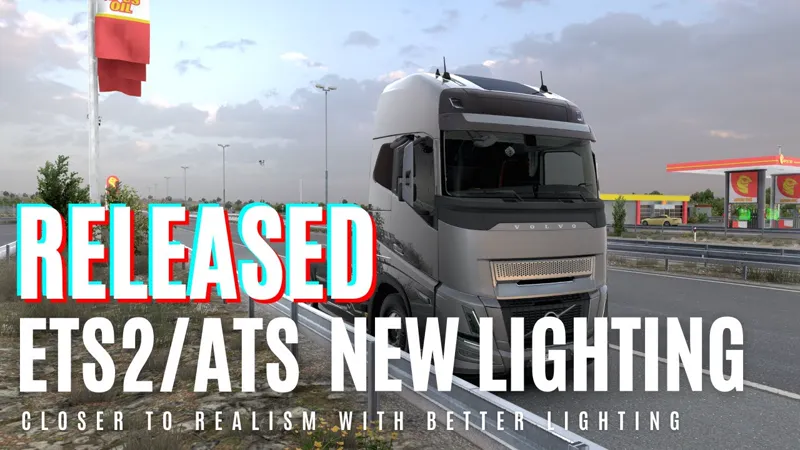
ETS 2/ATS Lighting Improvements v1 - BETA
This is Beta version of Lighting Improvements.
This version is just for testing and fixing new lighting improvements.
Currently there is no settings for performance/quality, dynamic weather/sky, default reflection system, night time/time of day. More features will be implemented in the future.
There are some shaders not implemented yet, if you see any object/light missing in the game, probably thats why. I will implement missing shaders with updates
To get most natural colors, select sRGB colors from your monitor settings
Roadmap :
Fixing crash issues
Fixing invisible/incorrect objects/lights
Adding custom improved rain/snow (I will focus on improving overcast weather)
Adding seasons without changing assets (it will be hard to do without changing assets but I will try)
Adding dynamic weather/sky instead of using settings
I will try to add night lighting (streetlights, headlights etc requires a lot of change for new lighting)
I will try to add sunlighting without making it look bad (game doesn't use PBR textures so its hard to keep details with sunlight)
I will try to change vegetation assets and road textures (this is not hard but its boring and long process)
Download v1.0.10 : https://cdn2.snowymoon.io/lighting_v1/ets2ats_lighting_v1_0_10_snowymoon.io.zip
Download Assets 2025/03/22 : https://cdn2.snowymoon.io/lighting_v1/assets_2025_03_22.zip
Download DLSS/DLAA : https://cdn2.snowymoon.io/dlss_3.7.zip
How to Fix Crash Problem
Reset your game config.cfg (go to documents -> ETS2/ATS folder -> delete config.cfg -> restart game)
Try to disable/remove plugins you have
Disable RTX from NVIDIA app and settings you have enabled later
Disable HDR
Changelog for v1.0.10
Fixed indicators - overexposed reflective surfaces, improved foliage
Changelog for v1.0.8
Fixed crash problems (including AMD and Intel)
Changelog for v1.0.7
Fixed bright surfaces - reflections, improved colors
Changelog for v1.0.6
Fixed weird colors and some problems, improved cabin SSAO
Changelog for v1.0.3
Reflection amount lowered
Changelog for v1.0.2
Fixed important crash issues
Fixed crash problems with plugins like ReShade
Changelog for v1.0.1
Fixed some crash issues
Fixed traffic lights
Fixed dark foliage in the mirror
Fixed invisible fog
Features
Lighting Improvements
Temporal Anti Aliasing - Clarity
DLAA/DLSS 3.7
Motion Blur
Requirements
Windows 10 x64 or Windows 11 x64
DirectX 11
Supported Game Versions
ETS2 1.53
ATS 1.53
Not Supported
VR, Multimonitor, HDR (will be updated for VR/Multimonitor in the future)
Installation
Go to ETS2/ATS folder
Go to "bin\win_x64" folder
Copy & paste "dxgi.dll" file and "nvngx_dlss.dll" (for DLSS)
Copy & paste "snowymoon_lighting" folder
Start game with DirectX 11
Press "END" or "CTRL+P" key to open menu ingame
Using with ReShade
Create a folder named "reshade" in "bin\win_x64\" folder
Put all ReShade (or any other mod/plugin) files to "bin\win_x64\reshade\" folder or select "bin\win_x64\reshade\" folder from ReShade installer
Comments (260)
it just doesnt work with 1.53 for me i did everything that the video shows and ets2 isnt opening plus i put the files : dxgi and dinput8 in my antivirus white list and it still doesnt work
Where is the 1.58 update
can you use this on version 1.57?
Is there any other way to buy this? I just wanna try this for a month, but paypal decides he needs card info.
Hey Snowy, how do we report issues? I have dark interior on Rudas Highway Killer
My friend, every time I try to make a payment, my account gets banned. I had to open a new account, but this is my third account. I couldn't purchase your content. Is it something to do with my card?
It is probably Patreon security, you can try to use Gumroad from website, its alternative method
bonjour je voudrai savoir si Lighting Improvements est compatible avec la carte graphique AMD ASUS TUF Gaming Radeon RX 7900 XT OC Edition 20GB GDDR6 merci
do ets2
o meu eu acho que nao e compativel com a versao
Hello. i have a problem. when the anti alising is enabled i get black screen and no lightning. i can see truck but interior is all black. why?
English maybe? :)
traz atualizada por favor
Im having an issue with your mod for ets2 1.55. The image is shaking during gameplay. The overall lighting is much darker than in your showcase videos. Here is a screenshot showing the issue: https://imgur.com/a/CYKQxzB
Hello Snowymoon
ATS chute de FPS très conséquent avec la dernière version, mais marche très bien avec la v10_2_31
Magnifique, !!!!!!!!! je ne comprends pas tous les commentaires, moi, je n'ai aucun problèmes avec un CPU 5800x et une CG 3060 TI sur ETS2 mais ATS chute de FPS horible
During installation, all three files on YouTube are application files, but the two files I received are application 1. There is a notepad format in the folder. If I proceed with this, the Euro Truck menu says that something has not been applied and the installation does not proceed.
Hello Snowy, i tested your mod and in the first, its very good, but in the second. In the editor makes many trouble, windows dont open, vertexlines not corect and many more, de instal is not supportet! i cant work on my map .....
Hi, first of all thank you very much for your time invested in this, I would however like to know if it is normal that there is no night? when the night is supposed to come, everything remains clear in the game, it would be nice to have a dark night. thank you good evening
Hello, after installing and selecting any option (taa, dlaa, dlss), the entire image darkens. Could you please help me? Thank you. ETS2 version 1.55, promods 2.75.
I'm getting 35 frames on the RTX 4090 in VR.
yes fps problem
I installed but the truck interior is all black what could be any help I would appreciate it. I also have reshade+jbx v3
hello how can I fix that after installing this mod version v1 - BETA I have a faded - gray screen. Automatically changes in graphics e.g. Reflections to low, Shadows to none etc. Can someone help?
please 1.54
how to fix white color issue ? white color + Alpha not showing
all the lights went to the mirror car dial and traffic lights https://hizliresim.com/5e3bu8o
its really hard to see dashboard
how i can uninstall this
I am writing this comment for those who have problems with lighting - dark mirrors, speedometer, lighting, etc. Open the properties of ets/ats in steam, then select "beta versions", then you will see "beta testing". Then simply instead of the "no" option, select the version temporary_1.53 - 1.53.x for... and SURPRISE! Everything will work for you. But if you already had an account with saves, you will have to either create a new one or delete all saves. Note: I am from Russia and wrote everything with the help of a translator, if there are grammatical errors, I apologize in advance
HI DO U KNOW HOW TO OPEN THE SNOWYMOON INTERFACE IT SAYA END KEY OR CTRL AND P ABUT ITS NOT DOING ANYTHING DID I MISS SOMETHING >
Why dlaa dlss is not supported? how fix
Depois que instalei o retrovisor fica escuro
Ciao e compatibile con la versione 1.54
please 1.54
Hey so my game looks like its always at like evening but there isnt any light in the game but when I put it back all the light is there.
same with me
Hi, Is this mod compatible with ets2 1.54? because I downloaded this mod for my game, I followed the install tutorials on youtube but my trucks look like ghosts and I cant see the dashboard or mirrors. I really like this mod it looks amazing.
no compatible
wow refund me the money.......... nothing works here on 1.54
If you know how to read, it says it's for version 1.53....
Plugin connection error. Who else is experiencing this? I checked my antivirus and the files are excluded.
I'm having a problem installing the SnowyMoon BETA. By installing it as shown in the video and then launching the game, I noticed that my vehicle's lights weren't working, as well as my GPS and the rest of the parts that could illuminate my vehicle. Could this be a personal problem or is the pack malfunctioning?
Hello, my game crashes in the first menu (have installed the mod correct) what can be the problem?
进游戏,按END插件显示出来,但是没有可选项,,只显示连接失败,能解决吗
when it will work on version 1.54 ? pls update it , Thanks in advance
when i use my beacons they dont give any light with the plugin on and it never gets dark
(I am writing with the help of a translator). Hi, when launching the mod menu, it says "DLAA is not supported"
hello, I need ur help, my mirrors are black and my whole screen is kinda grey. I did everything from the "How to Fix Crash Problem" and i also tried to change the mirror quality setting etc. but it doesnt work. I hope u can help me, because the mod is looking incredible and I´m watching the videos and im so jealous haha. Thanks!
1.54 ?????
soon
Hello, I've problem with your mod. In MAN F2000 gauges dind't show correct. https://i.imgur.com/eet7ZI7.jpeg https://i.imgur.com/ZOrEbwT.jpeg
Hello, how to fix black mirror?
Hello, I would like to say that with the new 1.54 patch of Euro Truck Simulator, the graphics are very faded and the indicators on the truck are also very little visible. I hope you can fix this error as soon as possible. I will leave an imgur link as proof. Have a nice day. https://imgur.com/a/o6Nzc3f
Yepp, I can confirm that too.
(I used a translator to write this text) Hello bro, how are you? Your work is excellent. The only thing that's wrong with me is that when I press the end button/ctrl+p it doesn't open the mod menu. I mean, I can't modify anything. The game simply closes and I get an ad: No application was found to open the link, ms-game overlay.
Hello <3 Start the game with DirectX 11, if you have antivirus try to whitelist dxgi.dll - dinput8.dll, try to reset your AMD/NVIDIA control panel settings
After pressing the "End" key, you receive a "Connection error" warning. Is there a solution for this?
I was wondering if there is a tutorial on how to make your own sky preset?
para multimonitor, no deja usar 3 monitores
There's no way to get it to work in ETS2; it crashes when I enter the map to drive. The weird thing is that it works fine in ATS. I have an i7 with 32GB of RAM and an Nvidia GeForce 1650 graphics card.
Try it without ANY OTHER MODS! That way you will see if the game crash because of TAA or because of some other mod!
hello ive been removed the mod for tmp cuz i have lag when i join its says assets not found and it not let me do anything just to spam the X icon and nothing ive reinstaled and watched the tutorial and now im planing to unistall ets2 and losing my 2 ets2 account that is not steam cloud saved and ive puted many hours in those account and now what
Hello, after installing your 4 files this morning I was getting many crashes with Modded Trucks. After deleting config many times, plugins, etc... I found that Haterbilt was able to load most of the time. Now though, when i drive the haterbilt the entire truck is black, everything is black, could you please advise what the issue may be here? This is for version 1.53
Actually, the paint color is not the problem...It is all of the chrome that looks matte black. I changed the truck color to red and it is coming through OK...please advise.
Добрый день. В версии 1.0.10 очень странно выглядит окрас грузовика. Также окрас прицепа выглядит будто на нем разводы от воды. На версии 1.0.6 таких проблем не было.
the game filesystem failed to intialize aborting now
You will adapt it to the old version 1.52?
I have black mirros on ATS 1.54
Snowy said this is for 1.53. So, why did you use it on 1.54?
v1.0.10 In this version everything looks white, without textures... does anyone else have the same problem?
after update to v1.0.10 my truck color not white It became gray color
same as you bro
hi, i downloaded the mod, but as soon as i start it it tells me connection error, why. I have a rtx 4070.
Hello, first of all, thank you for providing us with this nice graphical improvement. Some Standard Alpha mattes are not visible, can you fix this?
Changelog for v1.0.9 Fixed indicators - overexposed reflective surfaces, improved foliage
The game is SO MUCH dark in 1.54
Only 1.53 is supported at the moment. I did the same mistake.. :) so patch back if you can.
I've upgraded ATS to 1.54 and the lighting system does'nt work. Image gets very dark when the mod is enabled. TAA 2.17 works OK.
Currently its only 1.53, I need a few days to update for 1.54
Hey Snowy, first of all: I appreciate the effort and passion you put into your mod. But I wanted to give some honest feedback based on what I experienced while testing it in-depth. I made a video about it which has been watched be 6500 people now. A lot of comments made me rethink my first impression. The in-game comparison when toggling the mod on and off isn't really meaningful. The game, with high graphics settings and no lighting mod installed, actually looks significantly better than when your lighting mod is installed but deactivated. That’s because your mod forces the game into much lower visual settings when it’s present, even if the lighting is turned off. This makes the base game look artificially bad in the comparison. Technically, what your mod does isn’t much different from what post-processing tools like ReShade already do: It injects shader alteration via the dxgi.dll. The only difference is that you've hardcoded your setup into a custom dxgi.dll, which is why compatibility with ReShade is not possible unless workarounds are used. This method introduces a major issue everyone using ReShade has: The outcome heavily depends on the lighting situation. There’s no dynamic adaptation, which means the visuals can vary wildly depending on time of day and weather. Fixing this would require real-time adjustments in the dll based on lighting conditions – and frankly, I doubt that’s currently possible. This leads to what I find most problematic: The mod gives the impression that it completely overhauls the game’s graphics, but in reality, it removes dynamic lighting completely and replaces it with presets that simulate specific lighting conditions. This is why you have to break day-night cycles and why you need to disable the sun (because it interferes with the static look). And honestly, I'm quite convinced you know that too – all the "nobody needs the sun and it does not look realistic anyway" or "who even drives at night" stuff sounds more like a convenient excuse to hide the fact that your mod simply can't handle dynamic conditions. And I get it – dynamic lighting is a massive technical hurdle, and it’s probably never going to happen with this approach. But then just say that. Instead, you sell shader presets as if they're a groundbreaking overhaul, while quietly removing core features of the game. What bothers me most: You're asking for ongoing donations and imply that the mod will be paywalled otherwise, which – in combination with the lack of transparency – feels very close to emotional blackmail. Especially considering that you're changing people’s graphics settings without asking, without a warning, and without a way to revert them. That’s a pretty aggressive way to push a product that’s basically a locked ReShade config. The graphics settings stuff really bothers me: The plugin overrides the user’s in-game graphics settings without warning. There’s no backup, no info, and no way to undo the changes unless you saved your config manually before installing but why would you when you don't know that it is being overwritten. That can be a huge problem for players who spent time fine-tuning their settings for their specific hardware. Again, I see the potential in what you’re doing, but I think users deserve transparency about how the mod works, what it really does, and what side effects they can expect. Cheers!
You can never achieve similar realism with ReShade or anything like that without changing default lighting algorithm. This is a new lighting algorithm, this is not color adjustment or something like that. If you search "PBR lighting" you will see the difference between default lighting algorithm and PBR one. There is no problem for adding dynamic weather/sky/lighting but I shared early version to fix problems first. After everything fixed and ready I will add dynamic overcast weather with rain and maybe snow. But I'm not going to add sunlight because game textures are not PBR textures. PBR lighting is simulating real life lighting. When you don't have PBR textures and you add sunlight, you just lose all the details and it looks like shit. I already shared a video with sunlight before, dynamic lighting is not the problem, sunlight is the problem. Also to add night lighting like headlights/streetlights I need to make a lot of changes because default lighting is just simple color tint which I cannot use as source of light. I'm going to try it later. If you cannot see realistic result with this mod probably you monitor settings fucked up. You can't change 6-7 settings from game settings? Not even config. Then do not use the mod.
v1.0.8: Fixed crash problems (including AMD and Intel)
hello I wanted to compliment you on the splendid work, I have only found a problem with the indicators on the dashboard of the iveco s-way, while I wanted to ask you if it is normal that various settings adjust themselves, such as the scaling of reflections, the quality of shadows and mirrors. thanks and compliments
idk why but there seems to be atleast for me problem where i cant put on ultra graphics cuz ur mod keeps crashing i hope this will be fixed edit: appereantly the issue is with scalling cuz when i set over 69% then it crashes
Some settings have been disabled via plugin to prevent loss of performance while some other settings may/may not have any effect at all. This will be sorted out hopefully in due time.
really good work snowy moon the game is completely different we have much more fun thank you 👍👍
Forgot to upload what chrome parts and wheel mods looks like. https://imgur.com/a/NJRznJU I know there's a fix in the works, I'm hoping glass transparency is too. Aside from those 2 issues, color, certain lights/flares, gauges, navigation mods and flares not working this plugin is realistically pretty fun to drive around in.
hello, on matte color the texture looks very bad, will you fix that?
Boa tarde, apaguei a pasta config, mas toda vez que terminar de carregar para jogar o jogo fecha. E não tenho pluging algum instalado. Tem como me ajudar? Minha versão ETS2 1.53
Greetings, excellent work, the best, just one problem to comment, I use an AMD RX 640 graphics card and when I activate Snow Moon the game closes, with the previous versions it works perfectly, but in this one which is the most recent it crashes when activating it.
game version or mod version?
This is huge! Beyond amazing! Worth every penny :) Errors found: - In MAN TGX no directional indicators on the dashboard - water sometimes stops waving
Cant wait for VR :D
I'm waiting patiently for the mod to develop. Your work is great. I hope it continues to be free.
My in game menu do not work...
Same here still waiting for a solution😔😔😔 Pressed either (END) & (CTRL + P) already 😓😓😓
I'm thinking about buying an Intel video card, Arc B580, the last time I used your mod I had an Nvidia RTX 4060, do you know if it works or if anyone has tested it on the Arc B580?
Hello Snowy! Your mods are definitely essential for ETS2 gameplay. Congratulations on your work!! I use an AMD GPU, and when I activate TAA antialiasing from your mod, the game crashes. Otherwise, with just the new mod it doesn't crash. We would like you to fix this. We in the community thank you immensely.
eu te amo cara que deus te abençoe
First of all, props go out, it's a cool plugin/mod. However, I downloaded the latest version, and instead of giving me version 1.0.6, I got version 1.0.0. Please fix this. https://imgur.com/a/EiuPGqh
Ah, this mod is amazing! though there is a huge bug where the road markings are missing.
WoW! This is beyond excellent!!! Waiting eagerly for complete dashboard color :-)
The mod is great, the game got a new breath of air, funny thing is that with this mod I have more fps and missing sags
First of all, thank you for giving us this opportunity. The game looks great. Secondly, I want to inform you about the following error. My ETS2 has been updated, and I'm getting the following error when I launch the game:https://imgur.com/a/9RRo6j6
Unfortunately does not work with AMD, at least not yet.
you don't have the latest version and people with AMD are having problems me included
When will come update to fix the lights problems in cabin?
Olá Snow! Parabéns pelo lançamento. Todos já estão usando e ficamos maravilhados com o resultado. Só uma dica: parece que a frente dos caminhões ficam foscas enquanto o resto brilha. Até na foto do vídeo dá pra ver. Não é crítica, só informando se você não tiver percebido ainda. Estava esperando você lançar pra voltar a jogar ETS2. Obrigado!
Good afternoon! I really like your modifications! I go to ets 2 and have been using your image smoothing mod for a long time, I was especially pleased with the opportunity to use the dlls 3.5 with the latest preset f via override dlss. So, I tested your mod in vr, it even works, the lighting changes, but unfortunately some other translucent image layer is superimposed on the image of each eye, which also blinks ( How difficult is it to fix it? I'm waiting for you to fix vr and come back again, it looks very cool and more realistic on a flat screen! Thanks for the work!
AMD RX580 will it work with this mod?
Lighting doesnt seem to work anymore i dont know if there has been a scs update ?
Is it just me or does the plugin override some graphicsettings which can't be changed manually even if i try (shadows, reflections etc.) ? I mean its not bad when the plugin works properly...i just noticed that. And ...if you done with it, we will no need a lightmod for ETS2/ATS no more right ? Because you all do this with shaders ? The start looks very promising of the plugin. Good work man :)
Yes, because its using custom rendering pipeline, there is no need to enable a lot of things. And I know people are going to make a lot of mistakes if I write them or show them, instead I just disabled them by changing config functions. My plan is improving lighting and assets (maybe) to get best possible result and you won't need these settings because it will be mostly custom systems
Love the graphics! I'm currently playing with GTX 1650 laptop and facing some problems: 1. I'm missing indicator light in the dashboard and beacon lights 2. The exterior fps is almost the same as the org graphic (~60fps), but half the fps once I go to interior view (30 fps). Hope you can improve the fps and maybe implementing some options to adjust the interior mirror quality since I prefer my mirror to be more performance over quality.
I will fix missing objects/lights. For mirrors, are you using low resolution? This version also applies TAA to mirrors so it should look good enough on lower resolution mirrors. Also can you check if you have high gpu usage inside cabin, maybe its cpu bottleneck
he hecho mis pruebas con TAA v10 en mi pc con tarjeta de video AMD RX580 2048 SP 8GB y funciona perfecto, instale este nuevo plugin y no funciona, sera incompatibilidad? Se cierra el juego al querer ir a conducir.
Looks like there are some problems with AMD, I'm trying to find the problem
There are many invisible roads, bridges, etc. in ATS 1.53 with the new 1.0.5 version.
Was is it happening with older versions?
Great color, greate cabin lightning, greate reflectons!!! Thanks a lot! Can't wait for night+rain
Does it work like the Renderhook plugin for GTA SA?
snowymoon, you have optimized the mode really well in the game, there is no stuttering at all, I play comfortably, the reflections are great, and the lighting is good, but it would be great if there is a wet road when it rains in the game, for example, like gta 5, I would like to see sun and shadow in the next update, and enable the lightning effect in the rain, if these things happen, it will look good in the game.
Hey man I seem to have followed the instructions correctly for installing but I've lost my mirror textures they are just black and the sat nav screens and vehicle buttons are dim or missing. Can you help?
thank you so much snowymoon your fast! and both issue on ets2/ats was fixed great job God Blessed You
What’s coming next? Hope it’s rain and then night time :) Great work!
bonjour hier ca marchait bien la ca dit que le lien est inactif?
I just wanted to say thank you. Thanks to you, we have a new game. Already 2 updates in 24 hours, you're the best. I just have like other some issues with dashboard lighting . With and without custom interior .
Link failed
Hello! Is this only for 1.53? Or is it possible for 1.54?
Hello. When TAA or DLSS is turned on, the dashboard on some trucks is darkened, for example, the Mercedes-Benz New Actros. I am attaching a link to the screenshot. https://i.postimg.cc/t4TVcckv/ets2-20250324-073138-00.png
The same thing is happening in ATS, Volvo VNL. https://i.postimg.cc/yYXH2GRz/ats-20250324-150921-00.png
Great, we're waiting for the VR version
The parking prompt box does not turn green when submitting the goods😢😢
I'm using mods and all chrome parts are still dark grayish regardless of preset used.
I will fix everything, the way game handles reflections is pretty different compared the way I have to use so sometimes its hard to calculate surface color :/
just having problems seeing the traffic lights and lights in general but its pretty great
top, parabéns pelo trabalho.
Perfect!! Waiting for the VR version!!👊🏻🔥🔥
Bueno una lastima aun que no funcione con sistemas con amd, serie 500 con problemas. Yo no lo puedo usar, esperare ver alguna solucion para poder usarlo. Muchas gracias por tu trabajo, no te desanimes.
Hello and don't be discouraged, your work is really great. There is one thing missing. Please work on the realism of the graphics. Many mods make the colors in the game brighter, but we really want real and amazing graphics. Unfortunately, version 1.53.3.19 gave a connection error.
Eu posso usar o mod na versão 1.54?
Pavel may contract you for their team. Your job is fantastic, congratulations!
I already did it, write SCS by email, I think SCS will hopefully be annoyed about this and that is not possible at all, this is another movie mod, this is simply forbidden what you did
Is it?
As luzes do indicador de seta no painel não funciona e nem as das sinaleiras nas estradas, como resolver?
Fase beta meu chapa, com tempo ele vai arrumando.
your work is amazing as always.but.....some mods dont work with this lighting system.the gps from cm interior
I was using it and all my gauges disappeared on ats
Snowy Moon,я сделал как на видео,но захожу в ЕТС загрузка проходит и следом вылетает,что делать скажите пожалуйста помогите
Causing lots of issues with ATS...truck interiors are partially disappearing...can this be run with PNG or JBX...time was 2:30Am and looked like mid afternoon...been using this mod for a while now..had it installed correctly I believe..had to uninstall ReShade or it crashed..think I will wait until bugs are worked out before using the newer version....
Nice stuff , but i have notify some setting graphics in ETS always back to default and never save! tested without your mod working fine.
Thanks for your great looking work! Too bad it doesn´t support VR yet. So i have be more patient because even with that graphical upgrade the game becomes to me a step back on flatscreen. :( Keep up and please don´t cancel the VR feature ... hopefully. :) Thank you! :)
It worked as it should, but the bar color on the Scania S turned white when it should have been red, this is a bug.
highbeam and signal lights not works
Mod looks great, thank you for all the hard work.. Anyone needing better hardware, there are plenty of used parts at https://www.jawa.gg/, it has so far been a good place to find parts for me, not associated with them, just a good place in my opinion.
using Mac for this, followed everything in the video, game runs perfectly fine, just wondering how to access the in game menu, I pressed ctrl p, and I pressed END (Fn+rightarrow for Mac) nothing worked
this bloat malware doesnt work amd 5xx series.
Do you recommend using it with JBX-style graphics mods or similar? I mean, would it look better without them, or is it the same thing? Congratulations! The work you've done is incredible, and everything looks so different.
You really cooked SM 😏 I'm sure the beta will only get better overtime. As others have commented regarding "Reflections", settings revert back to default(50% and low). Chrome truck parts are black, wheels are either black or display a bluish/purplish texture, shader issue. Haven't tested night yet.
LOVE IT
The rendering is crazy, not yet tested everything, the chrome on the SCS trucks is impeccable, but on the Jon Ruda mods comes out with black chrome. Not yet tested other mods
hi Snowy, you have an amazing job, my problem same like the other problem using AMD Rx 570, mods crash my game. The first few times I tried, I entered the game, but I didn't even open the menu, now the game doesn't even open, hope you can make the works for user like us, thanks you God bless you
Hi Boss, for me 1 year subscription !!! You deserve it with all my heart, you are a phenomenon for me !
First of all, I would like to thank Snowy Moon for the incredible work he has done! Report - ETS 2 (v1.53.3.19) - 03/23/2025: - It didn't open with Reshade active, I removed it from the folder and the game started; - When turning off TAA, Lighting gets stuck on a single sky; - With TAA active, the traffic lights don't work, you can't see their lights (red, yellow, green); - With TAA active, it doesn't get dark, even at midnight, it only gets dark when TAA is disabled; - When TAA is disabled, the traffic light lights are visible, regardless of the time of day; - Significant FPS drop with Lighting and TAA active (40 FPS), with TAA disabled (night), the FPS is around 100 FPS (with vsync disabled and FPS unlocked); - Even changing the game's video settings, they return to what they were, I believe this mod is doing this. Some other information: I tested with all AMD filters disabled; I used a profile without mods; I reset the config (I activated only the console and developer for the tests); Truck tested: DAF XF Euro 6. My configuration: AMD Ryzen 5 4500 16GB Ram RX 6600 8 GB
quando ativo o taa o jogo trava e fecha , My config ryzen 5 5500 20gb ram, vega 7
WOW, first time I have really seen the inside of my Western Star truck, LOL. I did notice like others the dash lights are so dim, on several of the presets I used, some worse than others. And I could see no traffic lights glowing in any city I went thru. And I did read no night and day yet, but that's not a big deal. Keep up the good work, and no I am not complaining, just helping with the debugging, :)
its works good for me but in the new Volvo Vnl doesnt show the dashboard only the screen works i made a screenshot if you need one :)
I found another problem. When I rolled back from "Lighting Improvements v1" to TAA10.2.17, the lighting system in the game did not return to its original state. I would like to know why this is and how to solve it. Thank you.
I just installed it and when I press ctlr and p it tells me connection error. Why?
Hi all looks good but when raining there are no drops of rain on the windscreen but when the mod is disabled the raindrops are there and also no lightning in sky when its thunder storm
hello hello soo regarding the mod, mods crash my game. The first few times I tried, I entered the game, but I didn't even open the menu, now the game doesn't even open
I have dxgi.dll and nvngx_dlss.dll but in the download there is also dinput8.dll do i put all three in to bin folder ? as in your instructions it says only copy and paste dxgi.dll and nvngx_dlss.dll and lighting folder ?
Dear Snoowy! First thank's for you amazing job, this change alot ETS and ATS! incredible, really. Let me ask you, can I disable vegetation? My game don't run well with any vegetation mod! Thank's again.
for scania it does not show the dashboard lights they disappear
hi,snowymoon,I can't use this plugin,if I open taa,the game will crash,I don't know where the problem is and how to solve it. My CPU:AMD 3600X,GPU:AMD RX580
Hi Snowy, i just downloaded your mod, and it's truly amazing. Congrats ! The vegetation and motion blur, are amazing! Although i have some feedback and suggestions for you to keep in mind for fixes : - reflections on trailers and trucks, are too high and overexposed : https://i.imgur.com/JSwClZX.jpeg https://i.imgur.com/eAEJ5E1.jpeg - if i disable on the menu, the sky goes black : https://i.imgur.com/B74970M.png https://i.imgur.com/BD4qcWt.png - if i choose DLSS performance rev2, the game will stutter at 1-2 fps (i have RTX 3070). The fps will rise from DLSS Quality rev.2 and up. - the skies are too overexposed : https://i.imgur.com/JTki4kL.jpeg https://i.imgur.com/Nf38ijT.png - the speedometer lights, does not work with this mod. On my MP4 actros with this mod https://www.cmi-industries.com/2022/05/cmi-mp4-interior-bundle.html Example no light from speedometers : https://i.imgur.com/bsaFroL.jpeg - same example with Scania R2009, but with permanent lights on, even if i turn to 0 the lights. - reshade does not open in-game, although i followed the instructions, here is my screenshoot : https://i.imgur.com/UBYLBDb.jpeg - the interior in the cabin is overexposed in terms of lighting In the future, were can we write a feedback ? Thank you and keep up this amazing and unique mod! Can't wait to see in the future, those fixes and PBR textures. Will costs you some money but don't worry, the community will support your mod because we haven't seen this kind of technology on ETS2 or ATS never so this project must continue to be better and better.
Brother, there's another game. Congratulations. If you can fix everything and get it working, you deserve to work at SCS. Keep going, it's getting fantastic.
Pressed the "END" or "CTRL+P To open the menu, but it is not showing up
Always crash after few minutes driving. Beautiful graphics but for now i'll using the old ones.
my game is crashing when trying to drive
very nice lighting but its raining and no rain on windscreen or roads ? any suggestions please?
Missing Multimonitor support is a show stopper for me, since perspective is crooked on my 32:9 curved monitor when using single monitor rendering
This is absolutely excellent mod!!! Some dashboard mods doesn't work (EVR Mercedes New Actros eg). Weird road textures with Promods in nothern Sweden)
New Lighting runs good after I delete config.cfg .But once you change some of advanced graphic setting,like resolution or scaling,It crashed again.My graphics card is RX6800.
The game won't run. Delete dxgi.dll and the game will run. how to fix?
Connection error, use the old version of taa_v10_2_17 Dxgi.dll to connect normally without any problem! From China, all files have been installed correctly, clear the document ETS2 problem still exists
Great job! It's like a different game!!!! Thank you, my friend, for your hard work!!! The performance is excellent, the average FPS is 80 on ultra settings. And this is despite the fact that my computer is quite old. i7 4790k + GTX 3070 + 16 gb. Works great with PNG
Unfortunately for me it crashes when trying to drive. I reset my config and I don't have any plugins. I have an AMD Ryzen 5 3400 and AMD chipset GPU, without DLSS or any type of dynamic upscaler. * Disabling TAA from the ctrl-P menu fixed it.
Should i disable reflections and shadows from the graphics settings? I lose like 10-15% fps
Is it possible to add a hotkey that enables/disables the lighting but keeps the TAA?
Is there any way to contact you on Discord or other way of contacting you? I would like to clarify questions.
Incredible achievement, people should complain less, because it's great work.
thanks for your great work.. i hope you can add option to disable lightning improvement in next update..
Ready to drive, but graphic settings window does not illuminate Control+P or END key is unresponsive
I can't activate DLAA, my graphic card amd rx6600xt
Hello snowy,lightning is really good in general it has some bugs and issues,but hey i understand it all its first release and Beta so Just keep going very nice job <3
It looks very good, it feels like I actually want to play the game (after 3k hours between ats and ets2 im bored of the same clunky look). I haven't had crash issues maybe because the .cfg file reset itself and I had to redo all graphic settings which is good. On performance side I noticed a 10% more gpu usage (playing on RTX 3060 2k and 200% scaling, FXAA enabled DLAA) but 0 Latency. This is going to the right direction and I can see a bright future of the mod, however I understand doing this by all yourself can be boring and frustrating after a while. I hope SCS does really consider to hire you, they hired less talented modders as devs (my opinion), the problem is they do not care that much about the graphic side, they care about mapping (I can understand the business side of it). Keep up the great work, wish you the best.
Feel like I've tried everything to get this working but nothing has worked, deleted reshade, deleted cfg, disabled all plugins bar this, latest graphics driver, temp 1.53, DX11, verified integrity, no HDR
Try deleting the mod in my document Eurotruck mod file
Well it’s amazing!Thanks for your working!
Hello! I am using DirectX 12. Do I need to downgrade to DirectX 11 for this lighting mod to work properly? Also, I have an NVIDIA GTX 1650. Will it perform well with this mod? Thanks in advance!
Yes :/ You need to use DirectX 11. It should be fine with GTX 1650
Good work, but I can't see the red lights. But your graphic pack is insane, good job
I will fix it soon
Hi this looks great but im having a problem with the trees some of them are weird and pink
Can you tell me the coordinates so I can check and fix
if you get crash when finish loading try to delete reshade folder on ets2/ats folder i think this beta not ready to use reshade
hi, Snowy! I have some issues launching the game. After I opened the game, a popup asking me to allow the "SDK" features. But after I click OK or I press "ESC" to skip it, it freezes and crashes. I resetted the config.txt but still the issue continues. I dont use ReShade or HDR. I can sent you the game.crash.txt
Thats weird, I have no idea what SDK features about
The traffic light seems beinvisible
I will fix it soon
great work and thank you for your hard work...i tested on ets2 it all good but theres a problem when using left and right turn indicator not showing in the dashboard interior and also no traffic light display on street?
I will fix it soon
Thanks snowymoon lighting mod. I feel so excited for the game now and I feel like I am playing the latest sim driving game with Unreal engine. Thanks again!!
Isso ta muito bom🤌👏👏👏👏 Sei q é muito cedo de pensar nisso, mas á alguma previsão de compatibilidade com o mod do mapa RBR, testei com ele e o asfalto fica um pouco claro, mas da de jogar, fica muito melhor q o original mesmo com o problema do asfalto.
kkkkkkk Ele nem faz ideia do que é RBR irmão. E o problema no asfalto é por conta da textura não ser pbr.
Bro i'm addicted again u just make it more coolller bro ggg
Мы этого дождались Господа, ураааааа
у меня вылетает почему-то
Crash when it finishes loading and goes to the menu. Even resetting the config. :(
Can you go to Documents -> ETS2/ATS and send me game.crash.txt file, it should have some info about crash
Mega lighting,keep waiting for time of day and dynamic weather!
its amazing totally changes the game lighting
thank you so so much brother thank you so much for sharing this ,
“Connection error”,Please tell me how should I solve it?
There is a folder named "For_Users_From_China" inside "ets2ats_lighting_v1_0_0_snowymoon.io.zip". Copy & paste "snowymoon_korea.txt" file to "bin\win_x64" folder then restart the game
signal turning light indicator on truck dashboard is not showing up when the shader is enabled
There are some shaders I didn't see yet so they are not implemented. I noted that problem and will check in next updates
crash
Can you try to reset your game config.cfg
*** If you have crash problem, try to reset your game config.cfg
how to reset config.cfg
is there a hotkey to change skyboxes?
Left and Right keys but only works when UI is open, I might add second option to do that without opening the UI. I was going to do that but I forgot, I'm sorry :/
Hey bro, thanks for your cool work, I was wondering if we can get a verison for 1.54?
I need to wait for official release of 1.54. Because with some updates they change shaders and it will be waste of time if they do that again in open beta
Pc lag and not able to move at all when DLSS performance preset enabled
You need to change resolution scaling to 25% from game settinsg if you want to use DLSS performance
Traffic lights do not appear in Switzerland. https://imgur.com/a/snowy-moon-q4Wt2xc
There are some shaders I didn't see yet so they are not implemented. I noted that problem and will check in next updates
many broken cfg thanks great, really shit everything doesn't fit to ETS2 and ATS you are really wrong film what is going on bro
;(
İşten çıkınca hemen denemem lazım
Wow, this is so good, even it's still in beta. The graphic quality is just like playing on RTX series, with almost no performance lost (playing on GTX 1650 Laptop). The issue is the lighting of the truck interior (especially the turn signal on dashboard) and other objects have vanished, I can't even see the traffic light. Good job and keep it up.
Probably there are some shaders I didn't implement yet, I will check them later after fixing important problems
First all thanks for your work, one question the shadows in game disapear? Is normal?
Its changing some settings from the game to disable some features like shadows because this system is going to have custom settings
ReShade is crashing for me, is there any way to figure out why?
also crashes when i close the interface. but that's been an issue for a while now, i don't consider it huge, but thought i'd bring it up whilst i'm at it lmao
Ya I crash once I push drive button
What is your mirror settings?
Game keeps crashing on launch
I will add some logs in next version to help us understand what is the problem
what do you do with asset folder?
Its for custom assets I'm going to use. Currently only skies but in the future it will also contain new trees, grass, models, textures etc
FINALMENTE
Congrats man you made it 🥳🥳
Let’s goooooooooooooooo