
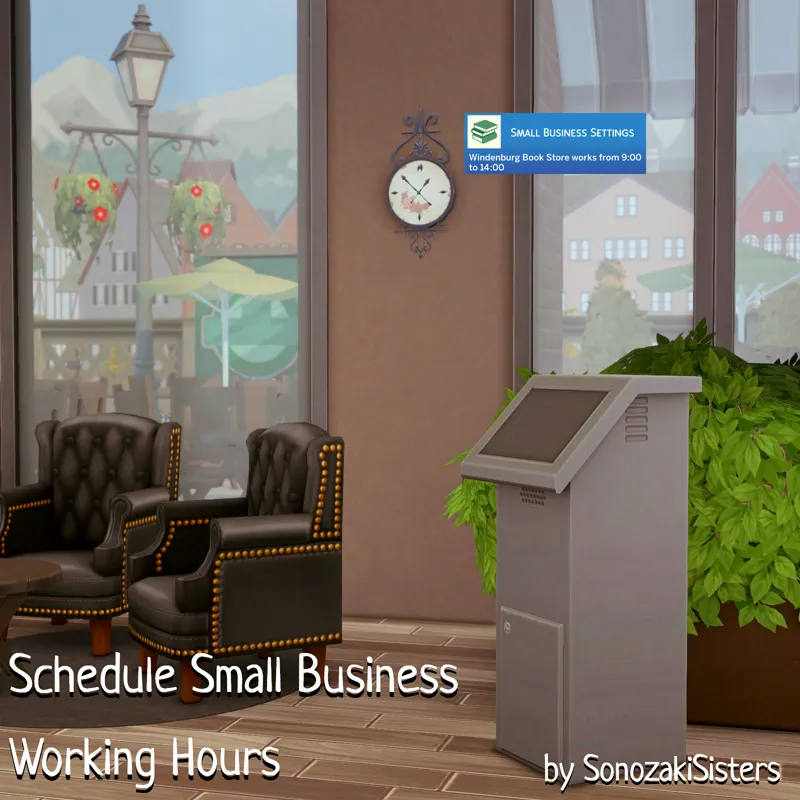
Schedule Small Business Working Hours (Preview)
If you've ever dreamed of having a small business with set working hours instead of being open 24/7, you might like this mod.
With this mod, you can schedule working hours for each of your small businesses. I think this mod is useful if you don't want to manage your employees constantly or if you want business management to be more realistic. Thanks for requesting this mod, I had a lot of fun working on it ;)
Schedule Management
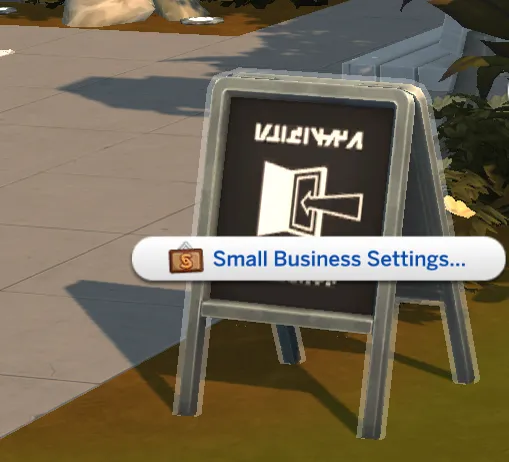
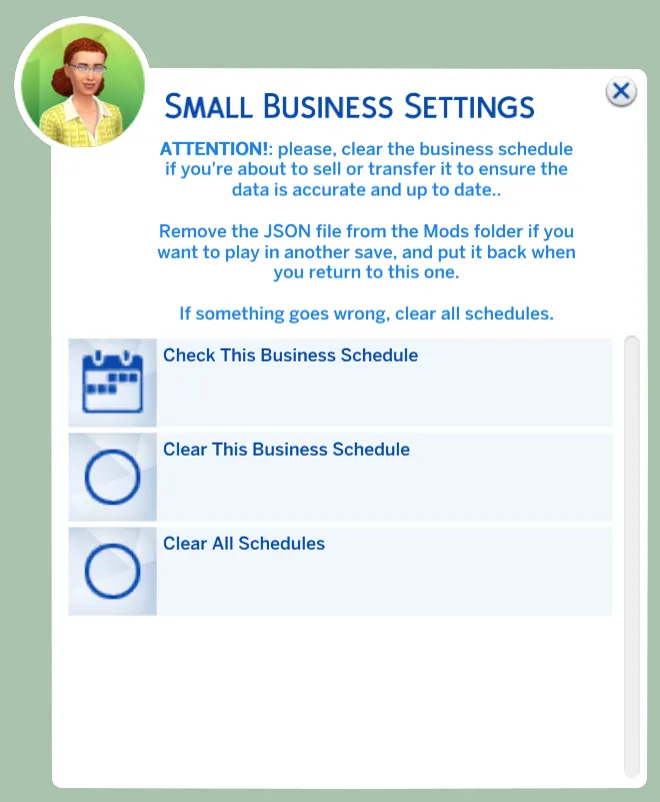
To do that, enable testingcheats and Shift + click on the ticket machine or the open close sign on the small business lot with the active business owner. You'll find the 'Small Business Settings' interaction.
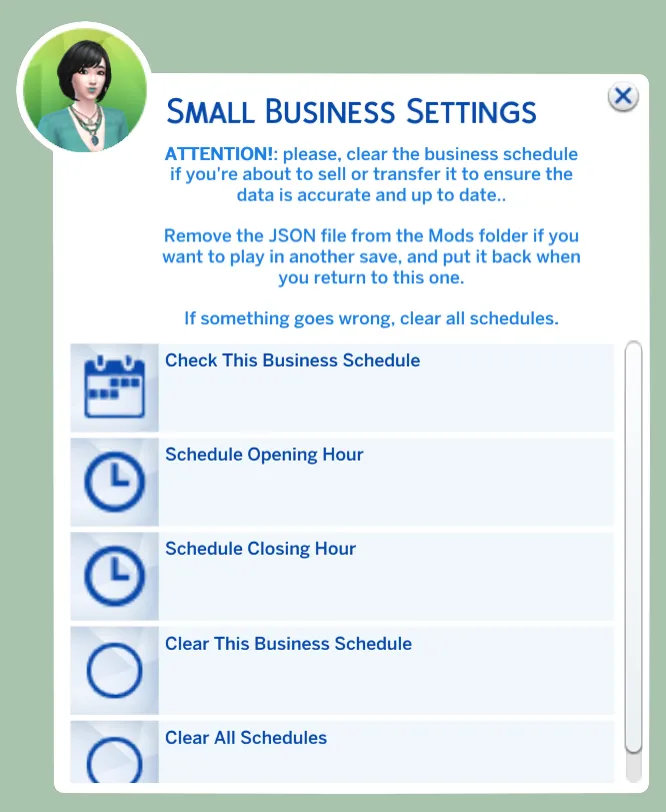
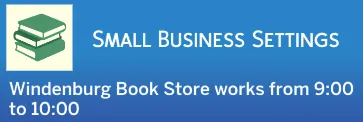
Here, you can check the current business's schedule, set its opening and closing hours, and clear its schedule and all the data that this mod keeps.
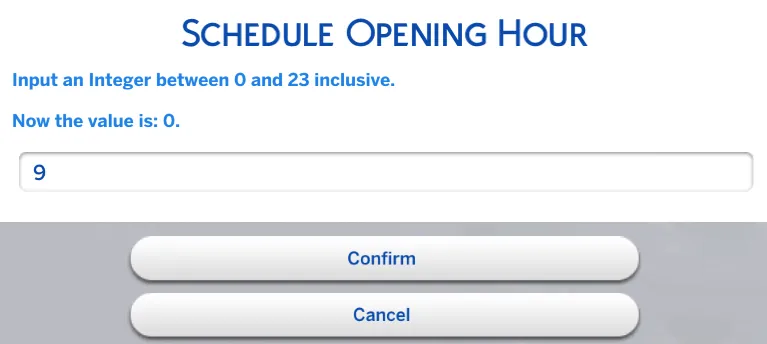
The opening hour can be an Integer from 0 to 23 inclusive.
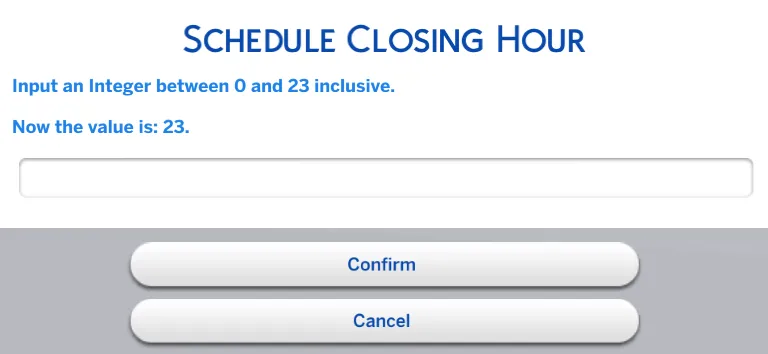
The closing hour can be an Integer from 0 to 23. You can't set 24 because that would make it a 24/7 business, which is the default game schedule. It is also meaningless to input the same value for the opening and closing hours.
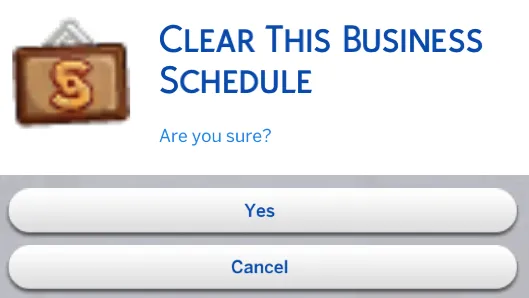
Don't worry if you accidentally click on the clear options. The mod won't do anything without your confirmation.
It works just as if you were opening and closing the business manually. Customers come, employees work, and you'll see the income and spending data when the business closes. Of course, you still can open and close it manually when you need it. And the business will be closed, if the active Sim is the business owner and they travel to another lot (just like without this mod).
Other owned businesses always work as usual because they don't have schedules yet. This mod doesn't affect businesses that are unowned or premade by EA because they don't have owners.
Visiting Small Business
Moreover, it works even if you visit the small business lot as a customer and not as the owner. In the game, NPC businesses always work if you're on the lot. However, it doesn't work like that in real life. You might arrive late to the grocery store or have to wait for the art studio to open.
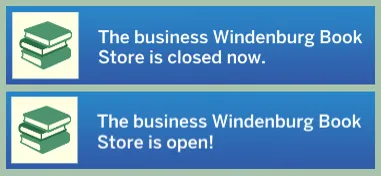
In this case, you'll receive a notification indicating whether the business is open or closed when you load the lot. Of course, the business will open/close automatically according to the schedule, and you'll be notified again.
If you control the business owner with the Control Hub mod, it still counts as an NPC business. Don't expect to be able to manipulate the business in this mode, because it's limited by the control mod to avoid breaking things. This limitation applies whether or not you have my mod.
To be clear, any Sim can check the business's schedule, because you might not remember its working hours, especially if you're a customer.
The same goes for clearing the data. It's The Sims, so there's always a chance that something could go wrong. At least you won't have to switch to the owner's household to resolve an issue.
Special Cases
Regarding clearing the data, the mod validates and clears it during game launch if the checks fail in most cases (i.e., if the saved owner is not the actual owner or if the business no longer exists, etc.). However, there are some special situations you should keep in mind.
Selling Business
If you're going to sell it from Manage Worlds, clear this business schedule because it's a UI command. That's why it won't trigger the part of the code where I add this mod behavior. Because of that, the Sim who sold the business will still be the owner in the mod data. This will be updated during the next game launch, but it's better to always keep the correct data, right?
Regardless of whether you have this mod, I recommend selling the business through Living Mode because commands work more stably this way than through the Manage Worlds options. In this case, the mod clears the schedule itself, so you won't have to do anything manually.
Switching to Another Save
The mod stores data globally, so if you switch from one save file to another, the mod may clear invalid data. For example, there might not be a business lot or Sim in another save.
If you don't want to reschedule everything when you return to your main save, copy SonozakiSisters_Schedule_Small_Business_Working_Hours.JSON to a different folder, clear the data, and return the file before launching the next game when you return to the main save.
Owner's Death
If nobody inherits the business, the mod clears the schedule. So, just set a new schedule when you'll buy it again. If someone inherits the business, the mod updates the data itself.
Deleting the Owner
Actually, this isn't only about this mod. Remember to sell or transfer the business before deleting the owner; otherwise, the game (and the mod) will need time to update the data.
Making Business Changes Without Saving
Since the mod stores data globally, your unsaved changes (e.g., deleting the owner, selling the business, transferring, etc.) will affect the data anyway. Nothing will break; just remember to restore the changes after the next game launch.
Hosting Customer Appreciation Day
If you're hosting the event when the business should be closed, you'll receive a notification informing you that you must do so manually. Otherwise, the event would be canceled.
Running Hobby Class
It's the same story. You'll receive a notification telling you to manually close the business after the classes are over in order to receive the payment.
Selling or transferring the business in the Living Mode doesn't require to reset something manually. I can't think of other special cases that you should keep in mind, but let me know if you encounter something strange!
Check the compatibility status HERE
REQUIRED
Businesses and Hobbies naturally
CONFLICTS
With other mods that affect the business working hours, i.e. with this one by Waffle's Mix-Ins (and it would be strange to have several similar mods at once)
No conflicts with Small Business Overhaul by Marquillo and other mods that just expand the business gameplay (actually, I recommend to use them to make it more fun)
TRANSLATION
Russian by me
INSTALLATION
Unzip the archive in the Mods folder no deeper than one subfolder
Don't rename the JSON file!
And save it somewhere if you want to switch the game save, to put it back after you back!
F.A.Q.
No interaction?
You didn't install Lot51 Core Library correctly
You're not on the Small Business lot
Don't forget that it's available only on the ticket machines and the open / closed signs
You didn't enable testing cheats
No options to set up the working hours?
The active Sim isn't the owner of this small business lot
The business doesn't have the schedule despite it had before?
You switched to another game save (save the JSON to somewhere before doing that to return the data later)
You made some changes but haven't saved them and relaunched the game
The data became invalid (the owner is deleted, no such small business lot anymore and so on)
Tell me about other cases please!
The active small business owner can't open / close the business manually?
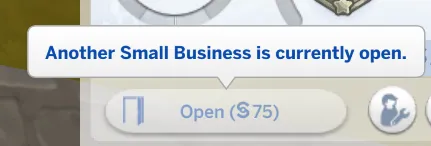
I'm talking about this situation:
They aren't perceived as the owner of this business in the mod data. Tell me about such cases! To fix it, just use the 'Clear This Business Schedule' option and set the new working hours
Actually, if anything went wrong, use the clear options and it will be fine again. But I need to know about situations like that, so provide me the details.
Also, let me know if the business doesn't open / close automatically despite you setting the working hours for this business lot.
DOWNLOAD
HERE (3.05 in Public)
P.S. I can only help if you provide me with the details of any issues you are experiencing. Read THIS before writing a bug report (via the link below, not in the comments section).
Contact me | Buy me a Coffee | Bug Report | Mod Status Sheet
Comments (8)
Will you be updating your mods for May 12th game update? They're the best!
Hi, thank you! I'm busy with IRL problems right now but will check everything in the next couple of weeks. Fortunately, seems nothing was broken according to updated documentation
I wish I could actually kiss you for this, The Sims should pay every single one of you modders for the incredible work you do to make the game playable. Thank you so much for all of the hard work you do I wish we could get you all employed to create our own games so you all can be paid fairly 100% of the money that you all deserve for this work!
Thank you so much, that's so sweet!
this is freaking incredible, thank you so much!
Thank you too!
Thank you so much!
You're welcome!