
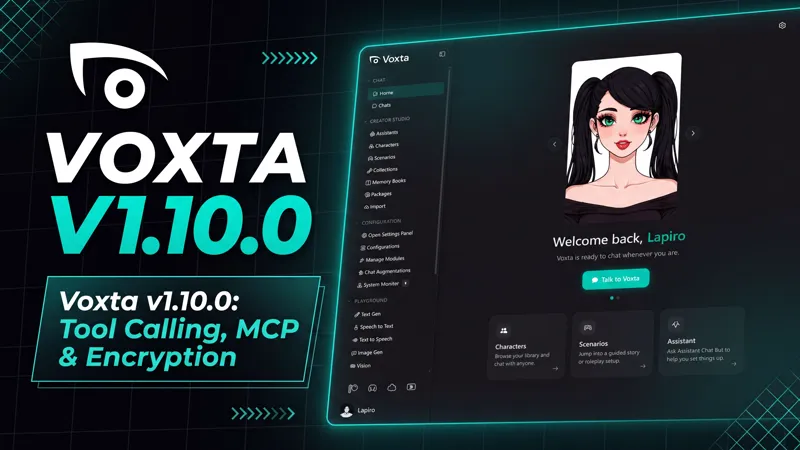




Voxta v1.10.0: Tool Calling, MCP & Encryption
Hello everyone,
This is a large one. Characters can now call tools in the middle of a reply, so they can search the web, read a page or drive a device without breaking the conversation. Through MCP, they can also reach the MCP servers you already run, and the chat's own actions are served back out the same way. The other half of the release is encryption: chats, characters, scenarios, memory books and files can be encrypted at rest under a key that is yours, and you turn it on from your profile. Incremental backups, a new transcription module and a long pass on image and video generation fill out the rest.
Backup your Data/Voxta.sqlite.db and Data/Users folder before upgrading, just in case.
There is a lot to dig into, so let's get started.
🛠️ Tool Calling
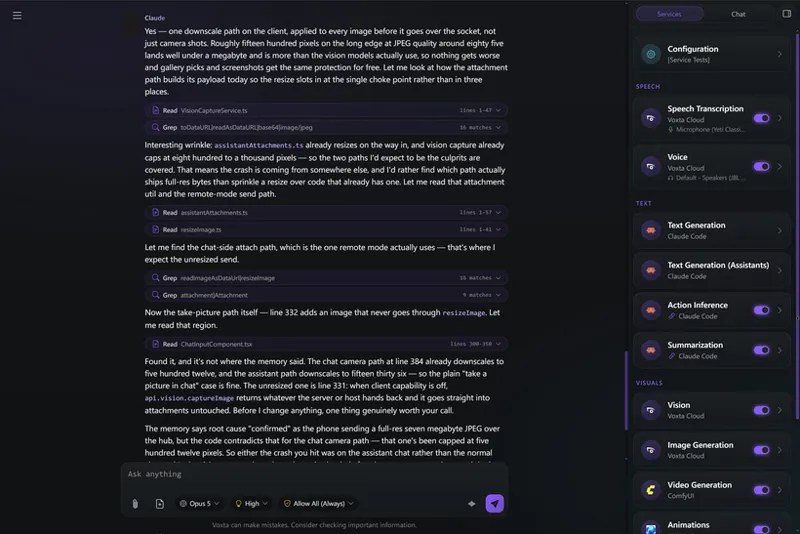
A character can now stop mid-reply, call a tool, and carry on with the result.
Tool calling on OpenAI, Anthropic, Gemini, Mistral, Grok, OpenRouter, Voxta Cloud, KoboldCpp and generic OpenAI-compatible services
Local models (llama.cpp, LlamaSharp, ExLlamaV3) call tools through the prompt
Search tools are provided with Voxta Cloud by default, along with the modules that support them
Permissions per tool, with a remembered "Always" you can take back
Tool calls and their results are saved in the chat history
Creators can define scenario actions as tools the character calls itself, with arguments and results
Assistants can offer you a set of choices to pick from
Chats now use turn based mode instead of single message when tools are used
🧩 MCP
Agents can reach the MCP servers you configured
The chat's own actions are served to those servers over MCP
Windows SDK: Powershell, open a program or browser, get location and clipboard tools
Linux SDK: Bash, get computer info, clipboard
Android SDK: get device info, call, send SMS, open, get location
Tool calling custom modules SDK
🔐 Encryption
Click on your profile and select Encrypt to turn it on.
At-rest encryption of chats, characters, scenarios, memory books and files, under a per-user key
Encryption can be turned on, turned back off, and the key replaced, with a recovery code
Module secrets and OAuth tokens are protected by a device key on every platform
Registration asks for a password, and offers encryption with it in the same step
API requests a browser made for another site are refused, and CORS is an allowlist rather than any origin
📦 Incremental Backups
Incremental backups to the file system or Google Drive, so you can back up before an upgrade
🎨 Image Generation
Image services can write natural-language prompts instead of booru tags, with a Prompt Style override per service
Imagine chains each image off the previous one, anchored to the character's reference image, so identity and detail stop degrading
Imagine images can be shown as a chat attachment, the character's avatar, or the full-screen background
Generated images are described back to the text gen, so the character knows what it just sent
Image generation no longer holds the queue, so other scenario actions can run while an image is still generating
Several images can be attached to one message
Imagine and animate prompts now receive the explicit level
🎬 Video & ComfyUI
Video continuations: continue a clip from its last frame or any chosen moment, with reference characters kept
ComfyUI H3 Motion Context support, continuing a clip through the saved latent instead of a captured frame, with per-chat chain isolation
ComfyUI keyframe (first_frame) slots are detected and driven, and workflows report their real reference-slot count
ComfyUI workflow nodes can be customized from within Voxta
LoRAs carried by an imported ComfyUI workflow are listed, toggled and re-strengthed from the settings form
Video generation for Google, computer vision for Mistral
Video Playground: seek bar, volume control, a timeline-ordered gallery with a live tile, and generation that survives navigating away
🎙️ Speech & Transcription
New Parakeet speech-to-text
Text to speech for Google, Mistral, xAI and OpenRouter
Audio transcription for Google, Mistral, xAI and OpenRouter
Streaming speech to text for OpenAI, Mistral and xAI, and Google speech now streams
Remote text to speech supports PCM streaming
Voice parameters on Voxta Cloud, such as speed and pitch, per backend
Ability to turn off turn detection
Speech test self-diagnostic tool, in the left panel's Advanced section
New PlayAudio "insert" scripting type, played in between speech chunks
⚙️ Models & Performance
Turn based templates keep the system prompt stable and send only what changes each turn before the last message, increasing cache hits, reducing cost and improving speed
Faster chat startup by skipping warmups that were not doing anything
Voxta Cloud disables fields the model does not support, such as temperature on some models
KoboldAI moved to KoboldCpp's OpenAI-compatible API
Updated cloud provider models
Updated Python (ExLlamaV3 1.4.5, transformers 5.16.1, Kokoro 0.6.1, SenseVoice 1.4.12) and packages
Augmentations work in every chat style, and run their inference on the service they asked for
Attachments Behavior "Recent Only" now takes a count instead of always meaning one
/note, /secret and /instructions accept --expires-after-turns N, /message accepts expires-after-turns, and clients can set expiresAfterTurns on sendMessage
🔌 Lovense
Pair from the module configuration or from a QR code in chat, and test it
Each toy is driven by what it says it can do, and the module can be pinned to one toy
Failed toy commands are reported instead of only logged
Toys stop when you leave the chat
🖥️ Voxta UI
CTRL+G to quickly go to any page, character, module or anything else
Modules, Augmentations and Module Install pages redesigned, with folding sections, a pill per module, and a description with pros and cons
Tool calls, results and permission requests are shown in chat, and tools have their own panel in the inspector
See the augmentations and tools planned for a chat, and optionally add one for a specific chat, from the chat confirm modal
Pre-chat configuration is now a list you can read at a glance
The scenario assistant, Character Builder and Button Stylist use tools and run in the browser
Characters have a dedicated Appearance tab, and thumbnails have a remove background button
Improved Voices Studio, which also accepts a dropped zip
Remove background directly from the Assets tab
Drop a folder to import it
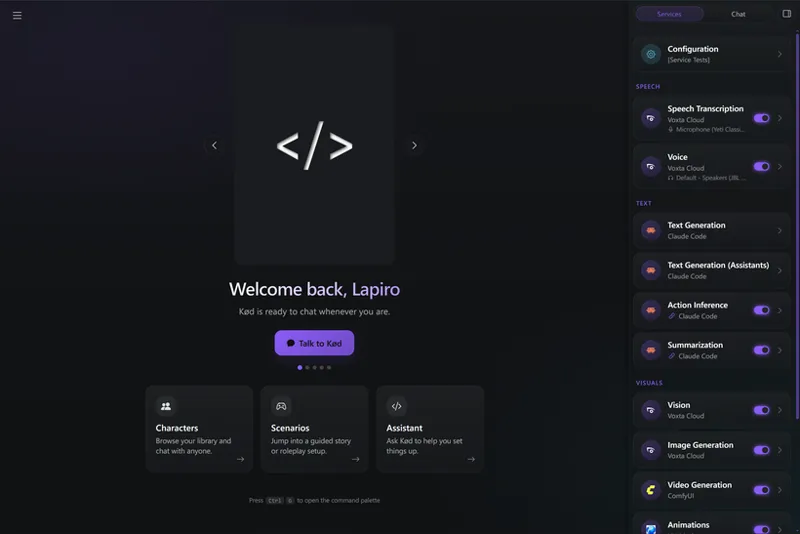
Simpler services right panel
Cultures dropdown reworked around a curated list
VRoid Hub: Discover tags can be unselected, the browser closes after applying a built character, and building a character sets Default 3D Avatar to the asset name
📱 Voxta Mobile
Connect the app to Voxta running on your PC instead of the embedded server, over a loopback proxy that keeps the microphone working
Android audio output routing: pick the Bluetooth speaker, phone speaker or earpiece, with the system switcher for the rest
See the character's name, thumbnail and chat title when playing on a Bluetooth device in media mode
End a voice chat from a car or headset's hang-up button, opt-in because it costs the hi-fi Bluetooth profile
The app draws to the screen edges, and rides the on-screen keyboard frame by frame instead of snapping after it
Settings forms become Android-style category pages, and the preset drawer is list-first with one action per screen
Character creation is a wizard on phones
Chat toolbar, message, commands and picker menus open as drawers with a handle, close and swipe
Confirm and prompt dialogs look native, and the configuration canvas takes pinch-zoom
The microphone follows the device you picked across Bluetooth connections, heals a selection whose id vanished, and waits out the speaker's echo tail before listening again
Playback stays on the loud media path instead of the quiet call path when the mic pauses during speech
The image viewer reads as a native viewer, and drawers sit flush on the bottom edge
The embedded server is secured from access by other apps
🧰 Voxta SDK
Voxpak management
README support on resources for public listings
Reading service settings with app authentication
🆓 Voxta Lite
New to Voxta? Lite is free and runs on Voxta Cloud, so you can create an account and start chatting without any local setup. If you like it, a subscription gets you the full version, with a large library of integrations, custom modules, and the option to run everything on your own hardware.
This release also carries a long list of stability and polish fixes, across audio timing and devices, streaming, GPU selection, ComfyUI behind a proxy, and Linux.
Thank you all, as always, for the continued support and feedback. Whether you are watching a character look something up mid-sentence, wiring your own MCP servers into a chat, or turning on encryption so your characters and conversations stay yours, we hope you enjoy this release.
Voxta is available to subscribers at: https://portal.voxta.ai/