DX9/DX11 Update Issues? 🤍
Good morning, Simmers,
Hopefully this information helps someone.
First, what is DX9/DX11?
Think of DX9 and DX11 as different versions of a set of tools that help video games and other graphics-heavy applications run smoothly on your computer.
DX9 (DirectX 9): This is an older version of the toolset that was released back in 2002. It was a big step forward for graphics, allowing games to show better visuals and effects than before. Many classic games used DX9, so it's still pretty popular, especially with older games.
DX11 (DirectX 11): This is a newer version that came out in 2009. It introduced even more advanced features, like better lighting, shadows, and more realistic textures. This means games can look even more detailed and immersive. DX11 also helps with performance, allowing games to run smoother, especially on more powerful computers.
In short, you can think of DX9 as an older toolkit for creating games and DX11 as a more advanced version that lets developers make even cooler-looking and better-performing games. Each version supports different hardware, so the choice often depends on the game and the computer you’re using.
TIPS:
Thank you for the information below, Sim Wears Prada | creating Luxury 3D Gaming Content | Patreon
Credit to Ruby Red for this message below. HERE
Hello everyone,
Some of you may have encountered issues and error messages after the recent update. If you’re experiencing problems with game entry or texture glitches, such as question mark wallpaper glitch, missing or broken images. This issue is due to the game's update to DirectX 11. Follow these steps using Sims4Studio to fix the issues:
✅ Download Sims4Studio V3.2.2:
Windows version:
https://sims4studio.com/thread/29786/sims-studio-windows-star-open
Mac version:
https://sims4studio.com/thread/29785/sims-studio-aurora-open-beta
Steps to fix:
1.Open Sims4Studio.
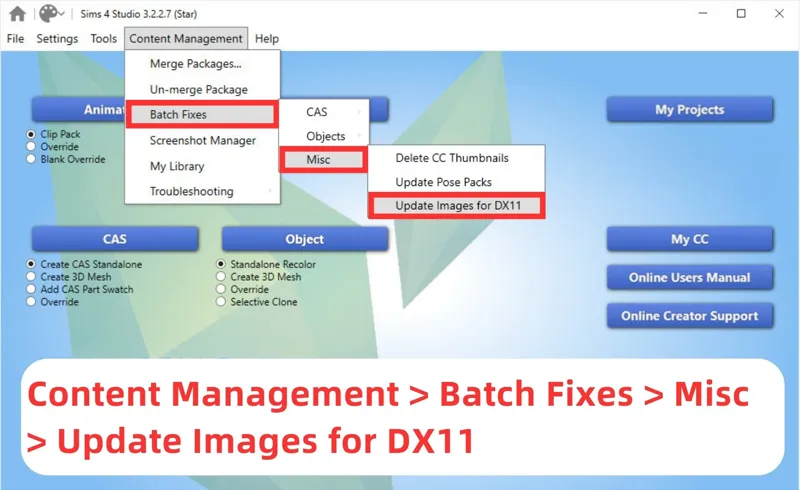
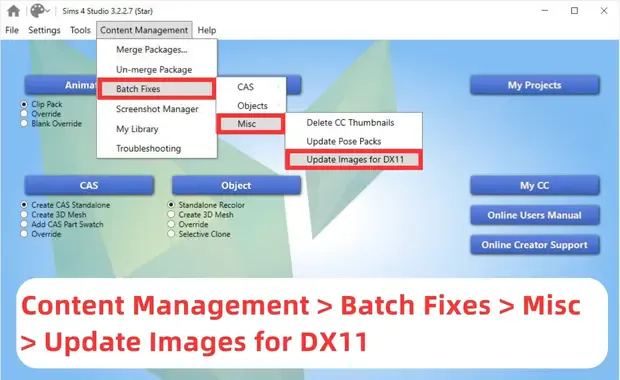
2.Navigate to Content Management > Batch Fixes > Misc > Update Images for DX11.
3.Let the process complete, then close Sims4Studio, and your game should be back to normal!
It may take a while to fix, depends on the size of your mod folder. I have about 150gb of CC. It took around 2 hours to fix them.
OPTION 2
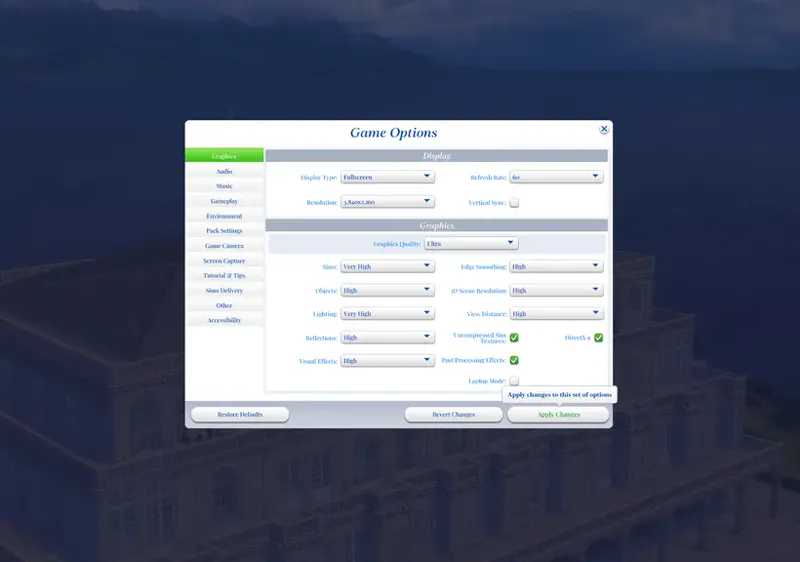
If you can't do a Sims 4 studio batch DX11 update, you can open your game, and in graphics click on DirectX9 and everything will work just fine. I tested out running DirectX9 and everything was working fine (see 2nd image above)
xo Bonnie🤍