
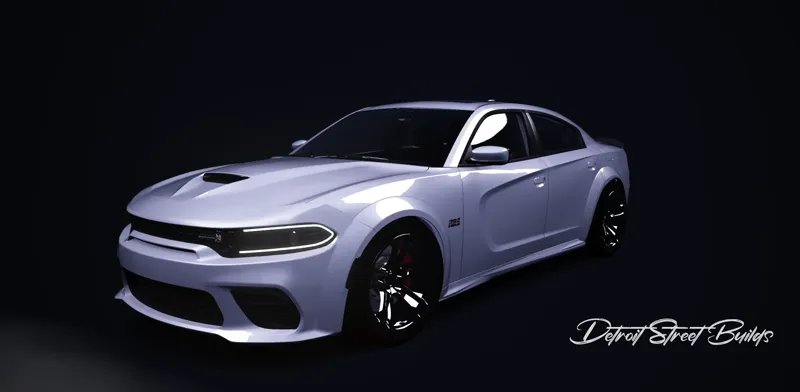
Dodge Charger Scat Pack 392 Widebody
Comments (7)
On another note. I downloaded a very good Charger Hellcat by brucektrain in Australia. Somehow he made the car a manual and I cannot get it to be an automatic. I set up a button on my Moza wheel that switches pretty much any car to an auto trans, but not his. I messaged him on Discord, but it is a pretty big time difference. I am fairly good at modifying files, but cannot get his car to change to an auto. I have done a number of track days in the last 30 years and every time I show up with an auto trans the instructor says leave it in drive., which turns out to be a very good way to drive most auto trans performance cars on a track.
I fixed it on my end. When the .rar file is extracted within Windows Explorer it creates a double folder structure. dodge_charger_scatpack_widebody_23_by_detroit_street_buildz/dodge_charger_scatpack_widebody_23_by_detroit_street_buildz/then all the files.
I have all the DLC loaded with the latest version of AC. I just rebuilt my installation yesterday. I installed your car by dragging the compressed file into CM and it indicated it installed successfully. It still errors out during the loading of AC, before you get to choose how you are going to run it.
I just did a full test on my end to be sure completely deleted the car, reinstalled it fresh, and launched AC with it, and it works without any errors. I’m not getting the issue you’re describing, even on a clean install. If needed, I can also record a short video showing the full process from installing the car to running it in AC so you can compare setups. Unfortunately, since it’s working fine on my end after a full reinstall, I’m not sure what else it could be beyond something specific to your setup.
I have tried loading this car every way there is. Drag and drop to CM. Extract to Assetto Corsa/Content/cars. Extract to a folder, then copy and paste into the same. Your car generates an error every time AC is on the loading screen before you get the choices for running mode.
I really want this car, I have the real thing. I cannot get this download to install in AC. After installing, either through CM or manually, I get an error with this car's name when starting AC. I noticed your .rar has two folders after extracting, but I'm not sure that has anything to do with it. Also, I cannot find the error log that the error references.
Hey man, I appreciate the support and I’m glad you want the car. I’ve slowed down updates recently—the community is pretty small and these take a lot of time, and I’ve been trying to keep up with real-world stuff as well. That said, the file should work as-is. Please make sure you have all required Assetto Corsa DLCs installed, since missing DLC will cause errors when launching the game. For the Charger, there is only one folder for the current version. If you’re seeing two folders after extracting the .rar, make sure you’re placing the actual car folder directly into content/cars and not nesting it or merging folders.