
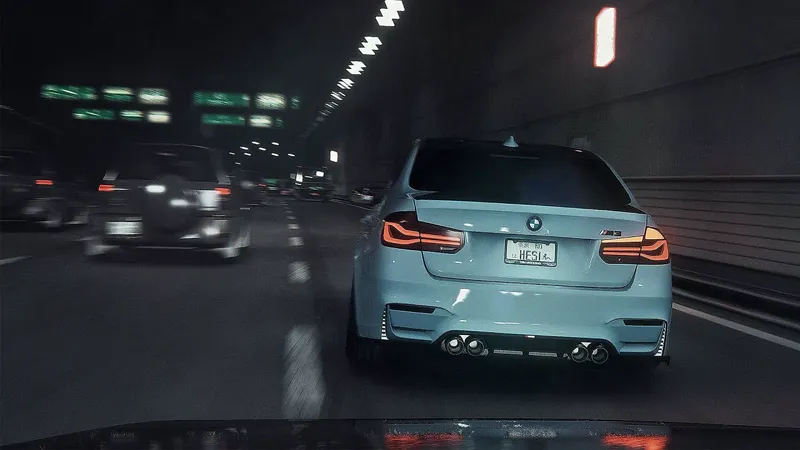
BLOOB Dashcam v1.1 + C13 AEGIS Preview
Video preview of C13 AEGIS with my updated Dashcam v1.1 Reshade for Assetto Corsa
Comments (24)
Yo, how do I get the dashcam? Did you adjust onboard settings and use replay for this? I applied your reshade and im using C13 Aegis, looks amazing but not like in the video. Thanks in advance!
hey man, do this but move it to dashboard https://youtu.be/SFwxkCwfMlE?si=4En7wuW8mkecBAsI
is there a way i can get the driving pov with no green tint
which ppfilter are u using? there shouldnt be a green tint unless u still specifically use my green night config from ac real 2.2 raw
Hello, are you still working on the lite realism?
yes it is already available for tier 2 and 3 here: https://www.patreon.com/posts/101677867?utm_campaign=postshare_creator
bloob i'd pay top dolla for a video just like this one!!
How to install dashcam in the game can you please help
Can I use this with "AC Real V1.15"? Thanks
yes of course, this is just an example of what it looks like w aegis
for some reason none of my cars shoot big flames any help?
get flames mod
Shoud be C13 AEGIS
what do you mean
Hey I was wondering which PP filter you usually use. I like ac real 2024 but sometimes feels a little too dark or unsaturated in some spots.
i like ac real 2024 for daytime clips and c13 aegis for nighttime clips
yo what are the graphics settings for this
How do you enable the Dashcam?
i copied into folder and dashcam dont works
Go into pure config in game. Enable dashcam
it's too-dark...but looks awesome!!
for pure 0.251
u gotta download reshade, then load reshade up when ur in the game then choose the .ini file from bloob dashcam v1.1
how do i get this