
slightly edited plumbite cove
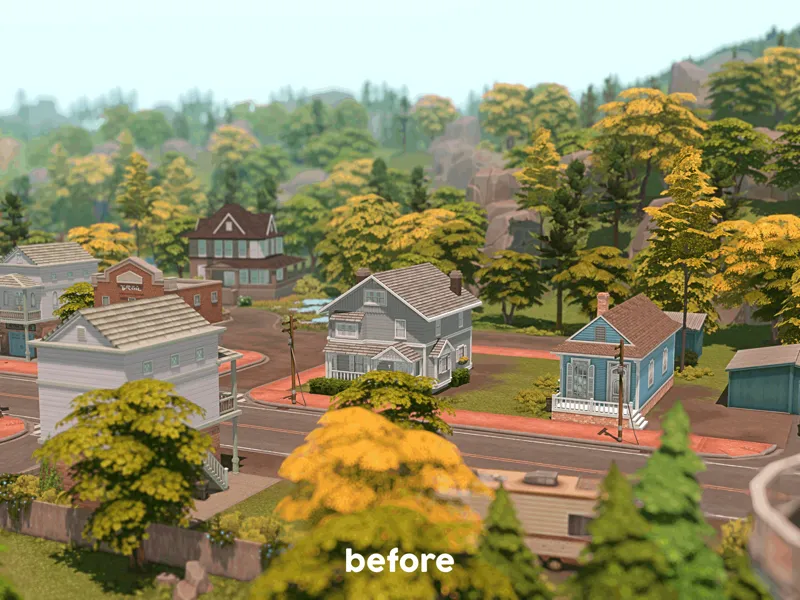
when i was building my breezi villa, the thing that i found annoying was those trees blocking the beautiful view of the lake. but due to the fact that i love editing anything i dislike in this game, i have found a way to remove those trees so that my sims can clearly view the lake from the lot.
removed objects
● tree_EP12Cypress_01
positions
251.33481, 149.5434, 414.12704
232.14214, 150.13673, 406.208
248.85953, 149.10464, 424.1265
● plant_EP12scrubBushLarge_01
positions
240.67587, 150.08385, 401.50336
243.26093, 150.20522, 405.9439
how to install the file
simply install the file the same way you install lighting mods and other edited world files.
for Windows users, the file goes to …\EA Games\The Sims 4\Delta\EP12\Worlds\Areas\.
for macOS users, open Finder, press cmd + F, type 'The Sims 4.app' in the search box, right-click on the game icon, select Show Package Contents. the file goes to /Contents/Delta/EP12/Worlds/Areas/.
you need to re-install the file whenever you update or repair your game.
credits
Awingedllama for the tutorial
Softerhaze for the original files of the lighting mods
tou
do not claim the files as your own
do not monetise the files in any way, shape, or form
check out
enjoy ♡
======================================
i am currently taking an indefinite break from the sims and the game is no longer on my pc. if any issues emerge from any of my creations; unfortunately, i will not be able to fix them for you. nonetheless, you can still submit your questions regarding my creations and i will try to answer them as soon as possible.
Comments (2)
hey hey i just want to know if all your replacements and overrides are compatible, thanks :)
All of them should still be compatible. (Also, just to let you know that I haven’t updated my game since March last year and the last time I opened it was 2 months ago. Besides, I don’t plan to come back anytime soon because I’m so burned out with The Sims right now.)