
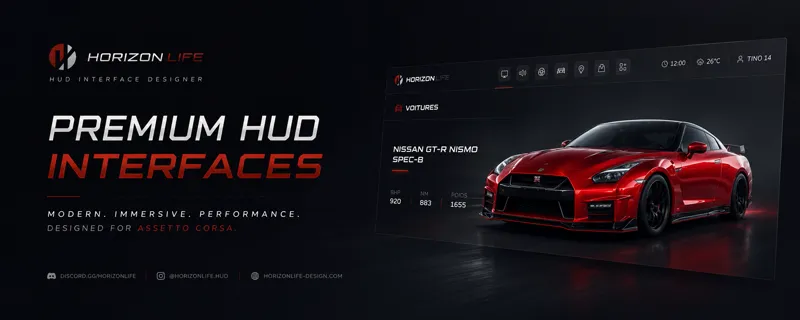
Horizon Life Menu HUD Apps│v0.1
🏁│Horizon Life HUD Menu
The all-in-one in-game menu for Assetto Corsa (CSP)
Customize your car, take control of your session, and explore the map all in real time, without ever leaving the track.
📖│Overview :
Horizon Life HUD is a complete, polished interface for Assetto Corsa (via
Custom Shaders Patch), inspired by the world of Forza Horizon. It brings
EVERYTHING you need during a session into one smooth menu: deep car
customization, weather and time control, graphics and audio settings, an
interactive map with teleport, traffic management, and much more.
No more digging through the game's menus just one key (F9), clear tab
navigation, and every setting applies instantly while you drive. All your
customizations are saved per car.
🖌️│Paint
Part-by-part selection: hover over the car (yellow outline) and click to
pick a part (blue outline that stays until you apply).
Intuitive color picker (hue + shade).
6 finishes: Glossy, Metallic (flakes), Matte, Satin, Candy, Chrome.
Advanced per-part material settings: ambient, diffuse, specular
intensity and sharpness.
Palette: save up to 12 colors and reload them in one click.
Reusable paint presets — even across different cars.
🛞│Wheels
Choose rims from a built-in library.
Apply them to all 4 wheels, front only, or rear only.
Tune front and rear independently, LIVE (no reload):
Scale (size): 0.50x to 1.50x
Offset: -10 to +10 cm
Camber: -8° to +8°
Each slider has a center "detent" that snaps to the default value
easy to reset.
🪽│Spoiler / Accesory
Mount the spoiler of your choice from a library.
Position it freely: height, length, scale.
Remove it in one click.
💡│Neon (underglow)
Fully adjustable underglow lighting.
8 animation modes: static, pulse, RGB cycle, chase effects, flow, police, dual-color…
Adjust animation speed, base glow, brightness and position (front / rear / sides).
Primary + secondary color, with expert settings saved per car.
💾│Preset & Reset
Save a COMPLETE setup (paint + wheels + spoiler + neon) and reapply it in one click.
Reset everything" button to start fresh.
🌦️│Weather, Time & Atmosphere
Free time of day (0 → 24 h), rain and road wetness (0–100%).
Wind: speed (0–100 km/h) and direction (0–359°).
Ambient and road temperatures.
Custom skydomes for day, sunset and night — the sky switches automatically with the time, and the sun aligns to it on its own.
Weather presets applied in one click.
⚙️│Graphics
Access the game's real settings without leaving the track: anisotropic
filtering, world detail, shadows (up to 8192 px), render distance
(up to 5000 m), post-process quality, glare, depth of field, texture
sharpness, heat shimmer, sun rays…
Pick your post-process image filter with a built-in search bar.
Values are pre-filled with YOUR current settings when you open it.
🔊│Audio
Adjustable volume for each source: engine (exterior / interior), wind,
turbo, rev limiter, backfire, gearbox, transmission, horn.
Reset to default and mute everything buttons.
🗺️│Map, Navigation & Teleport
Interactive track map: zoom, pan, and auto-follow your car.
One-click teleport to defined points — works on online servers too.
See your position, free camera, other players and traffic on the map.
Player list in multiplayer, with search.
HorizonLifeNav: compass and mini-map in dedicated windows you can toggle separately.
🚦│Traffic (TrafficTool integration)
For TrafficTool users, control traffic straight from the HUD, with the
live state shown in real time:
Car count (up to 250) and density (light / normal / heavy).
Options: replay mode, police chases, crash physics, pedestrians, race cars, extra vehicles.
🔧│Handy Extra
Adjust tyre temperature and fuel level on the fly.
Instant car repair (damage reset).
Colored tyre smoke (any color, or match your paint).
Car "extra" switches and in-game app management.
✨│Built To Be Simple
Instant open with F9; on launch, only the tab bar appears one click unfolds the page you want.
Clean, smooth navigation and a resizable window.
Every setting applies in real time and is saved per car.
❤️│Support
Join the project and take your Assetto Corsa sessions to the next level.
Your support makes development possible and unlocks even more features to
come. Thank you! 🏁
⬇️│Installation
Drop and drag the file into Content Manager.
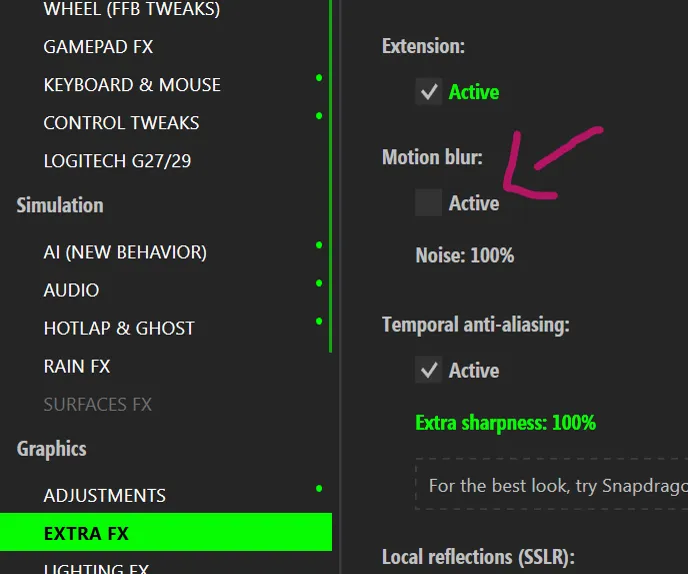
Regarding the wheel swap: if you notice a poorly rendered blur effect, that is normal for now. To counteract this effect, remove the "Motion Blur" setting within "Extra FX" will solve the issue.
🖥️│Link
Apps link : DRIVE
Horizon Life community : DISCORD
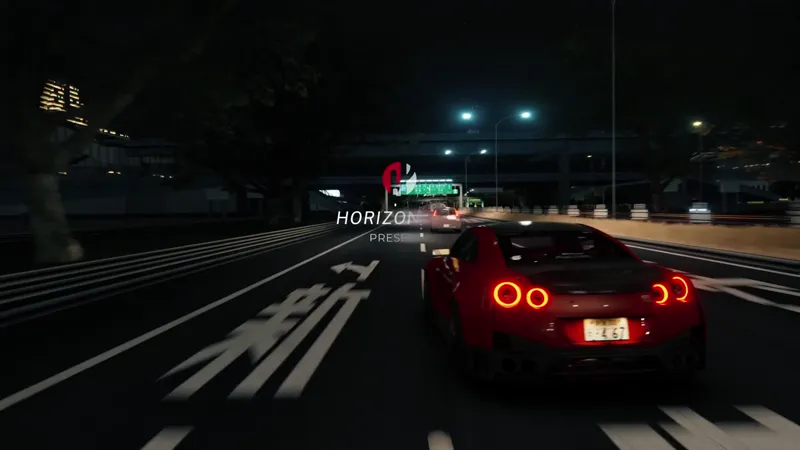
Trailer made by : AFSTUDIO