
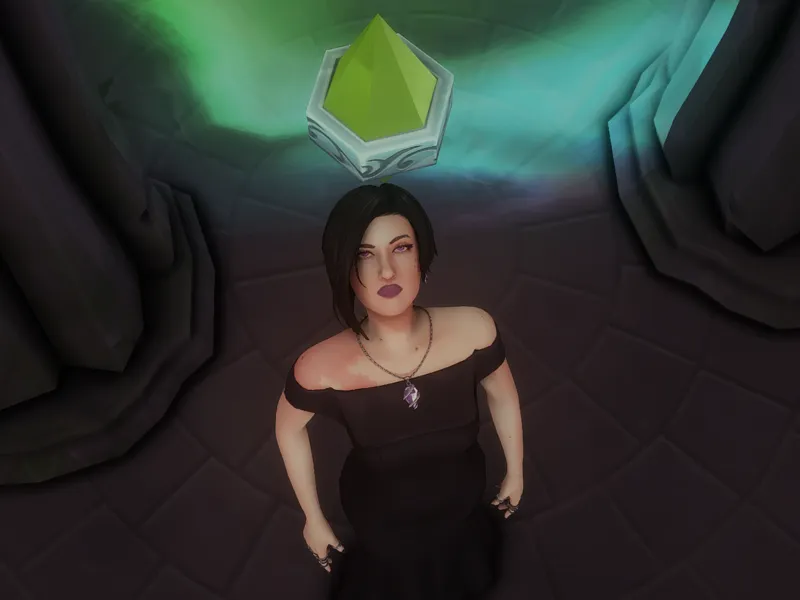
How to remove plumbob without mod
Postagem em Português Aqui
I believe that many don't know that it is possible to remove plumbob just by changing a file within the game folder. I will show you how to do it!
Locate where your game was installed:
The Sims 4 > Game > Bin > Open the file named Default
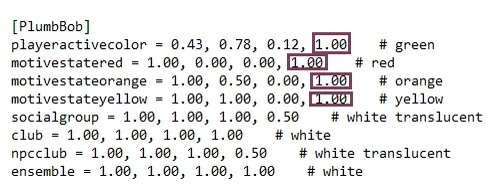
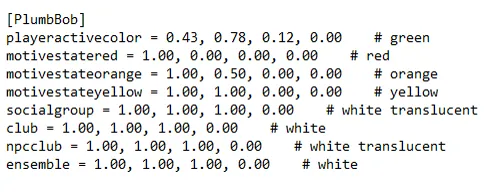
You will find information about the size and opacity of plumbobs.
The numbers marked in the image are the opacity. Leave 0.00 for the plumbob to be completely invisible. It is also possible to make group and club icons transparent.
I like to leave everything 0, it doesn't make sense for me to see icons in other people's heads, for whatever reason.
This method only affects the plumbob and the icons, it is not like using the "headlineeffects off" cheat. I also never saw any type of glitch due to making these objects transparent.
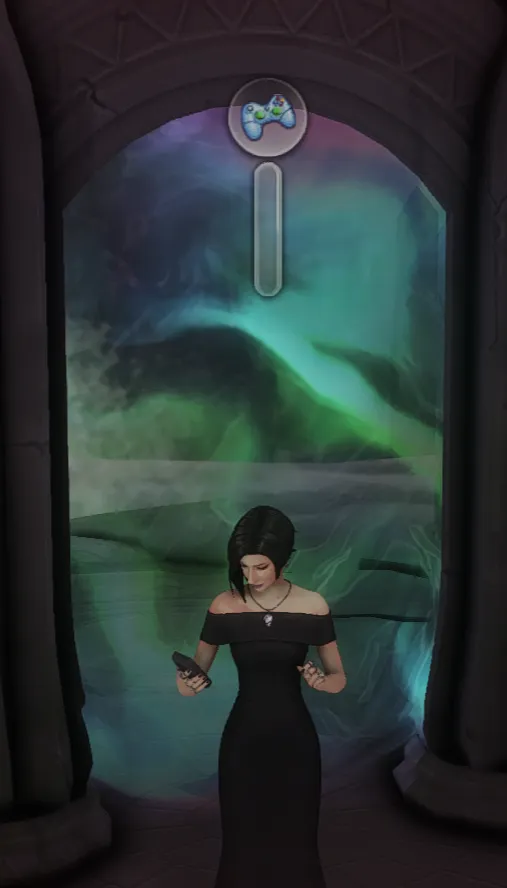
By the way, the skill bars keep appearing.
After making the change, just save and open the game. If the plumbob has not disappeared, you just need to make a new game shortcut, it will update.
Whenever the game is updated, this file returns to its original configuration, so it needs to be edited again.
If you open the game folder and don't see this file, it is because it is hidden. If you use Windows, just go to the settings to unhide files and it will appear. You also need authorization from the computer administrator to change this file, if you don't have permission, change it in the settings.
Discovering this changed my gameplay and I hope it changes yours too.
I hope you like the tip.
Kisses!