

[Update] Landscape Auto Material - RVT, Paint Layers and Examples
Hello CGDealers Community!
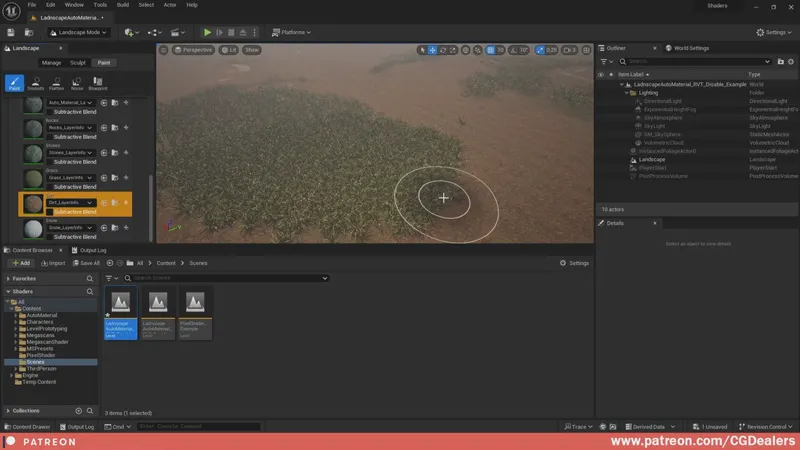
I'm so thrilled to announce the new Landscape Auto Material Update with support of Paint Layers, RVT and included two Example Scenes.
I've updated the Landscape Auto Material and now it supports Paint Layers.
Now you are able to paint over the landscape with the textures you've setup in the Material Instance. If you need to modify or tweak some zones of your World use the paint layers.
Combining the power of Auto Material, RVT and Paint Layers you will achieve "AAA" quality in just few minutes.
I hope those new stuff will help you a lot!
As I've always said feel free to modify and expand the functionality to your needs!
*Supports - Unreal Engine Version 5.3+
Comments (12)
i just have one problem after importing and adding to my landscape i dont have any 3d meshes spawing
Hello again, I traid to use the Remove Foliage. When I remove the Foliage I also remove the painted layer.
I'll test it and let you know. Join our discord group so we can have real time communication not via comments. https://discord.gg/p4HkQKvjkq
Hello, i have downloaded the newest version of the auto material. Everything looks very good, but I have one problem. When I paint the procedurals don't disappear.
There is a layer called "Remove Foliage" when you paint with white color it will remove the foliage in the area you are painting. Use this in combination with the paint layers to have the effect you want.
Version is fine and the folder is under content. I've watched the video and did exactly what you did but it still doesn't work.
Are there like any settings within Unreal that could prevent it from working maybe?
Hi, I'm new to Unreal Engine and just downloaded the automaterial, but for some reason I can't put the material instance in the landscape material slot. It has no parent and I can't put the master material in there. When I open the master material I get this error saying "[SM6] Missing Material Function". I don't know if you have any idea on how to fix it. I'm sorry for bothering you.
If something is missing you imported the material wrong. Keep in mind not to change hiarchy when copy pasting. The material folder should be under Content/ Watch my video on how to install it. Go to collections and under How To Install you will find it. Also keep in mind that the material is for UE5.3+ wont work for older versions. If u want older version you can scroll through my patreon and find the old one that supports UE5.2
This is such an amazing resource! I am so glad to have found your channel on YouTube, and I CAN'T WAIT to upgrade my environmental pipeline with these awesome blueprints and methods!
The material Landscape_AutoMaterial in this file does not have the same options that you presented in the video. The additional layers that are in the video were missing from the RVT OUTPUT. I think this material file must be the old one. This file doesn't even have the PAINT LAYERS area. Confirm if I'm right or if I have to do something for this to appear here.
Did u download the updated files that i uploaded today. https://www.patreon.com/posts/97105030